
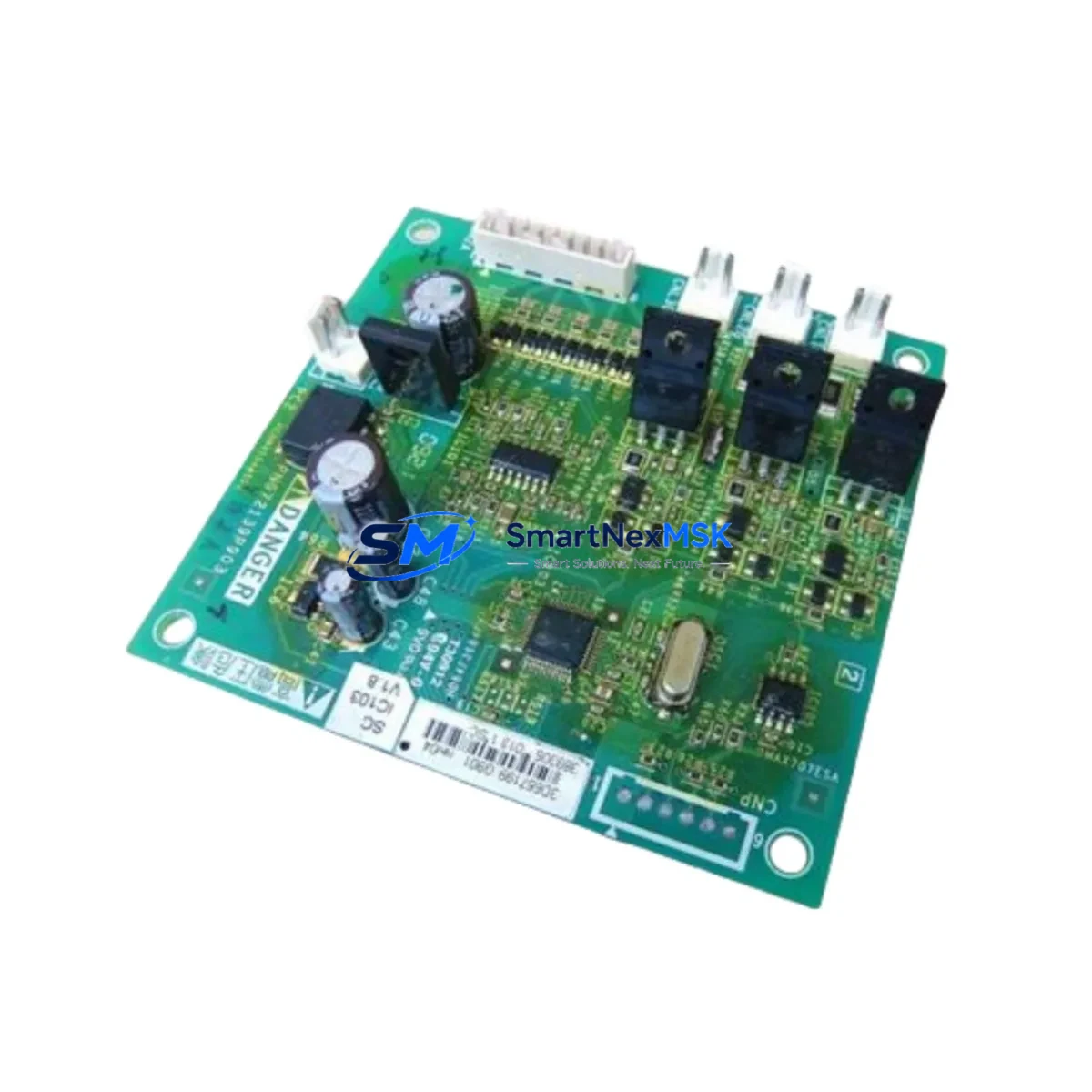
Schneider PN072545P1 Retrofit-Ready Drive Control Board: Compatible Upgrade for Altivar Control Systems
The Schneider Electric PN072545P1 is a retrofit-ready drive control board engineered for seamless integration into existing Altivar variable frequency drive (VFD) platforms. As legacy Altivar units reach end-of-life or become increasingly difficult to source as spare parts, the PN072545P1 provides a verified drop-in replacement path that preserves original control logic, minimizes rewiring effort, and restores full drive functionality without requiring a complete system overhaul.
Industrial facilities operating aging Altivar ATV18, ATV28, ATV38, or ATV58 series drives frequently encounter obsolete control boards that are no longer available through standard distribution channels. The PN072545P1 addresses this gap directly, offering a tested and quality-verified alternative that supports the original terminal wiring layout, maintains compatibility with existing PLC communication links, and integrates with the drive’s internal power supply architecture without modification.
For retrofit engineers and maintenance teams, the PN072545P1 is particularly valuable in scenarios where the drive enclosure, power stage, and motor cabling are still serviceable but the control board has failed or degraded. Replacing only the control board — rather than the entire drive unit — dramatically reduces both material cost and installation downtime, allowing production lines to resume operation within hours rather than days.
Upgrade Compatibility Table
| Parameter | Details |
|---|---|
| Compatible Drive Series | Schneider Altivar ATV18, ATV28, ATV38, ATV58 |
| Mounting Interface | Direct backplane slot replacement; standard DIN rail compatible enclosure |
| Terminal Wiring | Matches original Altivar control terminal block layout; no rewiring required in most configurations |
| Communication Compatibility | Modbus RTU; compatible with existing RS-485 communication links |
| Power Supply Input | Sourced from drive internal SMPS; no external 24 VDC supply required |
| Replacement Recommendation | Direct board swap; verify firmware version and parameter backup before replacement |
| Commissioning Notes | Restore saved parameter file via keypad or PC software; verify motor nameplate data entry |
| Warranty | 12 months from date of shipment; covers manufacturing defects and functional failure |
Retrofit Planning for Existing Automation Systems
A successful PN072545P1 retrofit begins well before the board is physically installed. Maintenance engineers should first perform a full parameter backup of the existing Altivar drive using the Schneider SoMove PC configuration tool or the compatible RJ45 programming cable. This ensures that motor control parameters — including acceleration ramp, deceleration ramp, current limit, and frequency reference source — can be restored exactly after the board swap, avoiding the need to re-commission the drive from scratch.
Before removing the failed control board, verify the drive’s internal 24 VDC logic power supply output and confirm that the SMPS section of the drive is functioning correctly. A faulty power supply module is a common secondary failure that can damage a replacement control board if not identified beforehand. Similarly, inspect the drive’s DC bus capacitors and the IGBT power module for signs of thermal stress or leakage, as these components directly affect the reliability of the new control board.
Terminal block wiring should be documented with photographs before disconnection. The PN072545P1 maintains the standard Altivar control terminal layout, but it is good practice to verify that analog input signals (AI1, AI2), digital inputs (DI1–DI6), relay outputs (R1, R2), and the 10 VDC reference output are correctly mapped to the new board’s terminal designations. In installations where a Modbus RTU network connects the drive to a Schneider Modicon M340 or Modicon M580 PLC, confirm that the slave address, baud rate, and parity settings are re-entered correctly after the board replacement, as these parameters are stored on the control board itself.
For systems that include an Altivar keypad display unit or a remote HMI panel built on Vijeo Designer, verify that the HMI communication link is re-established after commissioning. Drive status words, fault codes, and speed reference variables mapped in the HMI project should be tested against live drive operation before returning the system to production. In multi-drive installations sharing a common Modbus segment with other Altivar units, a Modbus network scan should be performed to confirm that the replaced drive responds correctly at its assigned node address without causing bus conflicts.
Where the control cabinet also houses a Schneider TeSys motor starter, a Zelio logic relay, or a Preventa safety relay module, these components should be functionally tested in conjunction with the retrofitted drive to confirm that interlock signals and emergency stop chains remain intact. I/O expansion modules connected to the drive’s I/O bus should also be verified for correct address assignment and signal integrity after the board swap.
Downtime Control During System Migration
Minimizing production downtime during a drive control board replacement requires a structured pre-outage preparation process. Before the scheduled maintenance window, gather the replacement PN072545P1 board, the appropriate RJ45 programming cable, a laptop with SoMove installed, and a printed copy of the drive’s parameter list. Having all materials staged at the work site eliminates delays caused by last-minute parts searches.
The physical board swap on an Altivar drive typically takes 20 to 40 minutes for an experienced technician. The majority of the outage time is consumed by parameter restoration, communication link verification, and a no-load test run before reconnecting the motor. By pre-loading the saved parameter file onto the SoMove laptop before the outage begins, the parameter restore step can be completed in under five minutes, significantly compressing the total downtime window.
For critical production lines where even brief outages carry significant cost, consider staging a fully pre-configured spare drive — with the PN072545P1 already installed and parameters loaded — as a hot-swap unit. This approach reduces the in-field replacement time to the duration of the mechanical swap and cable reconnection only, with no on-site commissioning required. The original drive can then be repaired and returned to the spare pool at a later time.
After the replacement board is installed and parameters are restored, perform a controlled test run at reduced speed before returning the drive to full automatic operation. Monitor motor current, output frequency, and drive temperature during the initial run to confirm that the replacement board is functioning correctly and that no secondary faults are present. Document the replacement in the facility’s maintenance log, including the date, technician name, replaced component part number, and post-replacement test results.
Retrofit Support FAQ
Q: Is the PN072545P1 a direct replacement for the original Altivar control board without any hardware modification?
A: In most Altivar ATV18, ATV28, ATV38, and ATV58 applications, the PN072545P1 is a direct board replacement that fits the original mounting position and matches the existing terminal wiring layout. Minor differences in connector keying or board revision may apply depending on the specific drive production date; our technical team can confirm compatibility based on your drive’s nameplate serial number before shipment.
Q: Do I need to re-enter all drive parameters after installing the PN072545P1?
A: Yes. Drive parameters are stored on the control board, so a full parameter restore is required after replacement. We strongly recommend backing up the existing parameter set using SoMove or the drive keypad before removing the original board. If the original board has failed completely and no backup exists, our team can provide a standard parameter template based on your motor nameplate data and application type.
Q: What communication protocols does the PN072545P1 support, and will it work with my existing PLC network?
A: The PN072545P1 supports Modbus RTU over RS-485, which is the standard communication protocol for the Altivar drive series. It is compatible with Schneider Modicon PLCs and any third-party PLC or SCADA system configured for Modbus RTU. CANopen or DeviceNet communication requires a separate option card; please confirm your network protocol requirements when placing your order.
Q: What does the 12-month warranty cover, and what is the process for a warranty claim?
A: The 12-month warranty covers manufacturing defects and functional failure under normal operating conditions from the date of shipment. It does not cover damage caused by incorrect installation, overvoltage events, or environmental contamination. To initiate a warranty claim, contact our sales team with your order number, a description of the fault, and photographs of the installed board. We will arrange a replacement shipment or repair at no additional cost within the warranty period.
© 2026 SMARTNEXMSK. All rights reserved.
Original Source: https://smartnexmsk.com
Contact: [email protected] | +86 18259474341



