
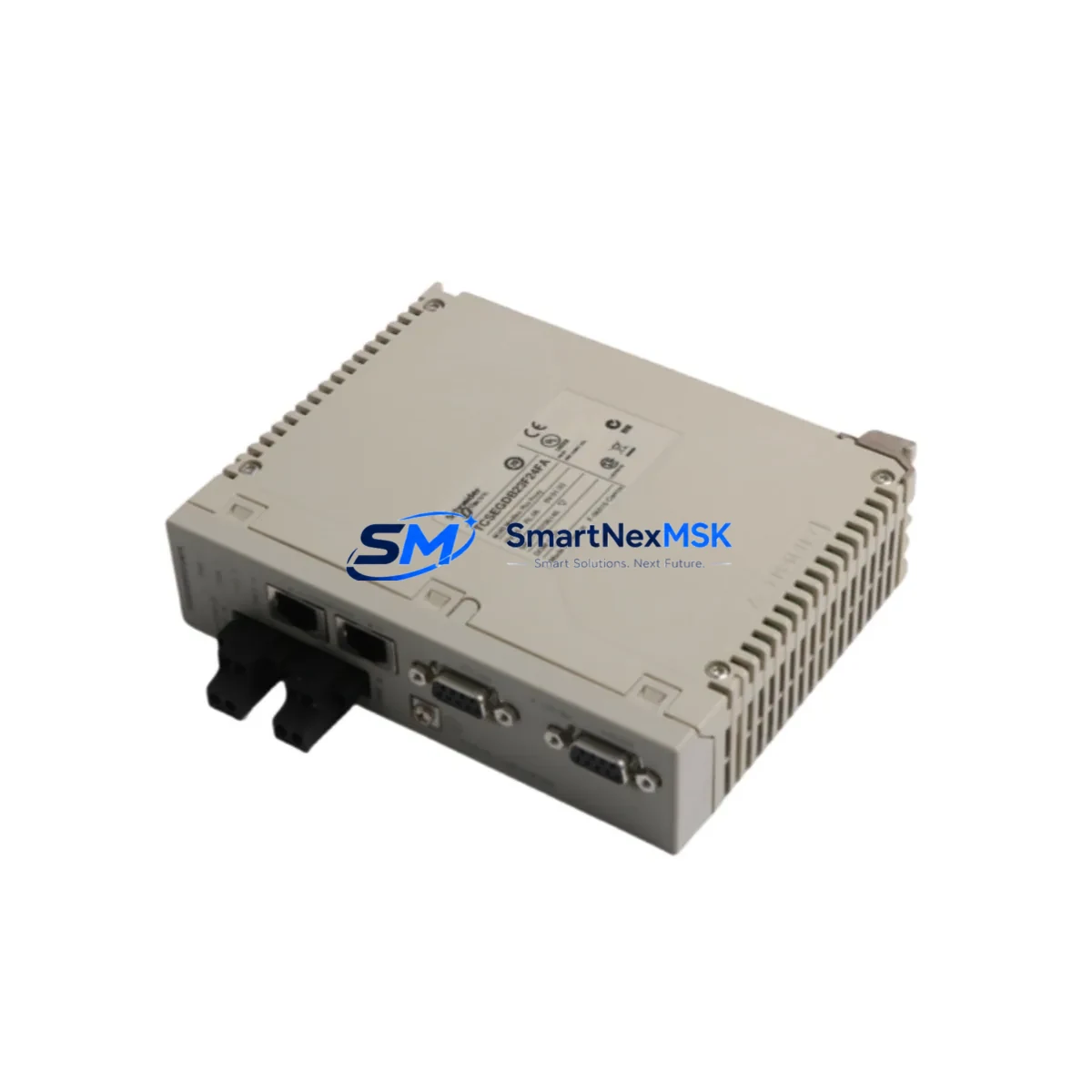
Schneider TCSEGDB23F24FA Retrofit-Ready Ethernet Proxy for Modicon Premium Control Systems
The Schneider Electric TCSEGDB23F24FA is an Ethernet Proxy Module designed for the Modicon Premium PLC platform, enabling seamless Modbus TCP/IP communication between legacy field devices and modern supervisory networks. As industrial facilities accelerate their migration away from aging Modicon Premium racks, the TCSEGDB23F24FA has become a critical retrofit component — both as a direct replacement for failed units and as a bridge module during phased system upgrades.
Whether you are restoring a production line after an unplanned module failure, upgrading a control cabinet from serial-based communication to Ethernet, or migrating an entire automation cell to a newer Schneider platform, the TCSEGDB23F24FA provides the compatibility and reliability that industrial engineers require. SMARTNEXMSK maintains verified stock of this module, fully tested prior to shipment, with a 12-month warranty and fast global logistics.
Upgrade Compatibility Table
| Parameter | TCSEGDB23F24FA Details |
|---|---|
| Compatible Platform | Modicon Premium (TSX Premium series) |
| Communication Protocol | Modbus TCP/IP, Ethernet 10/100 Mbps |
| Rack / Backplane Interface | Modicon Premium X-bus backplane (standard Premium rack) |
| Installation Slot | Any available I/O slot on TSX RKY rack (4, 8, or 12-slot) |
| Power Consumption | Verify rack PSU capacity before installation; typical draw ~3W |
| Replacement Compatibility | Direct replacement for TCSEGDB23F24FA; verify firmware revision |
| Wiring / Connector | RJ45 Ethernet port; no field wiring changes required |
| Programming Tool | Unity Pro / PL7 Pro for IP address configuration and module addressing |
| HMI Compatibility | Magelis HMI panels via Modbus TCP/IP; screen tag re-mapping may be required |
| Commissioning | IP assignment via Unity Pro; verify Modbus device table and proxy mapping |
| Warranty | 12 months from shipment date — SMARTNEXMSK |
Retrofit Planning for Existing Automation Systems
Replacing or upgrading the TCSEGDB23F24FA within an operational Modicon Premium system requires careful pre-planning across multiple system layers. Before removing the existing module, engineers should document the current IP address, subnet mask, gateway configuration, and the Modbus proxy device table stored in the module’s non-volatile memory. This data is typically accessible through Unity Pro or the legacy PL7 Pro programming environment.
The TCSEGDB23F24FA occupies a standard slot on the TSX RKY 4EX, TSX RKY 8EX, or TSX RKY 12EX rack. Before installation, confirm that the rack’s power supply module — typically a TSX PSY 2600M or TSX PSY 5500M — has sufficient remaining capacity to support the new module. Overloaded rack power supplies are a common cause of intermittent communication faults after module replacement.
In systems where the TCSEGDB23F24FA acts as a Modbus TCP proxy for serial field devices — such as variable frequency drives, motor starters, or remote I/O drops connected via RS-485 — engineers must verify that the proxy device table (up to 64 Modbus serial devices) is correctly restored after module swap. Serial field devices connected through the proxy, including legacy Altivar ATV31 or ATV71 drives and TeSys U motor management units, will lose communication during the swap window and must be re-polled after the new module comes online.
For systems using distributed I/O over Ethernet — such as STB NIP 2212 Advantys STB network interface modules or TM7 expansion modules — confirm that the Ethernet switch port configuration and VLAN assignments remain unchanged. The TCSEGDB23F24FA does not store switch topology data, but its IP address must be consistent with the existing network map to avoid disrupting I/O polling cycles.
Where the Modicon Premium rack communicates upstream to a Magelis XBTGT or XBTGK HMI panel, verify that the HMI’s Modbus TCP driver is pointed to the correct module IP address. After module replacement, HMI communication must be re-validated screen by screen, particularly for animated objects tied to real-time register reads. If the system includes a TSX ETY 110 or TSX ETY 210 Ethernet module in the same rack, ensure there are no IP address conflicts on the local subnet.
For sites migrating from Modicon Premium to Modicon M340 or Modicon M580, the TCSEGDB23F24FA can serve as an interim communication bridge, maintaining Modbus TCP connectivity to existing field devices while the new controller rack is commissioned in parallel. This phased approach — running both racks simultaneously during cutover — is strongly recommended to protect program logic and minimize production interruption.
Downtime Control During System Migration
Minimizing downtime during a TCSEGDB23F24FA replacement or system migration begins with a complete offline backup of the Modicon Premium application program using Unity Pro or PL7 Pro. Store the backup on at least two separate media (local PC and USB) before any hardware is disturbed. Export the Modbus proxy device table and record all module slot addresses, I/O map assignments, and network parameters in a commissioning worksheet.
For planned replacements, schedule the swap during a scheduled maintenance window. The physical module exchange takes under five minutes; the majority of downtime is consumed by IP reconfiguration, proxy table restoration, and communication verification. Using a pre-configured replacement module — with IP address and proxy table loaded in advance via a bench PC running Unity Pro — can reduce live commissioning time to under 15 minutes.
For emergency replacements following an unplanned failure, SMARTNEXMSK’s verified stock and express shipping options are designed to minimize the gap between fault detection and module delivery. All units are pre-tested under load before shipment. Upon receipt, the module can be installed and configured without factory calibration, as the TCSEGDB23F24FA stores all operating parameters in software.
After the new module is online, validate communication in sequence: first confirm the module’s Ethernet link LED is active, then verify Modbus TCP connectivity from the Unity Pro diagnostic screen, then confirm all proxy serial devices are responding, and finally validate HMI screen data refresh. Document the completed commissioning steps and update the site’s as-built records before returning the line to production.
Retrofit Support FAQ
Q1: Is the TCSEGDB23F24FA a direct drop-in replacement for a failed unit of the same part number?
Yes. The TCSEGDB23F24FA is a direct replacement for any unit of the same part number installed in a Modicon Premium rack. No hardware modifications are required. You will need to restore the IP address, subnet mask, gateway, and Modbus proxy device table via Unity Pro or PL7 Pro after installation. SMARTNEXMSK ships all units with a pre-shipment functional test report.
Q2: What wiring changes are needed when replacing the TCSEGDB23F24FA?
No field wiring changes are required. The module connects to the network via a standard RJ45 Ethernet cable. The backplane connection is made automatically when the module is seated in the rack slot. Ensure the rack power supply is de-energized before insertion and that the slot locking mechanism is fully engaged after installation.
Q3: Can the TCSEGDB23F24FA be used during a migration from Modicon Premium to Modicon M340 or M580?
Yes. The TCSEGDB23F24FA can remain operational in the existing Premium rack during a phased migration, maintaining Modbus TCP communication to field devices while the new M340 or M580 rack is commissioned in parallel. This allows engineers to validate the new controller’s I/O mapping and program logic without interrupting production on the existing system.
Q4: What does the 12-month warranty cover, and what is the claims process?
The 12-month warranty covers manufacturing defects and functional failures under normal operating conditions from the date of shipment. It does not cover damage caused by incorrect installation, overvoltage, or environmental factors outside the module’s rated specifications. To initiate a warranty claim, contact SMARTNEXMSK at [email protected] with your order number and a description of the fault. Replacement or repair will be arranged within the warranty period at no additional cost.
© 2026 SMARTNEXMSK. All rights reserved.
Original Source: https://smartnexmsk.com
Contact: [email protected] | +86 18259474341



