
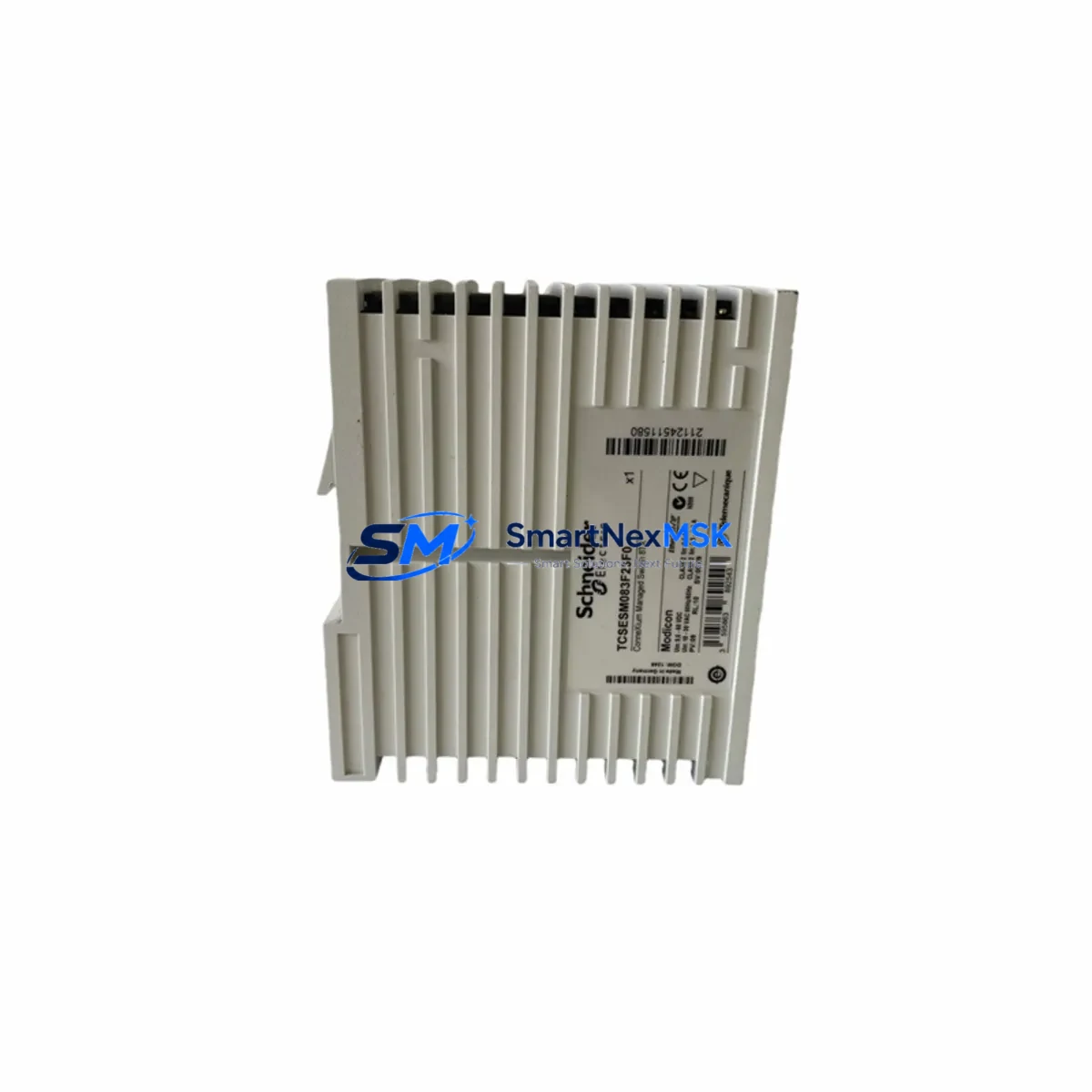
Schneider TCSESM083F23F0 Maintenance-Ready Spare for ConneXium Automation
The Schneider Electric TCSESM083F23F0 is an 8-port managed industrial Ethernet switch from the ConneXium series, engineered for demanding factory-floor and process-automation environments. As a maintenance-ready spare, it is stocked, tested, and ready for immediate deployment to minimize unplanned downtime in Modicon PLC networks, Quantum DCS architectures, and distributed I/O topologies. Whether you are executing a planned shutdown, responding to a network fault, or building a proactive spare-parts inventory, the TCSESM083F23F0 delivers the compatibility and reliability that maintenance and procurement engineers require.
Industrial Ethernet infrastructure is a single point of failure in many control architectures. A failed managed switch can cascade into loss of communication between a Modicon M340 or Modicon Premium PLC and its remote I/O drops, HMI panels, and SCADA servers. Keeping a verified spare of the TCSESM083F23F0 on the shelf eliminates the lead-time risk associated with sourcing obsolete or long-delivery network hardware during a live production stoppage.
Spare Maintenance Table
| Parameter | Specification |
|---|---|
| Part Number / SKU | TCSESM083F23F0 |
| Brand | Schneider Electric |
| Series | ConneXium |
| Product Type | Managed Industrial Ethernet Switch |
| Port Configuration | 8 × 10/100BASE-TX copper + 2 × 100BASE-FX fiber (SC) |
| Supply Voltage | 24 VDC (18–30 VDC operating range) |
| Power Consumption | ≤ 12 W typical |
| Operating Temperature | 0 °C to +60 °C |
| Protection Rating | IP20 (DIN-rail mount) |
| Communication Protocol | Modbus TCP, SNMP, RSTP/STP, IGMP Snooping |
| Compatibility | Modicon M340, Modicon Premium, Quantum, Momentum I/O, ConneXium topology |
| Origin | France |
| Weight | 4,460 g (with packaging) |
| Mounting | 35 mm DIN rail |
| Warranty | 12 Months — tested before shipment |
| Condition | Original spare, new or refurbished-to-spec |
Maintenance Planning for Continuous Operation
When replacing the TCSESM083F23F0 in a live control cabinet, a disciplined maintenance engineer will treat the switch replacement as an opportunity to inspect the entire network segment and associated power infrastructure. Begin by verifying the 24 VDC panel power supply — a Schneider Electric ABL8REM24030 or equivalent — is within tolerance, since under-voltage is a leading cause of managed-switch instability and port lock-up. Check the DIN-rail terminal blocks (Schneider Linergy or Phoenix Contact PTFIX series) feeding the switch power input for corrosion, loose ferrules, or thermal discoloration.
Inspect the RJ45 patch cables and fiber SC jumpers connecting the switch to field devices. Industrial-grade Cat5e or Cat6 shielded cables should be used; unshielded cables in high-EMI environments are a common source of intermittent CRC errors that are misdiagnosed as switch failures. If the installation uses fiber uplinks, verify the 100BASE-FX SFP or fixed fiber transceivers on the peer switch or media converter for contamination or bend-radius violations.
On the PLC side, confirm that the Modicon M340 BMX NOE 0100 or BMX NOE 0110 Ethernet communication module is correctly configured with the new switch’s VLAN and RSTP settings. If the network topology includes a ConneXium TCSESM163F23F0 (16-port variant) or a TCSESM043F1CS0 (4-port fiber switch) as a backbone node, verify ring redundancy parameters are re-established after the swap. For installations with remote I/O, check the Momentum 170ENT11001 Ethernet adapter or STB NIP 2212 network interface module for correct IP addressing after the network segment is restored.
If the control cabinet includes a Magelis HMIGTO or HMISTO HMI panel, confirm Ethernet connectivity is re-established and the HMI project’s PLC communication driver is polling correctly. For systems with signal isolators (e.g., Schneider Electric XMLA or Phoenix Contact MACX series) on analog I/O loops, verify that no ground loops were introduced during the cabling work. Finally, check any 24 VDC miniature circuit breakers (Schneider Acti9 iC60N or equivalent) protecting the switch power feed — a nuisance trip during the replacement can mask an underlying wiring fault.
Site Replacement Workflow
Step 1 — Pre-replacement documentation: Export the TCSESM083F23F0 configuration using ConneXium Network Manager or the switch’s web interface (SNMP/HTTP). Save the VLAN table, port settings, RSTP priority, IGMP configuration, and IP address to a USB drive or engineering laptop before powering down.
Step 2 — Safe isolation: Place the PLC in STOP mode or transfer control to a redundant path if available. Isolate the 24 VDC supply to the switch using the dedicated MCB. Label all fiber and copper cables before disconnection to prevent mis-patching during reinstallation.
Step 3 — Physical swap: Remove the failed unit from the DIN rail. Mount the replacement TCSESM083F23F0, reconnect power terminals, and re-patch all network cables in the documented order. Torque terminal screws to specification to prevent intermittent contact.
Step 4 — Configuration restore: Apply the saved configuration via the web interface or ConneXium Network Manager. Verify IP address, VLAN membership, and RSTP topology convergence before returning the PLC to RUN mode.
Step 5 — Functional verification: Confirm all downstream devices — remote I/O, HMI, drives, and SCADA — are communicating correctly. Check switch port LEDs and SNMP traps for any residual errors. Document the replacement in the maintenance log with date, technician, and firmware version.
This workflow reduces mean time to repair (MTTR) and ensures the replacement does not introduce new faults into the network. Stocking a pre-configured spare with a saved configuration file further compresses recovery time to under 30 minutes for experienced technicians.
Spare Parts Support FAQ
Q1: Is the TCSESM083F23F0 still available as a new original spare?
The TCSESM083F23F0 is a mature ConneXium product. We supply original new and refurbished-to-specification units with full functional testing. Each unit is verified for port operation, power input range, and management interface before shipment. Contact us to confirm current stock availability and lead time.
Q2: How do I verify compatibility with my existing ConneXium network?
The TCSESM083F23F0 is a direct form-fit-function replacement within the ConneXium managed switch family. It supports the same RSTP ring topology, VLAN configuration, and Modbus TCP management as other ConneXium managed switches. If your installation uses a specific firmware version for IGMP or RSTP interoperability, we can advise on firmware matching prior to shipment.
Q3: What does the 12-month warranty cover?
All units carry a 12-month warranty from the date of shipment covering manufacturing defects and functional failures under normal operating conditions. Each unit undergoes pre-shipment functional testing including power-on, port link verification, and management interface access. Warranty claims are handled directly — contact [email protected] with your order reference and fault description.
Q4: Can you support long-term or blanket spare-parts orders for plant maintenance programs?
Yes. We support scheduled spare-parts programs for maintenance teams managing aging ConneXium infrastructure. Blanket orders, consignment stock arrangements, and multi-site supply agreements are available. Reach out to discuss volume pricing, lead-time commitments, and configuration pre-loading services tailored to your plant’s maintenance schedule.
© 2026 SMARTNEXMSK. All rights reserved.
Original Source: https://smartnexmsk.com
Contact: [email protected] | +86 18259474341



