
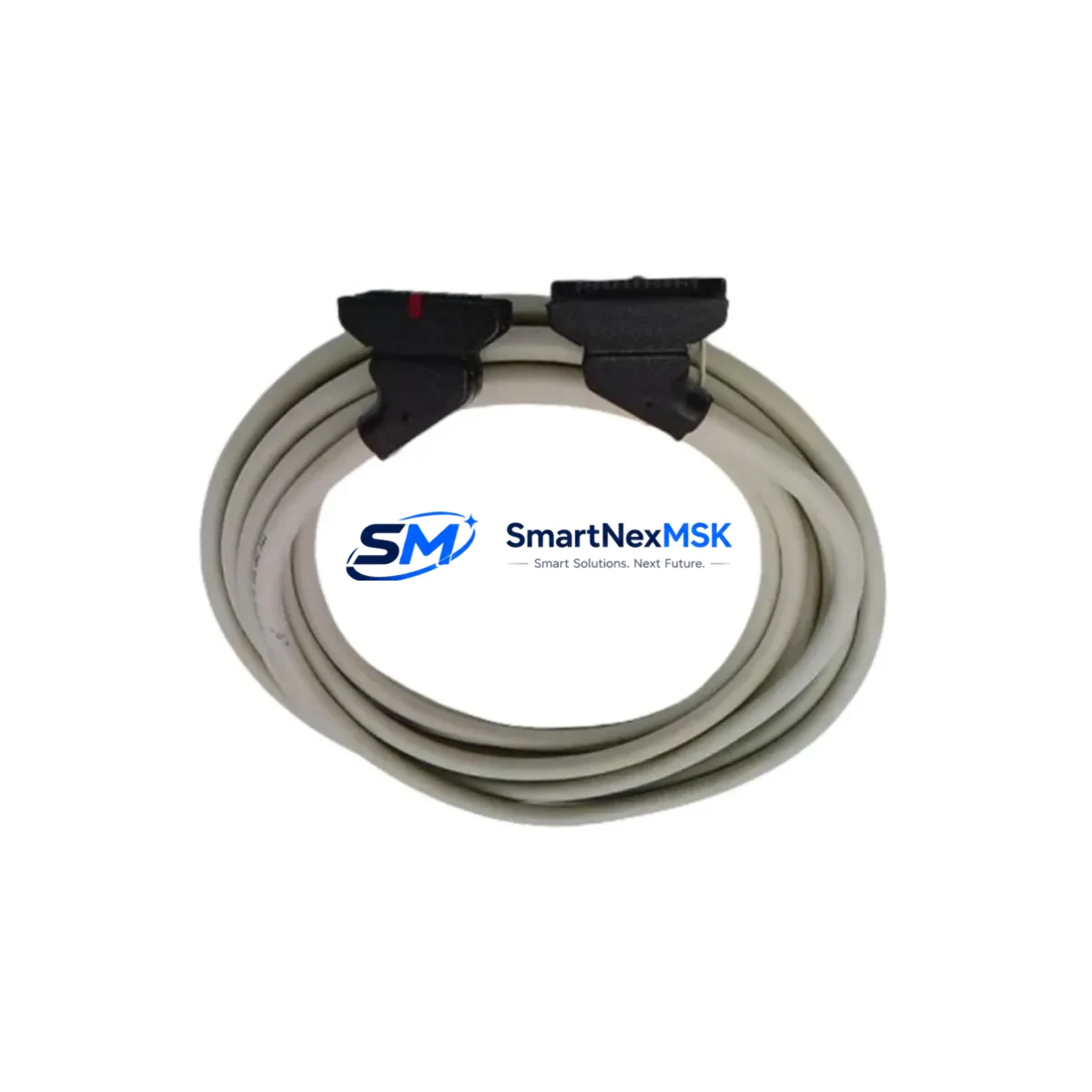
Schneider TSXCDP503 Maintenance-Ready Spare for TSX Automation
The Schneider Electric TSXCDP503 is an original PC-to-PLC serial programming cable engineered for the TSX Micro and TSX Premium series programmable logic controllers. In industrial maintenance environments where unplanned downtime translates directly into production loss, having a verified, OEM-grade TSXCDP503 on the shelf is a non-negotiable element of any spare parts strategy. This cable provides the physical communication link between a programming workstation running PL7 Pro or Unity Pro software and the PLC’s terminal port, enabling program upload, download, online monitoring, and fault diagnostics without requiring a network infrastructure change.
Maintenance engineers working with legacy TSX 37, TSX 57, and Modicon M340 installations frequently encounter cable failures caused by connector wear, shielding degradation, or RS-232 port damage on the PC side. A failed programming cable can halt an entire commissioning or fault-recovery session. Stocking the TSXCDP503 as a controlled spare eliminates this single point of failure and restores programming access within minutes rather than days.
Spare Maintenance Table
| Parameter | Specification |
|---|---|
| Part Number / SKU | TSXCDP503 |
| Brand | Schneider Electric |
| Series Compatibility | TSX Micro (TSX 37), TSX Premium (TSX 57), Modicon M340 |
| Cable Type | PC-to-PLC Serial Programming Cable (RS-232) |
| Connector – PC End | DB9 Female (RS-232 COM Port) |
| Connector – PLC End | Mini-DIN 8-pin (TSX Terminal Port) |
| Cable Length | 3 m (approx.) |
| Compatible Software | PL7 Pro, Unity Pro, SoMachine (legacy mode) |
| Origin | France (OEM Schneider Electric) |
| Operating Temperature | 0 °C to +60 °C |
| Application Environment | Industrial control cabinets, MRO, commissioning |
| Maintenance Role | Programming access, fault diagnostics, program backup |
| Warranty | 12 Months |
| Shipping | Tested before dispatch; global express available |
Maintenance Planning for Continuous Operation
When a TSXCDP503 cable fails or is flagged during a control cabinet inspection, experienced maintenance engineers treat the event as a trigger for a broader system health check. The programming cable sits at the intersection of the PC workstation and the PLC’s terminal port, meaning any fault in this path can mask deeper issues in the communication chain.
During a planned replacement of the TSXCDP503, it is good practice to simultaneously inspect the TSX PSY 2600 or TSX PSY 5500 power supply module for output voltage stability, since an unstable 24 VDC rail can corrupt active program sessions. Check the TSX DMZ 28DR or TSX DMZ 64DTK discrete I/O modules for blown fuses or damaged terminal blocks that may have contributed to the fault condition requiring the programming session. If the cabinet includes a TSX SCY 21601 serial communication module, verify its RS-485 or RS-232 port settings have not drifted, as these are often reconfigured during emergency interventions and left in a non-standard state.
For systems using Modicon TSX ETY 110 or TSX ETY 5103 Ethernet communication modules, confirm that IP addressing and Modbus TCP parameters remain intact after any power cycling that preceded the maintenance call. Relay output modules such as the TSX DSY 16R5 or TSX DSY 32R5 should be checked for contact wear if the system has been running high-cycle loads. Terminal blocks and Weidmüller or Phoenix Contact DIN-rail terminal strips within the same cabinet should be inspected for loose connections, which are a common root cause of intermittent faults that prompt unnecessary PLC reprogramming attempts.
If the installation includes an XBTGT or XBTGK HMI panel communicating via the same serial bus, verify the HMI communication parameters after restoring the PLC program, as address conflicts can arise when a replacement cable changes the active COM port assignment on the workstation. For older TSX 37 racks, inspect the TSX RKY 4EX or TSX RKY 8EX rack backplane connectors for oxidation, particularly in high-humidity environments.
Procurement engineers should note that the TSXCDP503 is a consumable-class spare with a recommended stock quantity of at least two units per site operating more than three TSX-series PLCs. Its low unit cost relative to the downtime risk it mitigates makes it a standard line item in any industrial MRO spare parts list alongside power supplies, I/O modules, and communication cards.
Site Replacement Workflow
Step 1 – Verify compatibility: Confirm the target PLC is a TSX Micro (TSX 37-xx) or TSX Premium (TSX 57-xx) with a Mini-DIN 8-pin terminal port. The TSXCDP503 is not compatible with Modicon M580 or Quantum series, which use USB or RJ45 programming ports.
Step 2 – Workstation preparation: Ensure the PC has an active RS-232 COM port or a qualified USB-to-RS232 adapter. Install or verify PL7 Pro or Unity Pro is at the correct version for the target PLC firmware. Set the COM port parameters to 19200 baud, 8 data bits, no parity, 1 stop bit as a baseline.
Step 3 – Cable connection: Connect the DB9 end to the PC COM port and the Mini-DIN end to the PLC’s TER port. Do not connect to the AUX port unless specifically required, as this can cause address conflicts in multi-drop configurations.
Step 4 – Communication test: Open PL7 Pro or Unity Pro, set the connection to the correct COM port, and perform a connection test before attempting any program transfer. Confirm the PLC responds with its rack configuration.
Step 5 – Program backup: Before any modification, upload and save the existing program to a local and network backup location. This is mandatory for systems without a memory card backup.
Step 6 – Post-replacement validation: After program restoration, run a full I/O force test on critical outputs, verify all communication modules are online, and confirm HMI screens are displaying live data before returning the system to production.
Replacing the TSXCDP503 with an OEM-original unit rather than a generic aftermarket cable eliminates the risk of signal integrity issues caused by incorrect shielding or non-standard pin assignments, which are a documented source of intermittent connection drops in high-EMI industrial environments.
Spare Parts Support FAQ
Q1: Is the TSXCDP503 compatible with all TSX series PLCs?
The TSXCDP503 is designed for TSX Micro (TSX 37) and TSX Premium (TSX 57) series PLCs equipped with the Mini-DIN 8-pin TER port. It is not compatible with Modicon M580, Quantum, or Premium PLCs using Ethernet or USB programming ports. Always verify the terminal port type on the PLC nameplate before ordering.
Q2: What is the warranty and how is the unit tested before shipment?
Every TSXCDP503 unit supplied by SMARTNEXMSK carries a 12-month warranty covering manufacturing defects and functional failure under normal operating conditions. Each unit undergoes continuity and signal integrity testing prior to dispatch. A test report is available upon request for quality-controlled procurement processes.
Q3: Can this cable be used with a USB-to-RS232 adapter?
Yes, the TSXCDP503 can be used with a qualified USB-to-RS232 adapter, provided the adapter uses a genuine FTDI or Prolific chipset and the correct COM port driver is installed. Generic adapters with unverified chipsets may cause intermittent communication errors. We recommend testing the adapter with a known-good PLC before deploying in a production environment.
Q4: How should the TSXCDP503 be stored as a long-term spare?
Store in the original anti-static packaging in a dry environment between -20 °C and +70 °C with relative humidity below 85% non-condensing. Inspect connectors annually for oxidation and replace the unit if the outer shielding shows cracking or deformation. For sites with high cable turnover, a minimum stock of two units is recommended to ensure immediate availability during emergency maintenance calls.
© 2026 SMARTNEXMSK. All rights reserved.
Original Source: https://smartnexmsk.com
Contact: [email protected] | +86 18259474341



