
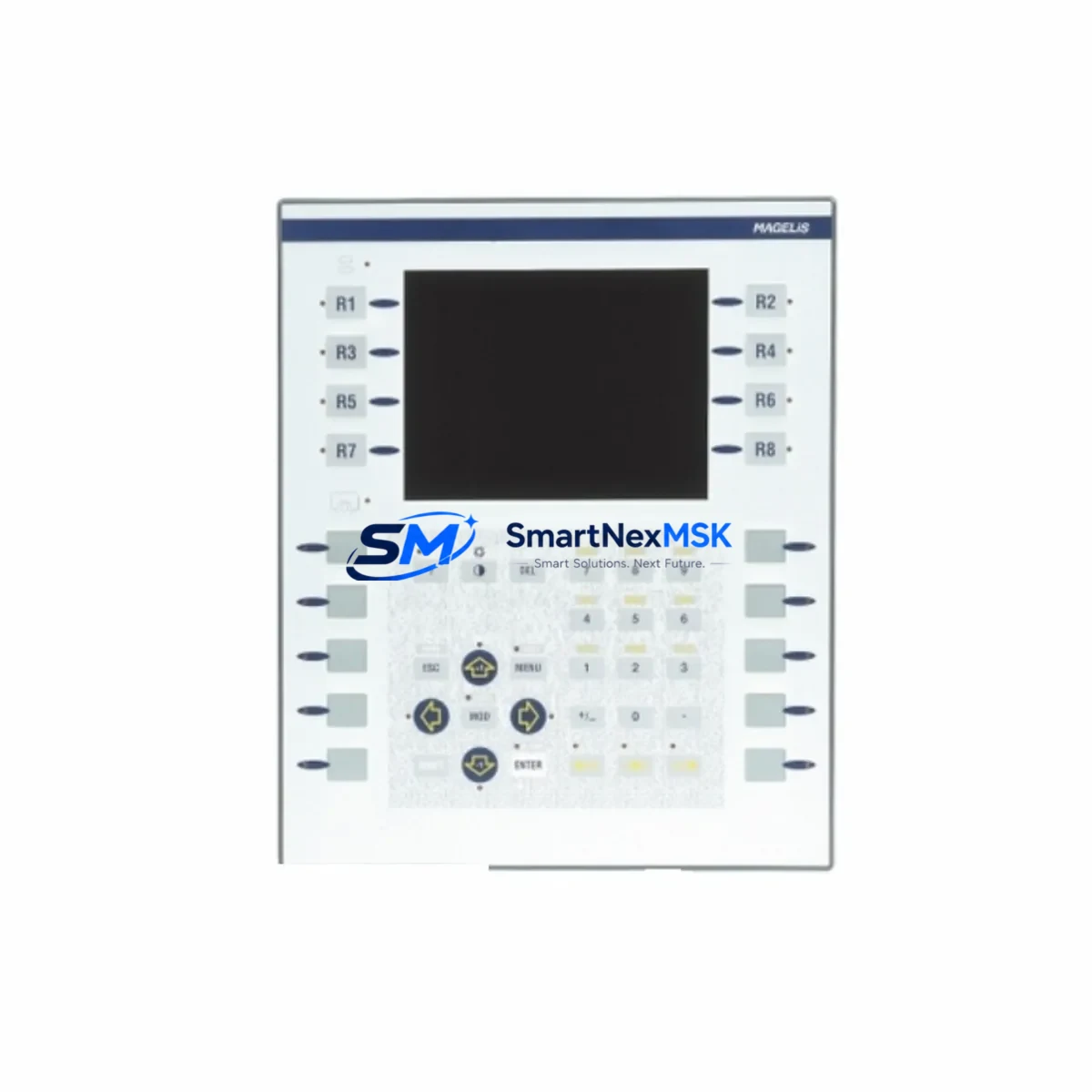
Schneider XBTF024610 Retrofit-Ready HMI Keypad for XBTF Control Systems
The Schneider Electric XBTF024610 is a factory-specification membrane keypad overlay engineered for the Magelis XBTF series Human-Machine Interface terminals. As legacy XBTF-series HMI units reach end-of-life or sustain physical wear in demanding industrial environments, sourcing a verified, in-stock replacement keypad is the fastest path to restoring full operator control — without replacing the entire HMI assembly, re-engineering the control cabinet, or modifying the existing PLC program. SMARTNEXMSK maintains ready inventory of the XBTF024610 to support urgent retrofit, planned maintenance, and system upgrade projects across manufacturing, utilities, water treatment, and process automation sectors.
The XBTF024610 keypad overlay precisely matches the original membrane layout, tactile response, legend printing, and ribbon cable connector interface of the factory-installed unit. It integrates directly with the existing HMI enclosure without mechanical modification, making it the preferred choice for maintenance engineers who need to minimize intervention scope and control downtime. For facilities running Schneider Electric Modicon TSX Micro, Modicon M340, or Modicon Premium TSX P57 PLC platforms connected to XBTF-series HMI terminals via Uni-Telway or Modbus RTU serial links, this keypad replacement eliminates the need for costly full-panel substitution and avoids HMI screen reconfiguration or PLC logic changes.
Upgrade Compatibility Table
| Parameter | Detail |
|---|---|
| Part Number | XBTF024610 |
| Brand | Schneider Electric |
| Series | Magelis XBTF |
| Component Type | HMI Membrane Keypad / Overlay |
| Compatible HMI Terminals | Magelis XBTF series — XBTF024110, XBTF024510, XBTF034010, and related variants |
| Installation Requirement | Direct drop-in replacement; no mechanical modification required |
| Communication Compatibility | Compatible with HMI terminals using Uni-Telway, Modbus RTU, and Ethernet TCP/IP links to Modicon PLCs |
| Replacement Recommendation | Worn, damaged, or illegible keypad overlays on XBTF terminals in active service |
| Commissioning Notes | No HMI application re-download required in standard cases; verify ribbon cable seating and membrane continuity after installation |
| 12-Month Warranty | Covers manufacturing defects and functional failure under normal operating conditions |
| Origin | China (CN) |
| Stock Status | In Stock — available for immediate dispatch |
Retrofit Planning for Existing Automation Systems
A structured retrofit plan is essential when replacing a membrane keypad on an XBTF terminal in an active production environment. The XBTF024610 is most commonly deployed in control cabinets where the HMI terminal is door-mounted and wired to a Modicon TSX Micro or Modicon M340 controller via a Uni-Telway or RS-485 serial link. Before beginning the replacement, engineers should document the existing wiring harness routing, confirm the ribbon cable connector type on the XBTF terminal PCB, and photograph the current keypad legend for reference during re-commissioning.
In systems where the XBTF terminal communicates with a Modicon Premium TSX P57 CPU or a TSX ETY 110 Ethernet module, the keypad replacement does not affect the communication link — the HMI application stored in the terminal’s internal flash memory remains intact. However, if the terminal has been powered down for an extended period, engineers should verify that the XBTF internal battery (used for application and recipe data retention) is still functional before restoring power. A depleted battery may require re-downloading the HMI application from the engineering workstation using Vijeo Designer software.
For control cabinets housing a TSX PSY 2600M power supply module or a Modicon 140 CPS series rack power supply, confirm that the 24 VDC supply rail feeding the HMI terminal is within tolerance (typically 20.4–28.8 VDC) before energizing the replacement keypad assembly. Voltage fluctuations during retrofit are a common cause of early membrane keypad failure.
In larger retrofit projects involving I/O expansion — for example, adding a TSX DEY 32D2K digital input module or a TSX AEY 414 analog input module to an existing Modicon rack — the XBTF024610 keypad replacement can be scheduled concurrently with the I/O expansion to consolidate downtime into a single maintenance window. Similarly, if the project involves migrating from a legacy TSX 17-20 nano-PLC to a Modicon M340 platform, the XBTF024610 keypad can be retained on the existing HMI terminal while the PLC backplane, CPU, and communication modules are upgraded, provided the HMI application is updated to reflect the new PLC variable addresses.
For facilities using Magelis XBTGT series touchscreen terminals alongside XBTF keypad terminals in the same control architecture, the keypad replacement on the XBTF unit does not affect the XBTGT terminal’s Ethernet connection or shared tag database. Engineers should verify that the Modbus TCP/IP or Uni-Telway polling cycle is not disrupted during the HMI power cycle required for keypad installation. If a programming cable XBTZ9980 is available on-site, it should be kept connected to the engineering workstation throughout the procedure to enable rapid HMI application re-download if required.
Downtime Control During System Migration
Minimizing unplanned downtime is the primary concern when replacing a membrane keypad on an HMI terminal in an active production environment. The XBTF024610 replacement procedure is designed to be completed within a single planned maintenance window — typically 30 to 60 minutes for a trained technician. The following practices protect program logic and maintain field control continuity:
Pre-shutdown preparation: Before powering down the HMI terminal, use Vijeo Designer to perform a full upload of the current HMI application from the terminal to the engineering workstation. This backup protects against data loss if the terminal’s internal flash memory is disturbed during the keypad replacement. Simultaneously, use Unity Pro or EcoStruxure Control Expert to upload the current PLC program from the Modicon CPU to confirm the latest logic version is archived.
Controlled power-down sequence: Follow the established shutdown sequence — place the PLC in STOP mode, confirm all outputs are de-energized, then remove power from the HMI terminal. Do not remove power from the HMI while the PLC is in RUN mode if the HMI is actively writing setpoints or recipe values to the PLC data table.
Keypad installation: Remove the existing membrane keypad by releasing the retaining clips or screws on the terminal front bezel. Disconnect the ribbon cable carefully to avoid damaging the ZIF connector on the terminal PCB. Install the XBTF024610 replacement keypad, reconnect the ribbon cable, and verify the connector latch is fully engaged before reassembling the bezel.
Post-installation verification: Restore power to the HMI terminal and confirm the application loads correctly from flash memory. Test each keypad function key against the HMI screen to verify correct mapping. If any key is unresponsive, re-seat the ribbon cable connector before concluding the installation. Restore the PLC to RUN mode only after confirming the HMI is fully operational and all operator screens are displaying correctly.
Retrofit Support FAQ
Q1: Is the XBTF024610 a direct replacement for the original Schneider Electric keypad on all Magelis XBTF terminals?
The XBTF024610 is designed as a direct replacement for the membrane keypad assembly on Magelis XBTF series terminals. It matches the original key layout, legend, and connector interface. For specific terminal variants outside the standard XBTF range, please confirm the terminal model number with our technical team before ordering.
Q2: Will I need to re-download the HMI application after replacing the keypad?
In most cases, no. The HMI application is stored in the terminal’s internal flash memory and is not affected by the keypad replacement. However, if the terminal battery is depleted or the terminal was powered down for an extended period, a re-download from Vijeo Designer may be required to restore the application and recipe data.
Q3: What commissioning checks are required after installing the XBTF024610?
After installation, verify ribbon cable seating, restore power, and test all function keys against the active HMI screen. Confirm that the PLC communication link (Uni-Telway or Modbus RTU) is re-established and that all operator screens are displaying live process data. Check the 24 VDC supply voltage at the HMI terminal input terminals to confirm it is within the specified operating range.
Q4: What does the 12-month warranty cover?
The 12-month warranty covers manufacturing defects and functional failure of the XBTF024610 membrane keypad under normal operating conditions. It does not cover damage resulting from incorrect installation, overvoltage, physical impact, or exposure to chemicals outside the terminal’s rated environmental specifications. Warranty claims are processed through SMARTNEXMSK’s technical support team with proof of purchase.
© 2026 SMARTNEXMSK. All rights reserved.
Original Source: https://smartnexmsk.com
Contact: [email protected] | +86 18259474341



