
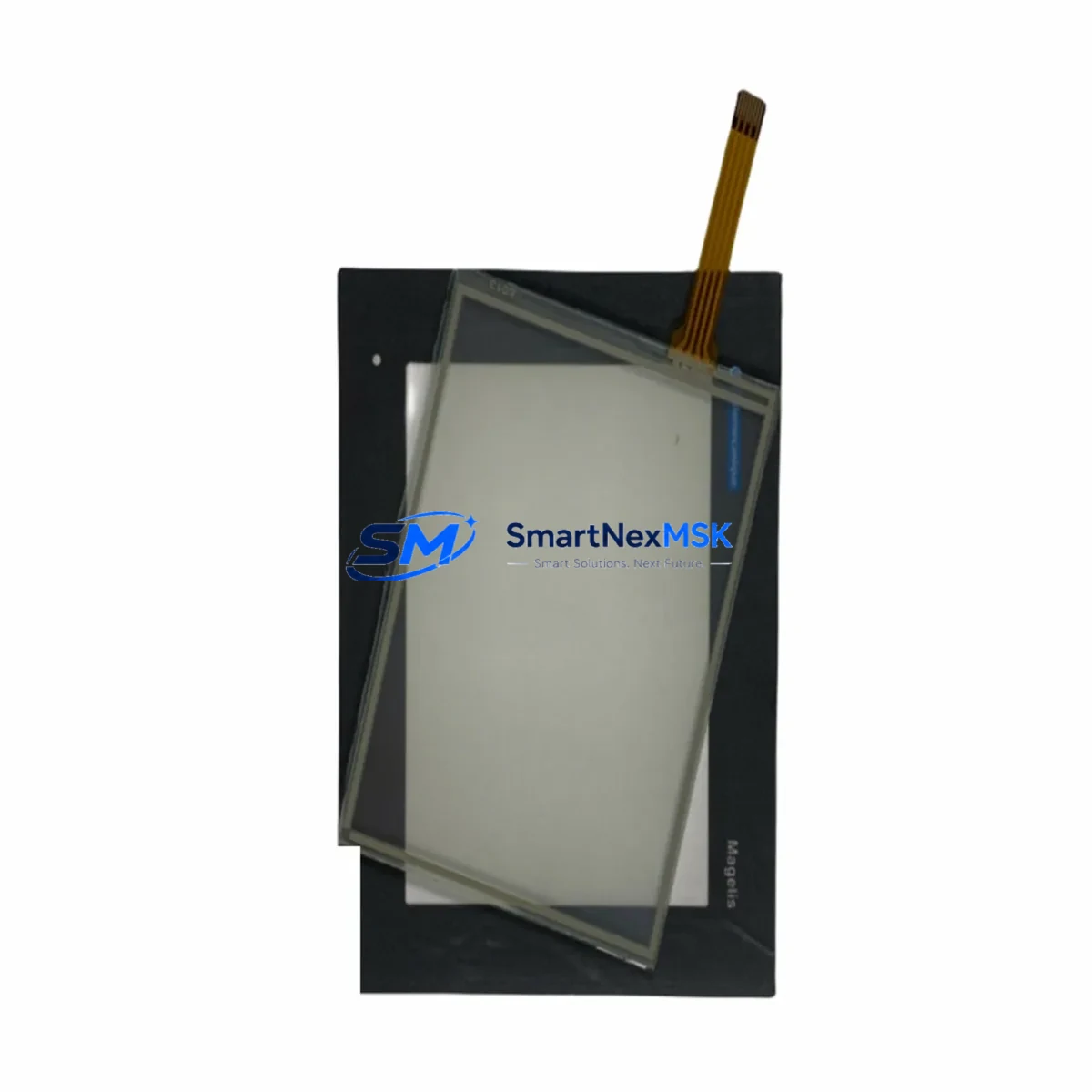
Schneider XBTGT2220 Retrofit-Ready HMI for Magelis GTO Control Systems
The Schneider Electric XBTGT2220 is a 5.7-inch color touch panel from the Magelis GTO series, widely deployed in legacy automation systems across manufacturing, utilities, and process control industries. As original XBTGT2220 units reach end-of-life or become increasingly difficult to source through standard distribution channels, plant engineers and system integrators are actively seeking verified replacement units and retrofit-compatible alternatives that preserve existing PLC programs, HMI screen logic, and field wiring without requiring a full control system redesign.
SMARTNEXMSK maintains in-stock inventory of the XBTGT2220 and its compatible successors, sourced through authorized industrial channels and subject to full functional testing prior to shipment. Each unit ships with a 12-month warranty covering hardware defects and operational failures under normal industrial use conditions.
Upgrade Compatibility Table
| Parameter | XBTGT2220 (Original) | Retrofit / Replacement Notes |
|---|---|---|
| Display Size | 5.7″ STN Color | Verify panel cutout dimensions before installation |
| Communication Ports | RS-232, RS-485, Ethernet (RJ45) | Confirm COM port assignments match existing PLC wiring |
| Supported Protocols | Modbus RTU, Modbus TCP, Uni-Telway | Protocol driver must match connected PLC (e.g. Modicon M340, Premium, Quantum) |
| Power Supply | 24 VDC (±20%) | Verify existing PSU capacity; add buffer if sharing rail with I/O modules |
| Mounting | Panel-mount, IP65 front | Gasket condition must be checked; replace if aged |
| Programming Software | Vijeo Designer 6.x | Backup .vdz project file before replacement; restore to new unit |
| PLC Compatibility | Modicon M340, Premium, Quantum, TSX Micro | Confirm driver version in Vijeo Designer matches firmware |
| Replacement Path | XBTGT2220 → XBTGT2330 / HMIGTO2310 | Screen project migration required for next-gen Magelis GTO units |
| Installation Requirement | DIN rail or panel cutout | No mechanical modification needed for same-series swap |
| Warranty | 12-Month Warranty — covers hardware defects and operational failures | |
Retrofit Planning for Existing Automation Systems
Replacing an XBTGT2220 in a live production environment requires careful pre-migration planning to avoid unplanned downtime and configuration loss. The retrofit process typically begins with a full backup of the existing Vijeo Designer project file (.vdz), including all screen pages, alarm configurations, tag databases, and communication driver settings. Engineers should document the current COM port wiring — particularly the RS-485 terminal connections used for Modbus RTU communication with downstream PLCs such as the Modicon TSX Premium or TSX Micro series.
In systems where the XBTGT2220 communicates over Ethernet with a Modicon M340 or Quantum PLC, the IP address, subnet mask, and gateway settings must be recorded and replicated on the replacement unit. If the control cabinet also houses a Modicon TSXETY110 or TSXETY410 Ethernet module, verify that the HMI’s MAC address change does not conflict with any ARP table entries or fixed IP assignments in the network switch.
For cabinets integrating I/O expansion via Advantys STB or TeSys island modules, the XBTGT2220 often serves as the local operator interface for monitoring discrete I/O states and analog process values. During replacement, ensure that the I/O module addresses and Modbus register mappings remain unchanged. If the system uses a TSXPSY2600M or similar power supply module on the same 24 VDC rail, confirm that the rail can sustain the inrush current during HMI boot-up without causing voltage sag to adjacent modules.
Where the original installation includes a programming cable such as the XBTZG935 USB-to-serial adapter, retain this cable for post-replacement commissioning. After loading the restored project onto the new XBTGT2220, perform a full screen-by-screen functional check against the original HMI layout, verifying that all animated objects, setpoint entry fields, alarm banners, and trend displays respond correctly to live PLC data. If the system includes a Magelis XBTGK5330 or XBTGT4330 at a supervisory level, confirm that the data exchange between HMI nodes remains intact after the swap.
For facilities running Schneider’s EcoStruxure Plant architecture, the XBTGT2220 retrofit may also involve re-registering the device within the local SCADA or historian system. Coordinate with the controls engineer to update any OPC-DA or OPC-UA server tag references that point to the HMI’s internal registers.
Downtime Control During System Migration
Minimizing production downtime during an XBTGT2220 replacement is achievable with a structured hot-swap protocol. The recommended approach is to pre-configure the replacement unit offline — loading the backed-up Vijeo Designer project, setting communication parameters, and verifying screen navigation — before the scheduled maintenance window begins. This offline preparation typically reduces on-site swap time to under 30 minutes for a straightforward same-series replacement.
During the swap window, the connected PLC (such as a Modicon M340 or TSX Premium) should remain in RUN mode where process safety permits, allowing the control logic to continue executing autonomously while the HMI is disconnected. Field operators should be briefed to monitor physical indicators on I/O modules and motor starters directly during the brief HMI-offline period. Once the replacement XBTGT2220 is mounted and powered, the communication link to the PLC is typically re-established within seconds, and the HMI resumes normal display operation without requiring a PLC restart.
For systems where the HMI is integrated into a safety interlock or alarm acknowledgment workflow, a temporary bypass procedure should be documented and approved before the swap begins. After restoration, conduct a timed functional test covering all critical alarm conditions, operator setpoint entries, and communication status indicators to confirm full system continuity before releasing the line back to production.
Retrofit Support FAQ
Q1: Is the XBTGT2220 a direct drop-in replacement for other Magelis GTO models?
The XBTGT2220 is dimensionally and electrically compatible with other 5.7-inch Magelis GTO panel-mount units. However, screen projects created in Vijeo Designer are resolution- and model-specific. If replacing a different GTO model (e.g. XBTGT2110 or XBTGT2330), the project file must be migrated and re-validated in Vijeo Designer before deployment. SMARTNEXMSK can advise on compatibility based on your existing model number.
Q2: What commissioning steps are required after installing a replacement XBTGT2220?
After physical installation, restore the backed-up .vdz project via Vijeo Designer over USB or Ethernet. Set the correct IP address and COM port parameters, then power-cycle the HMI. Verify communication with the connected PLC by checking the driver status screen. Perform a full functional test of all screens, alarms, and data entry fields before returning the system to production. SMARTNEXMSK provides pre-shipment functional testing on all units.
Q3: Can the XBTGT2220 communicate with non-Schneider PLCs?
Yes. The XBTGT2220 supports Modbus RTU and Modbus TCP protocols, which are widely compatible with PLCs from Siemens, Mitsubishi, Omron, and other manufacturers via Vijeo Designer’s multi-driver configuration. Confirm the specific driver version and register mapping before deployment in a mixed-brand environment.
Q4: What does the 12-month warranty cover?
All XBTGT2220 units supplied by SMARTNEXMSK carry a 12-month warranty from the date of shipment, covering hardware defects, display failures, communication port malfunctions, and power supply faults under normal industrial operating conditions. Units are functionally tested prior to dispatch. Warranty claims are processed directly through SMARTNEXMSK with replacement or repair turnaround within 5–10 business days.
© 2026 SMARTNEXMSK. All rights reserved.
Original Source: https://smartnexmsk.com
Contact: [email protected] | +86 18259474341



