
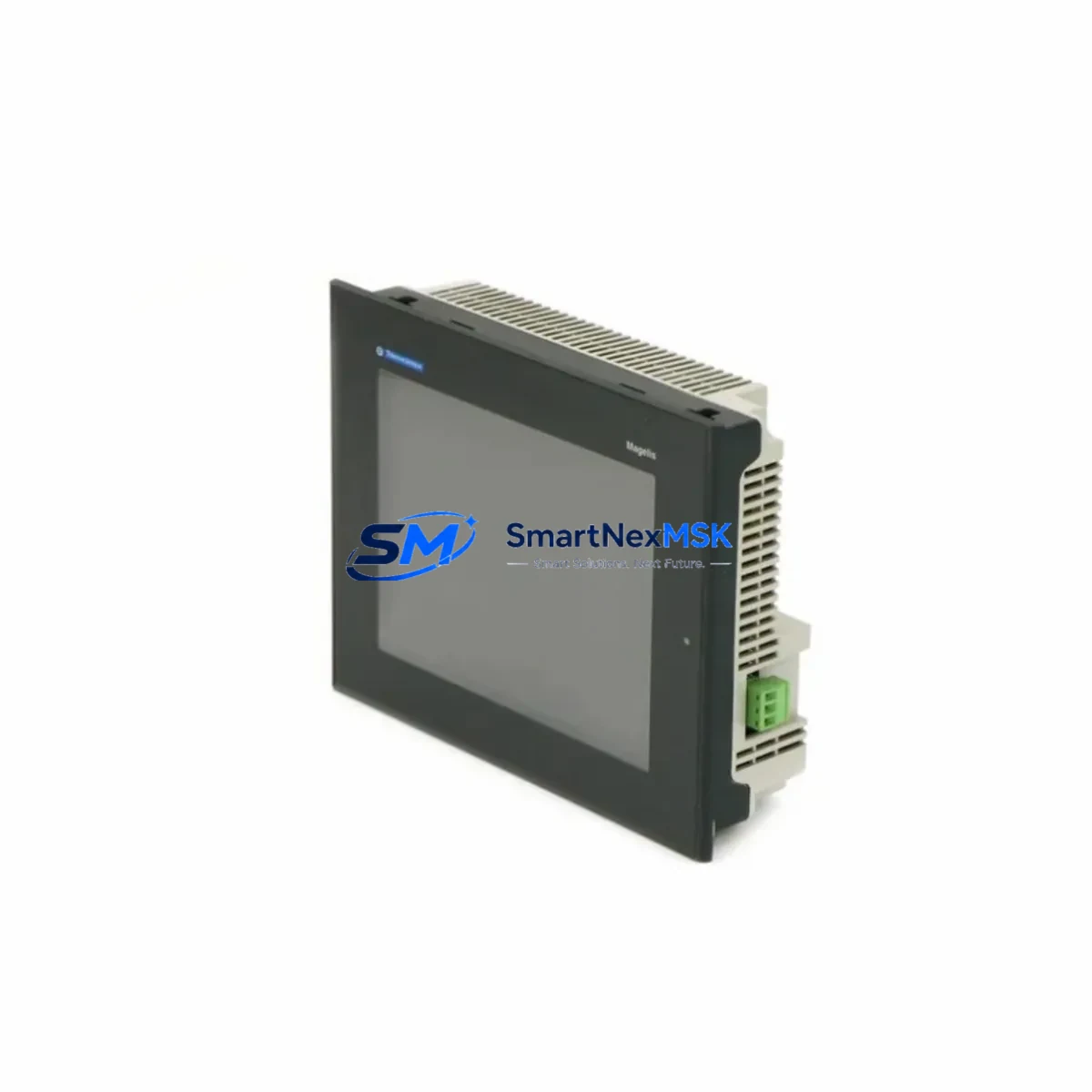
Schneider XBTORT7340 Maintenance-Ready Spare Magelis Automation
The Schneider Electric XBTORT7340 is an original Magelis series Human-Machine Interface (HMI) panel engineered for demanding industrial automation environments. As a maintenance-ready spare, the XBTORT7340 is a critical component for facilities operating Schneider Electric Magelis-based control architectures — including packaging lines, water treatment plants, energy distribution panels, and discrete manufacturing cells. Sourced directly from authorized supply chains and verified against OEM specifications, this unit is tested before shipment and backed by a 12-month warranty, ensuring your maintenance team can restore operations with confidence and minimal downtime.
For maintenance engineers managing aging Magelis HMI installations, the XBTORT7340 represents a direct drop-in replacement for obsolete or end-of-life units. Its compatibility with Schneider Electric’s Vijeo Designer configuration software means existing machine programs, screen layouts, and communication parameters can be transferred without re-engineering — a critical advantage when every minute of unplanned downtime carries production cost. Procurement engineers will appreciate the availability of long-term supply, with stock held and dispatched globally to support both emergency callouts and planned maintenance schedules.
Whether you are executing a scheduled control cabinet overhaul, responding to an unplanned HMI failure, or building a strategic spare parts inventory for a multi-site facility, the XBTORT7340 delivers the reliability and traceability that industrial operations demand.
Spare Maintenance Table
| Parameter | Specification |
|---|---|
| SKU / Part Number | XBTORT7340 |
| Brand | Schneider Electric |
| Series | Magelis XBT ORT |
| Product Type | Industrial HMI Panel (Operator Terminal) |
| Display | 7.5″ TFT Color LCD (inferred from series) |
| Resolution | 640 × 480 (VGA), typical for XBT ORT7 series |
| Supply Voltage | 24 VDC nominal (18–30 VDC operating range) |
| Communication Ports | RS-232 / RS-485 serial; optional Ethernet (series-dependent) |
| Configuration Software | Vijeo Designer (Schneider Electric) |
| Protection Rating | IP65 front panel (panel-mount installation) |
| Operating Temperature | 0°C to +50°C |
| Storage Temperature | -20°C to +60°C |
| Mounting | Panel cutout, rear-mount with clamps |
| Origin | France (Schneider Electric OEM) |
| Compatibility | Magelis XBT ORT series; Modbus RTU, Uni-Telway, Modbus TCP/IP |
| Warranty | 12 Months — tested before shipment |
| Condition | Original spare, new or refurbished-to-spec |
Maintenance Planning for Continuous Operation
When replacing the XBTORT7340 in a live control cabinet, a thorough maintenance inspection of the surrounding electrical environment is essential to prevent repeat failures and ensure system integrity. Maintenance engineers should begin by verifying the 24 VDC power supply module — a degraded or undersized PSU is a common root cause of HMI panel failures and must be load-tested before the new unit is commissioned. Check the 24 VDC fuse or circuit breaker protecting the HMI supply rail; a blown fuse may indicate a transient fault that could damage the replacement unit if left unresolved.
Inspect all RS-232 and RS-485 communication cables connecting the XBTORT7340 to the PLC or DCS host — damaged shielding, loose DB9 connectors, or incorrect termination resistors on RS-485 networks are frequent causes of communication loss after HMI replacement. If the installation uses a Modicon M340 or Premium PLC as the host controller, verify the PLC communication port settings match the new HMI’s Vijeo Designer project parameters before power-up.
For cabinets also housing Zelio Logic smart relays or TeSys motor starters, confirm that the I/O wiring to the HMI’s discrete input/output terminals is intact and correctly labeled — mislabeled terminals are a common source of commissioning errors during emergency replacements. Review the terminal block (Linergy or equivalent) connections for signs of overheating, corrosion, or loose ferrules, particularly in high-vibration environments.
If the control system includes a Modbus TCP/IP Ethernet network, verify switch port configuration and IP address assignment for the replacement XBTORT7340 before going live. In systems with signal isolators or loop-powered transmitters feeding analog inputs displayed on the HMI, confirm 4–20 mA loop integrity and isolator output calibration. Finally, if the cabinet contains a Magelis XBTGT or XBTGK series gateway HMI acting as a Modbus master, ensure the XBTORT7340 slave address is correctly configured to avoid address conflicts on the serial bus.
Site Replacement Workflow
Step 1 — Isolate and document: Before removing the failed XBTORT7340, photograph the existing wiring, note the IP address or serial communication parameters, and export the Vijeo Designer project from the old unit if it is still partially functional. If the unit is completely unresponsive, retrieve the project file from your maintenance backup archive.
Step 2 — Mechanical removal: Power down the 24 VDC supply rail. Release the panel-mount clamps from the rear of the cabinet cutout, disconnect all communication cables and the power connector, and remove the unit. Inspect the panel cutout gasket for damage — replace if compressed or cracked to maintain IP65 sealing on the new unit.
Step 3 — Configure before installation: Using Vijeo Designer on a laptop, load the backed-up project file into the replacement XBTORT7340 via USB or serial connection before mounting. Verify all screen pages, alarm setpoints, and PLC variable mappings load correctly. This step eliminates the risk of discovering a configuration error after the unit is mounted and the line is under pressure to restart.
Step 4 — Install and commission: Mount the XBTORT7340 into the panel cutout, reconnect all cables in the documented order, and restore 24 VDC power. Confirm communication link establishment with the host PLC, verify all process values display correctly, and test alarm acknowledgment functions before returning the system to automatic mode.
Step 5 — Update maintenance records: Log the replacement date, serial number of the new unit, and any observations about the failure mode of the old unit. Update your spare parts inventory to trigger reorder of a replacement XBTORT7340 for the next event.
Spare Parts Support FAQ
Q: Is the XBTORT7340 still available as a new original spare, or only as a refurbished unit?
A: We supply both new original and refurbished-to-specification XBTORT7340 units depending on current stock. All units — regardless of condition — undergo functional testing and are shipped with a 12-month warranty. Contact our team to confirm current stock status and lead time before placing your order.
Q: How do I verify compatibility between the XBTORT7340 and my existing Vijeo Designer project?
A: The XBTORT7340 is compatible with Vijeo Designer projects created for the Magelis XBT ORT series. Open your existing project in Vijeo Designer, navigate to the target panel settings, and confirm the panel model matches XBTORT7340. If your project was created for a closely related model (e.g., XBTORT7330 or XBTORT7350), a model conversion may be required — our technical team can advise on compatibility before shipment.
Q: What pre-shipment testing is performed on each XBTORT7340?
A: Each unit is powered up, display function is verified across the full screen area, communication ports are tested for signal integrity, and the unit is inspected for physical damage. A test report is available on request. Units are packed in anti-static protective packaging with foam cushioning to prevent transit damage.
Q: Can you support long-term supply for a multi-site maintenance program?
A: Yes. We maintain strategic stock of Magelis series HMI spares including the XBTORT7340 and related models to support planned maintenance programs, annual shutdown schedules, and emergency callout requirements. Framework supply agreements with fixed pricing and reserved stock allocation are available for facilities managing multiple Schneider Electric HMI installations.
© 2026 SMARTNEXMSK. All rights reserved.
Original Source: https://smartnexmsk.com
Contact: [email protected] | +86 18259474341



