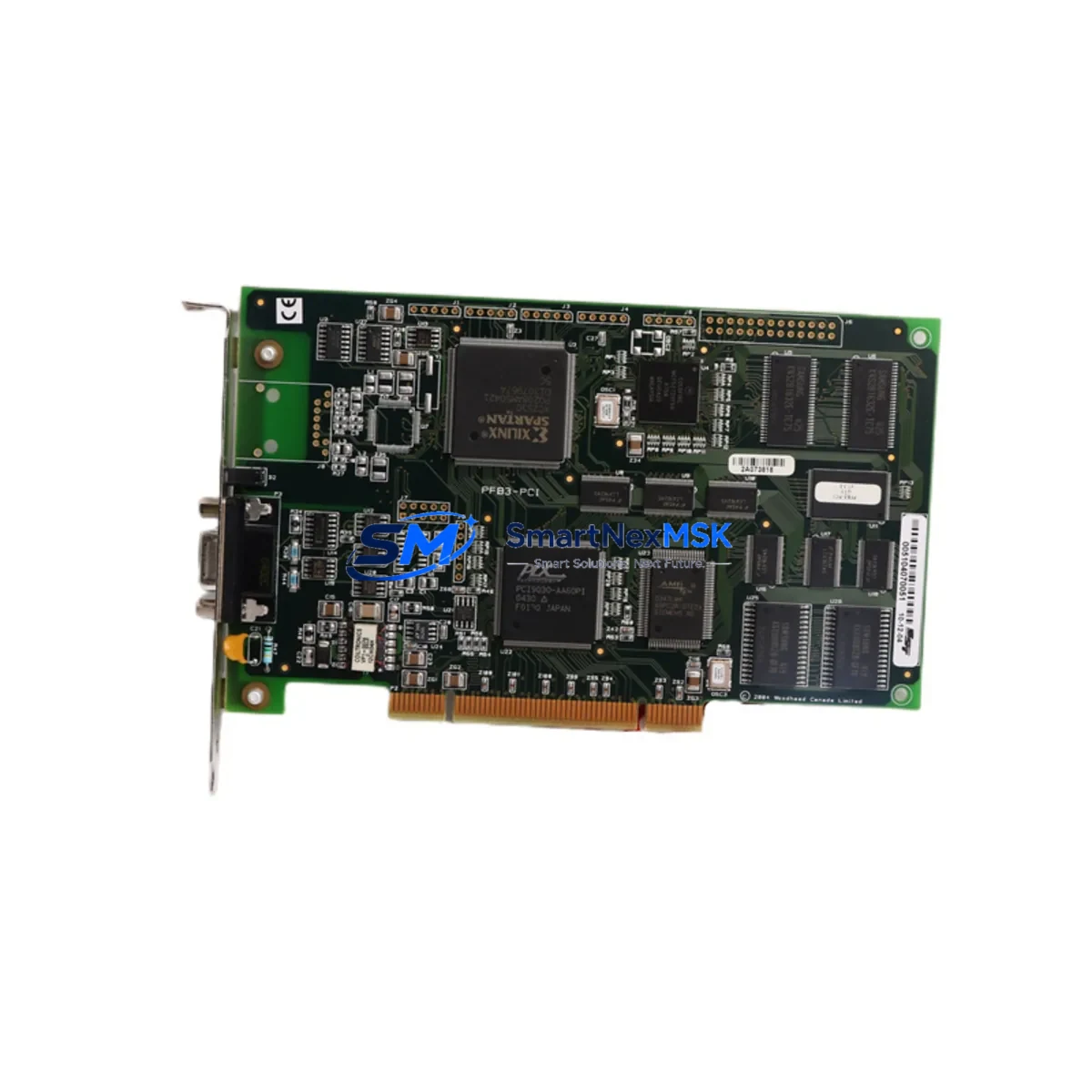
WOODWARD SST-PFB3-PCI Retrofit-Ready Profibus PCI Card: Seamless Compatibility for Legacy System Upgrades
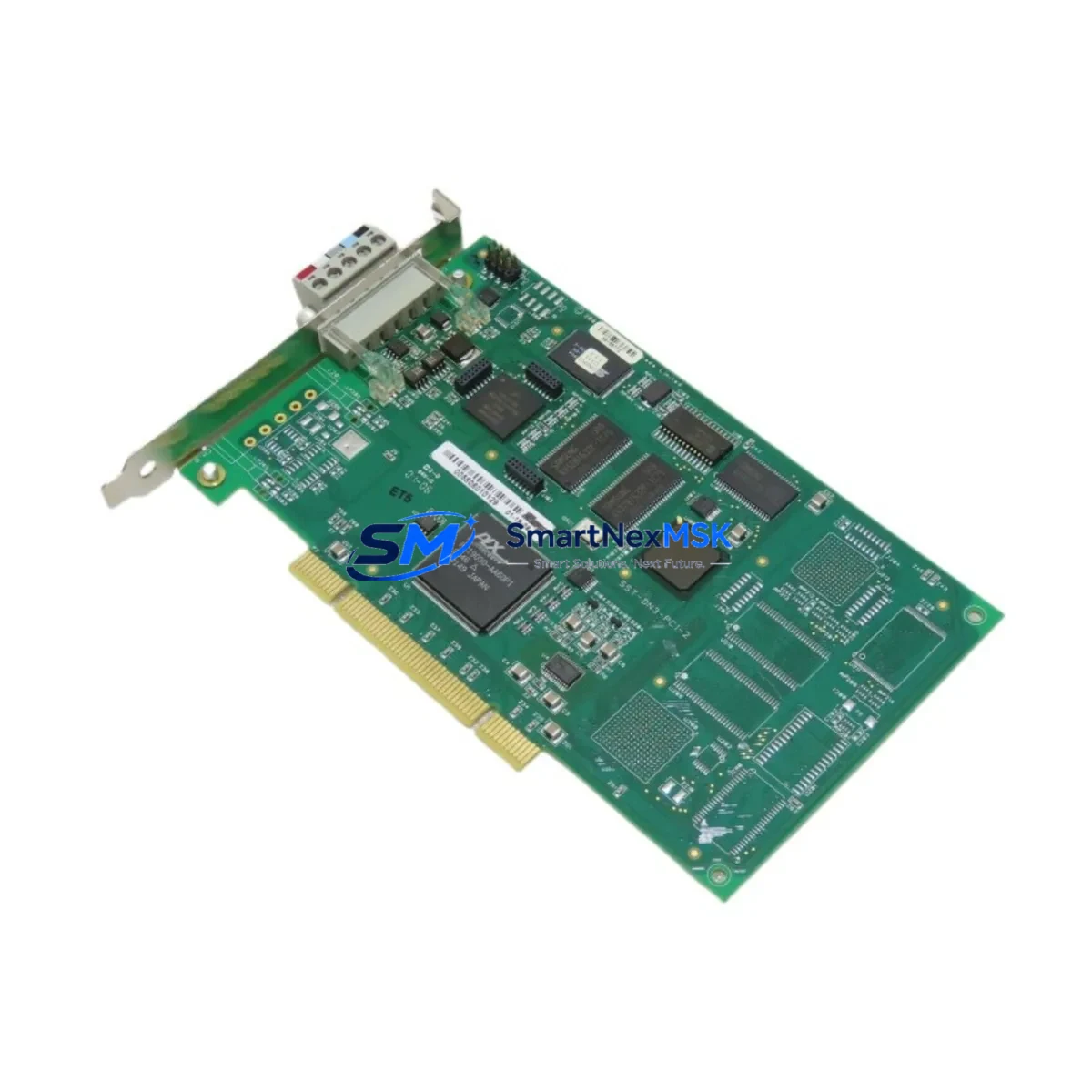
The WOODWARD SST-PFB3-PCI is a Profibus DP/FMS Master/Slave PCI interface card engineered for industrial control environments where communication reliability and backward compatibility are non-negotiable. As legacy automation systems approach end-of-life and OEM support windows close, the SST-PFB3-PCI has become one of the most sought-after retrofit components for engineers tasked with modernizing distributed control architectures without full system replacement. Whether you are migrating from an older SST-PFB1-PCI or SST-PFB2-PCI card, upgrading a control cabinet running a Siemens S5 or early S7-300 series PLC, or restoring a failed Profibus master node in a process plant, this card provides a validated, drop-in compatible upgrade path that minimizes engineering risk and downtime exposure.
Designed to operate in standard PCI slots, the SST-PFB3-PCI supports both Profibus DP and FMS protocols at baud rates up to 12 Mbps, making it fully interoperable with field devices such as Siemens ET 200M remote I/O stations, ABB AC500 distributed I/O, Phoenix Contact Inline modules, and Beckhoff BK3100 Profibus couplers. Its dual-port architecture allows simultaneous master and slave operation, a critical feature when integrating legacy field networks into newer SCADA or DCS platforms without disrupting existing device addressing or GSD file configurations.
Upgrade Compatibility Table
| Parameter | SST-PFB3-PCI Specification | Retrofit Notes |
|---|---|---|
| Interface | PCI (32-bit, 33/66 MHz) | Compatible with standard PCI slots; verify slot availability in IPC chassis |
| Protocol Support | Profibus DP V0/V1/V2, FMS | Replaces SST-PFB1-PCI and SST-PFB2-PCI with full protocol parity |
| Baud Rate | 9.6 kbps – 12 Mbps | Auto-detects network baud rate; no manual DIP switch adjustment required |
| Operating Mode | Master / Slave (simultaneous) | Dual-port operation supports mixed master/slave topologies |
| Connector | DB9 Female (×2) | Standard Profibus DB9 pinout; existing field cables reusable without re-termination |
| Power Consumption | +5 VDC via PCI bus | Confirm IPC power supply capacity; typically 2.5 W draw per card |
| OS / Driver Support | Windows 7/10/11, Linux kernel 4.x+ | SST driver package v4.x required; verify compatibility with existing HMI OS |
| Communication Compatibility | GSD-based device integration | Existing GSD files from legacy master remain valid; no re-import required in most cases |
| Replacement Path | SST-PFB1-PCI → SST-PFB3-PCI | Direct slot replacement; update driver and re-assign COM port mapping |
| Warranty | 12 Months | Covers hardware defects; includes pre-shipment functional test report |
Retrofit Planning for Existing Automation Systems
A successful SST-PFB3-PCI retrofit begins well before the card is physically installed. Engineers should start by auditing the existing IPC or industrial PC chassis to confirm available PCI slot count and power supply headroom. In many legacy control cabinets, the IPC may already be running a Siemens SIMATIC IPC427C or IPC547E with limited expansion slots, so slot allocation must be planned carefully alongside other installed cards such as the SST-DN3-PCI DeviceNet interface or an SST-PNIO-PCI PROFINET card if a protocol migration is also underway.
Terminal wiring on the Profibus segment should be verified against the existing network topology diagram. The SST-PFB3-PCI uses standard DB9 female connectors, meaning existing Profibus cables terminated with Siemens 6ES7 972-0BA52-0XA0 bus connectors or equivalent can be reused without modification. However, engineers should inspect termination resistors at both ends of the Profibus segment — particularly if the old card was the physical segment terminator — and confirm that the new card’s termination switch is set correctly to avoid signal reflection issues at high baud rates.
Module addressing and GSD file management are the next critical steps. If the legacy system used an SST-PFB1-PCI or SST-PFB2-PCI as the Profibus master, the slave device address table stored in the configuration software (such as SST’s own SyCon.net or a third-party Profibus configurator) must be exported before the old card is removed. After installing the SST-PFB3-PCI and loading the updated SST driver package, the configuration file can be re-imported, preserving all slave addresses, I/O mapping, and diagnostic settings. This is especially important when the Profibus network includes devices such as Siemens ET 200S distributed I/O, Pepperl+Fuchs DP/PA segment couplers, or Endress+Hauser field transmitters with custom parameterization.
For systems where the Profibus master communicates upstream to a DCS or SCADA platform via OPC DA or OPC UA, the SST-PFB3-PCI’s compatibility with SST’s OPC server software ensures that the data tag structure and polling intervals can be preserved post-swap. This eliminates the need to remap process variables in the HMI engineering tool, which is a significant time saver when the HMI screens reference hundreds of Profibus device tags. Confirm that the HMI platform — whether a Siemens WinCC, Wonderware InTouch, or Ignition SCADA — has the correct OPC server connection string updated to reflect any COM port reassignment after the card swap.
In multi-rack or multi-segment Profibus architectures, the SST-PFB3-PCI can also serve as a slave node on a higher-level Profibus segment while simultaneously acting as master on a lower-level field device segment. This dual-role capability is particularly valuable during phased migration projects where a new PLC controller — such as a Siemens S7-1500 or Allen-Bradley ControlLogix — is being introduced alongside the legacy system, and both must share the same field device network during the transition period.
Downtime Control During System Migration
Minimizing unplanned downtime is the primary concern for any retrofit involving a Profibus master card replacement. The recommended approach is to pre-configure the SST-PFB3-PCI on a bench IPC before the scheduled maintenance window. Install the SST driver package, import the exported Profibus configuration file, and verify that all slave devices respond correctly using SST’s diagnostic tools or a Profibus analyzer such as the Softing PB-T3 or ProfiTrace 2. This bench validation step typically takes two to four hours and eliminates the most common causes of extended downtime: driver conflicts, COM port mapping errors, and GSD file version mismatches.
During the actual card swap, the sequence should follow a defined lockout/tagout procedure. Power down the IPC, remove the legacy SST-PFB1-PCI or SST-PFB2-PCI card, seat the SST-PFB3-PCI in the same PCI slot, reconnect the Profibus DB9 cables, and restore power. The Profibus network should re-establish communication within seconds if the pre-configuration was completed correctly. Field operators should monitor the process via a secondary HMI or a portable operator panel connected to the DCS to confirm that all I/O values return to expected states before releasing the system back to automatic control.
For critical continuous-process applications where even a brief interruption is unacceptable, consider deploying a temporary Profibus repeater or segment bridge to maintain field device communication while the master card is being swapped. Devices such as the Siemens DP/DP coupler 6ES7 158-0AD01-0XA0 can bridge two Profibus segments, allowing field devices on the affected segment to remain in a safe hold state rather than faulting to their default output values. Once the SST-PFB3-PCI is confirmed operational, the bridge can be removed and normal master-slave communication restored.
All retrofit activities should be documented with a pre- and post-swap Profibus diagnostic report, capturing bus cycle time, slave response times, and error counters. This documentation supports the 12-month warranty claim process and provides a baseline for future predictive maintenance scheduling.
Retrofit Support FAQ
Q1: Is the SST-PFB3-PCI a direct drop-in replacement for the SST-PFB1-PCI and SST-PFB2-PCI?
Yes. The SST-PFB3-PCI occupies the same PCI slot form factor and uses the same DB9 Profibus connector pinout as its predecessors. Existing field cables and bus connectors can be reused without modification. The primary requirement is updating the SST driver package to the version compatible with the PFB3 hardware revision and re-importing the existing Profibus configuration file. No changes to slave device addresses or GSD files are required in most standard replacement scenarios.
Q2: What commissioning steps are required after installation?
After physical installation, install or update the SST driver package and confirm the card is recognized in Device Manager (Windows) or via lspci (Linux). Re-import the Profibus configuration file using SyCon.net or your existing configurator. Verify that all slave devices appear online in the diagnostic view and that I/O data is cycling correctly. Update the OPC server connection string if the COM port assignment has changed. Perform a full I/O scan and compare live values against the pre-swap baseline before returning the system to automatic operation.
Q3: How is wiring compatibility confirmed before installation?
The SST-PFB3-PCI uses standard Profibus DB9 female connectors with the industry-standard pin assignment (Pin 3: B-line positive, Pin 8: A-line negative, Pin 6: +5V termination supply, Pin 5: GND). This pinout is identical to the SST-PFB1-PCI and SST-PFB2-PCI, as well as to Siemens Profibus bus connectors. Verify termination resistor status at both segment ends and confirm cable shield continuity before powering up. No re-termination or cable modification is required for standard Profibus installations.
Q4: What does the 12-month warranty cover, and is a pre-shipment test report included?
The 12-month warranty covers all hardware defects under normal operating conditions, including PCI interface failures, onboard processor faults, and connector integrity issues. Each SST-PFB3-PCI unit undergoes a pre-shipment functional test that verifies PCI bus enumeration, Profibus port communication at multiple baud rates, and master/slave mode switching. A test report is included with each shipment. Warranty claims are processed via our technical support team with a target response time of one business day.
© 2026 SMARTNEXMSK. All rights reserved.
Original Source: https://smartnexmsk.com
Contact: [email protected] | +86 18259474341