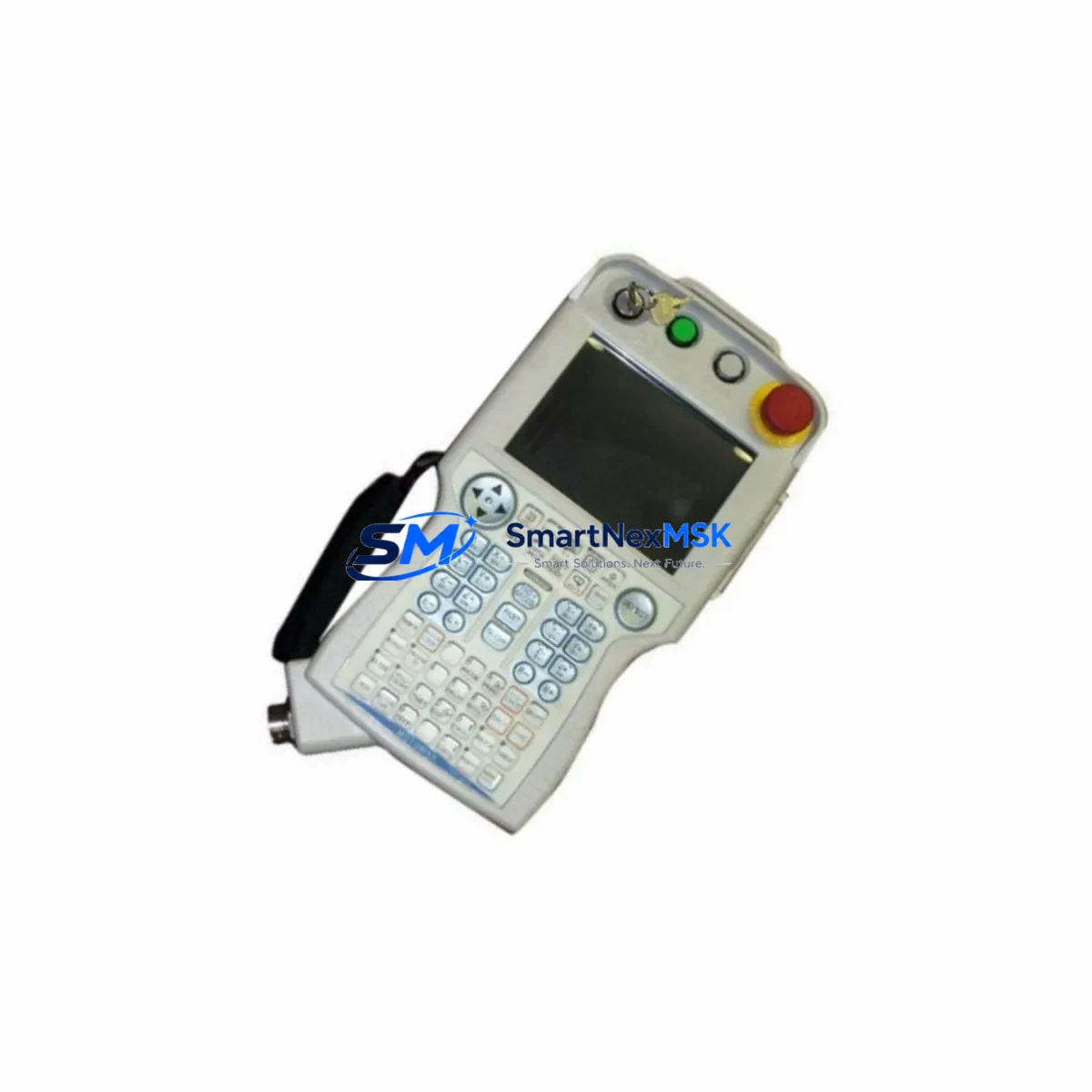
Yaskawa JZRCR-NPP01-1 Retrofit-Ready Teach Pendant for NX100 Control Systems
The Yaskawa JZRCR-NPP01-1 is a professional-grade teach pendant engineered for seamless compatibility with the Yaskawa NX100 robot controller platform. Designed to serve as a direct retrofit replacement for aging or failed pendant units in active production environments, this component enables industrial facilities to restore full robot programming and jogging capability without requiring a full controller overhaul. Whether you are managing a legacy Motoman UP series robot line, upgrading a multi-axis welding cell, or recovering from an unplanned pendant failure, the JZRCR-NPP01-1 delivers the interface reliability and wiring compatibility that maintenance engineers depend on.
The NX100 controller family remains widely deployed across automotive, metal fabrication, and general manufacturing facilities worldwide. As OEM support windows narrow and original spare parts become increasingly scarce, sourcing a verified retrofit-compatible JZRCR-NPP01-1 from a stocked supplier with documented testing procedures is critical to maintaining uptime. This unit ships pre-tested against NX100 communication protocol requirements, with connector pinout verified against the standard teach pendant cable harness used across the NX100 platform.
Upgrade Compatibility Table
| Parameter | Detail |
|---|---|
| Compatible Controller | Yaskawa NX100 |
| Compatible Robot Series | Motoman UP6, UP20, UP50, ES165, EA1400N and related NX100-based models |
| Connector Interface | Standard NX100 teach pendant port (proprietary Yaskawa connector) |
| Communication Protocol | Yaskawa proprietary serial pendant bus (NX100 native) |
| Display | Monochrome LCD with backlight, compatible with NX100 firmware display driver |
| Enable Switch | 3-position deadman enable switch, NX100-compliant safety circuit |
| Emergency Stop | Integrated dual-channel E-stop, wired to NX100 safety relay chain |
| Installation Requirement | Direct cable swap; no controller firmware modification required for standard NX100 builds |
| Replacement Recommendation | Verify NX100 firmware version ≥ YAS-NX100-R1 before installation; confirm cable harness part number matches JZRCR-NPP01-1 wiring spec |
| Commissioning Note | Perform axis jog test on all axes post-installation; verify E-stop and enable switch response before resuming auto mode |
| Warranty | 12-Month Warranty — covers manufacturing defects, connector integrity, and display function |
Retrofit Planning for Existing Automation Systems
Replacing the JZRCR-NPP01-1 in a live production cell requires careful pre-planning to avoid extended downtime and to protect existing robot programs. Before disconnecting the original pendant, maintenance teams should back up all job files, system parameters, and I/O assignments stored in the NX100 controller using the JARCR-XFB01 CF card interface or equivalent backup media. This ensures that teach point data, weld schedules, and motion sequences are preserved regardless of pendant condition.
The NX100 controller cabinet typically houses the JZNC-NRK01-1 robot control board alongside the JZNC-NIF01 network interface unit, which manages Ethernet/IP or DeviceNet communication to upstream PLCs and SCADA systems. Neither of these boards requires removal or reconfiguration during a pendant swap, provided the replacement JZRCR-NPP01-1 is connected to the correct pendant port on the JZNC-NTU01 teach pendant unit interface board. Technicians should inspect the JZRCR-NPP01-1 cable harness connector for bent pins before insertion, as the NX100 pendant port does not include mechanical pin protection.
In multi-robot cells where the NX100 controller is networked to a Yaskawa DX100 or DX200 controller managing a secondary robot axis, the pendant replacement does not affect inter-controller communication. The JANCD-NCP01-1 CPU board within the NX100 maintains its network node address independently of pendant status. However, if the facility uses a JARCR-XFU01 fieldbus communication unit for PROFIBUS or CC-Link integration, the fieldbus master should be placed in a safe hold state before pendant disconnection to prevent spurious I/O transitions during the swap procedure.
For facilities operating Motoman robots with a JZNC-NIO01 I/O expansion board or external JZNC-NAU01 analog I/O unit, the pendant replacement has no direct impact on I/O mapping. However, it is good practice to verify I/O status on the NX100 operator panel after pendant reconnection to confirm that no I/O forcing commands were left active on the previous pendant session. Similarly, any active INFORM II program that was interrupted mid-execution should be reset from the controller panel before the new pendant is used to resume operations.
If the retrofit is part of a broader control system upgrade — for example, migrating from NX100 to a DX200 platform — the JZRCR-NPP01-1 serves as an interim operational tool during the transition period, allowing engineers to maintain robot teachability on the legacy NX100 system while the new controller infrastructure is being commissioned in parallel. In such scenarios, having a verified spare JZRCR-NPP01-1 in stock prevents the legacy line from becoming a bottleneck during the cutover window.
Downtime Control During System Migration
Minimizing unplanned downtime during a teach pendant replacement or broader NX100 system migration depends on three factors: pre-verified component availability, a documented swap procedure, and a tested rollback path. The JZRCR-NPP01-1 supplied by SMARTNEXMSK is function-tested prior to shipment, covering display initialization, keypad response, enable switch continuity, and E-stop circuit integrity. This pre-shipment testing eliminates the most common cause of extended downtime during pendant replacements — receiving a unit that requires additional bench testing before installation.
To protect original program logic during the swap, the NX100 controller should remain powered throughout the pendant disconnection and reconnection sequence. The NX100 platform supports hot-swap of the teach pendant with the controller in teach-prohibited mode, which can be engaged from the operator panel. This approach keeps the JANCD-NCP01-1 CPU board active and retains all volatile program data in controller RAM, eliminating the risk of job file corruption that can occur during a full controller power cycle.
Once the JZRCR-NPP01-1 is connected and the controller recognizes the pendant, the commissioning sequence should begin with a low-speed jog test on each axis to confirm motion response and encoder feedback. The NX100 speed override should be set to 10% or below for initial jogging. After confirming axis response, the E-stop and enable switch should be tested in sequence before the controller is returned to playback mode. This structured commissioning approach typically allows a pendant replacement to be completed within a single maintenance shift, keeping production interruption to a minimum.
Retrofit Support FAQ
Q1: Is the JZRCR-NPP01-1 a direct drop-in replacement for the original NX100 teach pendant?
Yes. The JZRCR-NPP01-1 uses the same connector interface, cable harness pinout, and communication protocol as the original NX100 teach pendant. No controller firmware modification is required for standard NX100 builds. Verify your NX100 firmware version and cable harness part number before installation to confirm compatibility with your specific controller revision.
Q2: Will my existing robot programs and teach points be preserved after the pendant swap?
Yes, provided the NX100 controller remains powered during the swap and the controller is placed in teach-prohibited mode before disconnecting the original pendant. All job files, system parameters, and I/O assignments are stored in the NX100 controller memory, not in the pendant itself. As a precaution, back up all data to a CF card via the JARCR-XFB01 interface before beginning the swap procedure.
Q3: What wiring checks should be performed before connecting the JZRCR-NPP01-1?
Inspect the pendant cable harness connector for bent or recessed pins. Verify that the cable harness part number matches the JZRCR-NPP01-1 wiring specification. Confirm that the NX100 pendant port on the JZNC-NTU01 interface board is free of debris and that the port locking mechanism is functional. Do not force the connector if resistance is felt during insertion.
Q4: What does the 12-month warranty cover, and what is the return process?
The 12-month warranty covers manufacturing defects, connector integrity, display function, keypad response, and enable switch continuity. If a defect is identified within the warranty period, contact [email protected] with your order number and a description of the fault. SMARTNEXMSK will arrange inspection and replacement or repair at no additional cost. Units that have been physically damaged, modified, or used outside the specified NX100 operating environment are not covered under warranty.
© 2026 SMARTNEXMSK. All rights reserved.
Original Source: https://smartnexmsk.com
Contact: [email protected] | +86 18259474341