
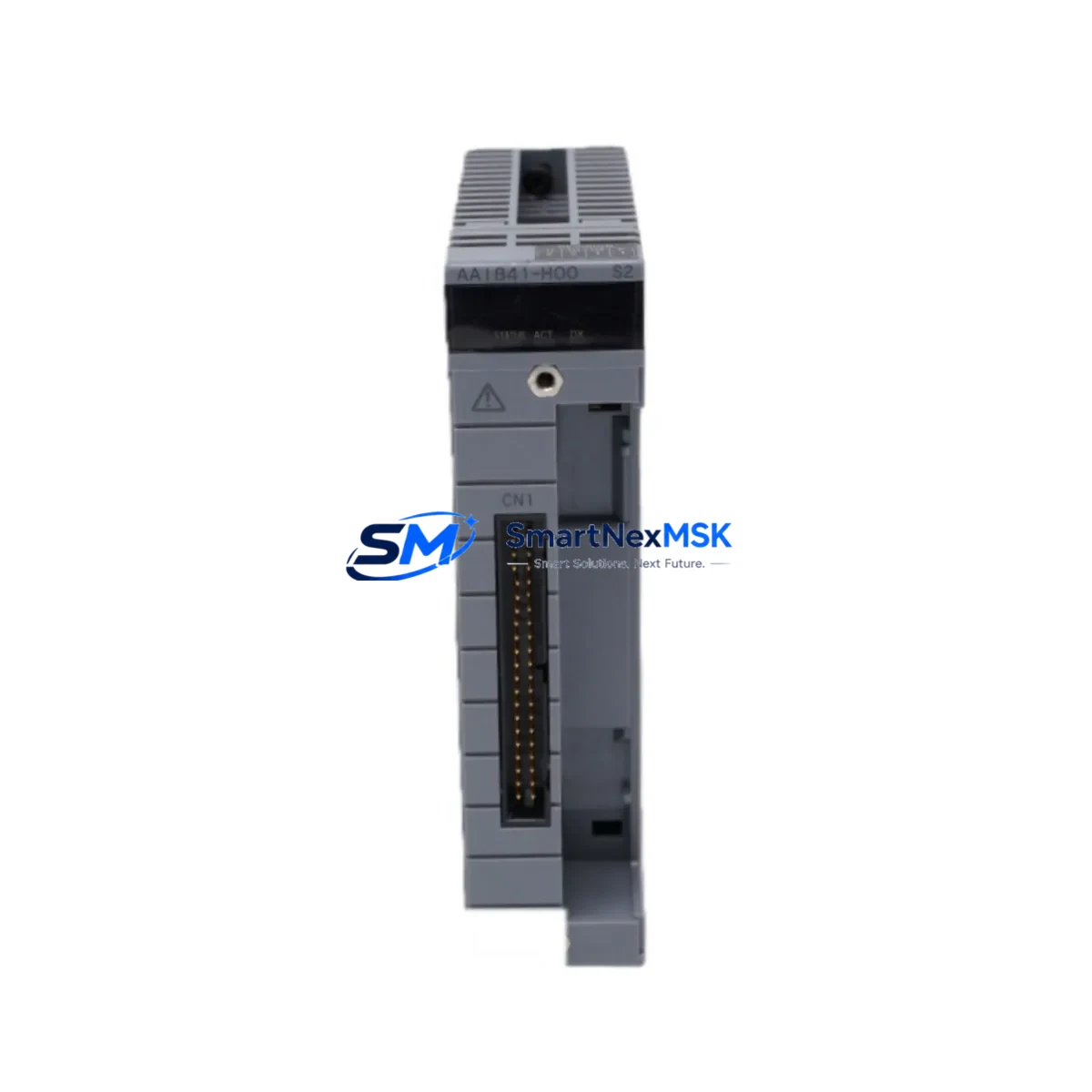
Yokogawa AAI841-H00 S2 Retrofit-Ready Analog Input for CENTUM VP Control Systems
The Yokogawa AAI841-H00 S2 is a 16-channel analog input module engineered for seamless integration into CENTUM VP distributed control systems. As legacy CENTUM CS 3000 and CENTUM VP R4 installations approach end-of-life, plant engineers increasingly rely on the AAI841-H00 S2 as a verified drop-in replacement that preserves existing wiring infrastructure, field terminal assemblies, and control logic without requiring a full platform migration. Whether you are upgrading a refinery DCS cabinet, modernizing a chemical plant control loop, or restoring a failed I/O node on a running production line, this module delivers the signal fidelity and backplane compatibility your system demands.
Each unit is sourced from verified supply channels, subjected to pre-shipment functional testing, and backed by a 12-month warranty. Fast dispatch from our Xiamen warehouse supports urgent MRO requirements and planned turnaround projects alike.
Upgrade Compatibility Table
| Parameter | AAI841-H00 S2 (This Unit) | Retrofit Notes |
|---|---|---|
| Channel Count | 16 channels, single-ended | Direct replacement for AAI841-S00, AAI841-H00 S1 |
| Signal Range | 4–20 mA / 1–5 V DC | Verify field transmitter output range before swap |
| Backplane Interface | CENTUM VP I/O bus (RIO / ESB bus) | Compatible with RIO node, ESB bus coupler, and FCS controller |
| Installation | Nest-mount, hot-swap capable | No rack modification required; confirm nest slot assignment |
| Communication Compatibility | CENTUM VP FCS / PFCS / SFCS | Confirm FCS firmware version ≥ R5.03 for S2 suffix support |
| Replacement Candidates | AAI841-H00 S1, AAI835, AAI543 | Address re-mapping may be required for AAI835 cross-replacement |
| Commissioning Focus | Module address, tag assignment, range calibration | Use CENTUM VP Engineering Environment (ENG) for tag verification |
| Warranty | 12 months from shipment date | Covers manufacturing defects; excludes physical damage |
Retrofit Planning for Existing Automation Systems
A successful AAI841-H00 S2 retrofit begins well before the module arrives on site. Start by auditing the existing I/O nest configuration: confirm the nest type (e.g., ANB10D or ANB11D), the number of occupied slots, and the ESB bus address assigned to the target slot. If the failed or retiring module is an older AAI835 or AAI543, note that the channel-to-terminal mapping differs, and the corresponding terminal board (e.g., ATB10D or ATB11D) must be verified for pin compatibility before reusing existing field wiring.
Power budget is a critical pre-check. The Yokogawa PW481 or PW482 power supply module feeding the I/O nest must have sufficient headroom to support the AAI841-H00 S2’s current draw alongside other resident modules. In dense nests running multiple AAO145 analog output modules or ADV151 digital input modules, a power margin audit is mandatory to avoid nuisance trips after the swap.
On the software side, open the CENTUM VP Engineering Environment and locate the FCS builder for the target field control station. Confirm that the I/O module definition in the builder matches the AAI841-H00 S2 model code. If the slot previously held an S1-suffix module, the builder may require a model update followed by a download to the FCS — this can be performed online in most VP configurations without interrupting other loops. Verify that all associated function blocks referencing the replaced I/O tags retain their tuning parameters, alarm limits, and engineering unit scaling after the download.
For systems that also involve Vnet/IP or ESB bus communication links, confirm that the bus coupler (e.g., ACB11D or ACB12D) recognizes the new module after power-up. In multi-FCS architectures where the I/O nest is shared across redundant controllers, the switchover logic should be tested in simulation mode before live commissioning. If the plant uses a CENTUM VP HMI running on Windows Server with the HIS (Human Interface Station), verify that the faceplate graphics and trend displays linked to the replaced I/O tags continue to update correctly after the module swap — tag name changes are the most common source of HMI display errors during retrofit projects.
Where the retrofit scope extends beyond a single module — for example, when upgrading an entire I/O nest from CS 3000 to CENTUM VP — consider staging the replacement across maintenance windows. Replacing the FCS controller card, ESB bus coupler, and I/O modules in coordinated phases reduces the risk of simultaneous multi-point failures and allows partial loop restoration between outage windows.
Downtime Control During System Migration
Minimizing production downtime during a DCS I/O module replacement requires a structured pre-outage preparation protocol. Before taking the target loop offline, export the current FCS builder project as a backup archive and store it on an isolated engineering workstation — this preserves the original program logic, tag database, and communication parameters as a recovery baseline. If the plant operates a redundant FCS pair, initiate a manual switchover to the standby controller before removing the module, ensuring continuous loop control throughout the physical swap.
During the module exchange, keep field transmitters energized where safe to do so. The AAI841-H00 S2 supports hot insertion into a powered nest, allowing the module to initialize and begin scanning channels within seconds of seating. Once the module is seated and the status LED confirms normal operation, perform a live channel check using the CENTUM VP test function to verify that all 16 input channels are reading within expected engineering unit ranges before releasing the loops back to automatic control.
For plants without redundant FCS architecture, pre-stage the replacement module in the engineering lab, pre-configure its address switches to match the target slot, and perform a bench-level loop simulation using a HART communicator or milliamp source to confirm channel response before the outage window begins. This approach routinely reduces on-site swap time to under 30 minutes, protecting production schedules and minimizing exposure to unplanned downtime costs.
Document all as-found and as-left readings, module serial numbers, and firmware versions in the plant’s maintenance management system (CMMS) immediately after commissioning. This record supports future audits, warranty claims, and the next planned maintenance cycle.
Retrofit Support FAQ
Q1: Is the AAI841-H00 S2 a direct drop-in replacement for the AAI841-H00 S1?
In most CENTUM VP installations, yes. The S2 suffix denotes a hardware revision with improved EMC performance. The backplane connector, terminal board interface, and FCS builder model code are identical. However, confirm your FCS firmware version supports the S2 revision — systems running firmware below R5.03 may require a firmware update before the module is recognized correctly.
Q2: Can I reuse the existing field wiring and terminal board?
Yes, provided the existing terminal board (ATB10D or equivalent) is in serviceable condition and the wiring was originally installed for an AAI841-series module. If you are cross-replacing from an AAI835 or AAI543, the terminal board pinout differs and a wiring adapter or new terminal board will be required. Always perform a continuity and insulation resistance check on field cables before reconnecting to the new module.
Q3: What commissioning steps are required after installation?
After physical installation, verify the module address switch setting matches the FCS builder slot assignment. Download the FCS builder project to the controller (online download is supported in most VP configurations). Perform a channel-by-channel live check using the CENTUM VP test function. Confirm alarm limits, engineering unit scaling, and HART pass-through settings (if applicable) are intact. Release loops to automatic control only after all channels pass the live check.
Q4: What does the 12-month warranty cover?
The 12-month warranty covers manufacturing defects and functional failures under normal operating conditions from the date of shipment. It does not cover damage resulting from incorrect installation, overvoltage, reverse polarity, physical impact, or unauthorized modification. In the event of a warranty claim, contact [email protected] with the module serial number, purchase order reference, and a description of the fault. Replacement or repair will be arranged within the agreed lead time.
© 2026 SMARTNEXMSK. All rights reserved.
Original Source: https://smartnexmsk.com
Contact: [email protected] | +86 18259474341



