
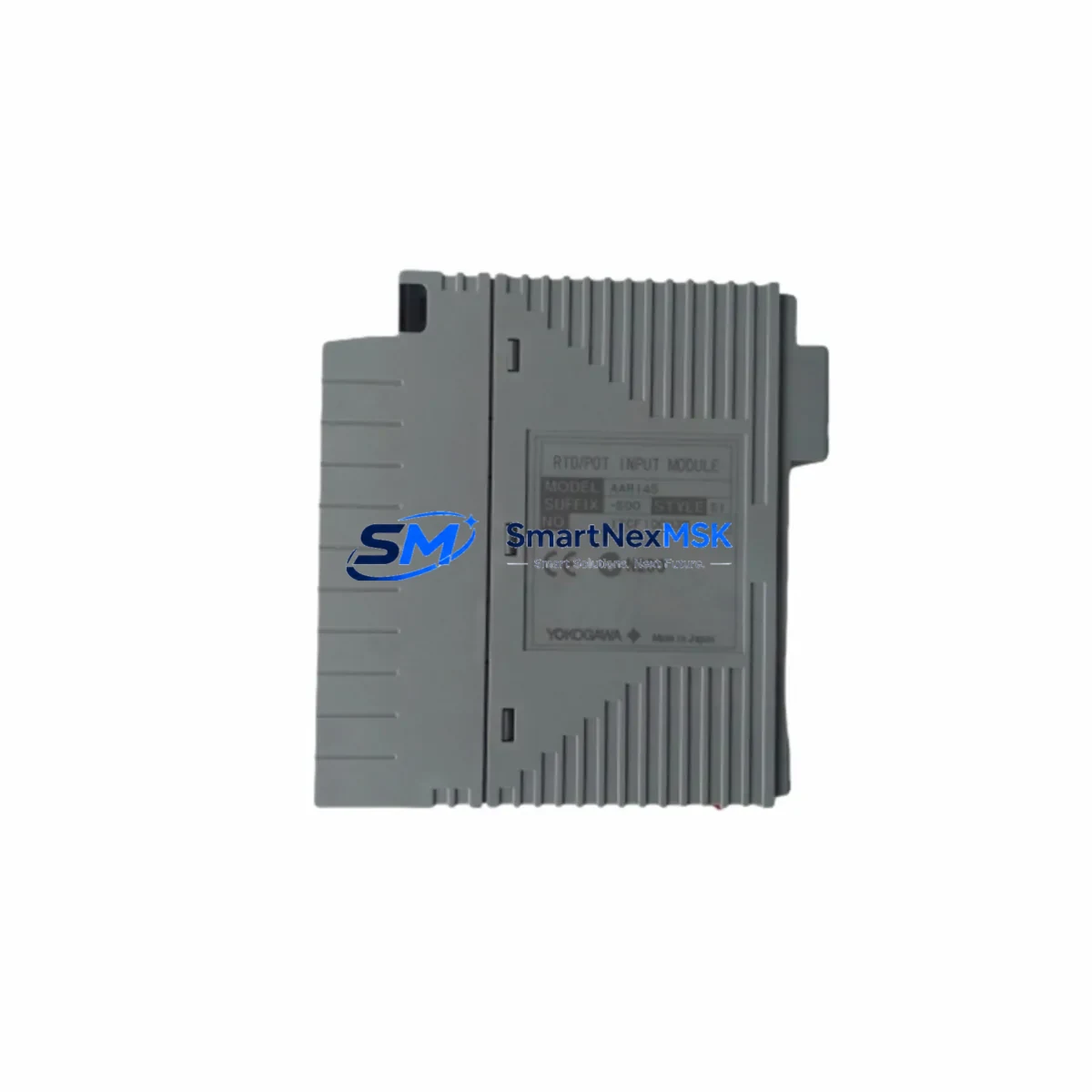
YOKOGAWA AAI841-S00 S2: Retrofit-Ready Analog I/O Module for CENTUM VP Control Systems
The YOKOGAWA AAI841-S00 S2 is a high-density analog input/output module engineered for seamless integration into CENTUM VP distributed control systems. As legacy CENTUM CS 3000 and CENTUM VP R4/R5 installations reach end-of-service milestones, the AAI841-S00 S2 has become the preferred retrofit solution for engineers managing brownfield upgrades, control cabinet modernization, and I/O expansion projects across oil & gas, petrochemical, power generation, and pulp & paper industries. This module supports 16-channel analog signal processing with configurable 4–20 mA and 1–5 V input ranges, making it a direct functional replacement for earlier AAI841 revisions and a compatible upgrade path from discontinued CENTUM CS 3000 analog I/O cards.
Upgrade Compatibility Table
| Parameter | AAI841-S00 S2 (This Module) | Legacy / Predecessor Models |
|---|---|---|
| Signal Type | 4–20 mA / 1–5 V DC (configurable) | 4–20 mA / 1–5 V DC |
| Channel Count | 16 AI / AO (mixed, configurable) | 16 channels |
| Backplane Interface | CENTUM VP Node Unit (NU) backplane | CENTUM CS 3000 / VP R4 backplane |
| Communication Protocol | Vnet/IP (internal bus) | V-net (legacy) / Vnet/IP |
| Terminal Wiring | Compatible with existing field terminal assemblies (FTA) | Same FTA footprint — no rewiring required in most cases |
| Module Address | Configurable via CENTUM VP Engineering Environment (ENG) | Requires address re-mapping if replacing CS 3000 cards |
| Installation | Hot-swap capable on supported Node Units | Requires shutdown on older NU generations |
| Firmware Compatibility | CENTUM VP R5.04 and above recommended | R4.01+ with firmware patch |
| Replacement Recommendation | Direct drop-in for AAI841-S00 S1; functional replacement for CS 3000 AAI841 | Verify FCS database tag mapping before cutover |
| Warranty | 12-Month Warranty — covers manufacturing defects and functional failure under normal operating conditions | |
Retrofit Planning for Existing Automation Systems
Successful deployment of the AAI841-S00 S2 in a brownfield environment requires a structured pre-installation audit. Engineers should begin by reviewing the existing Node Unit (NU) slot assignments and confirming available backplane capacity. In a typical CENTUM VP cabinet, the NU houses multiple I/O modules — including the AAI841-S00 S2 alongside digital I/O cards such as the ADV151-P00 (digital input) and ADV551-P00 (digital output) — and the slot address must be reserved in the Field Control Station (FCS) database before physical installation.
Power budget verification is a critical step often overlooked during rapid retrofits. The Node Unit power supply — commonly the PW481 or PW482 power module — must have sufficient headroom to support the AAI841-S00 S2’s current draw alongside co-installed modules. If the existing power supply is operating near capacity, a parallel power supply or replacement with a higher-rated unit should be planned before the cutover window.
Field Terminal Assembly (FTA) compatibility is one of the strongest advantages of the AAI841-S00 S2 in retrofit scenarios. In most CENTUM VP installations, the existing FTA wiring harness — connecting field instruments such as pressure transmitters, flow meters, and temperature sensors — can be retained without modification. Engineers should confirm the FTA model (e.g., TB841 or equivalent marshalling terminal block) matches the module’s terminal layout before proceeding.
For sites migrating from CENTUM CS 3000 to CENTUM VP, the process involves not only physical module replacement but also FCS program migration using the CENTUM VP Engineering Environment. Tag names, I/O assignments, and function block parameters from the CS 3000 Control Drawing (CD) must be re-mapped to the VP Function Block Diagram (FBD). The CENTUM VP migration tool supports batch import of CS 3000 project files, significantly reducing manual re-engineering effort. During this phase, the communication link between the HIS (Human Interface Station) and the FCS must be verified — particularly if the site is transitioning from a legacy V-net ring to a Vnet/IP Ethernet-based control network using components such as the ESB Bus Coupler or the BCV (Bus Coupler for Vnet/IP).
I/O expansion projects that incorporate the AAI841-S00 S2 alongside HART-enabled field devices should also account for HART communication pass-through capability. Where HART multiplexers or asset management systems (such as YOKOGAWA’s PRM — Plant Resource Manager) are in use, confirm that the FTA and module revision support HART signal superimposition on the 4–20 mA loop. In some installations, a dedicated HART interface module or an external HART modem connected via the engineering PC may be required for device commissioning and calibration.
Programming cable and laptop configuration tools should be prepared in advance. CENTUM VP engineering workstations running the ENG software require a dedicated Ethernet connection to the FCS for online download of modified control logic. Ensure that the FCS is in the correct operating mode (e.g., Test mode or Online Download mode) before pushing updated I/O configuration to avoid unintended process interruptions.
Downtime Control During System Migration
Minimizing unplanned downtime is the primary operational concern when replacing or upgrading analog I/O modules in a live production environment. The AAI841-S00 S2 supports hot-swap installation on compatible CENTUM VP Node Units, allowing module replacement without shutting down the entire FCS — provided the replacement is performed during a planned maintenance window and the FCS is configured for redundant I/O operation.
Before initiating the physical swap, engineers should place the affected I/O channels in manual mode at the HIS operator station. This ensures that the Field Control Station continues to execute control logic using the last known good output values, preventing process upsets caused by signal loss during the module changeover. The HMI graphics associated with the affected loops should be monitored throughout the procedure, with operators stationed at the console to respond to any deviation alarms.
Once the new AAI841-S00 S2 is seated in the backplane and the FCS has recognized the module, perform a channel-by-channel signal verification using a loop calibrator or HART communicator. Compare live field readings against the HIS display to confirm correct scaling, engineering units, and alarm setpoints. After verification, return each channel to automatic mode sequentially — not simultaneously — to avoid sudden process load shifts.
For sites without hot-swap capability (older NU generations or non-redundant FCS configurations), a cold-swap procedure requires a coordinated shutdown of the affected FCS domain. In this case, pre-staging the replacement module, pre-loading the updated FCS database, and preparing a rollback image of the original FCS program are essential steps. The entire cutover — from FCS shutdown to restart and signal verification — can typically be completed within a 2–4 hour maintenance window when properly planned, protecting production continuity and reducing exposure to unscheduled downtime costs.
Retrofit Support FAQ
Q1: Is the AAI841-S00 S2 a direct replacement for the AAI841-S00 S1?
Yes. The S2 revision is backward-compatible with the S1 in terms of backplane interface, FTA wiring, and CENTUM VP software configuration. No changes to the FCS database or field wiring are required in standard replacement scenarios. Confirm the firmware revision of the target Node Unit is R5.04 or above for full feature support.
Q2: Can this module replace analog I/O cards from CENTUM CS 3000?
Functionally yes, but the migration requires FCS program re-engineering using the CENTUM VP Engineering Environment. The physical backplane and FTA connections differ between CS 3000 and CENTUM VP Node Units, so a hardware adapter or new FTA may be required. The AAI841-S00 S2 is not a plug-in replacement for CS 3000 hardware without the corresponding VP Node Unit infrastructure.
Q3: What pre-shipment testing is performed on this module?
Each AAI841-S00 S2 unit undergoes functional verification prior to dispatch, including power-on self-test, channel signal integrity check, and backplane communication handshake simulation. Units are shipped with original or equivalent protective packaging. A 12-month warranty covers manufacturing defects and functional failure under normal operating conditions from the date of delivery.
Q4: What information should I provide when ordering to ensure compatibility?
Please provide your CENTUM VP system revision (e.g., R5.04, R6.06), Node Unit model number, existing FTA model, and the revision of the module being replaced (S1 or S2). This allows our technical team to confirm compatibility and advise on any firmware or configuration prerequisites before shipment.
© 2026 SMARTNEXMSK. All rights reserved.
Original Source: https://smartnexmsk.com
Contact: [email protected] | +86 18259474341



