
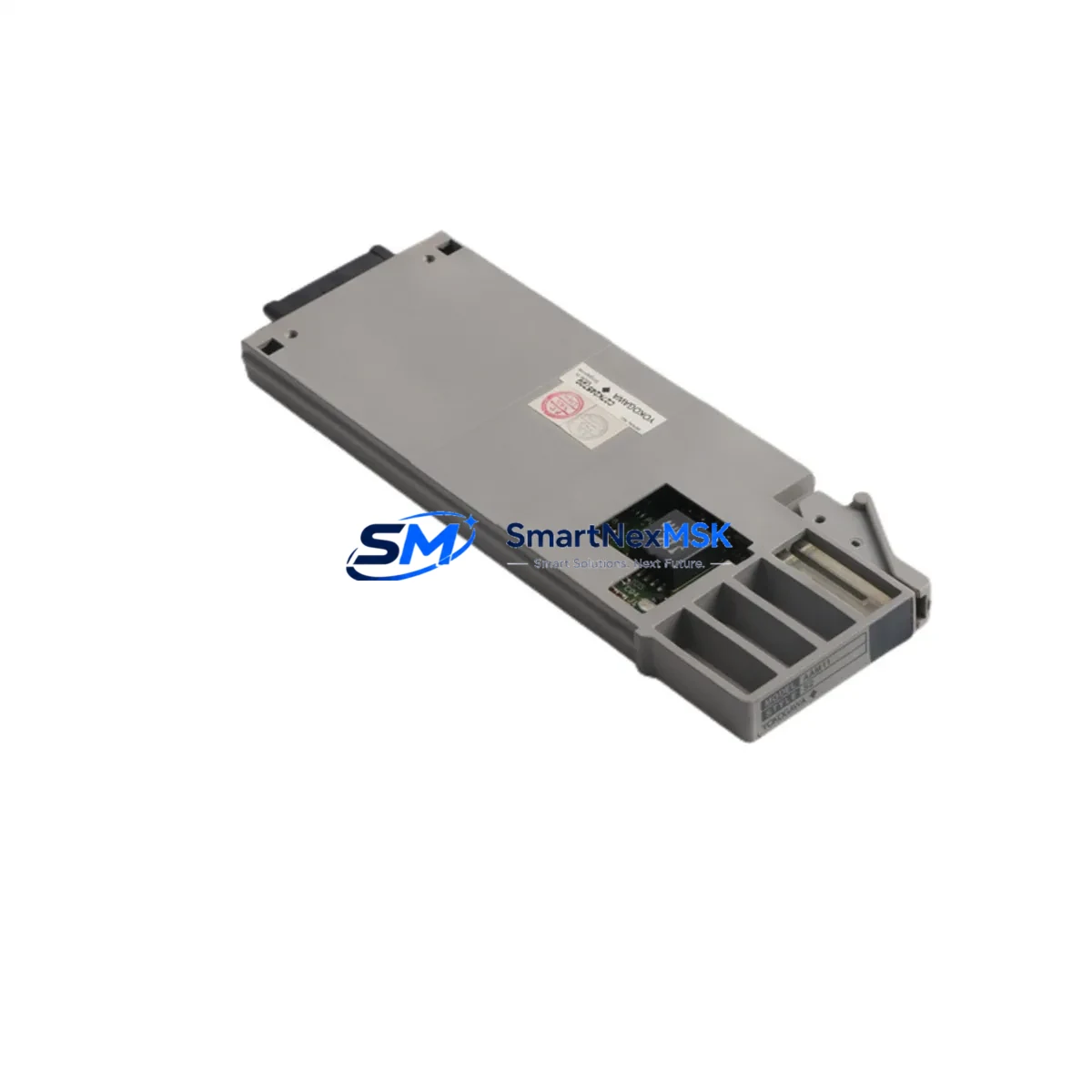
YOKOGAWA AAM11-S2 Retrofit-Ready Analog Input Module for CENTUM VP Control Systems
The YOKOGAWA AAM11-S2 is a 16-channel analog input module engineered for the CENTUM VP distributed control system platform. As legacy CENTUM CS 3000 and CENTUM VP R4/R5 installations reach end-of-support milestones, plant engineers and system integrators increasingly rely on the AAM11-S2 as a direct retrofit replacement for discontinued analog input cards — including the earlier AAM11 and AAM11-S variants — without requiring backplane redesign or controller reprogramming.
Whether you are managing a scheduled turnaround, responding to an unplanned module failure, or executing a phased DCS modernization across multiple control stations, the AAM11-S2 provides a verified drop-in upgrade path that preserves existing field wiring, terminal assignments, and CENTUM VP function block logic. This minimizes engineering rework and keeps your process running with maximum continuity.
Upgrade Compatibility Table
| Parameter | AAM11 (Legacy) | AAM11-S | AAM11-S2 (This Unit) |
|---|---|---|---|
| Input Channels | 16 CH | 16 CH | 16 CH |
| Signal Type | 4–20 mA / 1–5 V | 4–20 mA / 1–5 V | 4–20 mA / 1–5 V |
| Backplane Interface | CENTUM VP Node Bus | CENTUM VP Node Bus | CENTUM VP Node Bus |
| Terminal Wiring | Standard screw terminal | Standard screw terminal | Standard screw terminal (compatible) |
| Communication Protocol | Vnet/IP (internal) | Vnet/IP (internal) | Vnet/IP (internal) |
| Module Address Config | Manual DIP switch | Manual DIP switch | Manual DIP switch (same layout) |
| Replacement Recommendation | Direct swap — no rewiring | Direct swap — no rewiring | — |
| Commissioning Focus | Verify AI tag mapping & range | Verify AI tag mapping & range | Confirm FCS function block binding |
| Installation Slot | ANB10S / ANB40S node unit | ANB10S / ANB40S node unit | ANB10S / ANB40S node unit |
| Warranty | — | — | 12-Month Warranty |
Retrofit Planning for Existing Automation Systems
A successful AAM11-S2 retrofit begins well before the module arrives on site. Engineers should first audit the target node unit — typically an ANB10S or ANB40S node bus unit — to confirm available slot positions and verify that the node power supply, such as the PW481 or PW482 power module, can support the additional load of the replacement card. Power budget calculations should account for all co-installed modules in the same node, including any AAM21 analog output modules, ADM12 digital input modules, or ADM51B digital output modules sharing the same backplane.
Terminal wiring compatibility is one of the most critical checkpoints. The AAM11-S2 uses the same screw-terminal pitch and channel-to-terminal mapping as its predecessors, which means existing marshalling cables and field junction wiring can typically be reconnected without modification. However, engineers should inspect terminal blocks for corrosion, verify shield grounding continuity, and confirm that each channel’s 4–20 mA loop is correctly sourced or sunk before powering the new module.
Module address configuration via DIP switch must match the slot assignment defined in the CENTUM VP engineering database. Mismatched addresses are a common source of commissioning delays. After physical installation, the CENTUM VP Builder engineering tool should be used to confirm that the FCS (Field Control Station) recognizes the new module at the correct node and slot address, and that all AI function blocks are correctly bound to the physical channel list.
For sites running CENTUM CS 3000 alongside CENTUM VP in a hybrid architecture, additional attention is required for Vnet/IP segment configuration and any BCV (Bus Converter) units bridging the two platforms. Communication link integrity should be validated using the CENTUM VP diagnostic tools before returning the loop to automatic control. If the retrofit also involves migrating HMI faceplates from an older HIS (Human Interface Station) running Windows XP-era software to a current HIS platform, screen tag bindings and alarm setpoints should be exported and verified against the new module’s channel assignments.
Sites that also plan to expand I/O capacity during the same outage window may consider adding an AAM11-S2 to a previously unused slot alongside existing AAM51 or AAM51B multi-range analog input modules, enabling a phased I/O expansion without requiring a new node unit or additional Vnet/IP segment licensing.
Downtime Control During System Migration
Minimizing process downtime during an AAM11-S2 swap requires a structured pre-outage preparation protocol. Before the maintenance window opens, engineers should export the current FCS project from CENTUM VP Builder, back up all function block parameters, and document the live AI tag values for each channel being replaced. This baseline snapshot allows rapid comparison after module installation to confirm that signal scaling, engineering units, and alarm limits have been correctly preserved.
Where process conditions allow, individual analog input channels can be placed in manual mode within the CENTUM VP HIS prior to module removal, preventing spurious alarms or automatic control responses during the swap. The physical replacement itself — removing the legacy module from the node slot and inserting the AAM11-S2 — typically takes under ten minutes. The majority of commissioning time is spent on loop checks: confirming that each field transmitter is delivering the expected 4–20 mA signal to the correct channel, and that the CENTUM VP FCS is reading engineering-unit values within the expected process range.
After loop verification, channels should be returned to automatic control one at a time, with the control room operator confirming stable PV readings before proceeding to the next channel. This sequential handback approach protects original program logic and maintains field control continuity throughout the migration, reducing the risk of process upsets caused by simultaneous multi-loop transitions.
All AAM11-S2 units supplied by SMARTNEXMSK are pre-tested prior to shipment, with functional verification of all 16 analog input channels. Each unit ships with a test report and is covered by a 12-month warranty against manufacturing defects, giving your maintenance team confidence in the replacement before it enters the control cabinet.
Retrofit Support FAQ
Q1: Is the AAM11-S2 a direct replacement for the original AAM11 and AAM11-S modules?
Yes. The AAM11-S2 is backward-compatible with both the AAM11 and AAM11-S in terms of backplane slot, terminal wiring, DIP switch addressing, and CENTUM VP function block binding. No rewiring or reprogramming is required in standard retrofit scenarios. Engineers should confirm module address settings and perform a loop check after installation.
Q2: What commissioning steps are required after installing the AAM11-S2?
After physical installation, use CENTUM VP Builder to confirm node and slot recognition, verify AI function block channel bindings, and perform a full 16-channel loop check against live field transmitters. Confirm engineering unit scaling, alarm setpoints, and HMI faceplate tag bindings before returning channels to automatic control.
Q3: Can the AAM11-S2 be used in a CENTUM CS 3000 system?
The AAM11-S2 is designed for the CENTUM VP platform. Compatibility with CENTUM CS 3000 depends on the specific node unit and FCS firmware version in use. Contact our technical team with your CS 3000 system configuration details for a compatibility assessment before ordering.
Q4: What does the 12-month warranty cover, and how is it supported?
The 12-month warranty covers manufacturing defects and functional failures under normal operating conditions. All units are pre-tested and ship with a functional test report. In the event of a warranty claim, SMARTNEXMSK provides replacement or repair support. Contact [email protected] with your order reference and fault description to initiate a warranty case.
© 2026 SMARTNEXMSK. All rights reserved.
Original Source: https://smartnexmsk.com
Contact: [email protected] | +86 18259474341



