
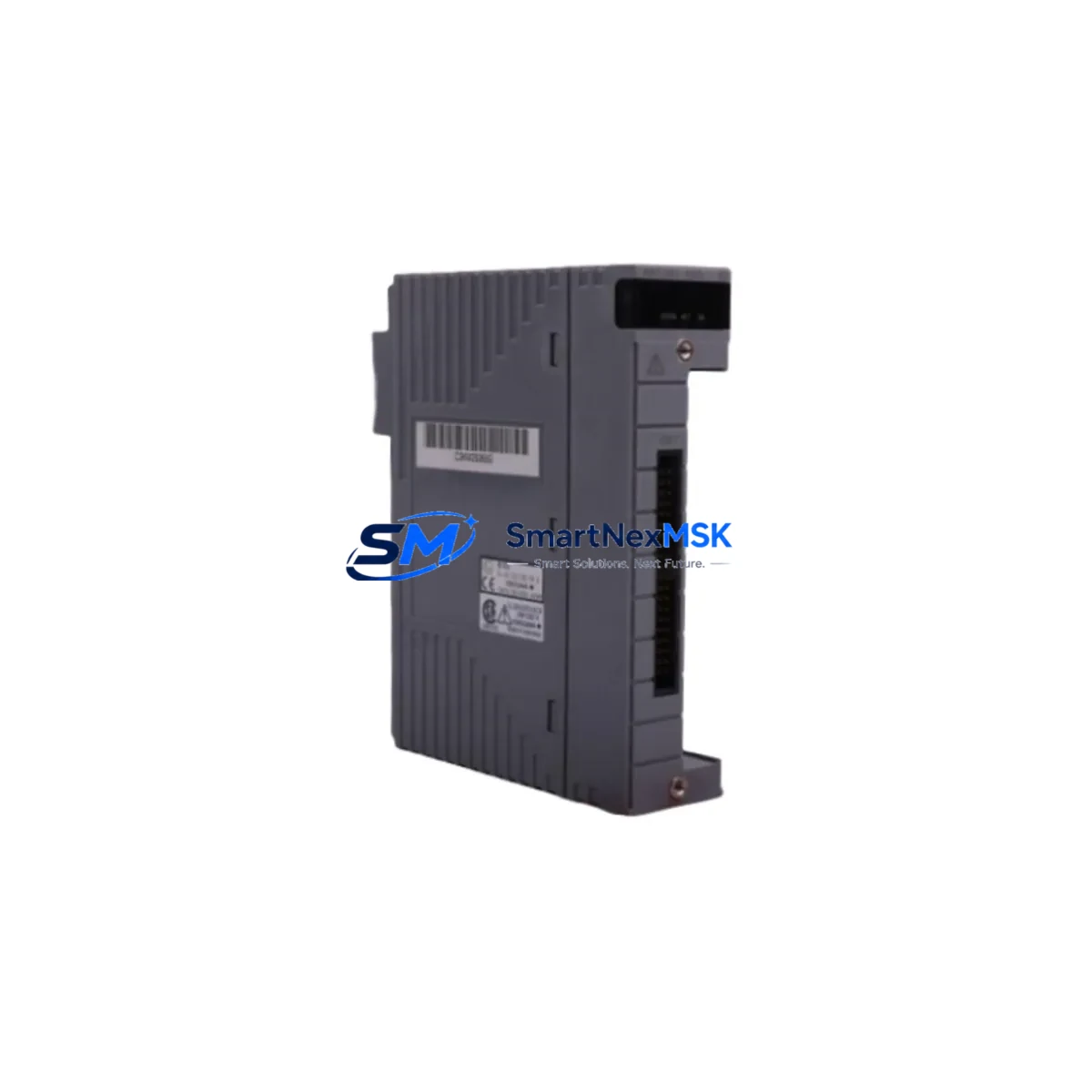
Yokogawa AAR181-S00 Retrofit-Ready RTD Input for CENTUM VP Systems: Compatible Modernization for Legacy DCS Platforms
The Yokogawa AAR181-S00 is a high-precision RTD (Resistance Temperature Detector) input module engineered for the Yokogawa CENTUM VP and CS 3000 distributed control systems. As aging DCS installations approach end-of-support milestones, plant engineers and automation integrators increasingly rely on verified retrofit-ready replacements to sustain operational continuity without committing to full platform migrations. The AAR181-S00 addresses this need directly — offering a drop-in compatible solution that preserves existing field wiring, backplane connections, and control logic while restoring full measurement accuracy and system reliability.
Whether you are replacing a failed module in an active production line, upgrading a legacy CS 3000 node to CENTUM VP compatibility, or building a spare-parts inventory for a long-running process plant, the AAR181-S00 delivers the specification consistency and supply reliability that industrial buyers require. Each unit is pre-tested against Yokogawa factory parameters before shipment and is backed by a 12-month warranty covering manufacturing defects and functional failures under normal operating conditions.
Upgrade Compatibility Table
| Parameter | Details |
|---|---|
| Compatible Platforms | Yokogawa CENTUM VP, CENTUM CS 3000 |
| Module Type | RTD Input Module (Multi-channel) |
| Backplane Interface | Standard CENTUM VP / CS 3000 I/O bus — direct slot replacement |
| Terminal Wiring | Compatible with existing field terminal assemblies; no rewiring required in standard configurations |
| Communication Compatibility | Vnet/IP and legacy Vnet protocol environments supported via host FCS |
| Replacement Recommendation | Direct replacement for AAR181-S00; verify FCS firmware version ≥ R5.03 for full feature support |
| Commissioning Notes | Module address assignment via Engineering Environment (ENG); confirm I/O builder tag mapping before hot-swap |
| Warranty | 12 months from shipment date — covers manufacturing defects and functional failures |
Retrofit Planning for Existing Automation Systems
Successful integration of the AAR181-S00 into an existing CENTUM VP or CS 3000 installation requires systematic pre-replacement planning. Before removing the legacy module, engineers should document the current module address, verify the slot assignment in the I/O builder within Yokogawa’s Engineering Environment software, and confirm that the Field Control Station (FCS) firmware is at a revision level that supports the AAR181-S00 hardware generation. In most CENTUM VP R6 environments, this is straightforward; in older CS 3000 R3 installations, a firmware compatibility check is strongly recommended.
Field wiring connected to the existing terminal assembly — typically a CENTUM-standard screw terminal block — can generally remain undisturbed during module swap, provided the terminal model matches the AAR181-S00 connector footprint. Engineers should cross-reference the terminal assembly part number (commonly an ATT series terminal board) against the module’s wiring diagram before proceeding. Where a terminal adapter is in use, confirm that the adapter model is listed in the AAR181-S00 hardware compatibility matrix.
Power budget verification is a critical step often overlooked during single-module replacements. The AAR181-S00 draws its operating power from the I/O unit power supply — typically an Yokogawa PW481 or PW482 power module mounted in the same I/O unit. Before installation, confirm that the existing power module has sufficient remaining capacity to support the AAR181-S00 alongside other modules in the same nest. In high-density I/O configurations, a power audit across the full ANB10D or ANB40D I/O unit is advisable.
For plants running Vnet/IP communication architecture, the AAR181-S00 integrates transparently into the existing network topology. No changes to the ESB bus coupler, the Vnet/IP router, or the HMI station (typically running CENTUM VP HIS — Human Interface Station) are required for a like-for-like module replacement. However, if the retrofit is part of a broader migration from CS 3000 to CENTUM VP, engineers should plan for HMI graphic updates, alarm tag remapping, and historian data path reconfiguration in parallel with the hardware swap.
In multi-node DCS architectures, where the AAR181-S00 feeds temperature data into a cascade control loop or a safety-instrumented function monitored by a Yokogawa ProSafe-RS safety controller, the replacement sequence must be coordinated with the process safety team. Confirm that the ProSafe-RS I/O mapping and the associated cause-and-effect matrix remain valid after the module swap. Where the RTD input feeds a Yokogawa STARDOM FCN/FCJ remote node rather than a central FCS, verify the FCN I/O configuration file before and after replacement.
For plants that also operate Yokogawa YS1700 single-loop controllers or legacy YEWMAC series equipment alongside the CENTUM DCS, the AAR181-S00 replacement should be scheduled during a planned maintenance window to avoid disrupting cross-system data exchange via OPC or Modbus links. Coordinate with the control room team to confirm that the CENTUM VP Exaopc OPC server remains online and that historian tags associated with the affected RTD channels are placed in manual substitution mode during the swap interval.
Downtime Control During System Migration
Minimizing unplanned downtime during an AAR181-S00 replacement is achievable through a structured hot-swap protocol. CENTUM VP supports online module replacement in most I/O configurations, allowing the failed or end-of-life module to be removed and the replacement installed without shutting down the FCS or interrupting control of unaffected I/O channels in the same unit. Before initiating the swap, place all control loops fed by the affected RTD channels into manual mode at the HIS operator station, and confirm with the field operator that the process is in a stable hold condition.
Once the replacement AAR181-S00 is seated in the backplane slot, the FCS will automatically detect the new module and begin the initialization sequence. Monitor the module status LED and the FCS alarm summary at the HIS for any hardware fault or configuration mismatch alarms. If the I/O builder tag mapping was correctly preserved and the module address matches the original assignment, the RTD channels will return to scan within the normal FCS cycle time — typically within 30 seconds of module recognition.
After the module is online, perform a channel-by-channel verification of the RTD readings against the field instrument values before returning the control loops to automatic mode. Document the as-found and as-left readings for each channel in the plant maintenance management system. This verification step protects the original program logic, confirms that no tag reassignment errors occurred during the swap, and provides an auditable record for process safety and quality management purposes. Total planned downtime for a single AAR181-S00 replacement in a well-prepared CENTUM VP environment is typically under 30 minutes.
Retrofit Support FAQ
Q1: Is the AAR181-S00 a direct drop-in replacement for the same model installed in a CS 3000 system?
A: In the majority of CS 3000 installations, yes. The AAR181-S00 uses the same backplane connector and terminal assembly interface as the original CS 3000 hardware generation. However, we recommend confirming the FCS firmware revision and the I/O builder configuration before installation, as minor differences in hardware revision levels can affect channel initialization behavior in older CS 3000 R3 environments.
Q2: What commissioning steps are required after installing the replacement module?
A: After seating the module, verify the module address in the Engineering Environment I/O builder, confirm that all RTD channel tags are correctly mapped, and perform a live reading comparison against field instruments before returning loops to automatic. In CENTUM VP R6 environments, the FCS self-diagnosis function will flag any hardware mismatch automatically.
Q3: Can the AAR181-S00 be used in a mixed CS 3000 / CENTUM VP migration environment?
A: Yes. The AAR181-S00 is compatible with both platforms and is commonly used as a bridge component during phased migrations where CS 3000 I/O units are being progressively replaced with CENTUM VP hardware. Confirm the I/O unit model (ANB10D or ANB40D) and the associated power module capacity before installation in a mixed-generation rack.
Q4: What does the 12-month warranty cover, and what is the process for warranty claims?
A: The 12-month warranty covers manufacturing defects and functional failures under normal operating conditions from the date of shipment. To initiate a warranty claim, contact [email protected] with the order reference, module serial number, and a description of the failure symptom. Replacement or repair will be arranged within the warranty period at no additional cost. Units that have been physically damaged, modified, or operated outside the specified environmental range are excluded from warranty coverage.
© 2026 SMARTNEXMSK. All rights reserved.
Original Source: https://smartnexmsk.com
Contact: [email protected] | +86 18259474341



