
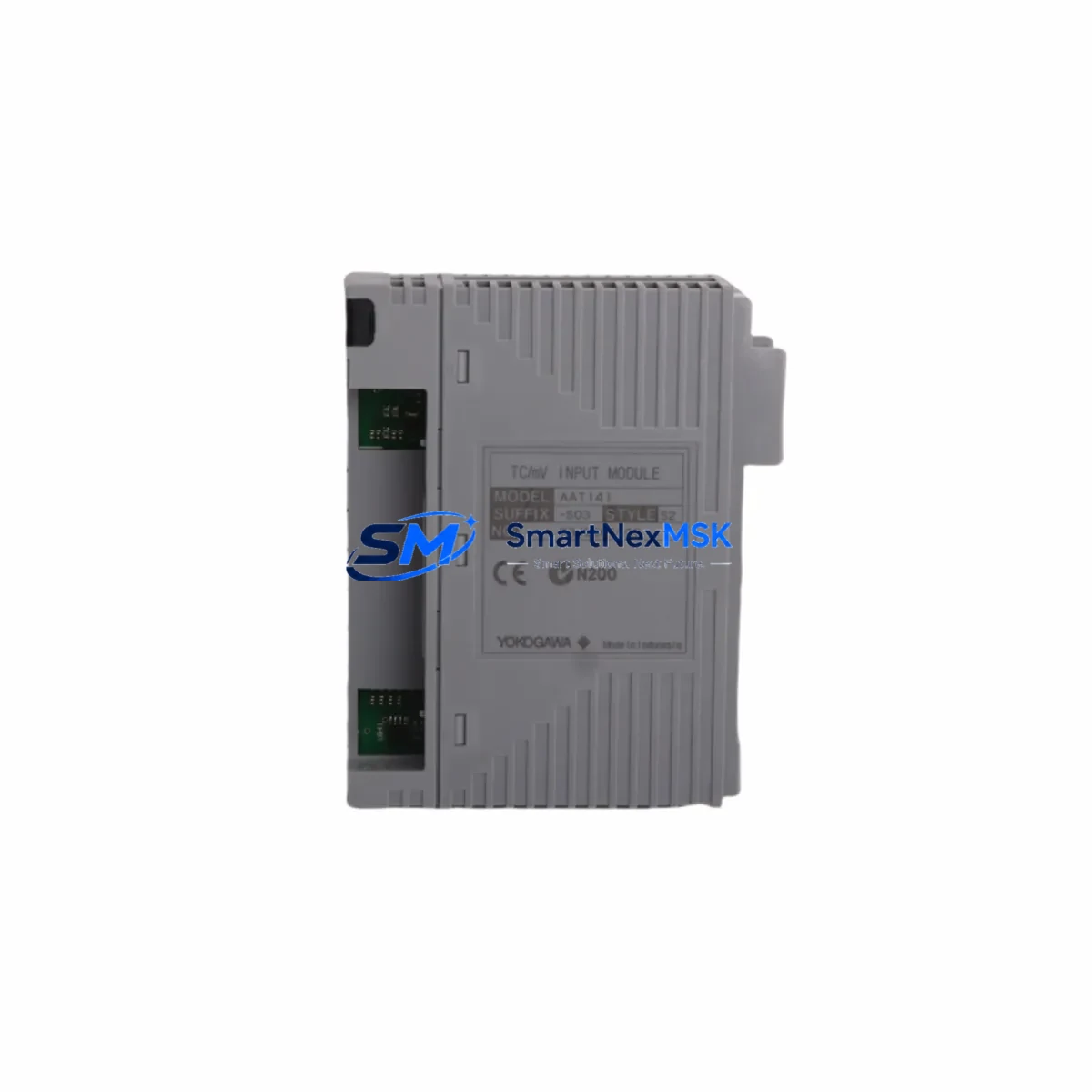
Yokogawa AAT141-S03 S2 Spare for CENTUM Automation: Backup-Ready Analog Input for Zero-Downtime DCS Recovery
The Yokogawa AAT141-S03 S2 is an original analog input module designed for the CENTUM VP and CENTUM CS 3000 distributed control systems — two of the most widely deployed DCS platforms in refining, petrochemical, power generation, and continuous process industries. When this module fails or degrades, the consequences extend beyond a single I/O channel: the entire field loop — including transmitters, signal conditioners, and the associated control strategy — becomes unavailable until a verified replacement is installed and commissioned.
Sourced as an original Yokogawa spare, the AAT141-S03 S2 is tested before shipment, supplied with a 12-month warranty, and stocked for fast global delivery. Whether you are responding to an unplanned trip, executing a planned turnaround, or building a critical-spare inventory for a long-running CENTUM installation, this module provides the compatibility assurance and supply reliability that maintenance and procurement engineers require.
Spare Maintenance Table
| Parameter | Specification / Detail |
|---|---|
| Part Number / SKU | AAT141-S03 S2 |
| Manufacturer | Yokogawa Electric Corporation |
| Module Type | Analog Input Module |
| Compatible DCS Platform | CENTUM VP, CENTUM CS 3000 |
| Series | CENTUM (AAT / AAI / AAB family) |
| Signal Type | 4–20 mA analog input (industry standard) |
| Isolation | Channel-to-channel and channel-to-bus isolation |
| Installation | Node Unit / Field Control Station (FCS) backplane slot |
| Origin | Japan |
| Weight | 180 g |
| Application Environment | Industrial process control — refining, chemical, power, utilities |
| Maintenance Recommendation | Replace on first sign of channel drift, CRC fault, or module alarm; inspect backplane connector pins during swap |
| Warranty | 12 months from date of shipment |
| Pre-Shipment Testing | Functional and communication verification performed before dispatch |
| Availability | In stock — ready for immediate dispatch |
Maintenance Planning for Continuous Operation
Replacing the AAT141-S03 S2 in a live CENTUM system is rarely an isolated task. A disciplined maintenance engineer treats the module swap as an opportunity to audit the entire field control station and the associated electrical circuit. Before declaring the loop restored, the following components should be inspected or tested alongside the analog input module replacement:
Begin with the 24 VDC field power supply feeding the transmitter loop — a marginal power supply is a common root cause of analog input module faults that are misdiagnosed as module failures. Check the terminal blocks and field wiring at the marshalling cabinet for loose connections, corrosion, or insulation breakdown, particularly on older installations where wiring may be approaching end-of-life. Inspect the signal isolator or barrier (such as a Yokogawa MTL or equivalent intrinsic safety barrier) in the loop, as a degraded isolator can introduce noise or offset that stresses the input module.
Within the FCS node unit, verify the backplane or node unit bus connector for bent pins or oxidation before seating the replacement AAT141-S03 S2. If the station also contains AAI141 or AAB141 series modules in adjacent slots, check their diagnostic status — a shared bus fault can cause cascading module alarms. Review the FCS power module (such as the Yokogawa PW481 or PW482 series) output voltage under load; a sagging bus voltage will cause intermittent module faults across the entire node.
For stations with FOUNDATION Fieldbus or HART communication enabled on adjacent I/O modules, confirm that the communication module (such as the ALF111 FOUNDATION Fieldbus module or an AIP588 HART multiplexer interface) is operating without errors, as communication faults can be misattributed to analog input hardware. If the control loop feeds a Yokogawa STARDOM or FAST/TOOLS SCADA historian, verify that the tag is correctly restored in the data acquisition layer after the module replacement. Finally, check any fuse holders or circuit protection on the field loop — a blown loop fuse is a frequent companion fault to module damage caused by field wiring short circuits.
Maintaining a minimum of one AAT141-S03 S2 in your critical-spare inventory, alongside compatible power modules, communication modules, and signal isolators, is the most effective strategy for reducing mean time to repair (MTTR) on CENTUM-based process control systems.
Site Replacement Workflow
Step 1 — Pre-replacement verification: Confirm the exact suffix revision (S2) matches the installed module. The AAT141 family includes multiple suffix variants; installing a mismatched suffix may require a software parameter update in the CENTUM Engineering Environment (ENG). Download the current FCS configuration backup before proceeding.
Step 2 — Loop isolation: Place the affected control loop in manual mode at the HMI (Human Machine Interface) operator station. Notify the control room operator and obtain a permit-to-work if required by site procedures. Isolate the field transmitter if necessary to prevent a process upset during the swap.
Step 3 — Hot-swap or cold-swap: The CENTUM FCS supports online module replacement (hot-swap) for most analog input modules without requiring a full FCS restart. Confirm this capability for your specific FCS hardware revision in the Yokogawa hardware manual before proceeding. If hot-swap is not supported, schedule the replacement during a planned maintenance window.
Step 4 — Module installation and self-test: Seat the AAT141-S03 S2 firmly into the backplane slot. Observe the module status LED — a solid green indicates normal operation. Use the CENTUM System View or Field Communicator to confirm that all channels are reading correctly and that no hardware alarms are active.
Step 5 — Loop restoration and documentation: Return the control loop to automatic mode. Verify the process variable reading against a calibrated reference or adjacent transmitter. Update the maintenance management system (CMMS) with the replacement record, including the new module serial number and the date of installation, to support future lifecycle tracking and warranty claims.
Spare Parts Support FAQ
Q: Is the AAT141-S03 S2 a direct drop-in replacement for older AAT141 revisions installed in CENTUM CS 3000?
A: In most cases, yes — the AAT141-S03 S2 is backward compatible with CENTUM CS 3000 FCS hardware. However, you should verify the hardware compatibility matrix in the Yokogawa CENTUM CS 3000 hardware manual for your specific FCS generation, as some early-generation node units may require a firmware or parameter update when installing a later-suffix module.
Q: How is the module tested before shipment?
A: Each AAT141-S03 S2 unit undergoes functional verification — including power-on self-test, channel signal integrity check, and bus communication confirmation — before dispatch. A test report is available upon request. The 12-month warranty covers defects in materials and workmanship from the date of shipment.
Q: What is the recommended spare parts stocking strategy for a CENTUM VP plant?
A: For a plant with 10 or more AAT141-series modules installed, maintaining a minimum of 2 spare units on-site is recommended. Pair this with at least one spare FCS power module and one spare communication module to cover the most common failure modes. For plants in remote locations or with extended lead times from the OEM, a higher buffer stock is advisable.
Q: What is the lead time and how can I confirm compatibility before ordering?
A: In-stock units are dispatched within 1–3 business days. To confirm compatibility, provide your FCS model number, node unit type, and existing module suffix revision. Our technical team will verify the match before shipment to eliminate the risk of an incompatible replacement reaching your site.
© 2026 SMARTNEXMSK. All rights reserved.
Original Source: https://smartnexmsk.com
Contact: [email protected] | +86 18259474341



