
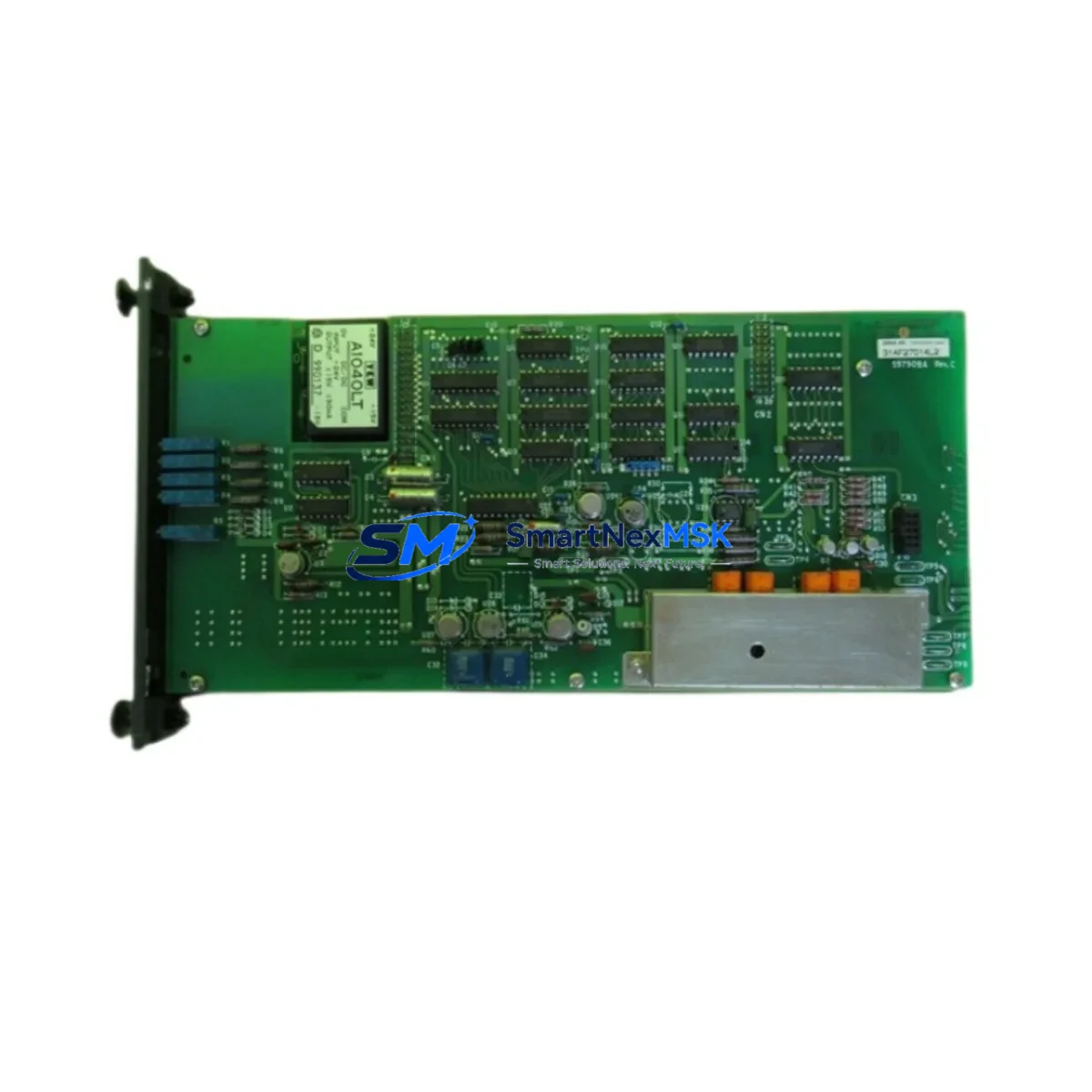
YOKOGAWA AD5*D Retrofit-Ready DCS Terminal Board for CENTUM VP Control Systems
The YOKOGAWA AD5*D is a field-proven DCS terminal board engineered for seamless integration into CENTUM VP and CENTUM CS 3000 distributed control system architectures. As legacy automation infrastructure ages and OEM support windows close, the AD5*D has become a critical retrofit component for process industries seeking to extend operational life, reduce unplanned downtime, and preserve existing field wiring investments. Whether you are executing a like-for-like replacement of a failed board, upgrading a control cabinet to current firmware compatibility, or migrating from an end-of-life CS 3000 node to a CENTUM VP platform, the AD5*D delivers the wiring compatibility, backplane interface integrity, and I/O channel density required for a controlled, low-risk transition.
Each unit supplied by SMARTNEXMSK is sourced from verified industrial channels, subjected to pre-shipment functional testing, and backed by a 12-month warranty covering manufacturing defects and operational failures under normal service conditions. Stock is maintained on-hand to support urgent replacement orders, with same-week dispatch available for most regions.
Upgrade Compatibility Table
| Parameter | Detail |
|---|---|
| Compatible Platform | YOKOGAWA CENTUM VP, CENTUM CS 3000 |
| Module Type | DCS Terminal Board (Analog / Digital I/O Interface) |
| Backplane Interface | Compatible with standard CENTUM VP / CS 3000 node backplane slots |
| Field Wiring | Screw-terminal block; retains existing field cable terminations |
| Communication Compatibility | Vnet/IP, Ethernet-based CENTUM VP communication bus |
| Replacement Recommendation | Direct drop-in for failed or end-of-life AD5*D boards; verify node address and I/O channel mapping before swap |
| Installation Requirement | Power-down node before removal; re-seat backplane connector firmly; confirm LED status post-power-on |
| Commissioning Focus | Verify channel tag assignments in CENTUM VP Engineering Environment (ENG); confirm HMI faceplate signal binding |
| Firmware / Software | No firmware flashing required; recognized automatically by CENTUM VP system software upon insertion |
| Warranty | 12 Months — covers manufacturing defects and operational failure under normal service conditions |
Retrofit Planning for Existing Automation Systems
A successful AD5*D retrofit begins well before the physical swap. Engineers should pull the current I/O list from the CENTUM VP Engineering Environment and cross-reference each channel tag against the terminal board’s wiring diagram. In CS 3000 to CENTUM VP migration projects, the node configuration file exported from the CS 3000 Builder can be imported into the CENTUM VP ENG tool, significantly reducing re-engineering time and the risk of tag mapping errors.
Power budget verification is a mandatory pre-installation step. The AD5*D draws its supply from the node’s internal bus, fed by the YOKOGAWA PW302 or PW481 power supply modules. Before installing a replacement board, confirm that the existing power supply has sufficient headroom — particularly in high-density nodes where multiple I/O modules such as the AAI141, AAI143, or AAB841 are already installed. Overloaded power rails are a common root cause of intermittent board faults that are misdiagnosed as terminal board failures.
Backplane and rack integrity must also be assessed. The CENTUM VP node rack — typically an ANB10D or ANR10D chassis — should be inspected for oxidized backplane contacts and damaged guide rails before the new AD5*D is seated. In older CS 3000 installations, the ANB10S or ANB10D racks may show connector wear after years of field service; cleaning with contact restorer and verifying pin continuity before insertion prevents false fault conditions post-commissioning.
For systems using HART-enabled field instruments, confirm that the replacement AD5*D variant supports HART pass-through if the original board did. HART multiplexer connections routed through the terminal board to a YOKOGAWA HART interface module or a third-party HART modem must be re-verified after the swap. Similarly, if the control loop references a YOKOGAWA EJX or EJA series pressure transmitter or a YTA series temperature transmitter, the 4–20 mA signal range and HART device address should be confirmed in the field before returning the loop to automatic mode.
In control cabinet upgrade projects where the AD5*D is being installed alongside new components — such as a YOKOGAWA ACF11 communication module for Vnet/IP redundancy, or an AIP588 interface processor — the module address DIP switch settings on the new board must be configured to match the node’s existing address map. Address conflicts between the replacement AD5*D and other installed I/O modules will prevent the node from coming online and will generate a system alarm in the CENTUM VP HIS (Human Interface Station).
Where the retrofit involves expanding I/O capacity rather than a straight replacement, the CENTUM VP system supports online addition of terminal boards in certain node configurations. Consult the CENTUM VP Hardware Engineering Guide (IM 33Q01B10-01E) to confirm whether your node type supports hot-insertion before attempting live installation. For offline retrofits, a structured pre-commissioning checklist covering power sequencing, backplane seating, address verification, and loop check sign-off will minimize the risk of extended downtime.
Downtime Control During System Migration
Minimizing process interruption during a DCS terminal board replacement requires a structured approach to pre-staging, execution, and post-swap verification. The most effective strategy is to prepare the replacement AD5*D fully before the maintenance window opens: confirm the module address, label the terminal block positions, photograph the existing wiring layout, and have the CENTUM VP Engineering Environment open on a laptop connected to the engineering bus so that tag verification can begin immediately after power-on.
Where process conditions allow, place affected control loops in manual mode at the CENTUM VP HIS before isolating the node. This preserves the last output value at the final control element — typically a control valve or variable-speed drive — and prevents process upsets caused by the output dropping to zero during the board swap. For critical loops where manual hold is not acceptable, coordinate with the process team to establish a safe operating envelope before the maintenance window.
After installing the replacement AD5*D and restoring node power, the CENTUM VP system will perform an automatic self-diagnostic sequence. Monitor the node status display on the HIS for any residual fault codes. If the node reports an I/O module error, re-seat the terminal board and verify backplane connector engagement before escalating to a hardware fault diagnosis. In most cases, a firm re-seat resolves contact-related faults without requiring additional intervention.
Once the node is confirmed online, perform a channel-by-channel loop check against the I/O list, confirm HMI faceplate readings match field instrument values, and verify that all HART device communications have re-established. Document the completed swap in the plant maintenance management system and retain the pre-shipment test certificate supplied with the AD5*D for audit trail purposes. Total execution time for a planned single-board replacement in a CENTUM VP node is typically 30–90 minutes, depending on loop count and site access conditions.
Retrofit Support FAQ
Q1: Is the AD5*D a direct replacement for the original YOKOGAWA board in my CS 3000 system?
Yes. The AD5*D is designed as a form-fit-function replacement for the corresponding terminal board position in CENTUM CS 3000 and CENTUM VP node configurations. Field wiring terminations, backplane connector pinout, and I/O channel assignments are preserved, eliminating the need for rewiring or re-engineering of the associated control loops. Confirm the node type and slot position against your as-built documentation before ordering.
Q2: What commissioning steps are required after installing the replacement board?
After seating the AD5*D and restoring node power, verify that the CENTUM VP system recognizes the board without fault codes on the HIS node status display. Perform a loop check on all channels assigned to the board, confirm HART device communication if applicable, and validate HMI faceplate signal binding in the CENTUM VP ENG environment. Return all affected control loops from manual to automatic mode only after loop check sign-off is complete.
Q3: How do I verify wiring compatibility before installation?
Compare the terminal block layout of the replacement AD5*D against the wiring diagram in your plant documentation. The screw-terminal positions and signal assignments on the AD5*D are consistent with the original YOKOGAWA specification. If your installation uses marshalling cabinets with pre-wired cable assemblies, the existing cable connectors will mate directly to the replacement board without modification.
Q4: What does the 12-month warranty cover, and what is the process for a warranty claim?
The 12-month warranty covers manufacturing defects and operational failures occurring under normal service conditions from the date of shipment. It does not cover damage resulting from incorrect installation, overvoltage events, or physical mishandling. To initiate a warranty claim, contact SMARTNEXMSK with the order reference number and a description of the fault. A replacement unit or repair will be arranged within the warranty period. Each AD5*D is supplied with a pre-shipment functional test certificate confirming the board was verified operational before dispatch.
© 2026 SMARTNEXMSK. All rights reserved.
Original Source: https://smartnexmsk.com
Contact: [email protected] | +86 18259474341



