
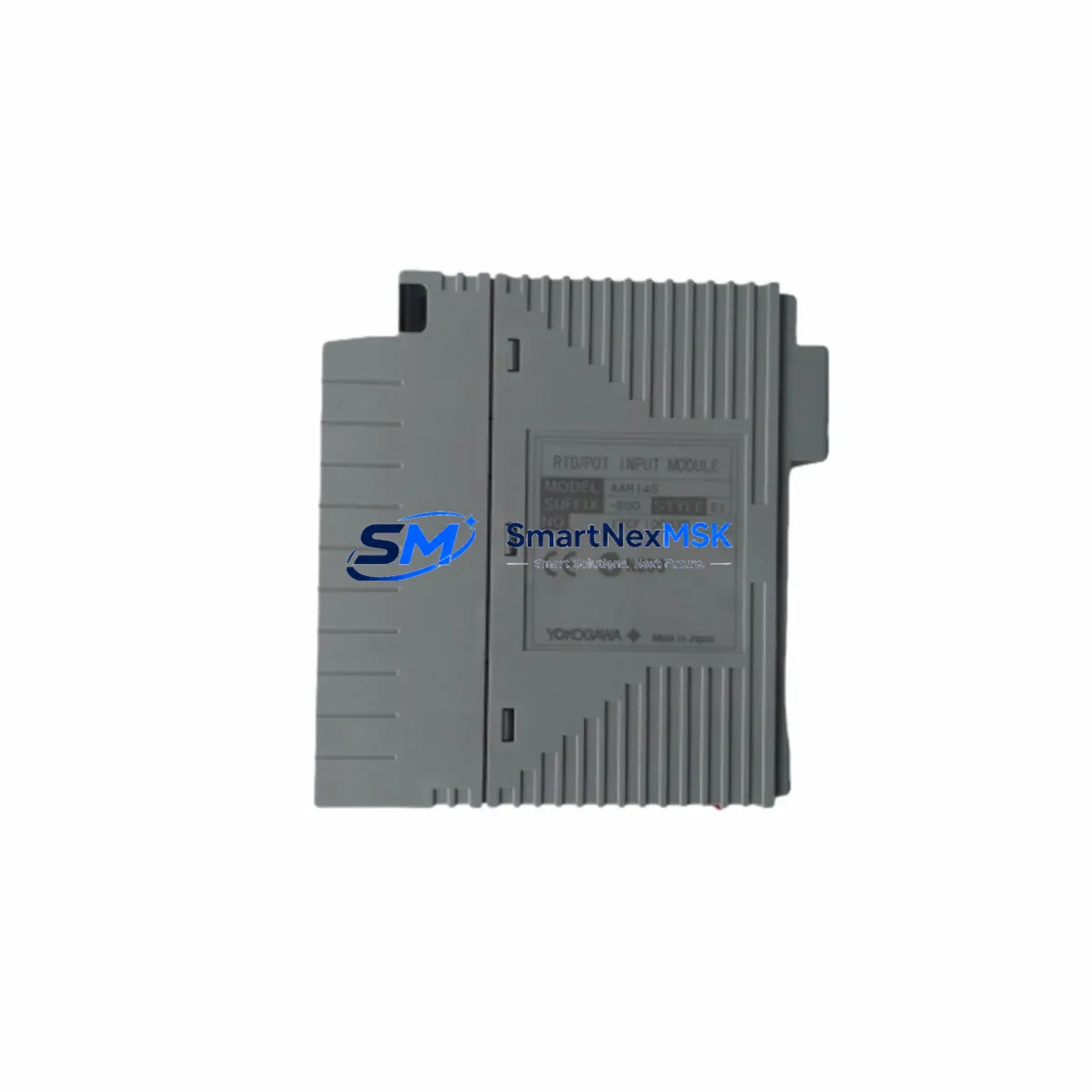
YOKOGAWA ADM12T-S2 Retrofit-Ready Contact Input Module for CENTUM DCS Control Systems
The YOKOGAWA ADM12T-S2 is a digital contact input module engineered for the CENTUM series Distributed Control System (DCS) platform. As legacy CENTUM CS and CENTUM VP installations approach end-of-life or require hardware refresh cycles, the ADM12T-S2 serves as a verified drop-in replacement and upgrade path for aging contact input cards that are no longer available through standard OEM channels. Whether you are managing a planned turnaround, responding to an unplanned module failure, or executing a phased control system modernization, the ADM12T-S2 delivers the electrical and functional compatibility required to restore and sustain production continuity with minimal engineering rework.
This module is designed to interface directly with CENTUM field control stations (FCS), accepting dry contact and wet contact signals from field instruments, motor control centers, valve limit switches, and interlock circuits. Its terminal block layout and backplane connector are compatible with standard CENTUM I/O nest assemblies, allowing technicians to perform a direct swap without rewiring field cables or modifying marshalling panels. Before installation, engineers should verify the power supply capacity of the existing I/O nest — particularly when replacing multiple modules simultaneously — and confirm that the FCS node address and module slot assignment are correctly configured in the CENTUM engineering environment.
Upgrade Compatibility Table
| Parameter | ADM12T-S2 Specification | Retrofit Notes |
|---|---|---|
| Module Type | Digital Contact Input | Direct replacement for legacy CENTUM contact input cards |
| Compatible Platform | CENTUM CS, CENTUM VP, CENTUM VP R6 | Verify FCS firmware version before hot-swap |
| Backplane Interface | Standard CENTUM I/O nest connector | No backplane modification required |
| Terminal Wiring | Screw-terminal block, field-removable | Existing field wiring reusable; verify terminal torque spec |
| Power Consumption | Per YOKOGAWA ADM12T-S2 datasheet | Confirm nest power budget before multi-module replacement |
| Communication | CENTUM internal V-net / Vnet/IP | No protocol migration required within CENTUM platform |
| Module Address | Configured via CENTUM Builder / CENTUM VP Engineering | Match original slot address; re-download FCS logic after swap |
| HMI Compatibility | CENTUM VP HIS (Human Interface Station) | No HMI graphic changes required for like-for-like replacement |
| Commissioning | Online replacement supported (FCS hot-standby configurations) | Perform loop check and contact scan after installation |
| Warranty | 12 Months | Covered from date of shipment; includes functional test certificate |
Retrofit Planning for Existing Automation Systems
A successful ADM12T-S2 retrofit begins with a thorough audit of the existing CENTUM I/O nest configuration. Technicians should document the current slot assignments for all installed modules — including adjacent cards such as the AAM11 analog input module, the ADV151 digital output module, and the AOM12 analog output module — to ensure that the replacement does not disrupt the addressing scheme of neighboring I/O points. In multi-nest FCS configurations, the nest number and slot number together define the module’s logical address in the CENTUM control database; any mismatch will result in a hardware fault alarm and loss of the associated input signals.
For sites running CENTUM CS 3000 that are migrating toward CENTUM VP, the ADM12T-S2 is compatible with both generations, making it a practical interim solution during phased migration projects. During such migrations, the existing Vnet coaxial communication backbone may be upgraded to Vnet/IP Ethernet infrastructure; the ADM12T-S2 continues to operate transparently under either communication architecture, as the protocol translation is handled at the FCS level rather than at the individual I/O module. Engineers planning a communication backbone upgrade should coordinate the installation of the new ESB10D Vnet/IP interface card and the RIO node units before swapping field I/O modules, to maintain a stable control path throughout the transition.
Power distribution within the control cabinet is a critical checkpoint. The CENTUM I/O nest is typically powered by a dedicated 24 VDC power supply unit — such as the PW481 or PW482 series — and the total current draw of all installed modules must remain within the rated capacity of the power supply. When replacing multiple contact input modules in a single nest, calculate the aggregate power budget and confirm that the existing power supply unit can support the new load. If the power supply is also approaching end-of-life, a simultaneous replacement of the PW481 power supply alongside the ADM12T-S2 modules is recommended to avoid a secondary failure during the post-retrofit commissioning phase.
Field wiring termination should be verified against the original loop drawings before the new module is energized. The ADM12T-S2 uses a removable screw-terminal block that can be pre-wired on the bench and then plugged into the module body, reducing the time the field circuit is de-energized. After installation, perform a full contact scan using the CENTUM VP Field Communicator or the built-in diagnostic function of the FCS to confirm that all input channels are reading correctly. Any discrepancy between the expected and actual contact states should be investigated at the field device level — including motor starters, solenoid valve position switches, and safety relay outputs — before the module is declared in service.
Downtime Control During System Migration
Minimizing unplanned downtime is the primary engineering objective during any DCS hardware replacement. For CENTUM systems equipped with dual-redundant FCS configurations, the ADM12T-S2 can be replaced online while the redundant controller maintains process control, provided that the replacement is performed in accordance with YOKOGAWA’s hot-swap procedure and that the FCS is in a healthy redundant state prior to the swap. Sites without redundant FCS hardware should schedule the replacement during a planned maintenance window and prepare a rollback plan that includes the original module — or a pre-tested spare — in case the new module does not initialize correctly.
Before initiating the swap, export a backup of the current FCS control logic using CENTUM VP Engineering. This backup preserves the function block diagram, the I/O assignment table, the alarm setpoints, and the interlock logic, and can be used to restore the system to its pre-maintenance state if required. The CENTUM VP Builder software allows engineers to compare the pre- and post-swap configuration files to verify that no unintended changes were introduced during the maintenance activity. After the ADM12T-S2 is installed and the FCS has recognized the new module, perform a controlled loop test on each contact input channel by actuating the associated field device and confirming the correct state change on the CENTUM VP HIS operator station. Document the test results and retain them as part of the maintenance record for the site’s quality management system.
For sites that cannot tolerate any interruption to the contact input signals — such as safety-critical interlock circuits — consider installing a temporary hardwired bypass on the affected circuits before removing the old module. The bypass should be implemented in accordance with the site’s management of change (MOC) procedure and removed immediately after the new ADM12T-S2 has been verified in service. This approach ensures that the safety function remains active throughout the replacement activity and that the process remains protected against the hazardous events that the interlock is designed to prevent.
Retrofit Support FAQ
Q1: Is the ADM12T-S2 a direct drop-in replacement for older CENTUM contact input modules?
Yes. The ADM12T-S2 is designed to be physically and functionally compatible with the CENTUM I/O nest architecture. The backplane connector, terminal block layout, and module addressing scheme are consistent with the CENTUM platform standard, allowing a like-for-like replacement without modifications to the control cabinet wiring or the FCS control database. Confirm the exact slot address and nest number before installation to ensure seamless recognition by the FCS.
Q2: What commissioning steps are required after installing the ADM12T-S2?
After physical installation, re-download the FCS logic if the module was replaced offline, or allow the FCS to auto-recognize the module in an online hot-swap scenario. Perform a full contact scan on all input channels, verify alarm and interlock logic responses, and confirm correct signal representation on the CENTUM VP HIS operator station. Retain a signed loop test record as part of the site maintenance documentation.
Q3: Can the ADM12T-S2 be used in a CENTUM CS 3000 system that is being migrated to CENTUM VP?
Yes. The ADM12T-S2 is compatible with both CENTUM CS 3000 and CENTUM VP platforms, making it suitable for phased migration projects where the I/O hardware is upgraded ahead of the controller and communication infrastructure. This allows sites to standardize on current-generation I/O modules while the broader migration project is planned and executed, reducing the risk of a second hardware replacement cycle in the near term.
Q4: What does the 12-month warranty cover?
All ADM12T-S2 modules supplied by SMARTNEXMSK are covered by a 12-month warranty from the date of shipment. Each unit undergoes a functional test prior to dispatch, and a test certificate is included with the shipment documentation. The warranty covers manufacturing defects and functional failures under normal operating conditions. Modules that have been subjected to incorrect installation, overvoltage, or physical damage are excluded from warranty coverage. For warranty claims or technical support, contact [email protected].
© 2026 SMARTNEXMSK. All rights reserved.
Original Source: https://smartnexmsk.com
Contact: [email protected] | +86 18259474341



