
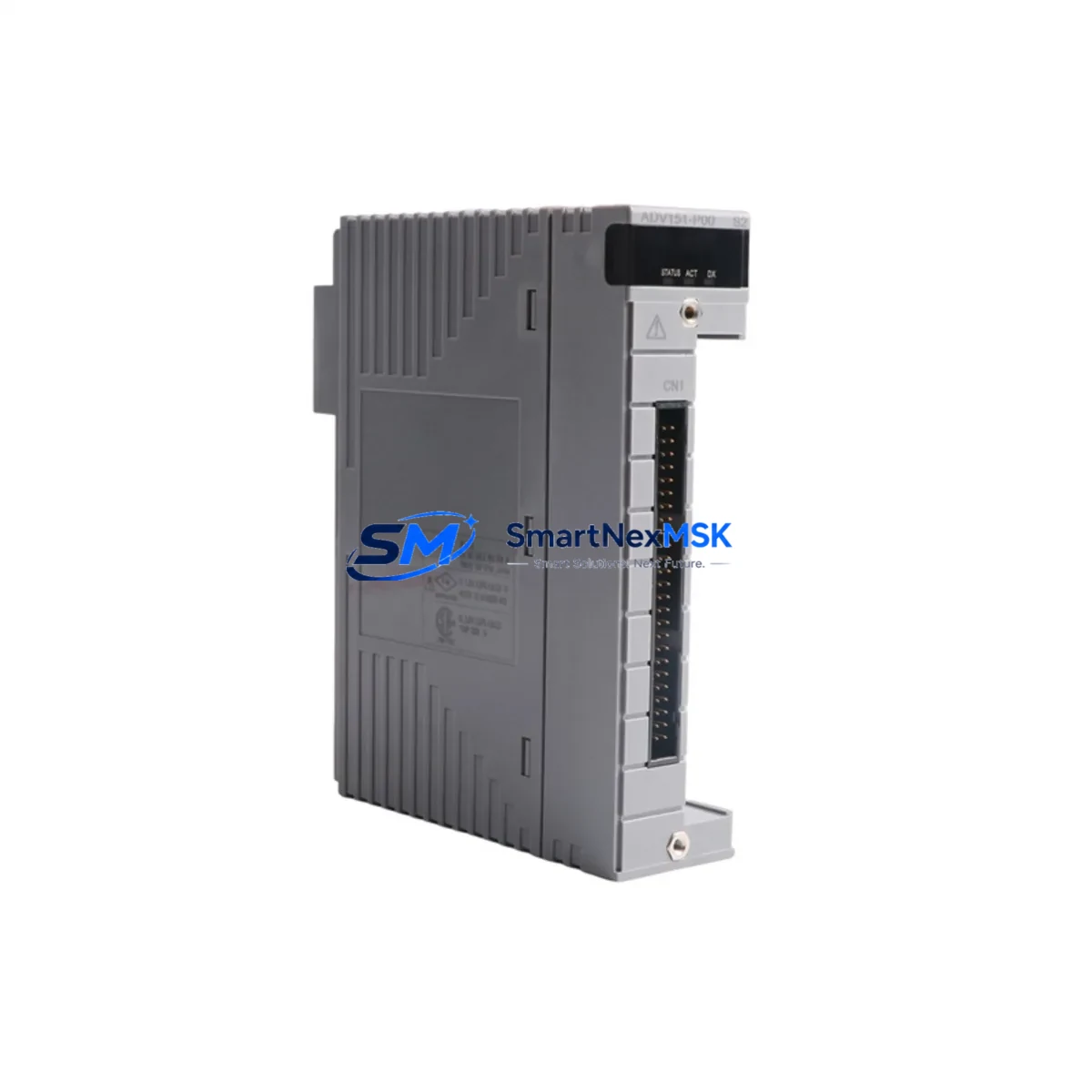
YOKOGAWA ADV151-P00 Retrofit-Ready DCS Digital Input Module: Seamless Compatibility for Legacy CENTUM VP System Upgrades
The YOKOGAWA ADV151-P00 is a field-proven digital input module designed for the CENTUM VP Distributed Control System platform. As legacy CENTUM CS 3000 and earlier CENTUM VP configurations reach end-of-service milestones, the ADV151-P00 has become a critical retrofit component for engineers tasked with modernizing control cabinets, extending system life, and maintaining uninterrupted process control without full DCS replacement.
This module supports 32-channel digital input acquisition and is fully compatible with the CENTUM VP field control station (FCS) architecture. It mounts directly onto the node unit backplane, communicates over the Vnet/IP control network, and integrates with existing I/O builder configurations in the CENTUM VP engineering environment. For sites migrating from CENTUM CS 3000, the ADV151-P00 provides a validated upgrade path that preserves existing field wiring, terminal block layouts, and function block logic — dramatically reducing retrofit engineering hours and commissioning risk.
Upgrade Compatibility Table
| Parameter | ADV151-P00 Specification | Retrofit Notes |
|---|---|---|
| Input Channels | 32 DI channels | Verify field wiring count before swap |
| Input Voltage | 24 VDC (wet/dry contact) | Confirm field device supply voltage compatibility |
| Backplane Interface | CENTUM VP Node Unit slot | Direct slot replacement; no adapter required |
| Communication Protocol | Vnet/IP (internal FCS bus) | No protocol reconfiguration needed |
| Terminal Block | Compatible with existing YOKOGAWA terminal assemblies | Retain existing field cable terminations |
| Module Address | Configured via I/O Builder in CENTUM VP | Re-assign slot address after physical installation |
| Replacement Target | CENTUM CS 3000 DI modules (ADV151 series) | Confirm node unit generation compatibility |
| HMI Integration | CENTUM VP HIS (Human Interface Station) | No HMI screen rebuild required for like-for-like swap |
| Installation | Hot-swap capable (with FCS redundancy active) | Verify redundancy status before live swap |
| Warranty | 12-Month Warranty | Covered from date of shipment; includes functional test certificate |
Retrofit Planning for Existing Automation Systems
A successful ADV151-P00 retrofit begins well before the module arrives on site. Engineers should audit the existing node unit configuration to confirm available backplane slots, verify that the AFV10D or AFV30D field control station firmware supports the ADV151-P00 revision, and cross-reference the I/O builder database to identify all function blocks mapped to the target slot address.
Power budget verification is essential. The CENTUM VP node unit power supply — typically the APW11D or APW12D power module — must have sufficient margin to support the ADV151-P00 alongside co-installed modules such as the AAI141-S analog input module, the ADV551-P00 digital output module, and any AAT141-S temperature input modules sharing the same node unit. Overloading the node power rail is a common cause of intermittent faults during retrofit commissioning.
Terminal block and field wiring review is equally critical. The ADV151-P00 uses the standard YOKOGAWA terminal assembly format, compatible with the ATD5D and ATD5S terminal boards. In most CENTUM CS 3000 to CENTUM VP migration projects, existing field cables can be retained without re-termination, provided the cable shield grounding scheme meets CENTUM VP earthing requirements. Document every terminal assignment before disconnecting any wiring.
For sites running Modbus RTU or FOUNDATION Fieldbus alongside the CENTUM VP FCS, confirm that the ALF111 Fieldbus communication module or the ACM11 Modbus interface module configurations are unaffected by the DI module swap. The ADV151-P00 operates entirely within the FCS internal bus and does not interact directly with external communication modules, but slot address reassignment can occasionally trigger FCS alarm floods if the I/O builder configuration is not updated before the module is powered on.
Where the retrofit involves expanding I/O capacity rather than a direct replacement, consider whether the existing node unit has available slots or whether an additional AFN10D node unit extension is required. Rack space, DIN rail capacity, and control cabinet thermal management should all be assessed during the pre-retrofit site survey.
Downtime Control During System Migration
Minimizing process downtime during a CENTUM VP DI module replacement requires a structured migration sequence. Where the FCS is configured in dual-redundant mode, the ADV151-P00 can be replaced on the standby controller node while the primary node maintains process control — reducing live exposure to zero for most field signals. After physical installation, the I/O builder slot assignment is updated, the FCS is reloaded with the new configuration, and the standby node is brought back online before switching control.
For non-redundant FCS installations, a planned maintenance window is required. The recommended sequence is: export the current FCS configuration and function block database, place all affected control loops in manual mode at the CENTUM VP HIS operator station, power down the target node unit, swap the ADV151-P00, restore power, verify module LED status (RUN green, ERR off), reload the FCS configuration, confirm all 32 DI channel states match field device status, and return loops to automatic control. The entire sequence typically takes 45–90 minutes for an experienced CENTUM VP engineer.
Pre-staging the replacement ADV151-P00 in a bench test environment — using a spare AFV10D controller or a CENTUM VP simulator — allows engineers to validate the module’s channel response, confirm firmware compatibility, and generate a functional test report before the maintenance window begins. This approach is strongly recommended for critical process units where unplanned downtime carries significant operational or safety consequences.
All units supplied by SMARTNEXMSK are pre-tested prior to shipment and include a 12-month warranty from the date of delivery, providing assurance for both planned retrofits and emergency replacement scenarios.
Retrofit Support FAQ
Q1: Is the ADV151-P00 a direct drop-in replacement for older CENTUM CS 3000 digital input modules?
In most cases, yes. The ADV151-P00 is mechanically and electrically compatible with CENTUM VP node unit backplanes and uses the same terminal assembly format as the preceding CS 3000 DI modules. However, engineers should verify the node unit generation and FCS firmware version, as early-generation hardware may require a firmware update before the new module is recognized correctly by the I/O builder.
Q2: Do I need to rebuild HMI screens after replacing the ADV151-P00?
For a like-for-like slot replacement where the module address and function block assignments remain unchanged, no HMI screen modifications are required. The CENTUM VP HIS will continue to display DI channel states using the existing graphic windows and alarm pages. If the slot address changes or new channels are added, the affected function blocks must be re-linked and the relevant HMI faceplates updated accordingly.
Q3: What wiring checks should be completed before powering on the replacement module?
Verify terminal block seating, confirm field device supply voltage (24 VDC nominal), check cable shield continuity and grounding at the marshalling cabinet, and ensure no open-circuit or short-circuit conditions exist on any of the 32 input channels. Use a multimeter to confirm wet-contact signal levels before enabling the FCS I/O scan for the new module.
Q4: What does the 12-month warranty cover, and how is it claimed?
The 12-month warranty covers manufacturing defects and functional failures under normal operating conditions from the date of shipment. Each unit is shipped with a pre-shipment functional test certificate. In the event of a warranty claim, contact SMARTNEXMSK with the order reference and fault description; a replacement unit will be dispatched or a repair assessment initiated within 5 business days.
© 2026 SMARTNEXMSK. All rights reserved.
Original Source: https://smartnexmsk.com
Contact: [email protected] | +86 18259474341



