
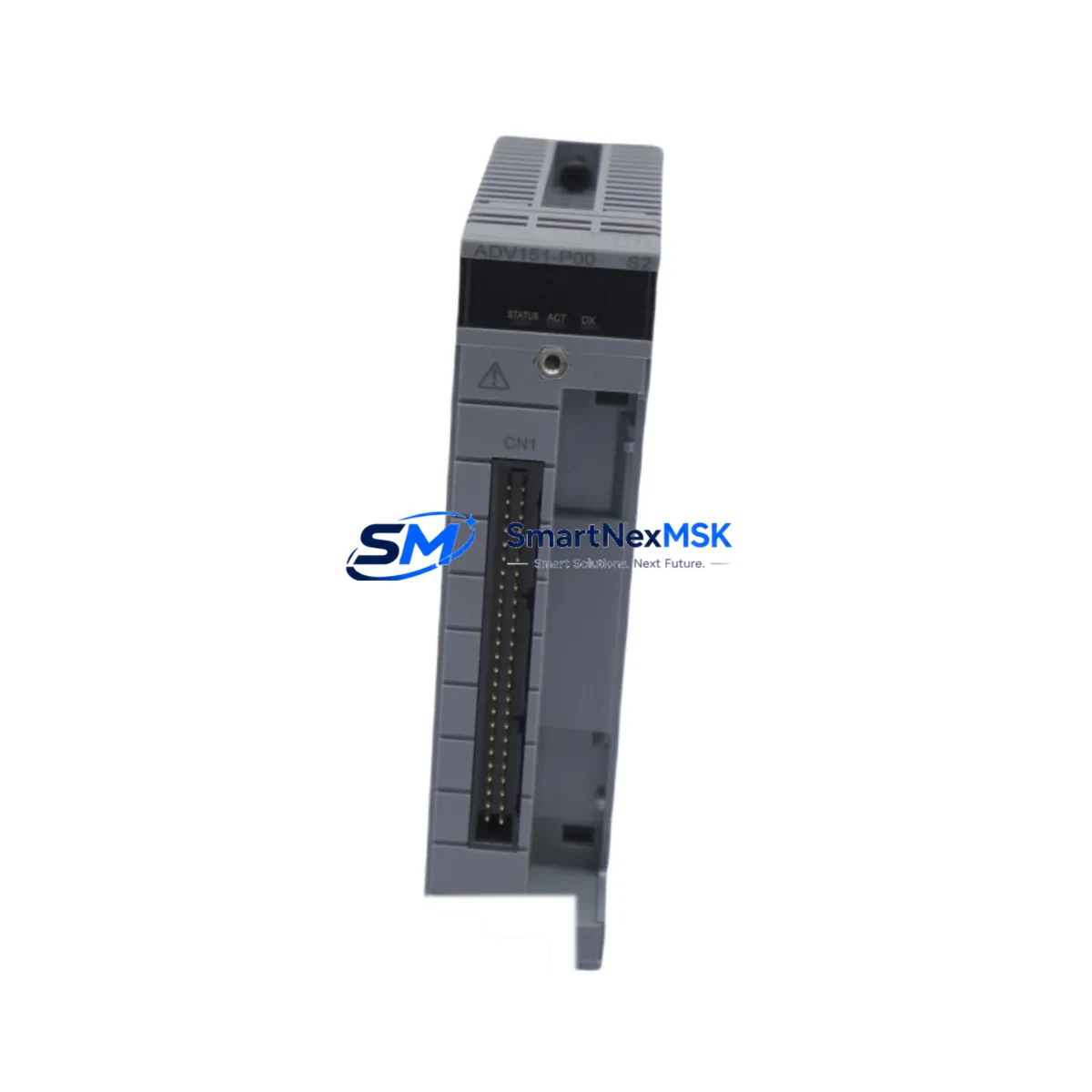
Yokogawa ADV151-P60 S2 Spare for CENTUM VP Automation: Spare Replacement & Downtime Risk Control
The Yokogawa ADV151-P60 S2 is a 60-channel redundant digital input module designed for the CENTUM VP distributed control system. As a critical field I/O component within the Yokogawa CENTUM VP architecture, this module handles high-density discrete signal acquisition from field instruments, limit switches, valve position feedback, and process interlock circuits. When this module fails or degrades, the consequences extend beyond a single I/O point — an entire process segment may lose visibility, triggering unplanned shutdowns and costly production interruptions.
For maintenance engineers managing aging CENTUM VP installations, keeping a verified ADV151-P60 S2 spare on the shelf is a fundamental risk-mitigation strategy. This module is fully compatible with CENTUM VP R4, R5, and R6 field control stations, and can be hot-swapped in redundant configurations without requiring a full system restart. Original factory build quality ensures signal integrity across all 60 channels, with the same electrical characteristics as the installed unit — critical for interlock and safety-related circuits where signal drift or contact bounce can trigger nuisance trips.
Spare Maintenance Table
| Parameter | Specification |
|---|---|
| Model | ADV151-P60 S2 |
| Brand | Yokogawa Electric Corporation |
| Series | CENTUM VP (Compatible: R4 / R5 / R6) |
| Module Type | Digital Input (DI) Module — 60-Channel Redundant |
| Input Channels | 60 channels, dry contact / wet contact selectable |
| Redundancy | Dual-redundant module support (primary / secondary) |
| Signal Type | Discrete digital input (24 VDC nominal) |
| Isolation | Optical isolation per channel group |
| Installation | Field Control Station (FCS) I/O nest, DIN-rail compatible backplane |
| Operating Temperature | 0°C to 55°C (storage: -20°C to 70°C) |
| Humidity | 5% to 95% RH, non-condensing |
| Origin | Japan |
| Condition | Original / New-equivalent spare |
| Warranty | 12 Months from date of shipment |
| Pre-shipment Test | Full functional verification, channel-by-channel continuity check |
| Packaging | Anti-static ESD bag, foam-padded export carton |
Maintenance Planning for Continuous Operation
Replacing an ADV151-P60 S2 in a live CENTUM VP system is rarely an isolated task. Experienced maintenance engineers know that a failing digital input module is often a symptom of broader electrical stress in the I/O nest or field wiring circuit. Before or during replacement, a thorough inspection of the surrounding components is strongly recommended to prevent repeat failures and ensure the replacement module operates within its rated parameters.
Start with the power supply module feeding the I/O nest — the Yokogawa PW481 or equivalent nest power supply should be checked for output voltage stability and ripple. A degraded power supply is a common root cause of intermittent DI module faults. Next, inspect the terminal board (such as the TB141 or TB481 series) connected to the ADV151-P60 S2 — verify that all field wiring terminals are torqued correctly, free of corrosion, and that no conductors are showing insulation breakdown.
The I/O nest backplane itself should be visually inspected for burn marks, connector pin damage, or moisture ingress. If the ADV151-P60 S2 is installed in a redundant pair, the companion module — typically another ADV151-P60 S2 or a compatible redundant DI module — should be tested simultaneously to confirm the redundancy switchover logic is functioning correctly via the FCS (Field Control Station) diagnostics.
For field signal integrity, check the signal isolators or Zener barriers (such as the Yokogawa MTL series or equivalent) installed between the field instruments and the DI module inputs. Degraded isolators can introduce leakage current that causes false ON states on digital input channels. Similarly, inspect any relay output modules (such as the ADR541 or ADR561) in the same control loop — relay contact wear can generate erratic feedback signals that stress the DI module input circuits.
If the CENTUM VP system includes communication modules such as the ACM12 or ESB bus coupler, verify that the ESB bus communication is stable after module replacement — a newly installed DI module must be recognized by the FCS within the expected bus scan cycle. Finally, review the HMI (Human Machine Interface) alarm history on the CENTUM VP Engineering Station or HIS (Human Interface Station) for any pre-existing channel fault alarms that may indicate wiring or field device issues unrelated to the module itself.
Site Replacement Workflow
The ADV151-P60 S2 is designed for in-service replacement in redundant CENTUM VP configurations, minimizing process disruption. Follow this recommended workflow to ensure a safe, efficient swap:
Step 1 — Pre-replacement verification: Confirm the replacement module’s model number, suffix code (S2), and firmware revision match the installed unit. Check the CENTUM VP system builder or engineering documentation for any module-specific parameter settings that must be retained.
Step 2 — Redundancy status check: From the HIS or engineering workstation, confirm the redundant partner module is healthy and has assumed primary control before removing the faulty module. Never remove a module that is currently acting as the active primary without first forcing a controlled switchover.
Step 3 — Physical replacement: With the redundant partner active, extract the faulty ADV151-P60 S2 from the I/O nest. Insert the replacement module firmly until the connector seats fully. The module LED indicators should cycle through initialization within 30–60 seconds.
Step 4 — Post-replacement validation: From the CENTUM VP engineering station, run a channel diagnostic scan to confirm all 60 DI channels are reading correctly. Cross-check field device states against the HMI display. Verify redundancy switchover by performing a controlled test switchover and confirming the replacement module can assume primary role without channel data loss.
Step 5 — Documentation: Record the replacement in the plant maintenance log, including the module serial number, installation date, and post-replacement test results. Update the spare parts inventory to trigger reorder of a replacement spare — maintaining at least one ADV151-P60 S2 in stock is recommended for any facility running CENTUM VP with this module type.
Spare Parts Support FAQ
Q1: Is the ADV151-P60 S2 still available as a new original spare, or only as refurbished?
We supply original ADV151-P60 S2 modules sourced from authorized Yokogawa distribution channels and verified surplus stock. Each unit undergoes pre-shipment functional testing. Condition is clearly stated on the order confirmation. We do not supply unmarked or remanufactured units without disclosure.
Q2: How do I confirm compatibility with my specific CENTUM VP revision before ordering?
Provide your FCS model number, CENTUM VP software revision (R4/R5/R6), and I/O nest type when placing your inquiry. Our technical team will cross-reference the module suffix code and hardware revision to confirm drop-in compatibility before shipment.
Q3: What does the 12-month warranty cover, and how is a warranty claim handled?
The 12-month warranty covers manufacturing defects and functional failures under normal operating conditions. If a module fails within the warranty period, contact us with the order number and fault description. We will arrange priority replacement shipment and, where possible, root-cause analysis to determine whether the failure was module-related or caused by external electrical conditions.
Q4: Can you support long-term supply for a multi-year maintenance contract?
Yes. We support blanket order arrangements and long-term supply agreements for facilities requiring guaranteed ADV151-P60 S2 availability over a 2–5 year maintenance horizon. Contact our sales team to discuss volume pricing, reserved stock allocation, and scheduled delivery programs tailored to your planned maintenance calendar.
© 2026 SMARTNEXMSK. All rights reserved.
Original Source: https://smartnexmsk.com
Contact: [email protected] | +86 18259474341



