
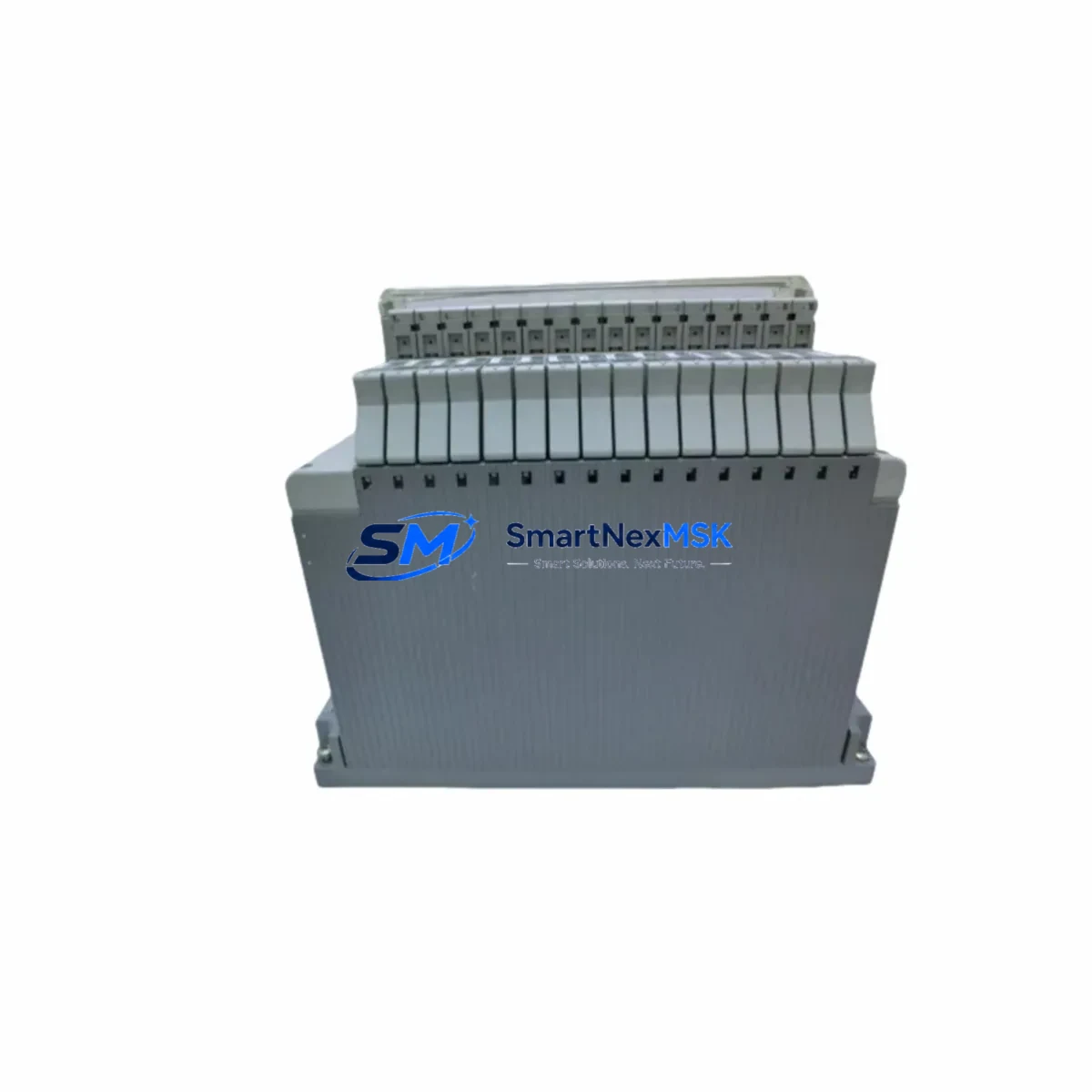
YOKOGAWA AMN21 Retrofit-Ready Analog Input Module for CENTUM CS3000/VP Control Systems
The YOKOGAWA AMN21 is a high-reliability analog input module engineered for the CENTUM CS3000 and CENTUM VP Distributed Control System platforms. As legacy CENTUM CS3000 installations approach end-of-life and spare parts become increasingly scarce, the AMN21 remains one of the most sought-after retrofit and replacement components for engineers tasked with sustaining continuous process operations. Whether you are executing a planned system upgrade, recovering from an unplanned module failure, or migrating an aging control cabinet to a more maintainable architecture, the AMN21 delivers the signal fidelity, backplane compatibility, and firmware alignment required for a smooth transition.
Designed to accept standard 4–20 mA and 1–5 V analog signals from field transmitters, the AMN21 integrates directly into the CENTUM CS3000 field control station (FCS) chassis without requiring rewiring of existing terminal assemblies. Engineers replacing a failed or obsolete module should verify the existing terminal board model — typically an ATD series terminal board — to confirm pin-for-pin compatibility before installation. The module’s address configuration is handled through the FCS engineering tool, and no hardware DIP switch changes are required when substituting a like-for-like AMN21 unit.
Upgrade Compatibility Table
| Parameter | Details |
|---|---|
| Compatible Platform | CENTUM CS3000, CENTUM VP (R3.x / R4.x / R5.x / R6.x) |
| Module Type | Analog Input (AI), 16-channel |
| Signal Range | 4–20 mA / 1–5 V DC |
| Backplane Interface | CENTUM FCS node bus — direct slot replacement |
| Terminal Board | ATD series (ATD5D / ATD5E recommended) |
| Communication Protocol | CENTUM internal node bus (proprietary Vnet/IP compatible FCS) |
| Installation Requirement | Hot-swap capable with FCS redundancy enabled; cold-swap for simplex FCS |
| Replacement Recommendation | Direct drop-in for AMN21; verify firmware revision via CENTUM Builder |
| Commissioning Focus | Tag re-assignment, AI block scaling verification, HART pass-through check |
| Warranty | 12 Months — covers manufacturing defects and functional failure |
Retrofit Planning for Existing Automation Systems
Successful AMN21 retrofit projects begin well before the module arrives on-site. The first step is a full audit of the existing FCS node configuration using CENTUM CS3000 Builder or CENTUM VP Engineering Environment. Engineers should export the current I/O assignment database and cross-reference each AMN21 slot address against the process tag list to ensure no address conflicts arise during the swap. In multi-node FCS architectures, confirm that the node bus load remains within specification after adding or replacing modules.
Power budget verification is critical. The FCS power supply unit — commonly an APM11 or APM12 power module — must have sufficient headroom to support the AMN21’s operating current draw alongside co-installed modules such as the AMN11 (analog input, 8-channel), AMN31 (analog output), ADM12 (digital input), and ADM52 (digital output). Overloading the power rail is a leading cause of intermittent module faults during retrofit commissioning.
Terminal wiring should be inspected and documented before removal of the legacy module. The ATD series terminal boards used with the AMN21 follow a standardized screw-terminal layout, but field wiring insulation condition, shield grounding continuity, and cable routing should all be verified. Where HART-enabled field devices are connected, confirm that the HART multiplexer or AMS Device Manager configuration is updated to reflect the new module slot address.
For sites migrating from older CENTUM CS to CENTUM CS3000 or from CS3000 to CENTUM VP, the AMN21 is often retained as a compatible carry-over module, reducing the scope of hardware replacement. In these migration paths, the primary engineering effort shifts to converting legacy SFC/FBD control drawings in CENTUM Builder and validating HMI graphic bindings in HIS (Human Interface Station) operator consoles. Confirm that all process variable tags linked to AMN21 channels are correctly mapped in the CENTUM VP process data highway before cutover.
Communication link integrity should be validated using the CENTUM diagnostic tools. The Vnet/IP network connecting FCS nodes to the HIS and EWS (Engineering Workstation) must show no packet loss or latency anomalies after module replacement. Where a BCV (Bus Converter) or RIO (Remote I/O) unit is part of the architecture, verify that the remote node address table is consistent with the updated FCS configuration download.
Downtime Control During System Migration
Minimizing process downtime during an AMN21 replacement requires a structured pre-outage preparation protocol. Begin by creating a full FCS configuration backup using CENTUM Builder’s project archive function. This backup preserves all function block parameters, tag definitions, alarm setpoints, and I/O scaling factors — ensuring that a full configuration restore is possible within minutes if the replacement module exhibits unexpected behavior.
For redundant FCS architectures, the AMN21 can be replaced on the standby node while the primary node maintains process control, eliminating the need for a full process shutdown. After installing the replacement module in the standby node, perform a controlled switchover and monitor all AI channel values for a minimum of 15 minutes before declaring the migration complete. For simplex FCS installations, coordinate the replacement window with the process operations team to align with a planned maintenance shutdown or low-production period.
Preserve the original ladder logic and function block diagram (FBD) program by locking the FCS project in CENTUM Builder before initiating any configuration download. Never overwrite the production FCS program without a verified backup. After the new AMN21 is installed and powered, use the online monitoring function in CENTUM Builder to confirm that all 16 AI channels are scanning correctly and that process values match field transmitter readings within the expected tolerance. Document the commissioning results and update the site’s as-built drawings before returning the system to normal operation.
Retrofit Support FAQ
Q1: Is the AMN21 a direct replacement for an existing AMN21 in a CENTUM CS3000 system?
Yes. The AMN21 is a like-for-like replacement within the CENTUM CS3000 and CENTUM VP FCS chassis. No hardware address changes or terminal rewiring are required when replacing a failed AMN21 with a new unit of the same model. A configuration download from CENTUM Builder is recommended after installation to confirm tag assignments and AI block parameters are correctly loaded to the new module.
Q2: What commissioning steps are required after installing a replacement AMN21?
After physical installation, power up the FCS and confirm the module status LED indicates normal operation. Use CENTUM Builder online monitoring to verify all 16 AI channels are active and reading within expected ranges. Check HART communication pass-through if applicable, verify alarm setpoints are intact, and confirm HMI process displays are updating correctly. Log all commissioning results for site records.
Q3: Can the AMN21 be used in a CENTUM VP system that was upgraded from CS3000?
Yes. The AMN21 is compatible with both CENTUM CS3000 and CENTUM VP platforms. In CS3000-to-VP migration projects, the AMN21 is frequently retained as a carry-over module, reducing hardware replacement costs. Confirm the FCS firmware revision in CENTUM VP Engineering Environment to ensure compatibility with the installed module revision.
Q4: What warranty and testing does the AMN21 include?
Every AMN21 unit supplied by SMARTNEXMSK is covered by a 12-month warranty against manufacturing defects and functional failure. Prior to shipment, each module undergoes functional verification testing including power-on self-test, channel scan confirmation, and communication link validation. Units are packaged in anti-static protective packaging with full documentation. Expedited shipping is available for urgent retrofit and breakdown recovery requirements.
© 2026 SMARTNEXMSK. All rights reserved.
Original Source: https://smartnexmsk.com
Contact: [email protected] | +86 18259474341



