
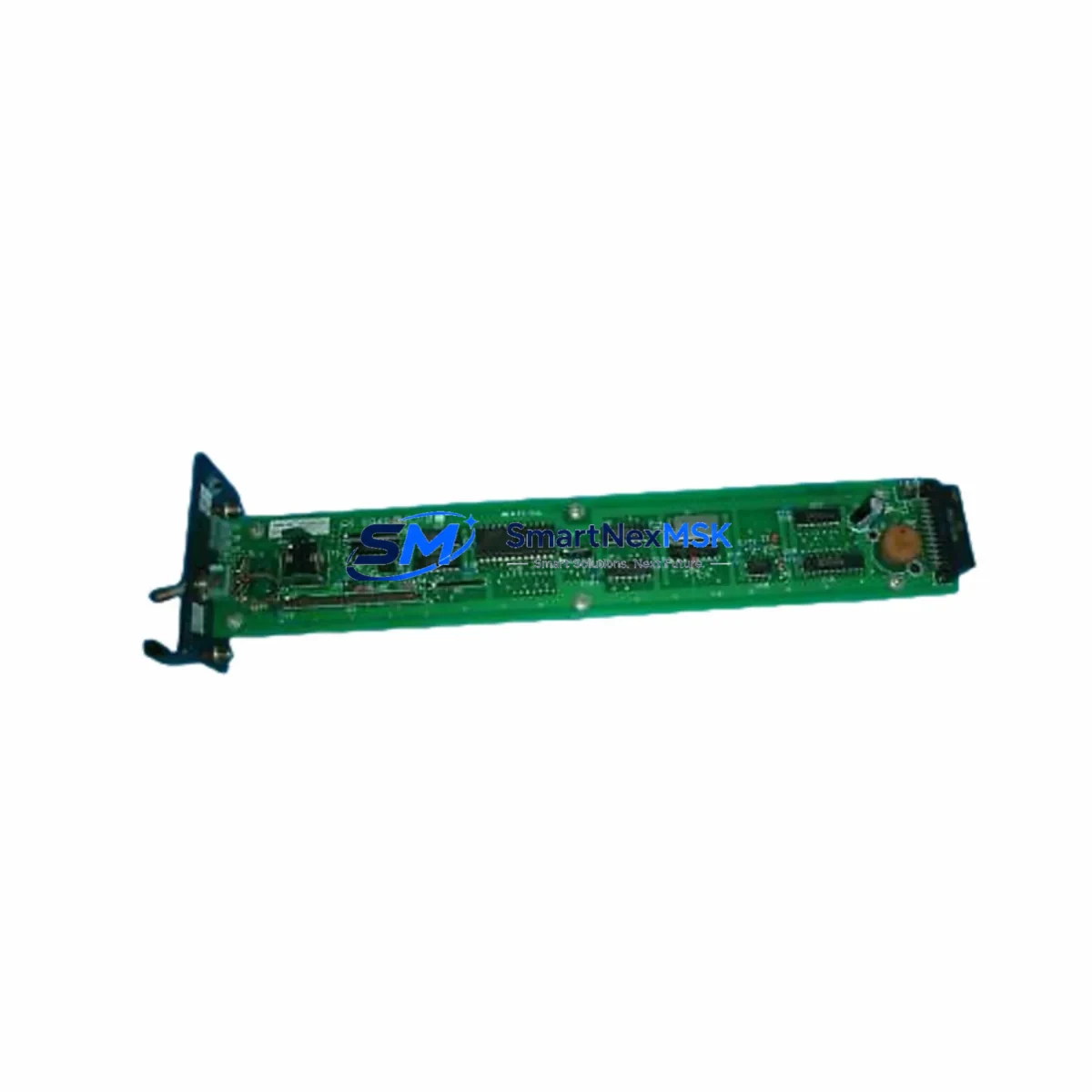
YOKOGAWA AS-S9491BJ-0 Retrofit-Ready Bus Coupler for CENTUM VP Control Systems
The YOKOGAWA AS-S9491BJ-0 is a field-proven bus coupler module engineered for seamless integration into CENTUM VP distributed control system architectures. As legacy CENTUM CS 3000 and earlier CENTUM VP sub-series installations reach end-of-life, the AS-S9491BJ-0 has become a critical component in brownfield retrofit projects where maintaining backplane compatibility, preserving existing I/O wiring, and minimizing control interruption are non-negotiable engineering requirements. Whether you are replacing a failed unit on an active production line or executing a planned control cabinet upgrade, this module delivers the electrical and protocol compatibility your system demands.
Sourced directly from verified supply channels and subjected to pre-shipment functional testing, every AS-S9491BJ-0 unit shipped by SMARTNEXMSK is accompanied by a 12-month warranty covering manufacturing defects and operational failures under normal service conditions. Our inventory is maintained to support urgent replacement orders, with same-week dispatch available for in-stock units.
Upgrade Compatibility Table
| Parameter | AS-S9491BJ-0 Specification | Retrofit Notes |
|---|---|---|
| Compatible Platform | YOKOGAWA CENTUM VP (all sub-series) | Verify firmware revision of FCS controller before installation |
| Backplane Interface | Vnet/IP or ESB bus (model-dependent) | Confirm bus type matches existing nest/rack configuration |
| Installation Format | Standard CENTUM VP module slot | No mechanical modification required for direct slot replacement |
| Communication Protocol | Vnet/IP Ethernet-based control bus | Ensure Vnet/IP switch (e.g., ANS10D) is configured for new node address if changed |
| Power Requirement | Supplied via backplane from PWR module | Verify PWR48D or equivalent power module capacity before adding modules |
| Replacement Compatibility | Direct replacement for same-series bus coupler variants | Cross-reference part suffix (-0, -1) for hardware revision alignment |
| Commissioning Requirement | Module address assignment via CENTUM VP Engineering Environment | Download updated SCS/FCS configuration after physical replacement |
| Warranty | 12 Months | Covers manufacturing defects; excludes physical damage from installation error |
Retrofit Planning for Existing Automation Systems
A successful AS-S9491BJ-0 retrofit begins well before the module arrives on-site. Engineering teams should start by auditing the existing control cabinet layout, identifying the nest and slot position of the failed or aging bus coupler, and confirming that the surrounding modules — including the ALF111 field control station, AAI141-S analog input modules, AAI841-S analog output modules, and ADV151-P digital input modules — remain in serviceable condition. In many aging CENTUM VP installations, a bus coupler failure is symptomatic of broader backplane stress, and a proactive inspection of the ESB10D or ESB10S bus interface units adjacent to the replacement slot is strongly recommended.
Terminal wiring on the AS-S9491BJ-0 itself is handled through the backplane rather than direct field termination, which simplifies the physical swap. However, engineers must verify that the upstream Vnet/IP network infrastructure — particularly the ANS10D Vnet/IP switch and associated fiber or copper patch connections — is operating within specification. A degraded network segment can cause the replacement module to register intermittent communication faults even after a mechanically correct installation.
For sites running CENTUM VP alongside legacy CENTUM CS 3000 nodes in a hybrid architecture, the migration path requires careful attention to the FCS (Field Control Station) configuration files. The CENTUM VP Engineering Environment must be used to re-assign the module address, update the I/O builder database, and perform a consistency check before downloading the revised configuration to the FCS. Skipping this step is the most common cause of post-replacement alarm floods and spurious process trips.
Control cabinet upgrades that incorporate the AS-S9491BJ-0 alongside new PWR48D power supply modules, RIO (Remote I/O) nest expansions, or additional AAT141-50 temperature input modules should be sequenced carefully. Power budget calculations must account for the full slot population of each nest, and the PWR module’s output capacity must not be exceeded. In multi-nest configurations connected via the ESB bus, the total bus load must be validated against YOKOGAWA’s published nest population guidelines.
HMI integration is another critical checkpoint. CENTUM VP HMI screens referencing I/O tags associated with the replaced bus coupler node must be verified for correct tag binding after the configuration download. In installations using YOKOGAWA’s FAST/TOOLS SCADA layer or third-party OPC DA/UA clients, the data source mapping should be re-validated to confirm that process values are being correctly polled from the updated FCS node address. Programming cables such as the KS1-USB or equivalent engineering workstation connections should be prepared in advance to support on-site configuration downloads without relying on remote access, which may be restricted in critical process environments.
Downtime Control During System Migration
Minimizing unplanned downtime during a bus coupler replacement on a live CENTUM VP system requires a structured hot-swap or controlled-shutdown procedure depending on the redundancy configuration of the affected FCS. In fully redundant FCS architectures, the primary controller can be switched to the standby unit before the physical module swap, allowing the replacement to proceed without interrupting process control. Engineers should confirm that the standby FCS has successfully assumed control and that all process values are tracking correctly before proceeding with the module removal.
For non-redundant FCS configurations, a planned shutdown window must be coordinated with operations. The existing FCS configuration — including all function block definitions, loop tuning parameters, interlock logic, and sequence programs — must be backed up to the engineering workstation before any hardware is disturbed. YOKOGAWA’s CENTUM VP Engineering Environment provides a full project export function that captures the complete FCS database, and this backup should be verified by performing a test restore to a simulation environment where possible.
During the physical replacement, the module should be inserted into the correct slot with the FCS in a safe state, and the backplane connector should be inspected for bent pins or contamination before seating the new AS-S9491BJ-0. After the module is secured, the configuration download should be performed in stages — first downloading the I/O builder data, then the function block database — to allow the FCS to initialize each layer sequentially and report any configuration mismatches before process control is resumed. Field instruments connected through the I/O modules downstream of the bus coupler should be monitored during the first 30 minutes of resumed operation to confirm that all analog and digital signals are reading correctly and that no spurious alarms are active.
SMARTNEXMSK provides pre-shipment functional testing on all AS-S9491BJ-0 units, reducing the risk of receiving a defective module during a time-critical replacement. Our 12-month warranty ensures that if a unit fails within the warranty period under normal operating conditions, a replacement will be dispatched promptly to minimize any secondary downtime event.
Retrofit Support FAQ
Q1: Is the AS-S9491BJ-0 a direct drop-in replacement for older CENTUM VP bus coupler variants?
In most cases, yes. The AS-S9491BJ-0 is designed for standard CENTUM VP module slots and uses the same backplane interface as other bus coupler variants in the series. However, you should cross-reference the hardware revision suffix (-0 vs -1) and confirm the firmware version of your FCS controller to ensure full compatibility. Our technical team can assist with cross-referencing if you provide your existing part number and FCS model.
Q2: What commissioning steps are required after physically installing the replacement module?
After seating the AS-S9491BJ-0, you must use the CENTUM VP Engineering Environment to assign the correct module address, update the I/O builder configuration, and download the revised FCS database. A configuration consistency check should be run before the download, and all downstream I/O signals should be verified against expected values during the first operational cycle after restart.
Q3: Can the AS-S9491BJ-0 be used in a hybrid system running both CENTUM VP and CENTUM CS 3000 nodes?
The AS-S9491BJ-0 is a CENTUM VP series module and is not directly interchangeable with CENTUM CS 3000 bus coupler hardware. In hybrid architectures, each platform must use its own compatible modules. If you are migrating from CS 3000 to CENTUM VP, the AS-S9491BJ-0 is the correct target platform component, but the migration requires a full FCS configuration rebuild in the CENTUM VP Engineering Environment.
Q4: What does the 12-month warranty cover, and how is a warranty claim processed?
The 12-month warranty covers manufacturing defects and operational failures under normal service conditions. It does not cover damage resulting from incorrect installation, overvoltage events, or physical mishandling. To initiate a warranty claim, contact SMARTNEXMSK at [email protected] with your order reference, a description of the failure mode, and any available diagnostic data from the CENTUM VP Engineering Environment. Replacement units are dispatched after fault verification, and return shipping of the defective unit is required for warranty processing.
© 2026 SMARTNEXMSK. All rights reserved.
Original Source: https://smartnexmsk.com
Contact: [email protected] | +86 18259474341



