
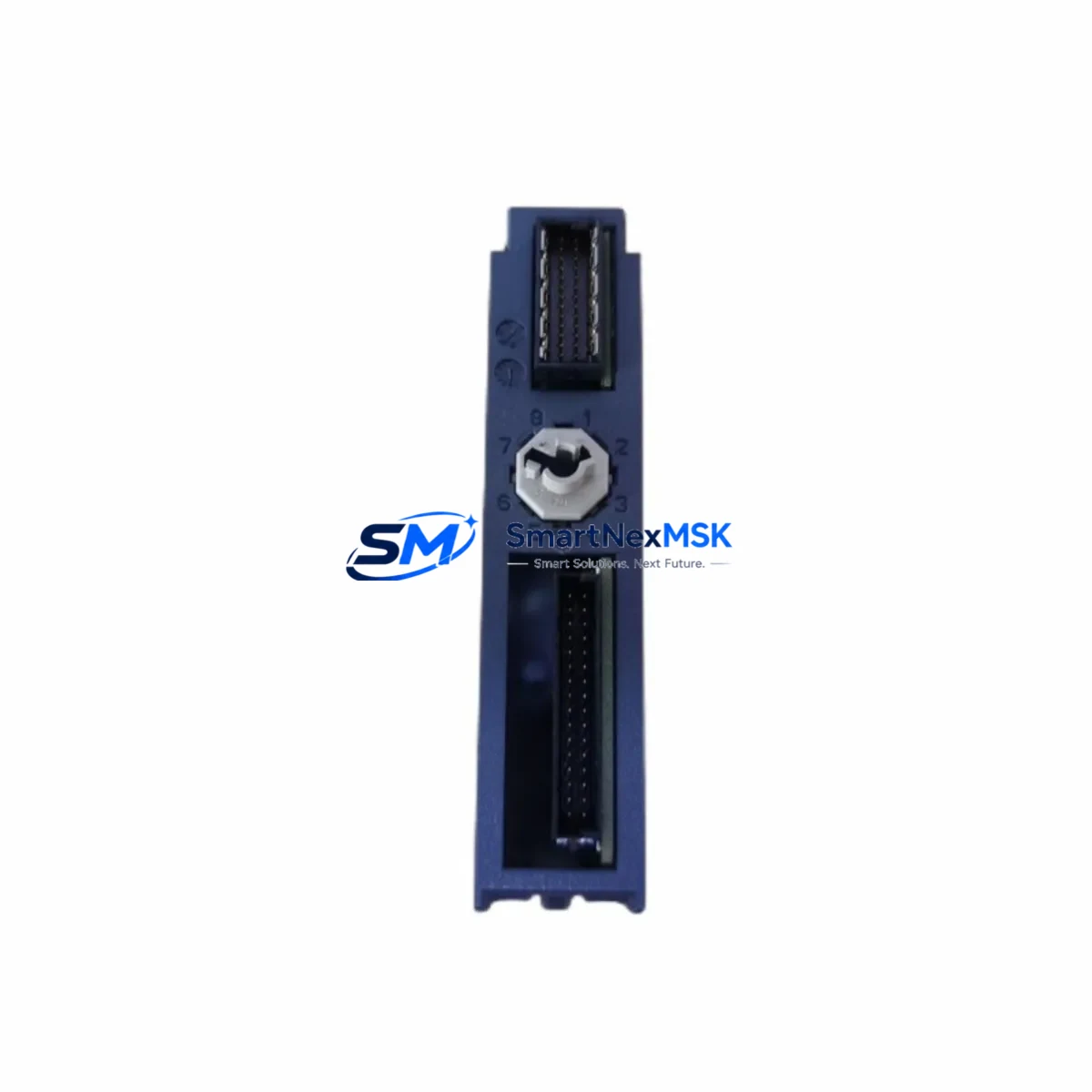
YOKOGAWA CP451-10 S2 Spare for CENTUM CS 3000 Automation
The YOKOGAWA CP451-10 S2 is a field control station (FCS) processor module designed for the CENTUM CS 3000 distributed control system — one of the most widely deployed DCS platforms in petrochemical, refining, power generation, and continuous process industries. As a maintenance-ready original spare, the CP451-10 S2 supports rapid replacement of failed or degraded FCS processor units, enabling control engineers to restore automated process loops, interlock logic, and safety sequences with minimal downtime exposure.
For maintenance engineers managing aging CENTUM CS 3000 installations, securing a verified CP451-10 S2 spare is a critical element of any planned maintenance strategy. The module handles real-time scan execution, I/O communication, and inter-station data exchange within the FCS cabinet. A processor failure without an available spare can result in extended unplanned shutdowns, loss of process visibility, and significant production losses — particularly in continuous operations where cold restarts carry additional risk.
Each unit supplied by SMARTNEXMSK is sourced from original YOKOGAWA production, functionally tested prior to dispatch, and shipped with a 12-month warranty covering manufacturing defects and operational failures under normal industrial use conditions.
Spare Maintenance Table
| SKU / Part Number | CP451-10 S2 |
| Brand | YOKOGAWA |
| Series / Platform | CENTUM CS 3000 |
| Module Function | FCS Processor (Field Control Station CPU) |
| Product Type | DCS Processor Module |
| Origin | Japan |
| Compatibility | CENTUM CS 3000 FCS cabinets; compatible with standard CS 3000 I/O bus and backplane architecture |
| Installation | Direct slot replacement in FCS cabinet; follows YOKOGAWA CS 3000 hardware replacement procedure |
| Operating Environment | Industrial control room / field cabinet; standard DCS environmental ratings |
| Weight | 740 g |
| Condition | Original, unused / refurbished-to-spec; functionally tested before dispatch |
| Pre-shipment Testing | Power-on functional verification; communication bus check |
| Warranty | 12 Months — covers manufacturing defects and operational failure under normal use |
| Lead Time | In-stock units dispatched within 1–3 business days |
| Maintenance Recommendation | Replace immediately upon processor fault alarm; do not attempt field repair of FCS CPU modules |
Maintenance Planning for Continuous Operation
When a CP451-10 S2 processor fault is detected — whether through a CENTUM CS 3000 system alarm, HIS (Human Interface Station) diagnostic alert, or during a scheduled cabinet inspection — the replacement workflow should extend beyond the processor module itself. A thorough maintenance response requires evaluating the surrounding components that share the same FCS cabinet and electrical circuit.
Start with the FCS power supply module (such as the PW481 or equivalent CS 3000 power unit): an unstable or aging power supply is a common root cause of processor resets and communication faults. Inspect the supply output voltage under load and replace if ripple or voltage sag is detected. Alongside the power supply, check the FCS backplane and bus connector for oxidation, bent pins, or mechanical damage — a degraded backplane can cause intermittent processor communication errors that mimic CPU failure.
Review the I/O module complement within the same FCS station. Analog input modules (e.g., AAI141, AAI143 series), analog output modules (AAO141), and digital I/O modules (ADV151, ADV161) should be inspected for fault LEDs, loose terminal connections, and signal drift. A failed I/O module can generate spurious process alarms that mask the true source of a control loop deviation.
For systems using FOUNDATION Fieldbus or HART communication, inspect the fieldbus interface modules and segment couplers. Communication module faults in the CS 3000 environment can cause loss of field device visibility and should be addressed concurrently with any FCS processor replacement. Similarly, Vnet/IP communication modules connecting the FCS to the HIS and engineering workstations should be verified for link integrity.
Terminal blocks and marshalling cabinet wiring deserve attention during any planned FCS maintenance window. Loose or corroded terminal connections on signal cables — particularly for thermocouple, RTD, and 4–20 mA loops — can introduce measurement errors that persist after the processor is replaced. Inspect and re-torque terminal screws, and replace any discolored or heat-damaged terminal blocks.
If the plant uses signal isolators or signal conditioners between field instruments and the FCS I/O, verify that these devices are within calibration and functioning correctly. Isolator degradation is often overlooked during FCS maintenance but can cause subtle signal errors that affect control loop performance after the processor is restored.
Finally, confirm that the HIS (Human Interface Station) and any associated operator consoles are running current CENTUM CS 3000 software versions and that the system database backup is current before performing the processor swap. A current database backup ensures that the replacement CP451-10 S2 can be loaded with the correct FCS configuration without requiring a full system re-engineering effort.
Site Replacement Workflow
Step 1 — Preparation: Obtain the current FCS configuration backup from the CENTUM CS 3000 engineering workstation. Confirm the replacement CP451-10 S2 part number and hardware revision match the installed unit. Notify the control room operator and obtain a work permit for the affected FCS station.
Step 2 — Safe Isolation: Place the FCS station in manual or backup control mode where process safety permits. Do not power down the entire FCS cabinet unless required — the CS 3000 architecture supports hot-standby configurations that allow processor replacement without full process interruption in redundant systems.
Step 3 — Module Removal: Following YOKOGAWA CS 3000 hardware replacement procedures, carefully extract the faulty CP451-10 S2 from its slot. Handle the module by its edges; avoid contact with PCB components. Record the slot position and any hardware revision markings before removal.
Step 4 — Installation: Insert the replacement CP451-10 S2 into the correct slot. Ensure the module is fully seated and the ejector levers are locked. Restore power and observe the module status LEDs for normal initialization sequence.
Step 5 — Configuration Restore: Download the FCS configuration from the engineering workstation to the replacement processor. Verify all I/O assignments, control loop parameters, and interlock logic are correctly loaded. Perform a loop check on critical control loops before returning the station to automatic mode.
Step 6 — Verification: Monitor the HIS for any residual alarms. Confirm process variables are tracking correctly and that all communication links to other FCS stations and the HIS are active. Document the replacement in the plant maintenance management system.
This workflow minimizes downtime, preserves system compatibility, and ensures the replacement CP451-10 S2 is fully operational before the maintenance window is closed.
Spare Parts Support FAQ
Q1: Is the CP451-10 S2 compatible with all CENTUM CS 3000 FCS cabinet configurations?
The CP451-10 S2 is designed for CENTUM CS 3000 FCS stations and is compatible with the standard CS 3000 backplane and I/O bus architecture. Compatibility with specific hardware revisions or expanded FCS configurations should be confirmed against the installed system’s hardware revision documentation. Contact our technical team with your system details for pre-purchase compatibility verification.
Q2: What pre-shipment testing is performed on each unit?
Every CP451-10 S2 unit undergoes power-on functional verification and communication bus testing before dispatch. Units are inspected for physical condition, connector integrity, and correct firmware presence. A test report is available upon request for critical applications.
Q3: How should the CP451-10 S2 be stored as a long-term spare?
Store in original anti-static packaging in a dry, temperature-controlled environment (typically 0–50°C, <90% RH non-condensing). Avoid storage near strong electromagnetic fields or corrosive atmospheres. Inspect the unit annually and perform a power-on test every 2–3 years to confirm operational readiness. Long-term storage spares should be rotated into service before the 5-year mark to minimize capacitor aging risk.
Q4: What does the 12-month warranty cover?
The 12-month warranty covers manufacturing defects and operational failures under normal industrial use conditions from the date of dispatch. It does not cover damage resulting from incorrect installation, overvoltage events, physical impact, or use outside the module’s rated environmental specifications. Warranty claims are processed with return of the defective unit; replacement units are dispatched within 5 business days of claim approval.
© 2026 SMARTNEXMSK. All rights reserved.
Original Source: https://smartnexmsk.com
Contact: [email protected] | +86 18259474341



