
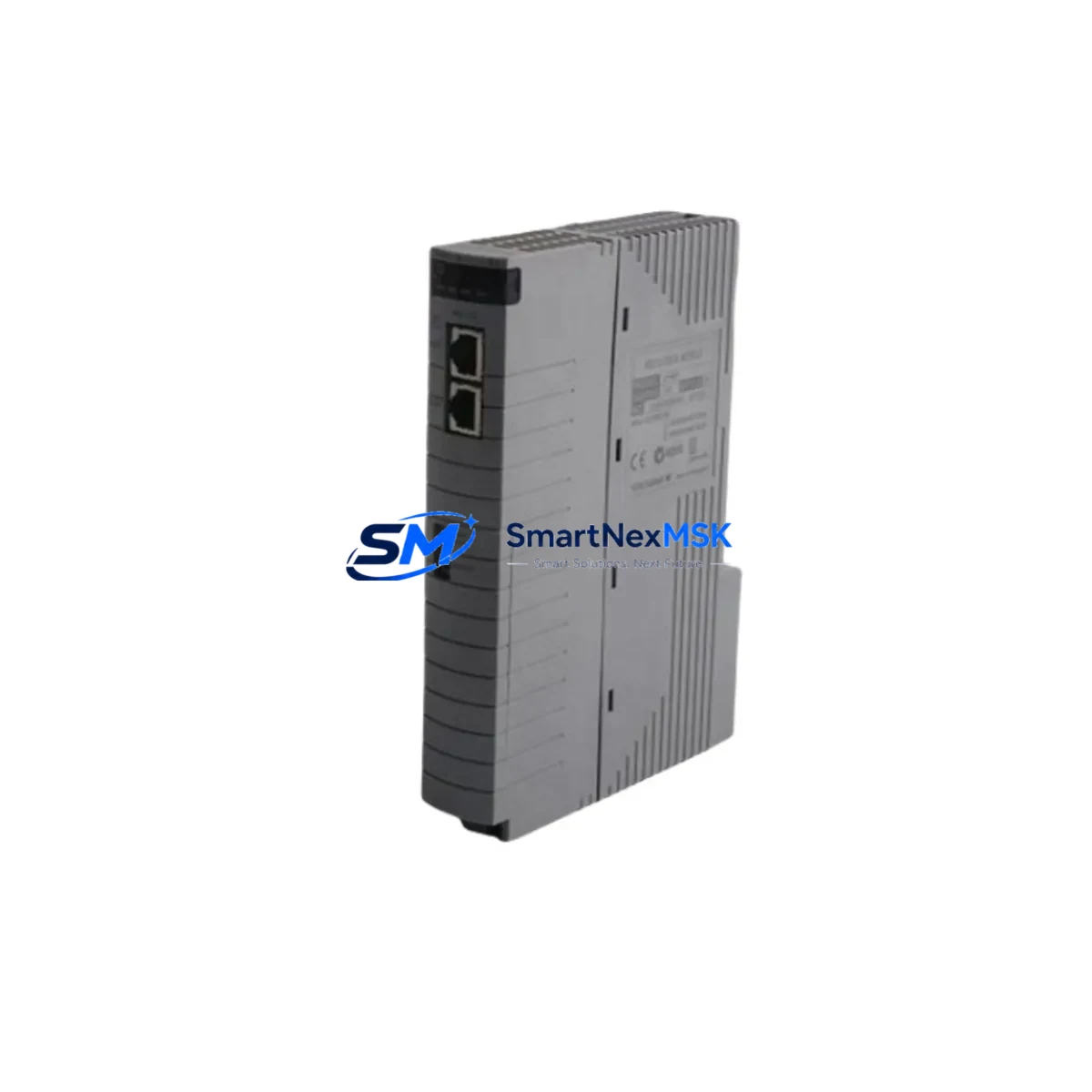
Yokogawa CP461-E1-S1 Maintenance-Ready Spare CS3000 DCS
When a CENTUM CS3000 or CS1000 distributed control system experiences an unplanned CPU fault, every minute of downtime translates directly into lost production and escalating recovery costs. The Yokogawa CP461-E1-S1 is the field-proven processor module at the heart of these systems, responsible for executing control logic, managing I/O communication, and maintaining real-time process coordination across the entire DCS network. Holding a verified, tested spare of the CP461-E1-S1 in your maintenance inventory is one of the most cost-effective risk-mitigation decisions a plant engineer can make.
At SMARTNEXMSK, every CP461-E1-S1 unit is sourced from original Yokogawa supply channels, subjected to functional power-on verification, and shipped with full anti-static packaging and documentation. Our 12-month warranty covers operational defects under normal industrial service conditions, giving procurement engineers the confidence to stock this module as a long-term spare without concern for shelf-life degradation of warranty coverage.
Spare Maintenance Table
| Parameter | Specification |
|---|---|
| Part Number / SKU | CP461-E1-S1 |
| Manufacturer | YOKOGAWA Electric Corporation |
| Compatible Series | CENTUM CS1000, CENTUM CS3000 |
| Module Function | Field Control Station (FCS) CPU / Processor Module |
| Communication Interface | Vnet/IP, ESB (Engineering Station Bus) |
| Power Supply Requirement | 24 V DC (via backplane / power supply module) |
| Operating Temperature | 0 °C to 55 °C |
| Humidity | 10% to 90% RH (non-condensing) |
| Mounting | DIN-rail / FCS nest backplane slot |
| Origin | Japan |
| Condition | Original, tested before shipment |
| Warranty | 12 Months |
| Typical Application | Process automation, refinery DCS, chemical plant control |
| Maintenance Recommendation | Replace at first sign of CPU fault alarm; keep one spare per FCS nest |
Maintenance Planning for Continuous Operation
A CP461-E1-S1 replacement should never be treated as an isolated swap. Experienced maintenance engineers know that a CPU fault in a CENTUM CS3000 FCS is frequently accompanied by — or caused by — degradation in adjacent components. Before or immediately after installing the replacement processor module, a thorough inspection of the surrounding control cabinet is essential.
Begin with the power supply module (such as the Yokogawa PW481 or PW482 series) that feeds the FCS nest. An aging or under-voltage power supply is one of the leading causes of intermittent CPU resets and memory corruption. Verify output voltage stability under load before declaring the new CP461-E1-S1 operational. Next, inspect the ESB coupler module and Vnet/IP communication card — communication faults at the network layer can mimic CPU failures and will persist even after a processor swap if left unaddressed.
Check all I/O modules seated in the same FCS nest, including analog input modules (such as the AAI141 or AAI143 series) and digital output modules (ADO141 series). A shorted field device connected to an I/O channel can generate fault conditions that propagate to the CPU. Inspect terminal blocks and field wiring for signs of corrosion, loose terminations, or insulation breakdown — these are common in high-humidity or high-vibration environments.
If the plant uses redundant FCS configurations, verify that the standby processor module (a second CP461-E1-S1 or compatible redundancy pair) is also in good health. A redundant system with one failed CPU and one degraded spare offers no real protection. Review the battery backup module for the FCS memory retention circuit — a depleted battery will cause configuration loss on the next power cycle even if the CPU itself is functional.
For plants running legacy CENTUM CS1000 alongside CS3000 nodes, also audit the HIS (Human Interface Station) connection and any OPC communication gateway modules that bridge the DCS to SCADA or historian systems. Signal integrity at the HMI layer is often the first visible symptom of an underlying FCS processor issue. Finally, inspect signal isolators and surge protection devices on critical analog loops — these low-cost components are frequently overlooked during emergency repairs but are essential for long-term CPU protection.
Site Replacement Workflow
Replacing the CP461-E1-S1 in a live CENTUM CS3000 system requires careful sequencing to minimize downtime and avoid configuration loss. The following workflow reflects best practices for field replacement in industrial environments:
1. Pre-replacement preparation: Download and archive the current FCS configuration from the Engineering Station (EWS) before touching any hardware. Confirm the replacement CP461-E1-S1 firmware version matches or is compatible with the existing system software revision. If the plant runs CENTUM CS3000 R3.x or later, verify compatibility with the system builder database before proceeding.
2. Controlled shutdown: For non-redundant FCS nodes, coordinate with the control room to place affected loops in manual mode. For redundant configurations, initiate a controlled switchover to the standby CPU before removing the faulty module, eliminating process interruption entirely.
3. Module swap: Remove the faulty CP461-E1-S1 by releasing the front-panel locking lever and sliding the module from the nest. Insert the replacement unit, ensuring full backplane connector engagement. The module will begin its self-diagnostic sequence automatically upon power application.
4. Configuration restore and verification: Download the archived FCS configuration from the Engineering Station. Verify all I/O points are scanning correctly, all control loops are responding, and no communication alarms remain active on the Vnet/IP network. Confirm the HIS displays correct process values before returning loops to automatic mode.
5. Post-replacement documentation: Record the replaced module serial number, installation date, and firmware version in the plant maintenance management system (CMMS). Schedule the next planned inspection of the FCS nest within 90 days to confirm stable operation of the new module and all adjacent components.
This structured approach consistently reduces mean time to recovery (MTTR) for CP461-E1-S1 failures from several hours to under 60 minutes when a pre-tested spare is available on-site.
Spare Parts Support FAQ
Q1: What is the expected service life of the CP461-E1-S1, and when should I plan a proactive replacement?
The CP461-E1-S1 is designed for long-term industrial service, but Yokogawa’s general guidance for CENTUM CS3000 FCS processor modules suggests a proactive replacement interval of 10–15 years under normal operating conditions. Plants operating in high-temperature, high-humidity, or high-vibration environments should consider a shorter interval of 7–10 years. If the module has logged repeated CPU fault alarms, experienced unexpected resets, or is running on a system where the original installation date is unknown, proactive replacement is strongly recommended regardless of elapsed time.
Q2: How do I verify compatibility between a replacement CP461-E1-S1 and my existing CENTUM CS3000 system revision?
Compatibility is determined by the CENTUM CS3000 software revision running on your Engineering Station and the firmware embedded in the CP461-E1-S1 module. Before ordering, confirm your system’s software version from the EWS system information screen. SMARTNEXMSK technical staff can assist in cross-referencing the module firmware version against your system revision to confirm compatibility prior to shipment. All units are tested and documented before dispatch.
Q3: Does SMARTNEXMSK test CP461-E1-S1 units before shipment, and what does the 12-month warranty cover?
Yes. Every CP461-E1-S1 unit undergoes power-on functional verification before shipment. The 12-month warranty covers manufacturing defects and operational failures under normal industrial service conditions. It does not cover damage resulting from incorrect installation, overvoltage events, or physical mishandling. In the event of a warranty claim, SMARTNEXMSK provides a replacement unit or full refund based on the verified fault condition.
Q4: Can I stock the CP461-E1-S1 as a long-term spare, and what are the storage requirements?
Yes. The CP461-E1-S1 is suitable for long-term spare storage when kept in its original anti-static packaging in a dry, temperature-controlled environment (recommended: 10–30 °C, below 70% RH). Avoid storage near strong magnetic fields or in areas subject to vibration. Units stored under these conditions retain full functionality for 5+ years. SMARTNEXMSK maintains ongoing inventory of this module to support long-term supply continuity for plants committed to extending the operational life of their CENTUM CS3000 systems.
© 2026 SMARTNEXMSK. All rights reserved.
Original Source: https://smartnexmsk.com
Contact: [email protected] | +86 18259474341



