
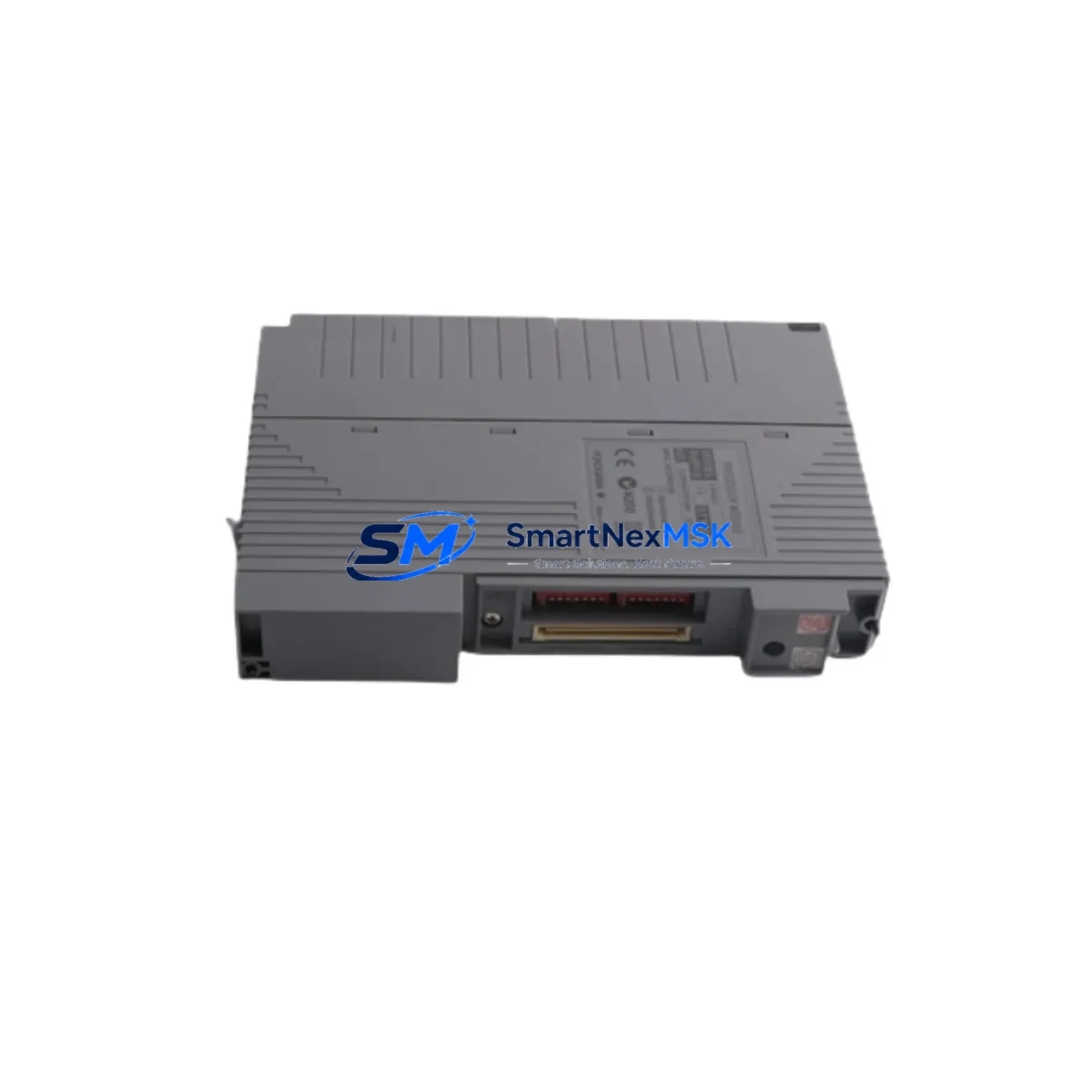
YOKOGAWA CP461-E1-S2 Maintenance Spare for CS3000 Automation
Unplanned downtime in a CENTUM CS3000 distributed control system can cascade rapidly across process loops, safety interlocks, and operator stations. The YOKOGAWA CP461-E1-S2 is a field-proven CPU processor module designed for the CS3000 platform, and maintaining a verified spare on the shelf is one of the most effective strategies a maintenance team can deploy to protect continuous operation. This listing provides an original YOKOGAWA CP461-E1-S2 spare — not a substitute or remanufactured unit — tested prior to shipment and backed by a 12-month warranty.
For maintenance engineers managing aging CS3000 cabinets, the CP461-E1-S2 represents the control processing backbone of the field control station (FCS). When this module degrades or fails, the entire FCS segment loses its ability to execute control logic, communicate with I/O modules, and respond to operator commands from the HMI. Fast, like-for-like replacement with a pre-verified spare is the only reliable path to restoring normal operation within a single maintenance window.
Spare Maintenance Table
| Parameter | Specification / Detail |
|---|---|
| Part Number / SKU | CP461-E1-S2 |
| Brand | YOKOGAWA Electric Corporation |
| Series / Platform | CENTUM CS3000 Distributed Control System |
| Module Function | CPU Processor Module for Field Control Station (FCS) |
| Compatible FCS Types | KFCS, RFCS, SFCS (CS3000 architecture) |
| Communication Interface | V-net / Ethernet (platform-dependent) |
| Power Supply Compatibility | CS3000 standard FCS power supply rail (24 VDC bus) |
| Operating Temperature | 0°C to 55°C (standard industrial enclosure) |
| Mounting | CS3000 FCS backplane / base unit slot |
| Origin | Japan |
| Condition | Original, new or tested-functional spare |
| Pre-Shipment Testing | Yes — functional verification before dispatch |
| Warranty | 12 Months from date of shipment |
| Lead Time | In-stock: ships within 2–5 business days |
| Maintenance Recommendation | Replace at first sign of CPU fault alarm; keep one spare per FCS segment |
Maintenance Planning for Continuous Operation
When a CP461-E1-S2 fault is detected — whether through a CPU error LED, a CS3000 system alarm, or a loss of FCS communication on the engineering workstation — the replacement procedure should be treated as a system-level event, not an isolated module swap. Experienced maintenance engineers know that a CPU module failure rarely occurs in isolation; adjacent components in the same FCS cabinet are often subject to the same environmental stressors, power transients, or age-related degradation.
Before or immediately after replacing the CP461-E1-S2, the following components in the same control cabinet should be inspected and, where appropriate, tested or replaced as part of the same maintenance window:
- FCS Power Supply Module (PW481 / PW482 series) — Verify output voltage stability and ripple. A degraded power supply is a leading cause of CPU module stress and premature failure. Dual-redundant power configurations should have both units checked simultaneously.
- Analog I/O Modules (AAI141 / AAI143 series) — Inspect for fault indicators and reseat cards. A CPU replacement is an ideal time to verify channel-level diagnostics in the CS3000 builder and confirm 4–20 mA loop integrity on critical process inputs.
- Digital I/O Modules (ADV151 / ADV161 series) — Check digital input status and output relay contact wear. Modules sharing the same FCS backplane are subject to the same thermal and vibration environment as the CP461-E1-S2.
- V-net Bus Coupler / Communication Interface Module — Confirm that the V-net or Ethernet communication path is intact. A faulty bus coupler can mimic CPU failure symptoms and should be ruled out before and after the swap.
- Signal Isolators and Zener Barriers — Inspect galvanic isolators on hazardous-area I/O loops. These components protect the CPU-side circuitry and should be verified for correct isolation resistance and continuity.
- FCS Backplane / Base Unit — Visually inspect the backplane connector for corrosion, bent pins, or heat discoloration. A damaged backplane can cause intermittent CPU faults that persist after module replacement.
- Relay Output Modules and Terminal Boards — Check relay contact wear on output modules connected to critical actuators. Relay modules in the same FCS often share the same maintenance cycle as the CPU.
- Fuse and Circuit Protection (FCS Power Rail) — Replace any blown or suspect fuses in the FCS power distribution rail. Document fuse ratings against the original cabinet wiring diagram.
- Battery Backup Unit (SRAM Retention) — Some CS3000 CPU configurations include a battery-backed SRAM for retentive data. Confirm battery health and replace if the module has been in service for more than 3 years.
- HIS Engineering Workstation Communication Link — After CPU replacement, verify that the Human Interface Station (HIS) re-establishes full communication with the FCS and that all faceplates, trend displays, and alarm lists are updating correctly.
Procurement engineers sourcing the CP461-E1-S2 should also consider establishing a minimum stock level of one spare CPU module per FCS segment, particularly for plants operating CS3000 systems beyond the original product lifecycle. Long-term supply availability for legacy YOKOGAWA CS3000 components is a known procurement challenge, and early inventory positioning significantly reduces emergency sourcing lead times.
Site Replacement Workflow
Replacing the CP461-E1-S2 in a live CS3000 environment requires careful sequencing to minimize process disruption and ensure a clean system restart. This workflow applies equally when upgrading from an older CP461 variant — including the CP461-E1 — to the CP461-E1-S2, which may be required when the original module is no longer available from the OEM. Compatibility with the existing CS3000 project database should always be confirmed before installation.
- Pre-Replacement Verification: Confirm the fault is isolated to the CP461-E1-S2 using CS3000 system diagnostics. Check the FCS status display on the engineering workstation and document all active alarms before proceeding.
- Backup Configuration Data: Export the current FCS configuration from the CS3000 builder (CENTUM VP or CS3000 engineering tools) to a secure location. Verify that the replacement module firmware version is compatible with the existing project database.
- Safe State Confirmation: Coordinate with the control room operator to place affected control loops in manual mode. Confirm that safety instrumented systems (SIS) are not dependent on the FCS segment being serviced.
- Module Swap: Power down the FCS cabinet per YOKOGAWA lockout/tagout procedures. Remove the faulty CP461-E1-S2 and install the replacement module in the correct backplane slot. Verify seating and connector engagement before powering up.
- System Restart and Verification: Power up the FCS and monitor the startup sequence on the engineering workstation. Confirm that all I/O modules are recognized, communication with the V-net is restored, and no residual fault alarms remain.
- Return to Automatic: Gradually return control loops to automatic mode, verifying process variable tracking and output response. Document the replacement in the plant maintenance management system (CMMS).
Spare Parts Support FAQ
Q1: Is the CP461-E1-S2 a direct replacement for earlier CP461 variants in the CS3000 system?
The CP461-E1-S2 is designed for the CENTUM CS3000 FCS platform. Compatibility with specific FCS types (KFCS, RFCS, SFCS) and firmware versions should be verified against your existing CS3000 project configuration before installation. Our technical team can assist with compatibility confirmation prior to shipment.
Q2: What does the 12-month warranty cover?
The 12-month warranty covers manufacturing defects and functional failures under normal operating conditions from the date of shipment. Each unit undergoes pre-shipment functional testing. Warranty claims are supported by our technical team at [email protected].
Q3: How quickly can the CP461-E1-S2 be shipped for emergency maintenance situations?
In-stock units are dispatched within 2–5 business days. For urgent requirements, please contact us directly at +86 18259474341 to confirm current stock status and expedited shipping options.
Q4: How should the CP461-E1-S2 be stored as a long-term spare?
Store in original anti-static packaging in a dry, temperature-controlled environment (10°C–40°C, relative humidity below 70%, non-condensing). Avoid exposure to direct sunlight, vibration, or corrosive atmospheres. Inspect the spare annually and verify warranty status if the unit has been in storage for an extended period.
© 2026 SMARTNEXMSK. All rights reserved.
Original Source: https://smartnexmsk.com
Contact: [email protected] | +86 18259474341



