
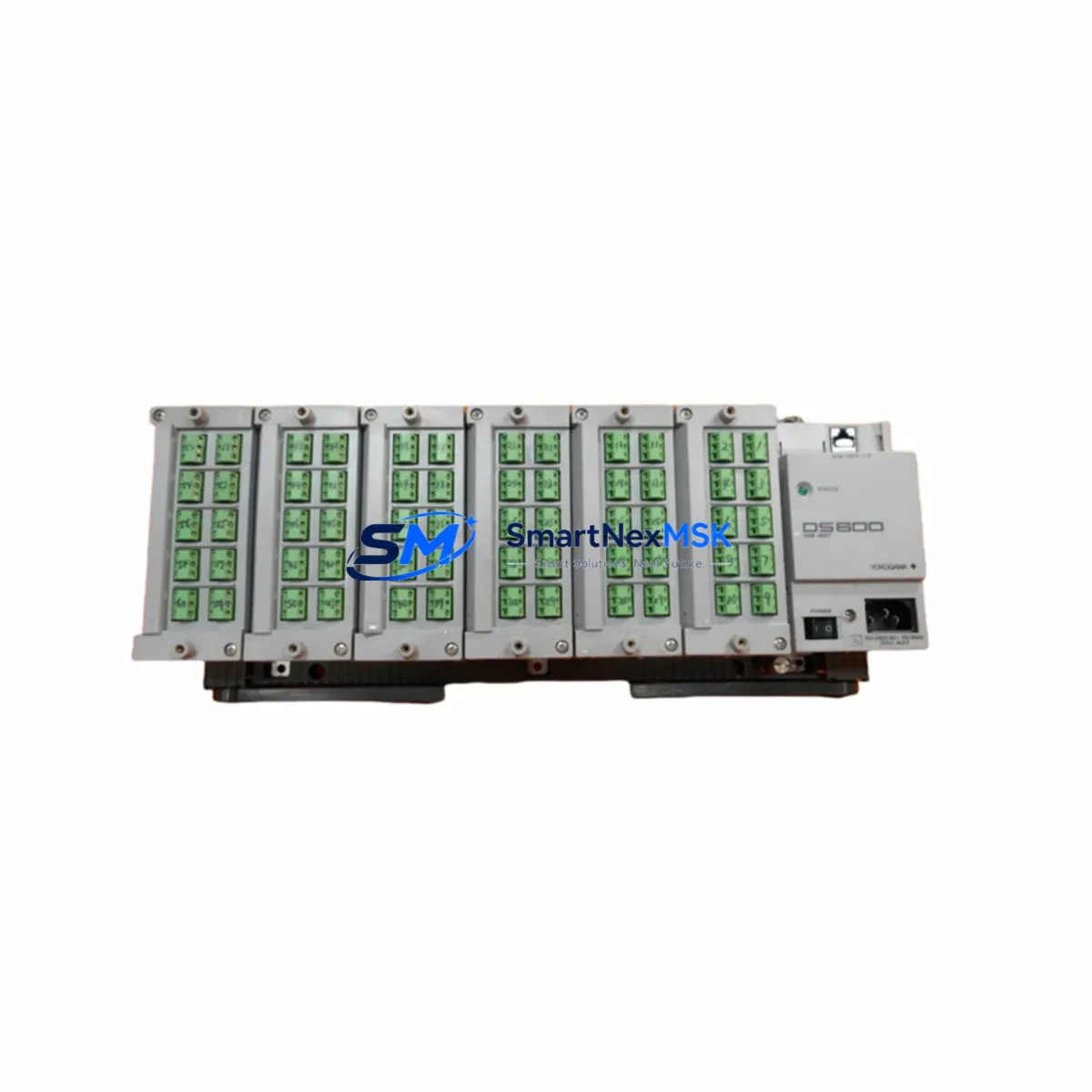
YOKOGAWA DS600-00-1M Retrofit-Ready Conversion Module for STARDOM FCN/FCJ Control Systems
The YOKOGAWA DS600-00-1M is a retrofit-ready conversion module engineered for seamless integration into STARDOM FCN and FCJ distributed control architectures. As legacy automation systems approach end-of-life and OEM support windows close, the DS600-00-1M provides a verified, drop-in upgrade path that preserves existing wiring infrastructure, backplane slot assignments, and control logic without requiring a full system redesign. Whether you are replacing a failed unit on an active production line, upgrading a control cabinet to extend operational life, or migrating from an older STARDOM platform to a current-generation configuration, the DS600-00-1M delivers the compatibility and reliability that industrial buyers demand.
Sourced directly from authorized distribution channels and subjected to pre-shipment functional testing, every DS600-00-1M unit shipped by SMARTNEXMSK is backed by a 12-month warranty covering manufacturing defects and operational failures under normal service conditions. Stock is maintained in Xiamen for rapid dispatch to domestic and international destinations, with typical lead times of 3–7 business days for in-stock orders.
Upgrade Compatibility Table
| Parameter | DS600-00-1M Specification | Retrofit Notes |
|---|---|---|
| Compatible Platform | STARDOM FCN / FCJ Series | Verify controller firmware version before installation |
| Backplane Interface | STARDOM standard backplane bus | Slot position must match original module address assignment |
| Communication Protocol | FOUNDATION Fieldbus / Modbus RTU / Ethernet (platform-dependent) | Confirm active protocol stack on FCN/FCJ controller before swap |
| Power Consumption | Refer to DS600 series datasheet | Verify rack power supply (e.g., STARDOM PS600 series) capacity before adding modules |
| Terminal Wiring | Compatible with existing field wiring harness | Inspect terminal block torque and insulation before reconnection |
| Installation Format | DIN-rail / backplane slot mount | No mechanical modification required for standard FCN/FCJ racks |
| Replacement Scope | Direct replacement for discontinued DS600-00-1M units | Confirm module address in engineering tool (STARDOM Resource Configurator) |
| Commissioning Tool | STARDOM Resource Configurator / FCN Engineering Tool | Re-download configuration after physical swap; do not rely on cached parameters |
| Warranty | 12 Months | Covers manufacturing defects under normal operating conditions |
Retrofit Planning for Existing Automation Systems
A successful DS600-00-1M retrofit begins well before the module arrives on site. Engineers responsible for the upgrade should first audit the existing STARDOM FCN or FCJ rack configuration, documenting every occupied slot, the assigned module addresses, and the current firmware revision running on the FCN controller CPU. The STARDOM Resource Configurator project file should be exported and archived as a baseline before any hardware is disturbed.
Power budget verification is a critical pre-installation step. The DS600-00-1M draws power from the rack backplane, and the installed power supply module — typically a unit from the STARDOM PS600 power supply series — must have sufficient headroom to support the replacement module alongside all other installed cards. If the existing power supply is already operating near capacity, a parallel power supply or a higher-rated replacement should be sourced before the retrofit window opens.
Terminal wiring compatibility should be confirmed against the original I/O schedule. In most FCN/FCJ installations, field cables terminate on removable terminal blocks or marshalling panels, which can be disconnected from the old module and reconnected to the DS600-00-1M without re-pulling field cables. Inspect each terminal for corrosion, loose ferrules, and correct labeling before reconnection. Where the original installation used YOKOGAWA AI800 analog input modules or DI800 digital input modules in adjacent slots, verify that the signal commons and shield grounding arrangements remain intact after the swap.
Communication link integrity must be validated before returning the system to automatic control. If the DS600-00-1M participates in a Modbus RTU network alongside other field devices — such as YOKOGAWA UT series temperature controllers or third-party variable frequency drives — confirm that the module address, baud rate, and parity settings match the original configuration. For installations using FOUNDATION Fieldbus segments, re-commission the segment using the fieldbus configuration tool and verify that all device tags resolve correctly before closing the maintenance window.
Where the control system includes an HMI — such as a YOKOGAWA ProSafe-RS operator station or a third-party SCADA panel connected via OPC — verify that all tag references pointing to the replaced module continue to resolve after the swap. HMI faceplate alarms, trend historian tags, and interlock logic referencing I/O points on the DS600-00-1M should be tested in simulation mode before live process restart. If the installation uses a YOKOGAWA CENTUM VP or CENTUM CS 3000 supervisory layer communicating with the STARDOM FCN via Ethernet, confirm that the FCN IP address and port assignments are unchanged and that the supervisory system re-establishes its data link within the expected timeout window.
For sites where the DS600-00-1M is part of a larger I/O expansion project — for example, adding capacity to an existing FCN rack using YOKOGAWA EB401 Ethernet communication modules or expanding analog output channels with AO800 series cards — plan the full rack layout in the STARDOM Resource Configurator before ordering hardware. This ensures that slot conflicts, address overlaps, and power budget issues are identified and resolved in the engineering phase rather than during the live retrofit window.
Downtime Control During System Migration
Minimizing unplanned downtime during a DS600-00-1M replacement requires a structured migration plan that accounts for both the physical swap and the software re-commissioning steps. The recommended approach is to prepare the replacement module offline — loading the correct firmware revision and verifying the module address assignment in the STARDOM Resource Configurator — before the maintenance window begins. This offline preparation eliminates the most time-consuming configuration steps from the critical path.
During the physical swap, the FCN controller should be placed in a safe hold state that freezes output values at their last known positions, preventing uncontrolled process excursions while the module is removed and replaced. Most STARDOM FCN configurations support a module hot-swap or warm-restart procedure that allows the controller to resume execution from a known state after the new module is detected on the backplane. Consult the FCN engineering documentation to confirm whether your specific rack configuration supports this procedure before relying on it during a live migration.
After the DS600-00-1M is seated and the rack is powered, download the archived configuration from the STARDOM Resource Configurator and verify that the module self-test completes without fault codes. Check all I/O channel status indicators on the module front panel and confirm that field signal values are within expected ranges before releasing the controller from hold state. Document the as-found and as-left conditions for each I/O channel as part of the site maintenance record.
For multi-module retrofits or full rack replacements, consider staging the migration across multiple maintenance windows rather than attempting a single large cutover. This approach limits the scope of each window, reduces the risk of extended downtime, and allows the engineering team to validate each replaced module before proceeding to the next. SMARTNEXMSK maintains buffer stock of DS600-00-1M units to support phased retrofit programs, and our technical team can assist with pre-shipment configuration verification on request.
Retrofit Support FAQ
Q1: Is the DS600-00-1M a direct drop-in replacement for the original YOKOGAWA DS600-00-1M unit?
Yes. The DS600-00-1M supplied by SMARTNEXMSK is an original YOKOGAWA part sourced from authorized distribution channels. It is a direct physical and functional replacement for the same SKU installed in STARDOM FCN/FCJ racks. No mechanical modification or firmware adaptation is required for standard installations. Confirm the module address assignment in the STARDOM Resource Configurator before installation to ensure the controller recognizes the replacement unit correctly.
Q2: What pre-shipment testing is performed on each DS600-00-1M unit?
Every DS600-00-1M unit undergoes functional verification prior to dispatch, including power-on self-test, communication interface check, and visual inspection for physical damage. Units that fail any pre-shipment test are quarantined and not shipped. A 12-month warranty covering manufacturing defects and operational failures under normal service conditions is included with every unit. Warranty claims are processed directly through SMARTNEXMSK; contact [email protected] to initiate a claim.
Q3: Can the DS600-00-1M be installed without re-downloading the FCN controller configuration?
In most cases, the FCN controller will automatically detect the replacement module and restore its configuration from the controller’s internal memory, provided the module address and slot position match the original installation. However, SMARTNEXMSK strongly recommends re-downloading the configuration from the STARDOM Resource Configurator after any module replacement to ensure that the controller is running the most current engineering revision and that no parameter drift has occurred. This step also provides a documented audit trail for the maintenance record.
Q4: What is the lead time for DS600-00-1M, and is expedited shipping available?
DS600-00-1M is maintained in stock at our Xiamen warehouse. Standard lead time for in-stock orders is 3–7 business days for domestic China delivery and 5–14 business days for international shipments, depending on destination and customs clearance. Expedited air freight options are available for urgent retrofit requirements. Contact [email protected] or call +86 18259474341 to confirm current stock levels and arrange expedited dispatch.
© 2026 SMARTNEXMSK. All rights reserved.
Original Source: https://smartnexmsk.com
Contact: [email protected] | +86 18259474341



