
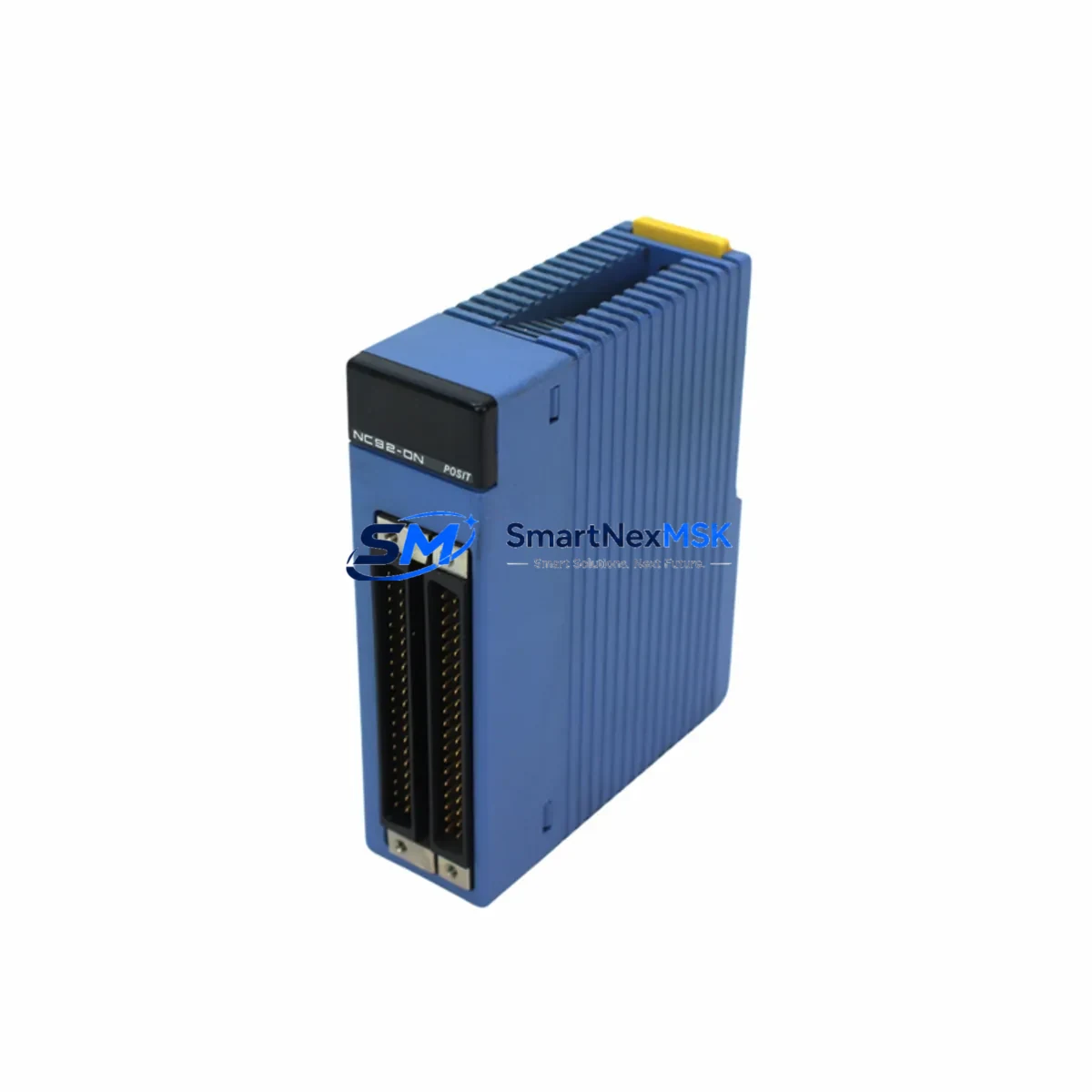
YOKOGAWA F3WD64-3F Maintenance-Ready Spare for STARDOM Automation
Unplanned downtime in process automation environments is costly — every hour a STARDOM FCN or FCJ controller sits offline translates directly into lost production, safety risk, and escalating maintenance costs. The YOKOGAWA F3WD64-3F is a 64-channel digital I/O module engineered for the STARDOM FCN/FCJ platform, and maintaining a verified, tested spare on the shelf is one of the most effective strategies a maintenance or reliability engineer can deploy to protect continuous operation.
This listing provides an original YOKOGAWA F3WD64-3F spare module — not a substitute, not a rebranded equivalent — sourced, inspected, and dispatched with a 12-month warranty. Whether you are executing a planned turnaround, responding to an emergency fault, or building out your critical-spares inventory, this module ships ready for immediate installation.
Spare Maintenance Table
| Parameter | Specification |
|---|---|
| Model / SKU | F3WD64-3F |
| Brand | YOKOGAWA |
| Series | STARDOM FCN / FCJ |
| Module Type | 64-Channel Digital I/O Module |
| I/O Channels | 64 (configurable DI/DO) |
| Communication Interface | Internal FCN/FCJ backplane bus |
| Power Supply Compatibility | FCN/FCJ rack-mounted power supply (e.g. F3PU20-0S series) |
| Installation | Direct slot insertion into FCN/FCJ base unit; no tools required |
| Operating Temperature | 0 °C to 55 °C (standard industrial environment) |
| Origin | Japan |
| Compatibility | YOKOGAWA STARDOM FCN / FCJ controller platforms |
| Maintenance Recommendation | Inspect signal wiring, terminal blocks, and fuse holders at each PM cycle |
| Warranty | 12 Months — covers manufacturing defects; tested before dispatch |
Maintenance Planning for Continuous Operation
When a maintenance engineer schedules replacement of the F3WD64-3F, the scope of inspection should extend well beyond the module itself. A 64-channel digital I/O module sits at the intersection of field wiring, power distribution, and controller logic — meaning adjacent components are equally subject to wear and should be evaluated concurrently.
Begin with the FCN/FCJ power supply module (such as the F3PU20-0S or equivalent rack PSU). A degraded power supply is one of the most common root causes of intermittent I/O faults and should be load-tested before the new module is commissioned. Next, inspect the terminal blocks and field wiring harnesses connected to the I/O module’s front connector — corroded terminals or loose crimps will cause signal errors that are easily misdiagnosed as module failure.
For sites running mixed digital and analog I/O, check the analog input modules (e.g. F3AD08-6R or similar STARDOM analog cards) installed in adjacent slots, as backplane communication faults can cascade across modules. If the FCN/FCJ node communicates upstream via Ethernet or FOUNDATION Fieldbus, verify the communication module (such as the F3LE01-5T Ethernet interface card) is functioning correctly — a communication fault can mask I/O module status in the SCADA layer.
Relay output circuits driven by the F3WD64-3F should prompt inspection of the interposing relay modules or solid-state relay banks in the control cabinet. These components absorb inductive switching loads and degrade faster than the I/O module itself. Similarly, signal isolators and loop-powered barriers in the field junction box should be checked for drift, particularly in hazardous-area installations.
For older STARDOM installations, the FCN/FCJ base unit backplane and its connector pins should be visually inspected for oxidation or mechanical damage during any module swap. If the system has been in service for more than seven years, consider stocking a spare FCN/FCJ base unit alongside the I/O module to cover backplane-level failures during emergency callouts. Finally, review the HMI or SCADA tag database to confirm that I/O channel assignments and alarm limits are correctly mapped before returning the loop to service.
Site Replacement Workflow
Replacing the YOKOGAWA F3WD64-3F on a live STARDOM FCN/FCJ system follows a structured sequence designed to minimize downtime and eliminate configuration errors:
1. Pre-replacement verification. Confirm the replacement module’s SKU (F3WD64-3F) matches the installed unit exactly. Check the firmware revision of the FCN/FCJ controller to ensure compatibility — YOKOGAWA periodically releases firmware updates that affect module recognition. Download the current I/O configuration from the controller using STARDOM Engineering Tool (SET) before any hardware change.
2. Safe isolation. Place the affected I/O channels in a safe state via the SCADA/DCS override function. Notify the operations team and follow your site’s Management of Change (MOC) procedure. De-energize the field circuits connected to the module using the appropriate isolators or MCBs in the marshalling cabinet.
3. Module extraction and installation. The F3WD64-3F is a hot-swap-capable module on supported FCN/FCJ firmware versions — verify this before proceeding. Extract the faulty module, inspect the backplane connector for damage, and insert the replacement. The module will self-initialize and load its configuration from the controller’s non-volatile memory.
4. Loop verification. Force-test each I/O channel from the field device end to confirm signal integrity. Compare live readings against the pre-replacement baseline. Verify that all alarm and interlock functions are restored before releasing the loop to automatic control.
5. Documentation. Record the replacement in your CMMS (Computerized Maintenance Management System), update the spare-parts register, and reorder a replacement F3WD64-3F to restore your critical-spares buffer. A minimum of one spare module per FCN/FCJ node is the recommended inventory posture for high-availability installations.
Spare Parts Support FAQ
Q1: Is this an original YOKOGAWA F3WD64-3F or an aftermarket equivalent?
This is an original YOKOGAWA F3WD64-3F module. We do not supply rebranded, cloned, or third-party substitute parts. Each unit is sourced from verified supply channels and undergoes functional inspection prior to dispatch. A 12-month warranty is included as standard.
Q2: How do I confirm compatibility with my existing STARDOM FCN/FCJ installation?
The F3WD64-3F is designed exclusively for the YOKOGAWA STARDOM FCN and FCJ controller platforms. Compatibility is determined by your FCN/FCJ base unit model and firmware version. If you are unsure, provide your base unit model number and current firmware revision and our technical team will confirm compatibility before shipment.
Q3: What pre-shipment testing is performed on this module?
Each F3WD64-3F is powered on and functionally tested before dispatch. Digital I/O channel continuity, backplane interface communication, and LED status indicators are verified. A test report is available on request. Modules are packed in anti-static ESD packaging with foam protection to prevent transit damage.
Q4: What is your recommended spare-parts stocking strategy for STARDOM FCN/FCJ systems?
For critical process applications, we recommend maintaining a minimum of one F3WD64-3F per FCN/FCJ node as an on-site cold spare. For high-availability or SIL-rated installations, a warm-spare strategy with a pre-configured replacement module is advisable. We offer long-term supply agreements and volume pricing for customers managing multi-site STARDOM installations or executing lifecycle extension programs on legacy systems.
© 2026 SMARTNEXMSK. All rights reserved.
Original Source: https://smartnexmsk.com
Contact: [email protected] | +86 18259474341



