
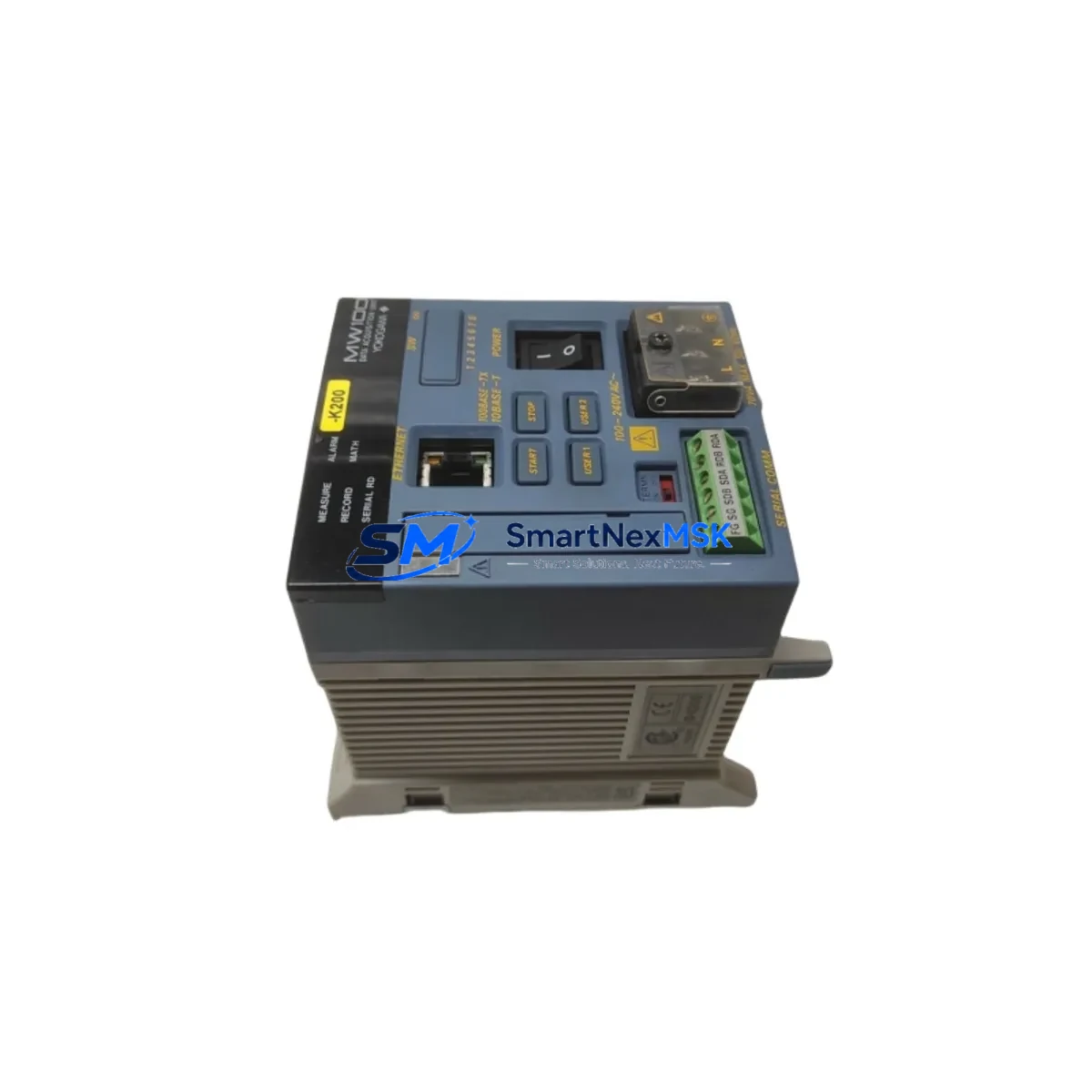
YOKOGAWA MW100-E-1H Spare for MW100 DAQ Automation: Minimizing Downtime in Industrial Data Acquisition Systems
The YOKOGAWA MW100-E-1H is a single-port Ethernet communication module designed for the MW100 DAQ Station — a widely deployed data acquisition and monitoring platform used across power generation, chemical processing, water treatment, and precision manufacturing facilities. When this module fails or degrades, the entire DAQ node loses its network link, severing real-time data streams and triggering unplanned downtime. Stocking a verified MW100-E-1H spare is the most direct way to restore communication and resume normal operations within the shortest possible window.
This listing supplies an original YOKOGAWA MW100-E-1H sourced through authorized industrial channels. Each unit undergoes pre-shipment functional verification covering port integrity, firmware compatibility, and physical connector condition. A 12-month warranty is included, and worldwide express shipping is available to support urgent maintenance requirements.
Spare Maintenance Table
| Parameter | Specification / Detail |
|---|---|
| Part Number | MW100-E-1H |
| Brand | YOKOGAWA |
| Series | MW100 DAQ Station |
| Module Type | Single-Port Ethernet Communication Module |
| Interface | 10BASE-T / 100BASE-TX Ethernet (RJ-45) |
| Compatible Platform | YOKOGAWA MW100 DAQ Station |
| Communication Protocol | Modbus/TCP, FTP, HTTP, SNTP |
| Power Supply | Supplied via MW100 backplane bus |
| Operating Temperature | -10°C to +50°C |
| Storage Temperature | -25°C to +70°C |
| Humidity | 5% to 90% RH (non-condensing) |
| Country of Origin | Japan |
| Warranty | 12 Months |
| Pre-Shipment Test | Port integrity, firmware check, connector inspection |
| Shipping | Worldwide express, DHL / FedEx / UPS available |
| Condition | Original spare, new or refurbished-to-spec |
Maintenance Planning for Continuous Operation
Replacing the MW100-E-1H in a live DAQ environment is rarely an isolated task. Maintenance engineers and procurement teams should treat this module swap as an opportunity to audit the broader communication and power infrastructure within the same control cabinet or DAQ rack.
Begin with the MW100 main unit itself — confirm that the backplane bus is supplying correct voltage and that no corrosion or mechanical damage is present on the module slot. The MW100-PM10 power supply module should be checked for output stability; a marginal power supply can cause intermittent Ethernet link failures that are often misdiagnosed as module faults. If the MW100 station includes analog or digital input modules such as the MW100-U10 universal input module or MW100-DI10 digital input module, verify that their channel data is still being logged correctly after the Ethernet module is replaced and the station reconnects to the network.
On the network side, inspect the Ethernet switch or managed hub serving the DAQ subnet. A degraded switch port can cause repeated link drops that shorten the service life of communication modules. If the MW100 station is integrated into a YOKOGAWA CENTUM VP or ProSafe-RS safety system, confirm that the CENTUM VP engineering station or Exaopc OPC server re-establishes its data subscription without manual intervention after the module is hot-swapped or the station is restarted.
For facilities running legacy MW100 installations alongside newer YOKOGAWA DX series paperless recorders or GP10/GP20 data loggers, this is also a good time to verify that all devices on the same Modbus/TCP or FTP polling network are responding correctly. A single unresponsive node can cascade into data gaps across multiple recording channels. Additionally, check the terminal blocks and field wiring connected to the MW100 input modules — loose or oxidized connections are a common secondary cause of data anomalies that surface after a communication module replacement.
If the MW100 station is mounted in an outdoor or harsh-environment enclosure, inspect the cabinet door seals, ventilation filters, and any surge protection devices on the Ethernet line. Transient voltage spikes are a leading cause of premature Ethernet module failure in industrial field installations.
Site Replacement Workflow
Step 1 — Pre-replacement documentation: Record the current IP address, subnet mask, gateway, and communication settings from the MW100 configuration software (MW100 Standard Software or DAQSTANDARD) before powering down. Save a configuration backup file to a local engineering workstation.
Step 2 — Safe power-down: Follow YOKOGAWA lockout/tagout procedures for the MW100 station. Confirm that all connected field instruments and upstream SCADA or DCS systems have acknowledged the planned data gap.
Step 3 — Module extraction: Release the module locking lever, slide the MW100-E-1H out of its slot, and inspect the backplane connector for bent pins or contamination before inserting the replacement unit.
Step 4 — Replacement insertion and configuration restore: Insert the new MW100-E-1H, secure the locking lever, and power up the station. Use the MW100 configuration software to restore the saved network settings. Confirm that the module obtains its IP address and that the Ethernet link LED illuminates.
Step 5 — Communication verification: Ping the module from the engineering workstation, confirm Modbus/TCP polling resumes, and verify that data is flowing correctly to the historian or SCADA server. Check that FTP data transfer (if used) resumes on schedule.
Step 6 — Return to service: Notify upstream systems that the DAQ station is back online. Document the replacement in the site maintenance log, including the new module serial number and the date of installation.
This workflow is compatible with both hot-standby and single-node MW100 deployments and is designed to minimize the data gap to the shortest possible interval — typically under 30 minutes for a prepared maintenance team.
Spare Parts Support FAQ
Q1: Is the MW100-E-1H backward compatible with older MW100 firmware versions?
The MW100-E-1H is designed for use across the MW100 DAQ Station product family. Compatibility with specific firmware versions should be confirmed against the YOKOGAWA MW100 release notes. If your station is running firmware older than the module’s supported range, a firmware update may be required before the replacement module will initialize correctly. Contact our technical team with your current firmware version for pre-purchase compatibility confirmation.
Q2: What does the 12-month warranty cover?
The 12-month warranty covers manufacturing defects, port failure, and functional non-conformance under normal operating conditions. It does not cover damage caused by incorrect installation, overvoltage events, or physical mishandling. Warranty claims are processed with a return merchandise authorization (RMA) and include replacement or repair at no additional cost.
Q3: How is the module tested before shipment?
Each MW100-E-1H undergoes a pre-shipment inspection covering physical connector integrity, port continuity, and where possible, a powered functional test to confirm Ethernet link establishment. Units that do not pass inspection are not shipped. A test report is available upon request for critical infrastructure procurement.
Q4: Can you support long-term or blanket-order supply for MW100 spare parts?
Yes. We support scheduled delivery agreements and blanket purchase orders for MW100-E-1H and related MW100 series components. Long-term supply arrangements help maintenance teams maintain minimum stock levels without tying up capital in excess inventory. Contact our sales team to discuss lead times, pricing tiers, and consignment options.
© 2026 SMARTNEXMSK. All rights reserved.
Original Source: https://smartnexmsk.com
Contact: [email protected] | +86 18259474341



