
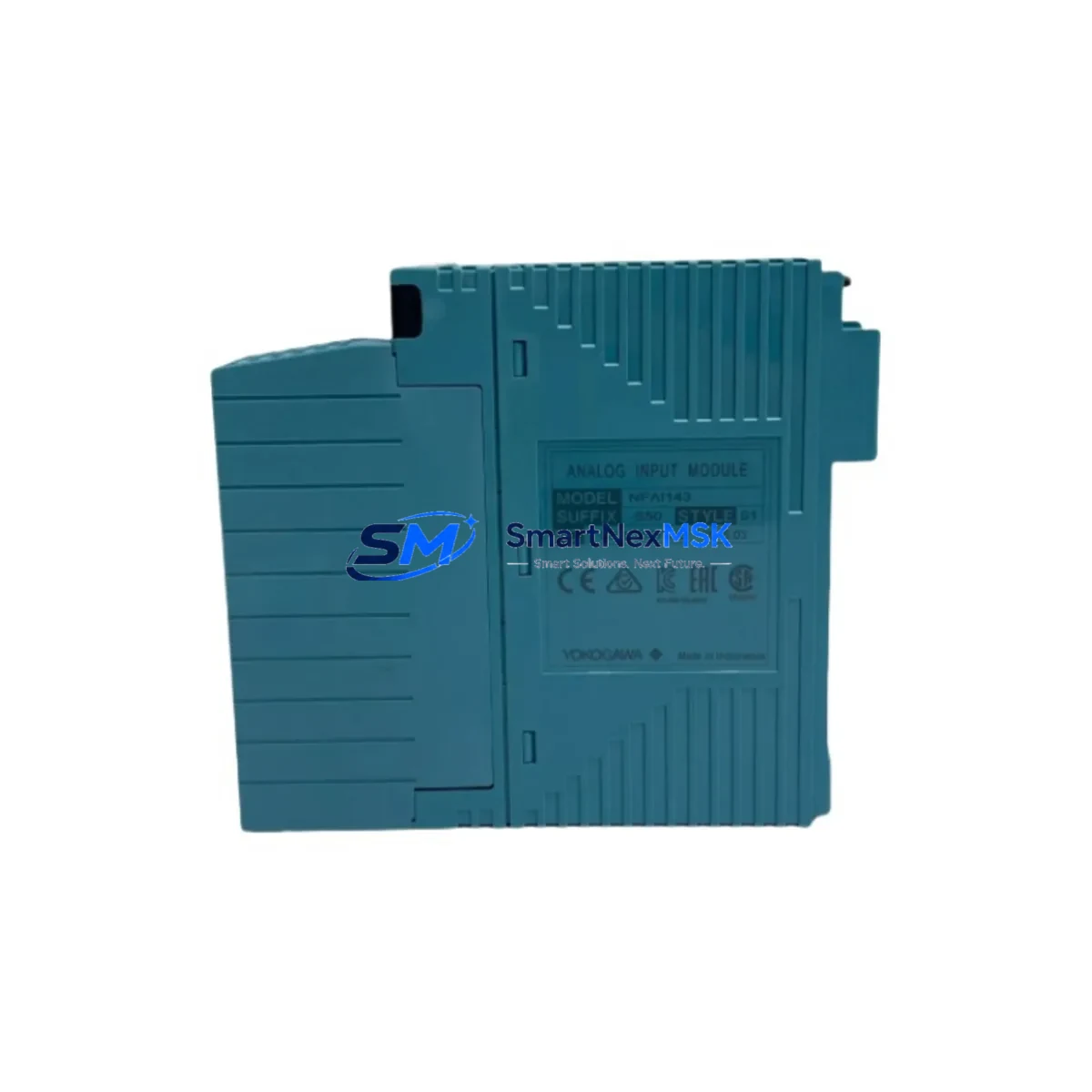
Yokogawa NFAI143-S50 S1 Retrofit-Ready Analog Input Module: Compatible Modernization for CENTUM VP Control Systems
The Yokogawa NFAI143-S50 S1 is a 16-channel analog input module designed for the CENTUM VP distributed control system platform. As legacy CENTUM CS 3000 and early CENTUM VP installations reach end-of-service milestones, the NFAI143-S50 S1 has become one of the most sought-after retrofit components for engineers managing brownfield upgrades, control cabinet modernization, and production line continuity. Whether you are replacing a failed module, expanding an existing I/O node, or migrating from an older Yokogawa platform, this module provides a verified drop-in upgrade path with minimal engineering rework.
Each unit supplied by SMARTNEXMSK is sourced from authorized distribution channels or certified refurbishment partners, subjected to pre-shipment functional testing, and covered by a 12-month warranty against manufacturing defects and operational failure. Our inventory is maintained in climate-controlled storage in Xiamen, China, with same-week dispatch available for in-stock units.
Upgrade Compatibility Table
| Parameter | NFAI143-S50 S1 (This Unit) | Notes / Retrofit Guidance |
|---|---|---|
| Platform Compatibility | CENTUM VP, CENTUM VP R6 | Verify firmware revision of FCU; update if below R3.03 |
| Predecessor Compatibility | CENTUM CS 3000 (with adapter) | Backplane adapter AAI141-S03 may be required for CS 3000 racks |
| Channel Count | 16 channels, single-ended | Confirm field wiring terminal block pitch matches existing installation |
| Signal Range | 4–20 mA / 1–5 V DC selectable | Jumper settings must match legacy module configuration before power-on |
| Communication Interface | Vnet/IP (internal backplane bus) | No additional communication module required for standard CENTUM VP nodes |
| Module Address | Slot-based, auto-assigned by FCU | Confirm slot address in CENTUM VP Builder before hot-swap; backup IOM definition first |
| Installation Type | Nest-mount, standard CENTUM VP nest | Compatible with ANB10D, ANB11D, and ANB40D nests |
| Power Consumption | ≤ 4.5 W (from nest backplane) | Verify nest power budget; total nest load must not exceed PSU rating |
| Replacement Recommendation | Direct replacement for NFAI143-S50 | S1 suffix denotes CE/ATEX compliance variant; confirm site certification requirements |
| Commissioning Focus | Tag mapping, range calibration, alarm limits | Re-import IOM tag database from CENTUM VP Builder after module swap |
| Warranty | 12 Months | Covers functional failure; excludes physical damage from incorrect installation |
Retrofit Planning for Existing Automation Systems
Successful integration of the NFAI143-S50 S1 into an operating plant requires a structured approach that accounts for both hardware compatibility and software configuration. Before removing the legacy module, engineers should export the current IOM (I/O Module) definition from CENTUM VP Builder and archive the tag database. This ensures that all process variable assignments, engineering unit conversions, and alarm limit configurations can be restored without manual re-entry after the new module is seated.
On the hardware side, the nest backplane must be inspected for pin integrity, particularly on installations where the original NFAI143 series module has been in service for more than eight years. The ANB10D or ANB11D nest backplane should be cleaned and visually verified before the replacement module is inserted. If the nest itself shows signs of corrosion or mechanical wear, replacing it concurrently with the I/O module eliminates a common source of intermittent faults post-retrofit.
Power supply capacity is a critical checkpoint. The NFAI143-S50 S1 draws up to 4.5 W from the nest backplane. In cabinets where the PW481 or PW482 power supply module is already operating near its rated output — particularly in high-density nests populated with NFDO141-S50 digital output modules, NFAI135-S50 analog input modules, or NFAO141-S50 analog output modules — the total nest power budget must be recalculated before commissioning. Exceeding the PSU rating will cause intermittent resets and unpredictable I/O behavior that is difficult to diagnose under live process conditions.
For sites migrating from CENTUM CS 3000 to CENTUM VP, the NFAI143-S50 S1 is compatible with the new platform’s Vnet/IP communication architecture, but the physical nest and terminal block assemblies from the CS 3000 era may require adaptation. The AAI141-S03 analog input module from the CS 3000 generation used a different terminal block pitch and wiring convention. Field wiring should be re-terminated to match the CENTUM VP terminal block standard, and the FCU (Field Control Unit) — typically an FFCS-V or FFCS2 — must be running a firmware version that supports the NFAI143 module family.
Communication link integrity should be verified using the CENTUM VP System View diagnostic tool after module installation. The Vnet/IP segment carrying the new module’s node should show normal communication status within 30 seconds of power-on. If the module does not appear in System View, the most common causes are incorrect slot addressing, a firmware mismatch between the FCU and the module, or a faulty backplane connection. The CENTUM VP Engineering Environment (CAMS for HIS) provides module-level diagnostic logs that can isolate the fault without requiring process shutdown.
HMI screen updates are often overlooked during I/O module retrofits. If the NFAI143-S50 S1 is replacing a module whose tag names or I/O addresses have changed, the corresponding faceplate elements in the HIS (Human Interface Station) must be updated to reflect the new tag mapping. Failure to synchronize HMI graphics with the updated IOM database will result in stale or missing process values on operator displays, which can trigger unnecessary alarm responses during the commissioning window.
Downtime Control During System Migration
Minimizing unplanned downtime during an I/O module replacement is the primary operational concern for any plant engineer. The CENTUM VP platform supports hot-standby redundancy for critical control loops, and where redundant FCU pairs are configured, the NFAI143-S50 S1 can be swapped on the standby node while the primary node maintains process control. This approach reduces the live process exposure window to the brief switchover period — typically less than 200 milliseconds — required to transfer control authority from the primary to the standby FCU.
For non-redundant installations, the recommended approach is to schedule the module swap during a planned maintenance window and to prepare a pre-tested replacement unit in advance. SMARTNEXMSK performs pre-shipment functional testing on all NFAI143-S50 S1 units, verifying channel-by-channel analog input accuracy across the full 4–20 mA range before dispatch. This eliminates the risk of receiving a non-functional unit and discovering the fault only after the legacy module has been removed from the nest.
Before the maintenance window opens, the engineering team should prepare a rollback plan that includes the original module (if still functional), a backup of the CENTUM VP Builder project file, and a printed copy of the field wiring diagram for the affected nest. The CENTUM VP Builder project backup should be stored on a separate HIS workstation or portable media — not only on the primary engineering server — to ensure availability in the event of a network fault during the maintenance period.
After the new module is installed and the FCU has recognized it, a channel-by-channel loop check should be performed using a calibrated 4–20 mA signal source. Each channel’s process variable reading in CENTUM VP should be verified against the injected signal before the maintenance window is closed and normal process control is resumed. This step confirms both the hardware integrity of the new module and the correctness of the tag mapping restored from the IOM database backup.
Retrofit Support FAQ
Q: Is the NFAI143-S50 S1 a direct replacement for the NFAI143-S50 without the S1 suffix?
A: Yes, the S1 suffix denotes the CE/ATEX compliance variant. The module is electrically and functionally identical to the base NFAI143-S50 and can be installed in the same nest slot without hardware modification. Confirm that your site’s certification requirements permit the S1 variant before installation in classified hazardous areas.
Q: What commissioning steps are required after installing the NFAI143-S50 S1?
A: After seating the module, verify that CENTUM VP System View shows the module online within 30 seconds. Re-import the IOM tag database from your CENTUM VP Builder backup, confirm tag-to-channel mapping, and perform a full loop check using a calibrated signal source. Update HMI faceplate elements if tag names or addresses have changed.
Q: Can this module be used in a CENTUM CS 3000 nest without modification?
A: The NFAI143-S50 S1 is designed for CENTUM VP nests. Installation in a CS 3000 nest requires a backplane adapter and firmware verification on the associated FCU. We recommend consulting the Yokogawa CENTUM VP Migration Guide and confirming compatibility with your system integrator before proceeding.
Q: What does the 12-month warranty cover?
A: The warranty covers functional failure of the module under normal operating conditions, including channel accuracy degradation, communication faults, and power supply failures attributable to the module itself. It does not cover damage resulting from incorrect installation, overvoltage, or physical impact. Warranty claims are processed within 5 business days of receipt of the returned unit at our Xiamen facility.
© 2026 SMARTNEXMSK. All rights reserved.
Original Source: https://smartnexmsk.com
Contact: [email protected] | +86 18259474341



