
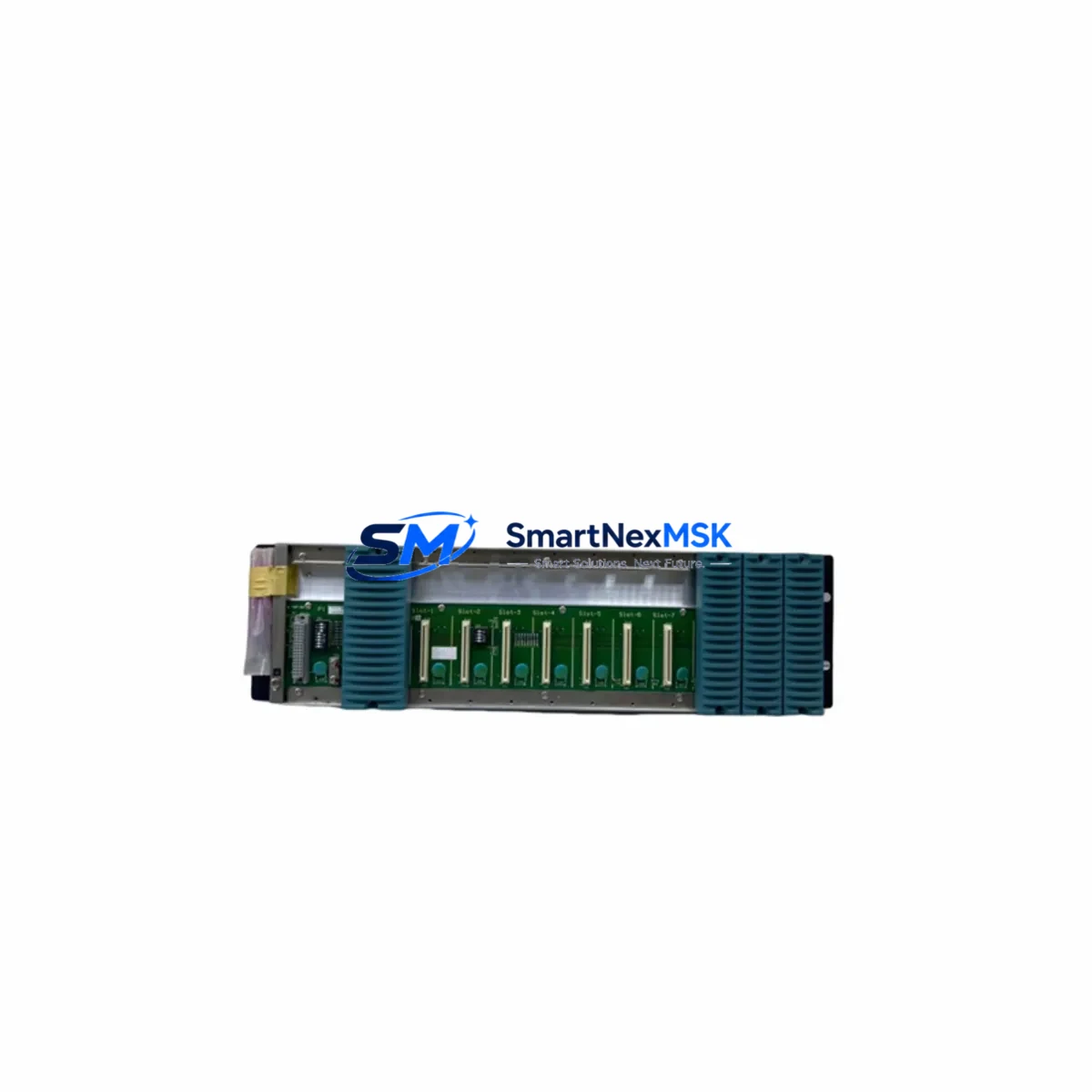
Yokogawa NFBU200-S01 S1 Retrofit-Ready Fieldbus Node Base Unit: Seamless Compatibility for Legacy System Upgrades
The Yokogawa NFBU200-S01 S1 is a Fieldbus Node Base Unit engineered for direct integration into CENTUM VP and ProSafe-RS distributed control architectures. As industrial facilities face increasing pressure to modernize aging automation infrastructure without full system replacement, the NFBU200-S01 S1 provides a validated, drop-in retrofit path that preserves existing field wiring, control logic, and HMI configurations while delivering the reliability and communication performance required by modern process environments.
This unit serves as the physical and logical backbone for Foundation Fieldbus H1 segment termination within Yokogawa’s node-based I/O topology. It accommodates multiple I/O modules on a shared backplane, enabling engineers to consolidate field signals, reduce panel footprint, and maintain deterministic scan cycles during and after migration. Whether replacing a failed unit in a running plant or executing a planned upgrade from an older CENTUM CS 3000 or CENTUM-XL architecture, the NFBU200-S01 S1 delivers the interface consistency that minimizes re-engineering effort.
Upgrade Compatibility Table
| Parameter | Detail |
|---|---|
| SKU | NFBU200-S01 S1 |
| Brand | Yokogawa Electric Corporation |
| Compatible Series | CENTUM VP, ProSafe-RS, CENTUM CS 3000 (via adapter) |
| Communication Protocol | Foundation Fieldbus H1 (FF-H1) |
| Backplane Interface | Yokogawa Node Backplane Bus (compatible with NFBU200 series slots) |
| Power Supply Requirement | 24 VDC nominal; verify against existing NFPS100 or NFPS200 power module capacity |
| Module Slot Capacity | Up to 8 I/O module slots per base unit |
| Installation Form Factor | DIN rail / panel mount; same footprint as predecessor NFBU100 series |
| Terminal Wiring | Screw-type field terminals; existing cable looms reusable in most retrofit scenarios |
| Address Configuration | Node address set via rotary switch; must match FCS (Field Control Station) segment map |
| Program Compatibility | Existing CENTUM VP function block logic retained without modification in standard replacements |
| HMI Impact | No HMI faceplate changes required when replacing like-for-like within same node address |
| Commissioning Tool | Yokogawa PRM (Plant Resource Manager) or FieldMate for device registration |
| Warranty | 12 Months from shipment date |
| Condition | New / Surplus New |
| Origin | Japan |
Retrofit Planning for Existing Automation Systems
Successful integration of the NFBU200-S01 S1 into a live or recently decommissioned control system begins with a thorough audit of the existing node architecture. Engineers should document the current slot assignments of all installed I/O modules — including analog input cards such as the AAI141-S and AAI543-S, digital output modules like the ADO141-S, and any temperature input modules in the CENTUM VP node — before initiating physical replacement. This mapping ensures that module addresses, channel assignments, and function block tags remain consistent after the base unit swap.
Power budget verification is a critical pre-installation step. The NFBU200-S01 S1 draws its operating power from the node power supply, typically an NFPS100 or NFPS200 module. Confirm that the existing power module’s available current margin can support the full complement of I/O modules planned for the upgraded node. In high-density configurations where additional AAI841-S analog input modules or ADV151-S digital input modules are being added as part of the expansion, a second power module may be required.
Backplane seating and mechanical alignment must be verified against the existing cabinet rail spacing. The NFBU200-S01 S1 shares the same DIN rail footprint as earlier NFBU100-series base units, allowing direct physical substitution in most panel layouts without modification to cable trays or marshalling terminals. Field cables terminated on the existing NFTB series terminal blocks can typically be reconnected without re-labeling, provided the channel-to-terminal mapping is preserved from the original engineering documentation.
For systems migrating from CENTUM CS 3000 to CENTUM VP, the node address scheme may require reconfiguration. The rotary address switch on the NFBU200-S01 S1 must be set to match the segment address defined in the CENTUM VP FCS builder. Mismatched node addresses are a common source of communication faults during initial power-up and should be verified before the FCS is brought online. The NFBU200-S01 S1’s FF-H1 communication link should also be tested with a Fieldbus diagnostic tool to confirm segment voltage levels, noise margins, and device registration before handing over to operations.
Where the retrofit scope includes communication protocol migration — for example, transitioning legacy HART field devices to Foundation Fieldbus — the NFBU200-S01 S1 provides the physical H1 segment interface required to host FF-compliant transmitters and valve positioners. In such cases, the Yokogawa FieldMate device management tool is recommended for initial device commissioning and tag assignment, ensuring that the PRM asset management database is populated correctly from day one.
Downtime Control During System Migration
Minimizing unplanned downtime during a base unit replacement requires a structured hot-swap or cold-swap procedure depending on the redundancy configuration of the target FCS. In redundant FCS configurations, the CENTUM VP system supports bumpless transfer of control to the standby controller while the affected node is taken offline, allowing the NFBU200-S01 S1 to be replaced without interrupting process control on unaffected segments.
For non-redundant nodes, the recommended approach is to pre-stage the replacement NFBU200-S01 S1 with all I/O modules installed and addressed before the maintenance window begins. This reduces the physical swap time to the minimum required for disconnecting field cables, removing the failed base unit, seating the pre-configured replacement, and reconnecting terminals. A pre-tested unit with verified module seating and address switch settings can typically be brought back online within a single shift, provided the FCS download and node recognition steps are completed in advance using the CENTUM VP engineering environment.
Original program logic stored in the FCS is not affected by a base unit replacement, as the control database resides in the FCS processor — not in the node hardware. Engineers should confirm that the FCS recognizes the replacement node at the correct address and that all I/O module status indicators return to normal before releasing the loop to automatic control. A channel-by-channel I/O check against the existing loop check sheets is strongly recommended before sign-off, particularly for safety-instrumented loops managed through ProSafe-RS where the SIL validation record must be updated to reflect the hardware change.
Retrofit Support FAQ
Q1: Is the NFBU200-S01 S1 a direct replacement for the NFBU100 series base units?
In most CENTUM VP installations, the NFBU200-S01 S1 is mechanically and electrically compatible with NFBU100-series positions. The backplane bus interface and DIN rail footprint are consistent across the NFBU200 product family. However, engineers should verify the specific I/O module compatibility list for their FCS firmware version before finalizing the replacement bill of materials.
Q2: Will existing field wiring need to be re-terminated during the swap?
In standard like-for-like replacements, existing field cables terminated on NFTB terminal blocks can be reconnected to the replacement base unit without modification. Channel-to-terminal mapping should be verified against the original loop drawings. If the retrofit includes adding new I/O modules or expanding the node, additional terminal blocks and cable schedules will be required.
Q3: How is the node address configured, and what happens if it conflicts with another node?
The node address is set via a rotary switch on the NFBU200-S01 S1 front panel and must match the address defined in the CENTUM VP FCS segment configuration. Duplicate node addresses on the same FF-H1 segment will cause communication faults and prevent the FCS from recognizing the node. Always verify the segment address map in the FCS builder before setting the switch and powering up the replacement unit.
Q4: What warranty and pre-shipment testing does this unit include?
Each NFBU200-S01 S1 unit supplied by SMARTNEXMSK is covered by a 12-month warranty from the date of shipment. Units undergo functional verification prior to dispatch, including power-up testing and backplane bus continuity checks. Customers requiring additional factory acceptance test documentation or third-party inspection can request these services at the time of order.
© 2026 SMARTNEXMSK. All rights reserved.
Original Source: https://smartnexmsk.com
Contact: [email protected] | +86 18259474341



