
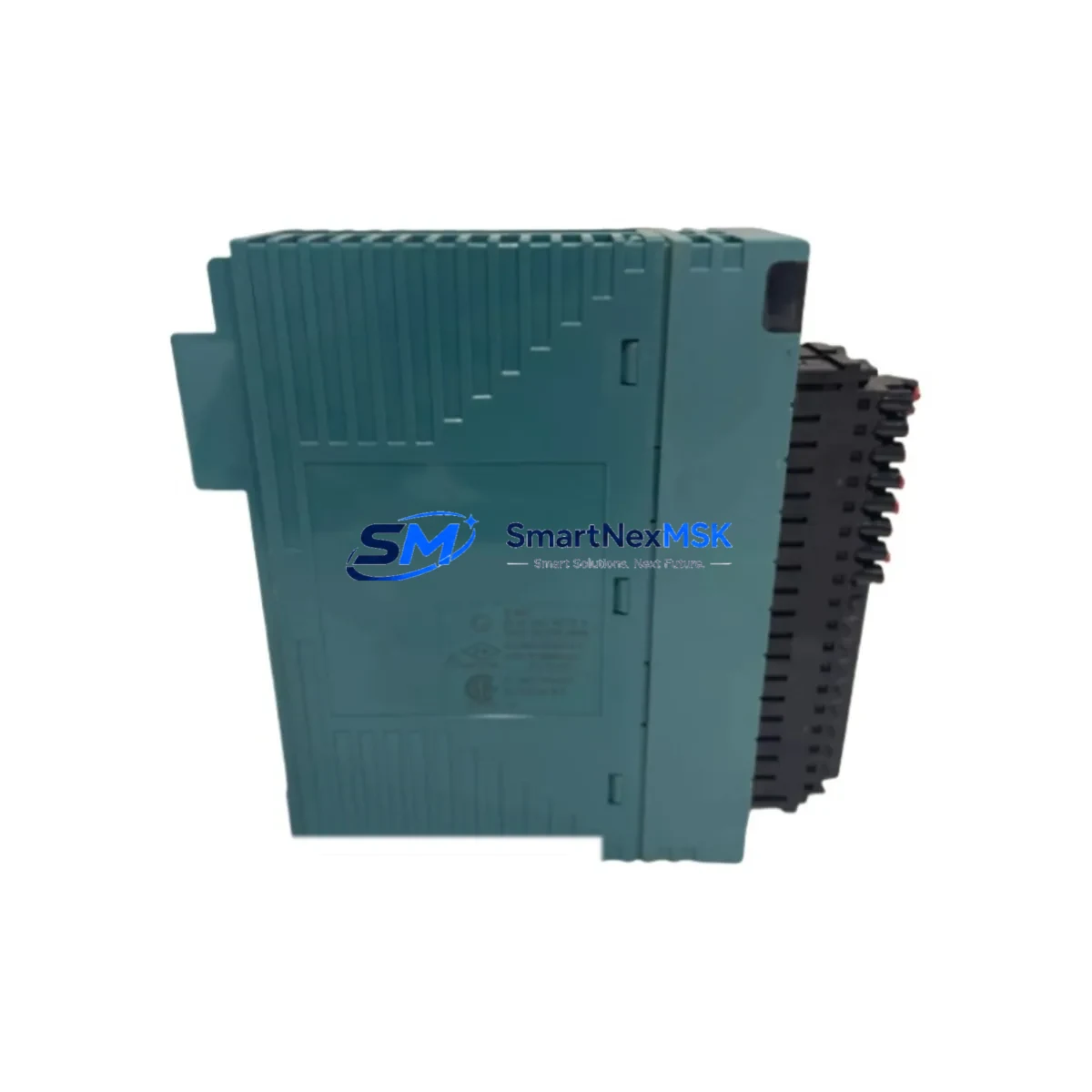
YOKOGAWA NFDA4S-00 Spare for CENTUM VP Automation: Fieldbus Spare Replacement & Industrial Downtime Risk Control
The YOKOGAWA NFDA4S-00 is an original Foundation Fieldbus H1 communication module designed for the CENTUM VP distributed control system. In process industries — including oil & gas, petrochemical, power generation, and advanced manufacturing — the NFDA4S-00 serves as a critical interface between the DCS controller and field instruments on the FF H1 segment. When this module fails or degrades, the entire fieldbus segment loses communication, triggering process alarms, forcing manual override, and risking unplanned shutdown. Maintaining a verified spare of the NFDA4S-00 in your on-site inventory is a fundamental element of any serious maintenance strategy for CENTUM VP installations.
This listing provides an original YOKOGAWA NFDA4S-00 spare module — not a substitute or compatible alternative — sourced, inspected, and tested prior to shipment. Each unit is verified for firmware integrity, communication function, and physical condition before dispatch. A 12-month warranty is included, covering manufacturing defects and functional failure under normal operating conditions.
Spare Maintenance Table
| Parameter | Specification / Detail |
|---|---|
| SKU / Part Number | NFDA4S-00 |
| Brand | YOKOGAWA |
| Series / Platform | CENTUM VP DCS |
| Module Type | Foundation Fieldbus H1 Communication Module |
| Communication Protocol | Foundation Fieldbus H1 (FF H1), 31.25 kbps |
| Compatible Controllers | CENTUM VP FCS (Field Control Station), ACF11, ACF12 series |
| Mounting | CENTUM VP I/O nest / node unit backplane |
| Power Supply | Supplied via backplane from CENTUM VP node power module |
| Operating Temperature | 0°C to 55°C (standard industrial environment) |
| Country of Origin | Japan |
| Condition | Original, new or refurbished-to-spec; tested before shipment |
| Warranty | 12 Months — covers manufacturing defects and functional failure |
| Shipping | ESD-safe packaging; global express available |
| Application Environment | Process automation, DCS fieldbus segment control, industrial plant maintenance |
| Maintenance Recommendation | Inspect annually; replace on first sign of segment communication errors or CRC fault alarms |
Maintenance Planning for Continuous Operation
When a maintenance or procurement engineer plans a replacement of the NFDA4S-00, the scope of inspection should extend beyond the module itself. The FF H1 fieldbus segment is an integrated electrical and communication circuit — a fault in any adjacent component can cause symptoms that mimic a failed NFDA4S-00, or can damage a newly installed spare if not addressed first.
Begin with the CENTUM VP node power module (such as the NPS5000 series) that supplies backplane power to the NFDA4S-00 slot. Verify output voltage is within specification before inserting the replacement module. Next, inspect the FF H1 fieldbus power conditioner — a dedicated unit that provides the 9–32 VDC segment power and superimposes the FF communication signal. A degraded power conditioner is a common root cause of intermittent fieldbus segment faults that are incorrectly attributed to the communication module.
Check the FF H1 segment terminator at both ends of the fieldbus cable. Missing or double-terminated segments cause signal reflection and communication errors that can corrupt module diagnostics. Inspect the fieldbus junction box and all spur cable connections for corrosion, loose terminals, or moisture ingress — particularly in outdoor or high-humidity plant environments.
At the DCS controller level, review the CENTUM VP FCS (Field Control Station) error logs for any persistent communication fault codes associated with the NFDA4S-00 slot. If the FCS itself shows hardware faults, the ACF11 or ACF12 communication coupler card may also require inspection or replacement as part of the same maintenance event.
For the field instrument side, verify that all FF H1 devices on the segment — including YOKOGAWA EJX series pressure transmitters, YTA temperature transmitters, and ADMAG magnetic flowmeters — are responding correctly after the module swap. A segment with more than 16 active devices or excessive cable length may require re-commissioning of the FF H1 segment configuration using YOKOGAWA’s PRM (Plant Resource Manager) or FieldMate tool.
Finally, confirm that the CENTUM VP engineering station and associated HIS (Human Interface Station) display correct live values for all field tags on the restored segment before returning the loop to automatic control. Document the replacement in your CMMS with the module serial number, slot address, and post-replacement test results to support future maintenance planning and spare parts lifecycle management.
Site Replacement Workflow
Step 1 — Identify and Isolate: Confirm the fault is isolated to the NFDA4S-00 module by reviewing CENTUM VP system alarms. Note the node address, slot number, and FF H1 segment ID from the engineering station. Place the affected fieldbus segment in manual or backup control mode if process safety permits.
Step 2 — Power Down the Node (if required): For hot-swap capable CENTUM VP configurations, the NFDA4S-00 may support online replacement — verify this in the CENTUM VP hardware manual for your specific FCS revision. If hot-swap is not supported, follow the node power-down procedure and notify the control room before proceeding.
Step 3 — Remove and Inspect: Extract the faulty NFDA4S-00 from the I/O nest. Inspect the backplane connector for bent pins or contamination. Retain the faulty module for failure analysis and warranty claim if applicable.
Step 4 — Install the Spare: Insert the replacement NFDA4S-00 into the correct slot. Ensure the module is fully seated and the locking lever is engaged. Restore node power and observe the module status LED — a solid green indicates normal operation.
Step 5 — Verify and Recommission: From the CENTUM VP engineering station, confirm the FF H1 segment is online and all field devices are communicating. Check live process values against field readings. Remove manual overrides and return the loop to automatic control. Update your spare parts inventory record and reorder a replacement spare to maintain buffer stock.
This workflow minimizes downtime, preserves system compatibility, and ensures the replacement is documented for audit and maintenance history purposes.
Spare Parts Support FAQ
Q1: Is this NFDA4S-00 compatible with all CENTUM VP versions?
The NFDA4S-00 is designed for the CENTUM VP platform. Compatibility with specific FCS hardware revisions and CENTUM VP software versions (R5.xx, R6.xx) should be confirmed against your system’s hardware compatibility list. Contact us with your FCS model and CENTUM VP revision for pre-purchase compatibility verification.
Q2: What pre-shipment testing is performed on this module?
Each NFDA4S-00 unit undergoes functional communication testing, firmware version verification, and physical inspection before dispatch. Units are packed in ESD-safe anti-static bags with foam cushioning to prevent transit damage. A test report is available upon request.
Q3: How should I manage NFDA4S-00 spare inventory for a multi-node CENTUM VP system?
For plants with 3 or more CENTUM VP nodes using FF H1 segments, we recommend maintaining a minimum of 1–2 NFDA4S-00 spares on-site. Given that YOKOGAWA has transitioned CENTUM VP to lifecycle management status in some markets, sourcing and holding spares now reduces the risk of extended lead times during emergency replacement events. Annual spare parts audits should include verification that stored modules have not exceeded their recommended storage life.
Q4: What is covered under the 12-month warranty?
The 12-month warranty covers manufacturing defects and functional failure under normal operating conditions from the date of shipment. It does not cover damage caused by incorrect installation, overvoltage, physical impact, or use outside the module’s rated environmental specifications. Warranty claims are processed with return of the faulty unit and a brief fault description.
© 2026 SMARTNEXMSK. All rights reserved.
Original Source: https://smartnexmsk.com
Contact: [email protected] | +86 18259474341



