
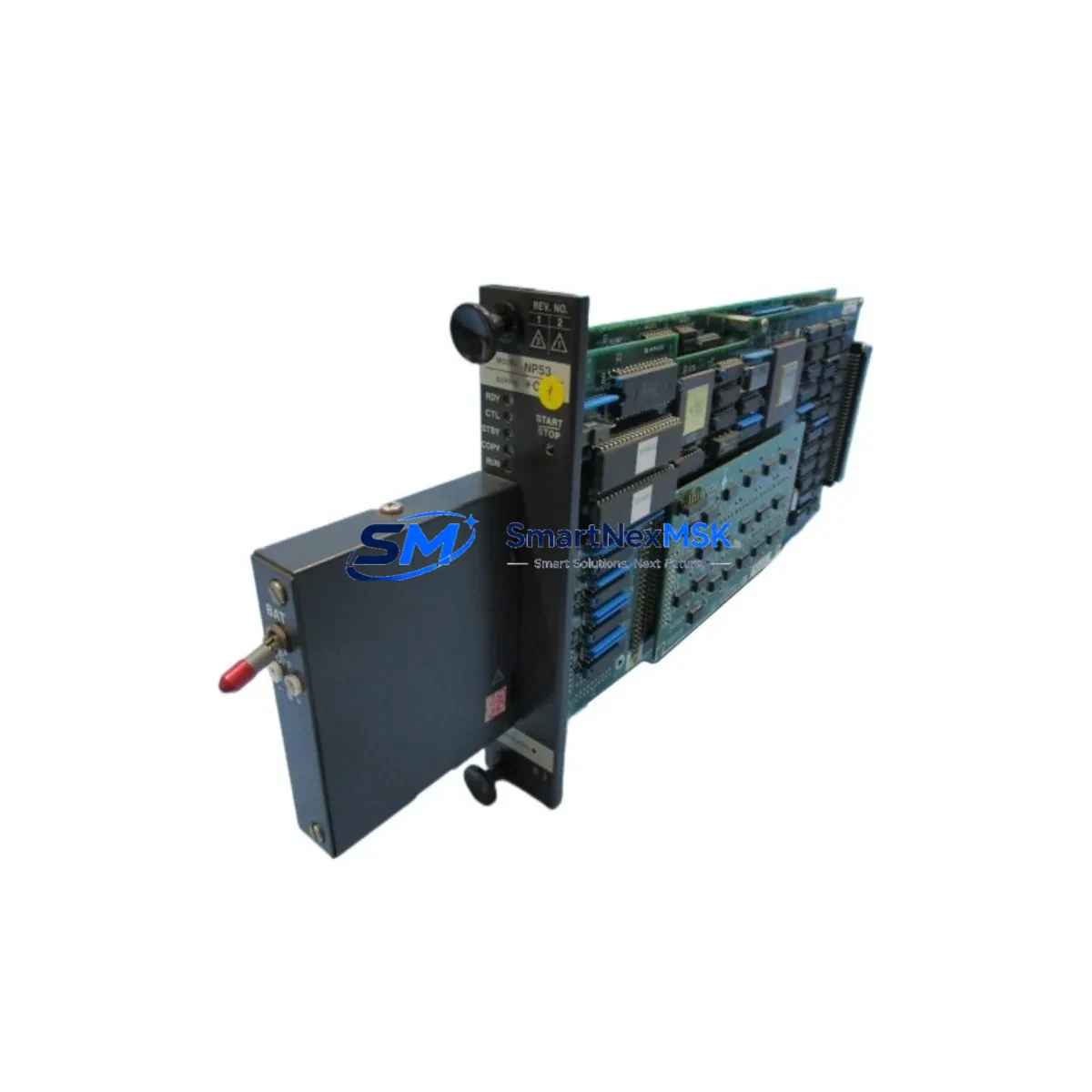
YOKOGAWA NP53*A Retrofit-Ready MFCU for CS3000 Control Systems: Seamless Compatibility & Legacy System Upgrade
The YOKOGAWA NP53*A is a Multi-Function Control Unit (MFCU) processor card engineered for the YOKOGAWA CS3000 Distributed Control System platform. As legacy CS3000 installations age and original NP53*A units reach end-of-life or become unavailable through standard supply channels, plant engineers and automation managers face increasing pressure to source verified replacement modules that maintain full backward compatibility without requiring costly system-wide overhauls. This listing provides a tested, retrofit-ready NP53*A processor card with a 12-month warranty, designed to support controlled migration, emergency spare replacement, and planned control system modernization projects.
Upgrade Compatibility Table
| Parameter | Details |
|---|---|
| Compatible Platform | YOKOGAWA CS3000 DCS (R3 and later revisions) |
| Module Function | Multi-Function Control Unit (MFCU) — process control, sequence logic, and communication management |
| Backplane Interface | CS3000 standard node bus; compatible with AFV10S, AFV20S, and AFV30S field control stations |
| Communication Compatibility | Vnet/IP, Ethernet (100BASE-TX); backward compatible with legacy Vnet coaxial bus configurations |
| Installation Requirement | Direct slot replacement in existing CS3000 FCS cabinet; no mechanical modification required |
| Replacement Recommendation | Verified drop-in replacement for discontinued NP53*A units; confirm firmware revision with engineering team prior to hot-swap |
| Commissioning Notes | Module address assignment via CS3000 System View; control database download required after installation |
| Warranty | 12-Month Warranty — covers manufacturing defects and functional failure under normal operating conditions |
Retrofit Planning for Existing Automation Systems
Replacing an NP53*A in an operating CS3000 environment requires careful pre-engineering to avoid unplanned shutdowns and protect existing control logic. Before removing the failed or aging module, engineers should document the current node address configuration using CS3000 System View and export a full backup of the control database (CDB) from the Engineering Workstation (EWS). This backup preserves all function block definitions, loop tuning parameters, and interlock logic that will need to be reloaded after the new module is commissioned.
The NP53*A interfaces directly with the CS3000 field control station backplane, sharing the node bus with I/O modules such as the AAI141-S analog input card, the AAI543-S analog output card, and the ADV151-P digital input module. When planning a retrofit, verify that the existing terminal assembly (TA) wiring harness is compatible with the replacement module’s connector pinout — in most CS3000 installations, the TA remains in place and the module slides out independently, significantly reducing rewiring time. If the installation includes a dual-redundant FCS configuration using a paired NP53*A, both modules should be inspected and their firmware versions cross-checked to ensure synchronized operation after replacement.
Power supply capacity is a critical verification point. The CS3000 FCS cabinet typically uses an PW481 or PW482 power supply module to feed the backplane. Before installing the replacement NP53*A, confirm that the available power budget accommodates the module’s rated consumption, particularly in cabinets where additional I/O expansion cards such as the AAT141-S thermocouple input module or communication interface cards have been added over the system’s operational life. Overloaded backplane power is a common root cause of intermittent processor faults in aging CS3000 installations.
For sites that have integrated YOKOGAWA’s CENTUM VP platform alongside legacy CS3000 nodes, the NP53*A retrofit may also involve reviewing the Vnet/IP gateway configuration to ensure the replaced node is correctly recognized by the CENTUM VP HIS (Human Interface Station). HMI faceplates referencing the CS3000 node address should be validated post-commissioning to confirm that all process variable displays, alarm setpoints, and trend historian links remain intact. In some migration scenarios, the YOKOGAWA Exaopc OPC server configuration may also require a node address refresh to maintain data connectivity with third-party SCADA systems.
Sites planning a phased migration from CS3000 to CENTUM VP should treat the NP53*A replacement as an interim stabilization step. Maintaining a verified spare NP53*A in the site’s critical spare inventory — alongside spares for the EB401 bus interface module and the CP451 controller module used in parallel control nodes — provides a cost-effective buffer against unplanned downtime while the long-term migration roadmap is finalized.
Downtime Control During System Migration
Minimizing production interruption during an NP53*A replacement requires a structured hot-standby or planned-outage approach depending on the redundancy configuration of the affected FCS node. In dual-redundant CS3000 configurations, the standby NP53*A can absorb control responsibility while the primary module is replaced, allowing the swap to proceed without a full process shutdown — provided the standby module is confirmed healthy and the bumpless transfer function is enabled in the system configuration.
For simplex (non-redundant) FCS nodes, a controlled process hold or safe-state transfer to manual operation at the field level is recommended before module removal. Coordinate with the operations team to identify a maintenance window that aligns with a low-production period. Prior to the outage, verify that all field devices connected through the affected FCS node — including control valves, transmitters, and motor starters — are in a safe manual state and that the DCS alarm management system is configured to suppress nuisance alarms during the maintenance window.
After installing the replacement NP53*A, the commissioning sequence should follow YOKOGAWA’s standard FCS startup procedure: power-on self-test (POST) verification, node address confirmation via the front-panel LED indicators, control database download from the EWS, and a controlled return-to-auto sequence for each control loop. Document the as-found and as-left states of all critical loop parameters to satisfy site change management and MOC (Management of Change) requirements. The entire replacement process — from module removal to confirmed auto operation — can typically be completed within a two-to-four-hour maintenance window for a well-prepared engineering team.
All NP53*A units supplied through this listing undergo functional testing prior to shipment, including power-on verification, communication interface checks, and memory integrity validation. A test report is available upon request. Units are shipped in anti-static packaging with protective foam inserts to prevent transit damage.
Retrofit Support FAQ
Q1: Is this NP53*A a direct drop-in replacement for my existing CS3000 MFCU without hardware modification?
Yes. The NP53*A is designed for direct slot replacement in CS3000 FCS cabinets using the standard backplane connector. No mechanical modification to the cabinet or terminal assembly is required. Confirm the firmware revision compatibility with your CS3000 system revision before installation — contact our technical team with your system’s current software version for pre-shipment verification.
Q2: What commissioning steps are required after installing the replacement NP53*A?
After physical installation, the module requires a control database download from the CS3000 Engineering Workstation (EWS) using System View. Assign the correct node address, verify Vnet/IP communication link status, and perform a controlled loop-by-loop return-to-auto sequence. For redundant FCS configurations, confirm bumpless switchover function before returning the system to full automatic operation.
Q3: Can this module be used in a CS3000 system that has been partially migrated to CENTUM VP?
Yes. The NP53*A is compatible with mixed CS3000/CENTUM VP environments where legacy FCS nodes remain in service alongside newer CENTUM VP controllers. After installation, verify that the Vnet/IP gateway and Exaopc OPC server configurations correctly recognize the replaced node address. HMI faceplates and historian tags referencing the node should be validated to confirm uninterrupted data flow.
Q4: What does the 12-month warranty cover, and what is the return process?
The 12-month warranty covers manufacturing defects and functional failure under normal operating conditions from the date of shipment. It does not cover damage resulting from incorrect installation, electrical overstress, or unauthorized modification. To initiate a warranty claim, contact our sales team with the order reference number and a description of the fault. Replacement or repair will be processed within the agreed lead time, and a return merchandise authorization (RMA) will be issued for the defective unit.
© 2026 SMARTNEXMSK. All rights reserved.
Original Source: https://smartnexmsk.com
Contact: [email protected] | +86 18259474341



