
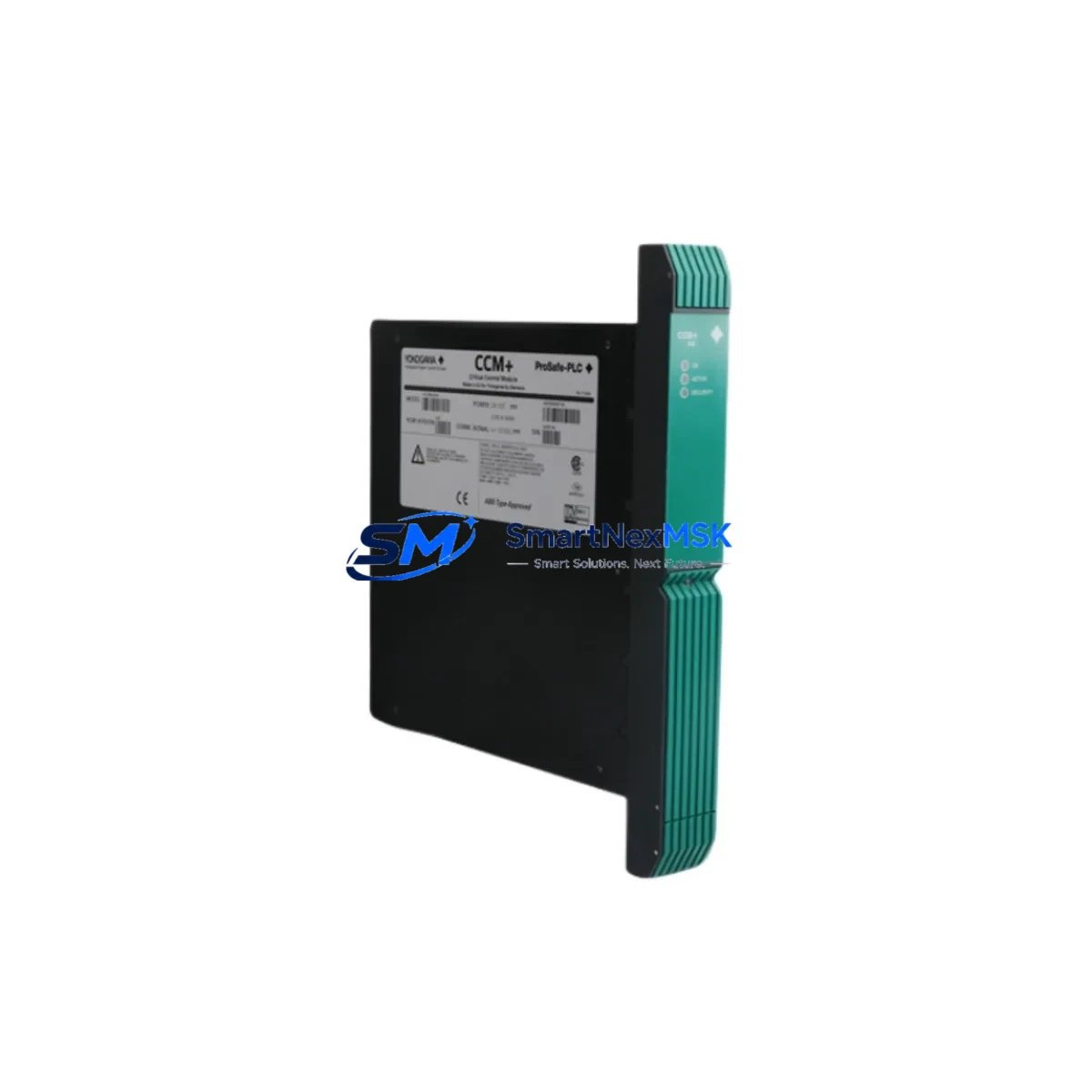
Yokogawa PSCCM22AAN Maintenance-Ready Spare CENTUM CS/VP Automation
The Yokogawa PSCCM22AAN is a Field Control Station (FCS) CPU module designed for the CENTUM CS and CENTUM VP distributed control systems — two of the most widely deployed DCS platforms in refining, petrochemical, power generation, and continuous process industries. For maintenance engineers managing aging CENTUM CS/VP installations, securing a verified PSCCM22AAN spare is a critical step in any downtime-reduction strategy. Unplanned FCS CPU failure can halt an entire process unit; having a tested, shelf-ready replacement eliminates the lead-time risk that turns a two-hour swap into a multi-day outage.
At SMARTNEXMSK, every PSCCM22AAN unit is sourced from original Yokogawa supply channels, subjected to functional verification prior to dispatch, and backed by a 12-month warranty. We maintain standing inventory to support both emergency call-off orders and planned annual maintenance shutdowns, with same-day shipping available for in-stock units.
Spare Maintenance Table
| Part Number | PSCCM22AAN |
| Brand | YOKOGAWA |
| Series / Platform | CENTUM CS / CENTUM VP |
| Module Function | FCS (Field Control Station) CPU Module |
| Compatible Systems | CENTUM CS 1000, CS 3000, VP R5.x / R6.x |
| Communication Interface | Vnet/IP (CENTUM VP) / V-net (CENTUM CS) |
| Power Supply Requirement | 24 V DC (supplied via FCS backplane) |
| Mounting | FCS Nest / Backplane slot installation |
| Operating Temperature | 0 °C to 55 °C |
| Origin | Japan |
| Condition | Original / Genuine — Pre-shipment tested |
| Warranty | 12 Months |
| Shipping | Global express; same-day dispatch for in-stock units |
| Application | Refining, Petrochemical, Power, Pulp & Paper, Pharmaceuticals |
| Maintenance Recommendation | Replace on first CPU fault alarm; do not defer in redundant-pair configurations |
Maintenance Planning for Continuous Operation
When a PSCCM22AAN FCS CPU module is flagged for replacement — whether through a predictive fault alarm, a scheduled turnaround, or an emergency failure — experienced maintenance engineers know that the CPU swap is rarely the only task on the checklist. A thorough site inspection of the surrounding FCS nest and control cabinet should accompany every CPU replacement to prevent repeat failures and ensure the restored station operates reliably through the next maintenance window.
Begin by inspecting the FCS power supply modules (such as the Yokogawa PW481 or PW482 series) that feed the nest. A degraded power supply is a common root cause of CPU instability and will shorten the life of a new PSCCM22AAN if left unaddressed. Check output voltage under load and replace any unit showing ripple or voltage droop outside specification.
Next, verify the Vnet/IP or V-net communication cables and couplers connecting the FCS to the Engineering Workstation (EWS) and to other FCS nodes. Damaged or aged coaxial couplers and fiber patch cords are a frequent source of intermittent communication faults that can be misdiagnosed as CPU failures. Inspect and replace as needed.
Review the I/O module nest adjacent to the CPU nest. Yokogawa AAI143, AAI841, and ADV151 analog I/O modules, as well as ADI543 and ADO554 digital I/O modules, should be checked for channel fault indicators and calibration drift. A CPU replacement is an ideal opportunity to pull and inspect I/O modules that have been in service for more than five years without a bench check.
Examine terminal blocks and field wiring terminations on the marshalling cabinet side. Loose or corroded terminals on signal cables feeding the I/O modules can introduce noise that stresses the CPU’s scan cycle. Torque-check all terminal screws and apply contact protection spray where corrosion is visible.
If the FCS operates in a redundant CPU configuration, confirm that the standby PSCCM22AAN (or its equivalent redundancy partner module) is also in good health. A redundant pair where one unit has already failed silently provides no protection — both units should be verified or replaced together during a planned outage.
For sites running CENTUM VP with Vnet/IP, also inspect the ESB (Enhanced Signal Bus) coupler modules and any RIO (Remote I/O) communication modules such as the ALR111 or ALF111. These components share the communication load with the FCS CPU and can mask or amplify CPU-related faults if they are degraded.
Finally, review the HMI workstation connections and OPC server configuration. After a CPU replacement and FCS download, confirm that all HMI faceplates are receiving live data and that historian tags are logging correctly. A brief loop check on critical control loops — particularly PID controllers managing flow, pressure, and temperature — should be completed before returning the FCS to automatic control.
Site Replacement Workflow
Step 1 — Compatibility Confirmation: Verify that the replacement PSCCM22AAN matches the hardware revision and firmware generation of the installed unit. Cross-reference the Yokogawa CENTUM VP/CS hardware compatibility matrix for your system revision (R5.x or R6.x). SMARTNEXMSK provides hardware revision details on request prior to order confirmation.
Step 2 — Pre-Replacement Backup: Using the CENTUM VP Engineering Workstation, perform a full FCS database backup and export the current control drawing set. Confirm the backup is readable before proceeding. This step is mandatory — a CPU swap without a verified backup risks losing tuning parameters and interlock logic.
Step 3 — Safe State & Isolation: Place all control loops in manual mode. Coordinate with the operations team to confirm the process is in a safe hold state. De-energize the FCS nest following Yokogawa’s lockout/tagout procedure for the PSCCM22AAN slot.
Step 4 — Module Swap: Remove the faulty PSCCM22AAN by releasing the front-panel locking lever and sliding the module out of the nest. Insert the replacement unit, ensuring the backplane connector is fully seated. Re-engage the locking lever.
Step 5 — Download & Verification: Power up the FCS nest and initiate a full database download from the EWS. Monitor the CPU status LEDs and the system alarm summary for any fault indications. Confirm Vnet/IP communication is established with all peer FCS nodes and the HMI.
Step 6 — Loop Check & Return to Auto: Perform a loop check on all I/O channels assigned to the replaced FCS. Return control loops to automatic mode in sequence, starting with non-critical utilities and progressing to primary process loops. Document the replacement in the site maintenance management system (CMMS).
This workflow minimizes downtime, preserves system compatibility, and ensures the restored FCS meets the same performance standard as the original installation — extending the operational life of legacy CENTUM CS/VP systems without requiring a full DCS migration.
Spare Parts Support FAQ
Q1: Is the PSCCM22AAN you supply an original Yokogawa module, and how is it tested before shipment?
Yes. Every PSCCM22AAN we supply is sourced from original Yokogawa manufacturing or authorized distribution channels — no third-party remanufactured or cloned units. Prior to dispatch, each module undergoes a functional power-on test and visual inspection for physical damage, connector integrity, and firmware label verification. A test report is available on request. All units are covered by a 12-month warranty from the date of shipment.
Q2: How do I confirm compatibility between the PSCCM22AAN and my installed CENTUM CS or VP system revision?
Compatibility depends on your FCS generation and system software revision. The PSCCM22AAN is designed for CENTUM CS 1000/3000 and CENTUM VP platforms. To confirm compatibility, provide your FCS model number, nest type, and system revision (e.g., VP R6.06) when placing your inquiry. Our technical team will cross-reference the Yokogawa hardware compatibility matrix and confirm suitability before order confirmation — at no charge.
Q3: What is your lead time for the PSCCM22AAN, and can you support emergency same-day dispatch?
For in-stock units, same-day dispatch is available for orders confirmed before 14:00 (GMT+8). International express delivery typically reaches major industrial hubs in Asia, the Middle East, and Europe within 3–5 business days. For planned maintenance shutdowns, we recommend placing orders at least 2–4 weeks in advance to allow for pre-shipment testing documentation and export clearance. Contact [email protected] or call +86 18259474341 for real-time stock confirmation.
Q4: What is your recommended spare parts stocking strategy for CENTUM CS/VP FCS CPU modules?
For sites operating more than two CENTUM CS/VP FCS nodes, we recommend maintaining a minimum of one PSCCM22AAN as a cold standby spare, stored in an ESD-safe environment at controlled temperature and humidity. For critical continuous-process facilities (refining, power generation), a hot-standby redundant pair configuration is strongly advised, with a third unit held as a shelf spare. Annual inspection of shelf spares — including a power-on functional test — ensures the spare is ready for immediate deployment when needed. SMARTNEXMSK offers long-term supply agreements to guarantee availability across multi-year maintenance cycles.
© 2026 SMARTNEXMSK. All rights reserved.
Original Source: https://smartnexmsk.com
Contact: [email protected] | +86 18259474341



