
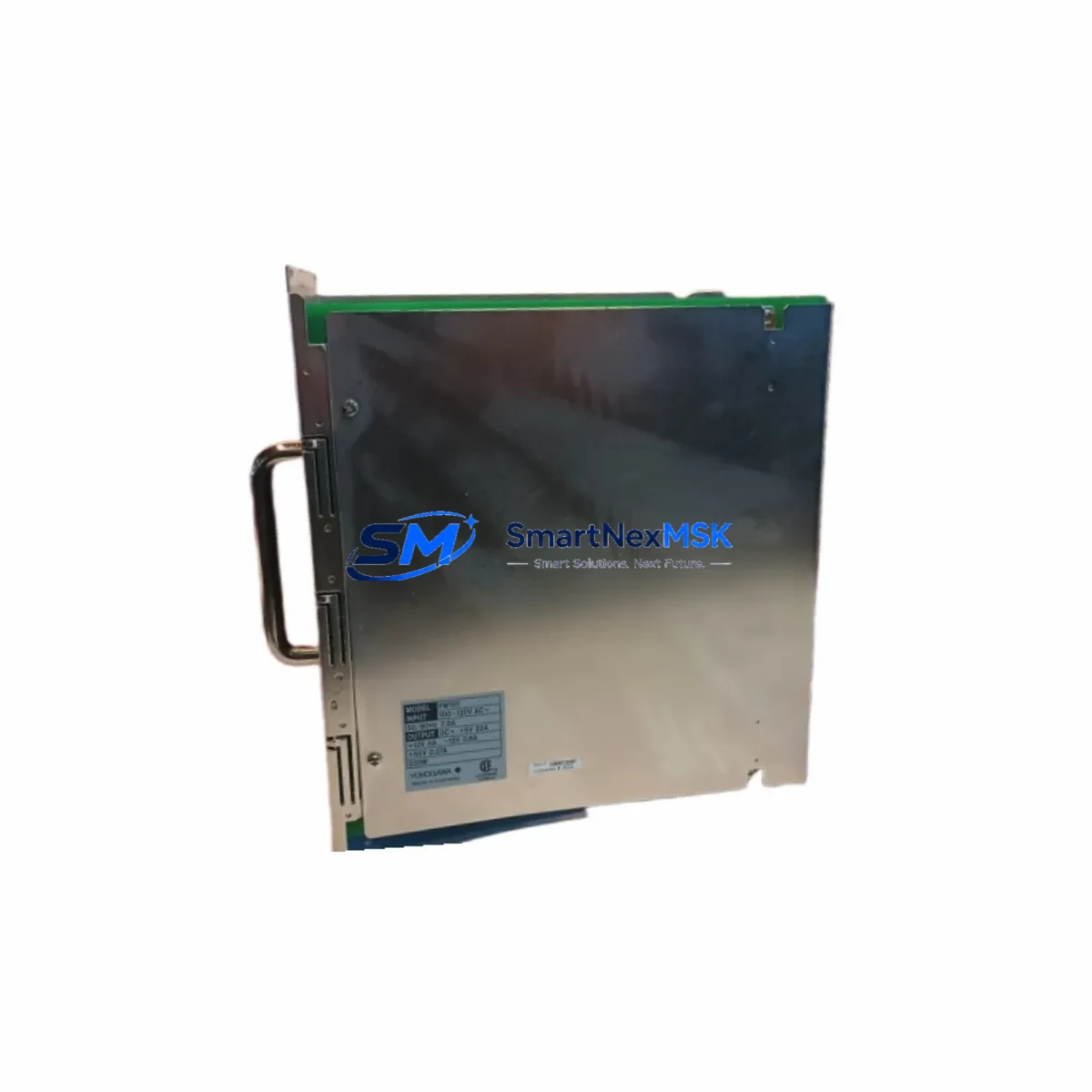
Yokogawa PW101 S3 Retrofit-Ready DC Power Supply for CENTUM CS3000 Control Systems
The Yokogawa PW101 S3 is a DC Power Supply Module engineered for the CENTUM CS3000 Field Control Station (FCS) platform. As legacy CS3000 installations age and original power supply modules approach end-of-life, the PW101 S3 has become one of the most sought-after retrofit and replacement components in distributed control system (DCS) modernization projects. Whether you are restoring a failed power rail, upgrading an aging control cabinet, or executing a phased migration from CS3000 to CENTUM VP, the PW101 S3 delivers the electrical stability and backplane compatibility your system demands.
Sourced from verified industrial channels and subject to full functional testing prior to shipment, each PW101 S3 unit we supply is backed by a 12-month warranty covering manufacturing defects and operational failures under normal service conditions. Our inventory is maintained to support urgent replacement scenarios, minimizing unplanned downtime on critical process lines.
Upgrade Compatibility Table
| Parameter | PW101 S3 Specification | Retrofit Notes |
|---|---|---|
| Module Type | DC Power Supply Module | Direct slot-in replacement for CS3000 FCS power bay |
| Target Platform | CENTUM CS3000 FCS | Compatible with CS3000 R3 and earlier revisions; verify firmware revision before installation |
| Backplane Interface | CS3000 standard backplane connector | No mechanical adapter required; confirm backplane revision matches module generation |
| Input Voltage | 24 V DC nominal | Verify upstream power supply capacity before hot-swap; check ANB10D or ANB11D bus unit ratings |
| Terminal Wiring | Standard CS3000 terminal block pitch | Existing field wiring reusable; inspect terminal torque and insulation before reconnection |
| Communication Compatibility | V-net / Vnet/IP (via FCS controller) | Power module replacement does not affect V-net node address; confirm FCS controller node ID post-restart |
| Redundancy Support | Dual-redundant power configuration supported | Pair with second PW101 S3 unit for redundant power bay; test switchover under load before commissioning |
| Replacement Recommendation | Direct replacement for PW101 S1 / S2 variants | S3 revision incorporates improved capacitor specification; no configuration change required |
| Commissioning Focus | Power-on sequence, LED status, FCS self-diagnostics | Confirm green PWR LED, check FCS alarm log via CENTUM VP Engineering Environment or CS3000 HIS |
| Warranty | 12 Months | Covers manufacturing defects and operational failure under rated conditions |
Retrofit Planning for Existing Automation Systems
Replacing a power supply module in a live CS3000 system requires careful pre-work to avoid cascading faults. Before removing the existing unit, engineers should document the current FCS configuration using the CS3000 System Builder tool and export a full backup of the control database. If the station is running in simplex power mode, a planned maintenance window is essential — typically 30 to 60 minutes for a straightforward swap. In redundant configurations, the standby power module can be replaced online, provided the active module is confirmed healthy and the ANB10D or ANB11D bus unit is supplying stable voltage.
Terminal wiring on the CS3000 FCS power bay uses a standard pitch terminal block. Before disconnecting field wiring, photograph or document each terminal assignment. The PW101 S3 uses the same terminal layout as earlier S1 and S2 variants, so existing wiring harnesses can be reconnected without modification. After physical installation, verify that the 24 V DC input from the upstream power distribution panel — often a Yokogawa PW301 or equivalent external power supply — is within tolerance before energizing the module.
For sites migrating from CS3000 to CENTUM VP, the PW101 S3 is frequently used as an interim measure to stabilize aging FCS hardware while the migration project is planned and budgeted. In this context, the module extends the operational life of existing AFV10D or AFV30D field control units, allowing engineering teams to migrate I/O modules — such as AAI141, AAI543, or AAB841 analog I/O cards — to the new platform in phases rather than all at once. This phased approach reduces project risk and allows operators to maintain process continuity on the HIS (Human Interface Station) without requiring simultaneous cutover of all control loops.
Communication integrity is another critical checkpoint. The CS3000 FCS communicates over V-net, and a power interruption — even brief — can cause the FCS to lose its node address registration on the control bus. After replacing the PW101 S3, confirm that the FCS controller (such as the CP345 or CP451) re-registers on V-net within the expected timeout window. If the site has already migrated the supervisory layer to Vnet/IP, verify that the gateway module — typically an ESB10D or equivalent — re-establishes its link to the CENTUM VP domain controller before releasing the station to automatic control.
For I/O-intensive cabinets, also inspect the RIO (Remote I/O) bus connections. Modules such as the RB401 remote bus coupler or RM series remote I/O units may require a manual re-scan after FCS restart to confirm all I/O addresses are correctly mapped. This is especially important in older installations where the I/O map was built on CS3000 R2 and has not been formally validated against the current hardware configuration.
Downtime Control During System Migration
Minimizing downtime during a power module replacement begins with preparation, not execution. The single most effective measure is to pre-stage the replacement PW101 S3 unit on-site at least 24 hours before the planned maintenance window. This allows the module to thermally equilibrate to the cabinet environment and gives the maintenance team time to verify the unit’s physical condition, LED indicators, and connector integrity before the clock starts.
During the swap, the original control program logic stored in the FCS controller’s non-volatile memory is not affected by a power module replacement — provided the controller itself remains powered through the redundant supply or an external UPS. Engineers should confirm that the UPS feeding the control cabinet is healthy and that its battery capacity is sufficient to sustain the FCS through the module exchange. A typical CS3000 FCS draws between 15 and 30 W from the power module, so even a modest UPS provides adequate bridge time.
After the new PW101 S3 is seated and powered, the FCS will execute its internal self-test sequence. Monitor the FCS status via the CS3000 HIS or CENTUM VP Integrated Human Interface Station (IHIS) to confirm that all I/O modules — including any AAI141 analog input cards, AAT141 temperature input modules, or ADV151 digital output modules — return to their pre-swap states without requiring manual re-initialization. If any module reports a fault, use the FCS diagnostic screen to identify the affected slot and address the issue before returning the station to automatic control.
For sites where even brief interruptions are unacceptable, consider coordinating the PW101 S3 replacement with a scheduled process hold or a natural break in the production cycle. Document the pre-swap and post-swap FCS alarm logs and retain them as part of the maintenance record. This documentation supports both internal quality assurance and any future audit requirements under IEC 61511 or equivalent functional safety standards.
Retrofit Support FAQ
Q1: Is the PW101 S3 a direct drop-in replacement for the PW101 S1 and PW101 S2?
Yes. The S3 revision is mechanically and electrically compatible with the S1 and S2 variants. The S3 incorporates an updated capacitor specification for improved longevity but requires no configuration changes. Existing terminal wiring, backplane connections, and FCS software settings remain valid after replacement.
Q2: What commissioning steps are required after installing the PW101 S3?
After seating the module, energize the FCS and confirm the green PWR LED illuminates on the PW101 S3 front panel. Check the FCS alarm log via the CS3000 HIS or CENTUM VP IHIS for any power-related faults. Verify that all I/O modules in the station report healthy status and that the FCS re-registers on V-net or Vnet/IP within the expected timeout. If redundant power is configured, test the switchover function under load before returning to automatic control.
Q3: Can the PW101 S3 be used in a CENTUM VP system?
The PW101 S3 is designed for the CENTUM CS3000 FCS hardware platform. It is not natively compatible with CENTUM VP FCS hardware, which uses a different power module form factor. However, it is commonly used to stabilize CS3000 FCS stations that remain in service during a phased migration to CENTUM VP, extending the operational life of the legacy hardware until full cutover is completed.
Q4: What does the 12-month warranty cover?
Each PW101 S3 unit is covered by a 12-month warranty from the date of shipment. The warranty covers manufacturing defects and operational failures occurring under rated electrical and environmental conditions. Prior to shipment, every unit undergoes functional testing to verify power output stability, connector integrity, and LED indicator operation. Warranty claims are processed through our sales team at [email protected].
© 2026 SMARTNEXMSK. All rights reserved.
Original Source: https://smartnexmsk.com
Contact: [email protected] | +86 18259474341



