
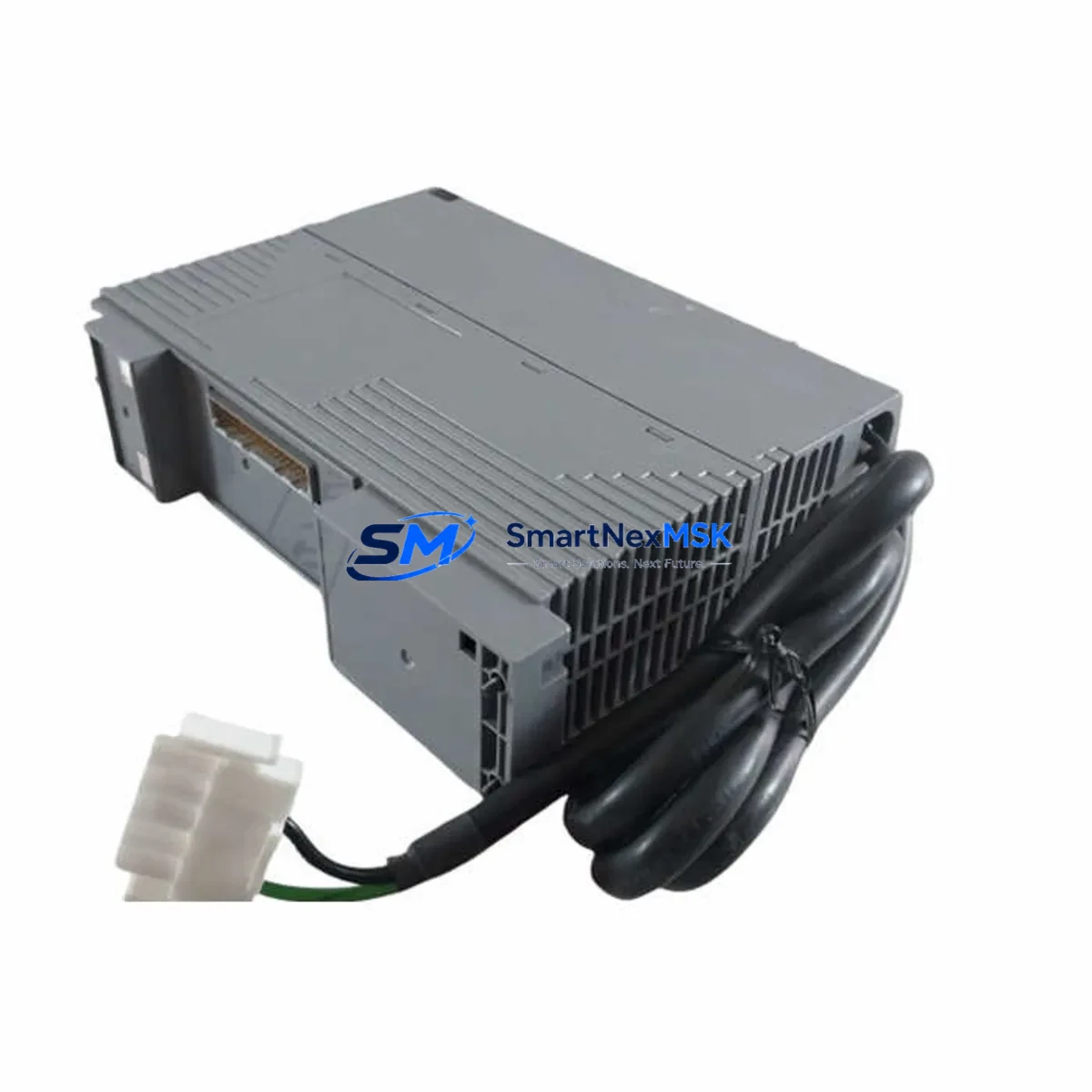
Yokogawa PW482-50 Maintenance-Ready Spare CENTUM VP
The Yokogawa PW482-50 is an original DCS power supply module engineered for continuous-duty operation within the CENTUM VP distributed control system platform. For maintenance engineers managing aging control infrastructure, unplanned power supply failure is one of the highest-risk single points of failure in a process automation cabinet. Holding a verified, tested PW482-50 spare on-site is the most direct strategy for minimizing mean time to repair (MTTR) and protecting production uptime.
This unit ships as an original Yokogawa component — not a third-party substitute — and is fully compatible with CENTUM VP field control stations (FCS), including the KFCS, SFCS, and PFCS node types. Each unit undergoes pre-shipment functional testing covering output voltage regulation, load response, and protection circuit verification before dispatch. A 12-month warranty is included from the date of delivery, covering manufacturing defects and functional failures under normal operating conditions.
For procurement engineers, the PW482-50 is a long-lead-time item in many regional markets. Securing stock in advance — particularly for plants operating CENTUM VP systems beyond their original design lifecycle — eliminates the risk of extended lead times during emergency shutdowns. Our inventory is sourced from authorized channels and verified against Yokogawa part numbering standards.
Spare Maintenance Table
| Parameter | Specification / Detail |
|---|---|
| Part Number | PW482-50 |
| Brand | Yokogawa Electric Corporation |
| Compatible System | CENTUM VP (KFCS, SFCS, PFCS) |
| Module Type | DCS Power Supply Module |
| Output Voltage | 24 VDC (nominal, regulated) |
| Input Voltage Range | 100–240 VAC, 50/60 Hz |
| Mounting | CENTUM VP standard backplane / power slot |
| Country of Origin | Japan |
| Operating Temperature | 0°C to 55°C |
| Humidity | 10–90% RH, non-condensing |
| Protection | Overcurrent, overvoltage, short-circuit |
| Compatibility Verified | Yes — CENTUM VP FCS nodes |
| Pre-Shipment Test | Functional output and protection circuit test |
| Warranty | 12 months from delivery date |
| Condition | Original / New surplus |
| Lead Time | In stock — ships within 3–5 business days |
Maintenance Planning for Continuous Operation
When a PW482-50 power supply module is flagged during routine control cabinet inspection or fails during operation, the replacement procedure should be treated as a system-level event — not an isolated component swap. Maintenance engineers should use the opportunity to audit the surrounding electrical environment to prevent cascading failures.
Begin with the input power feed: verify that the upstream AC distribution breaker and any surge protection devices feeding the CENTUM VP cabinet are within specification. A degraded power supply is frequently a symptom of upstream voltage instability rather than an isolated module failure. Check the PW481 or PW482 series redundant power supply partner unit if the cabinet is configured for dual-redundant power — a single-unit failure in a redundant pair often indicates the surviving unit has been operating under elevated load for an extended period.
Inspect the EB401 or EB501 node expansion backplanes for signs of connector oxidation or thermal stress at the power distribution bus. The backplane power rails are a common point of intermittent contact failure in older CENTUM VP installations. While the cabinet is open, verify the condition of the CP461 or CP451 field control processor modules — power supply instability can cause soft faults in processor memory that only manifest under load.
For I/O integrity, inspect the AAI141 analog input modules and ADV151 digital input modules connected to the affected FCS node. Voltage transients during a power supply failure event can corrupt I/O module calibration registers. Signal isolators installed between field instruments and I/O terminals — particularly on thermocouple and 4–20 mA loops — should be checked for drift. Communication modules such as the ALR111 or ESB105 bus interface units should be power-cycled and verified for stable link status after the PW482-50 replacement is complete.
Terminal blocks and wiring within the cabinet should be inspected for loose connections, particularly on 24 VDC distribution rails that feed transmitters and solenoid valves. Fuse holders on the 24 VDC output distribution should be checked for continuity and replaced if signs of arcing or discoloration are present. Finally, confirm that the CENTUM VP HMI workstation — whether a HIS (Human Interface Station) or a thin-client CENTUM VP viewer — is displaying correct system status and that no latent alarms were masked during the power event.
Site Replacement Workflow
Step 1 — Preparation: Confirm the replacement PW482-50 part number matches the installed unit. Cross-reference the cabinet wiring diagram and the CENTUM VP system configuration file to verify slot assignment and redundancy mode (simplex or dual-redundant).
Step 2 — Safe Isolation: If the system is configured for hot-swap power redundancy, the failed module can be removed without shutting down the FCS node. If simplex power is configured, coordinate a controlled process hold or safe-state transfer before proceeding. Follow site-specific LOTO (Lockout/Tagout) procedures.
Step 3 — Module Removal: Disconnect the AC input connector and DC output bus connector from the failed PW482-50. Remove the module from the power slot using the standard Yokogawa module extraction handle. Inspect the slot connector for damage or contamination before inserting the replacement unit.
Step 4 — Installation and Verification: Seat the replacement PW482-50 firmly into the power slot. Reconnect AC input and DC output bus connectors. Restore power and verify output voltage at the DC distribution bus using a calibrated multimeter. Confirm that the CENTUM VP FCS node returns to normal RUN state and that all I/O modules report healthy status in the system engineering tool.
Step 5 — Documentation: Record the replacement in the plant maintenance management system (CMMS) with the new module serial number, installation date, and post-replacement test results. Update the spare parts inventory to trigger reorder of a replacement PW482-50 for the on-site spare stock.
Spare Parts Support FAQ
Q: Is the PW482-50 compatible with both simplex and redundant CENTUM VP power configurations?
A: Yes. The PW482-50 is designed for use in both simplex and dual-redundant power supply configurations within CENTUM VP field control station cabinets. Confirm the slot designation (primary or secondary) in your cabinet layout drawing before installation.
Q: What pre-shipment testing is performed on each PW482-50 unit?
A: Each unit is tested for regulated DC output voltage accuracy, load regulation under rated current, and correct operation of overcurrent and overvoltage protection circuits. A test record is available upon request and can be included with the shipment documentation.
Q: How should the PW482-50 be stored as a long-term on-site spare?
A: Store in the original anti-static packaging in a climate-controlled environment at 15–30°C with relative humidity below 70%, away from direct sunlight and electromagnetic interference sources. Inspect the unit annually and rotate stock on a first-in, first-out basis to maintain readiness.
Q: What does the 12-month warranty cover?
A: The 12-month warranty covers manufacturing defects and functional failures under normal operating and storage conditions from the date of delivery. It does not cover damage resulting from incorrect installation, overvoltage events beyond rated input range, or physical mishandling. Warranty claims are supported with return shipping and replacement or repair at no additional cost.
© 2026 SMARTNEXMSK. All rights reserved.
Original Source: https://smartnexmsk.com
Contact: [email protected] | +86 18259474341



