
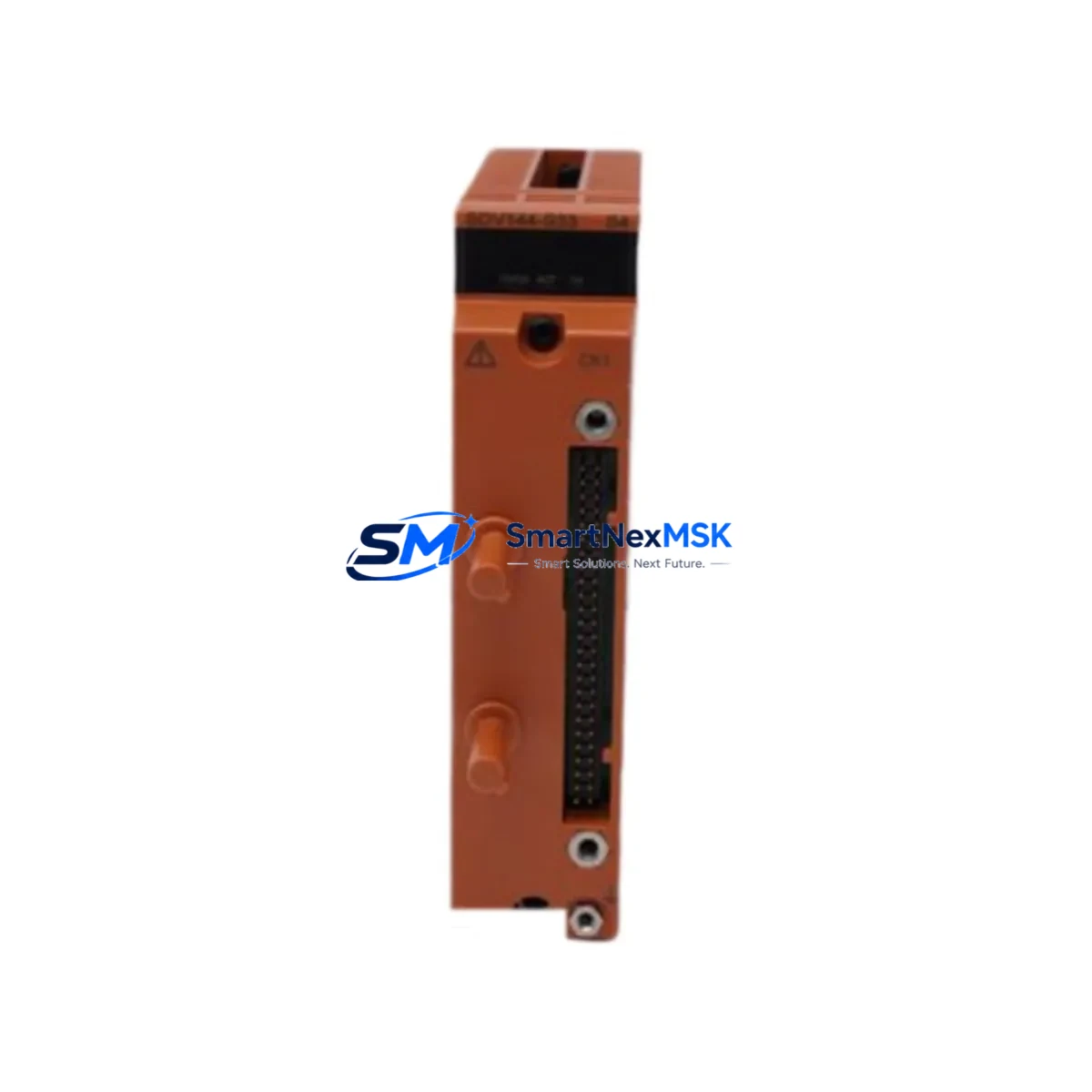
Yokogawa S2SC70D-FA412010 Spare for ProSafe-RS SIS: Rapid Replacement & Downtime Control
The Yokogawa S2SC70D-FA412010 is a duplexed safety control unit designed for the ProSafe-RS Safety Instrumented System (SIS). As a critical component in process safety architectures across oil & gas, petrochemical, power generation, and chemical manufacturing facilities, this module governs safety logic execution and maintains SIL-rated integrity across the entire safety loop. When this unit fails or reaches end-of-life, the consequences extend far beyond a single module — the entire safety function may be compromised, triggering mandatory process shutdown and extended unplanned downtime.
Sourced as an original Yokogawa spare, the S2SC70D-FA412010 is fully tested prior to shipment, backed by a 12-month warranty, and available for fast global dispatch. Whether you are executing a planned turnaround, responding to a fault alarm, or building a strategic spare parts inventory for aging ProSafe-RS installations, this unit is ready for immediate deployment.
Spare Maintenance Table
| Parameter | Specification / Detail |
|---|---|
| Part Number / SKU | S2SC70D-FA412010 |
| Brand | Yokogawa Electric Corporation |
| Series | ProSafe-RS (Safety Instrumented System) |
| Module Type | Duplexed Safety Control Unit (SCU) |
| Safety Integrity Level | SIL 2 / SIL 3 capable (IEC 61511 / IEC 61508) |
| Architecture | Dual-redundant (1oo2D / 2oo3 configurable) |
| Communication Interface | Vnet/IP (Ethernet-based Yokogawa proprietary network) |
| Power Supply Compatibility | 24 VDC (via ProSafe-RS power supply modules) |
| Mounting | ProSafe-RS safety controller chassis / backplane |
| Operating Temperature | 0°C to 55°C (32°F to 131°F) |
| Humidity | 10% to 90% RH (non-condensing) |
| Origin | Japan |
| Condition | Original, factory-grade spare |
| Pre-shipment Testing | Full functional test performed |
| Warranty | 12 Months |
| Application | Oil & Gas, Petrochemical, Power, Chemical SIS |
| Compatibility | ProSafe-RS R3.xx / R4.xx controller chassis |
| Maintenance Recommendation | Replace in pairs for duplexed configurations; verify firmware revision match before installation |
Maintenance Planning for Continuous Operation
When a maintenance or reliability engineer identifies a fault or degradation in the S2SC70D-FA412010, the replacement scope should never be limited to the SCU alone. A thorough site assessment and cabinet inspection is essential to prevent repeat failures and ensure the restored safety loop meets its original SIL rating.
Begin by verifying the ProSafe-RS power supply modules (such as the S2PW1 series) that feed the safety controller chassis. Voltage sags or ripple on the 24 VDC rail are a common root cause of SCU faults and must be ruled out before commissioning the replacement unit. Inspect the safety controller backplane for corrosion, bent connector pins, or heat damage — a compromised backplane will cause recurring faults even with a new SCU installed.
Next, audit the digital input (DI) and digital output (DO) safety I/O modules connected to the same chassis. In ProSafe-RS architectures, I/O modules such as the S2SI4D and S2SO4D series share the backplane bus with the SCU; a failing I/O module can generate spurious diagnostics that are misattributed to the control unit. Similarly, inspect analog input (AI) modules for signal drift, particularly in high-temperature or high-vibration environments.
The Vnet/IP communication modules and associated Ethernet switches within the safety network segment should be checked for port errors, CRC faults, and latency anomalies. Communication degradation between the SCU and the engineering workstation running ProSafe-RS Engineering Environment (PREE) can mask underlying hardware issues. Confirm that the HART multiplexer or signal isolator modules interfacing field transmitters to the safety I/O are functioning within specification.
For facilities running hybrid safety and process control architectures, verify the integrity of the Vnet/IP gateway linking the ProSafe-RS domain to the CENTUM VP DCS. Faults in this gateway can cause loss of safety status visibility at the operator HMI, even when the SCU itself is operational. Inspect terminal blocks and field wiring terminations in the marshalling cabinet — loose or corroded terminals are a leading cause of intermittent I/O faults that trigger unnecessary SCU diagnostics.
Finally, review the UPS and battery backup system supplying the safety cabinet. An aging UPS that cannot sustain the required hold-up time during a power event may cause the SCU to log spurious power-loss faults. Proactive replacement of UPS batteries on a scheduled cycle is a low-cost measure that significantly extends the reliable service life of the entire ProSafe-RS installation.
Site Replacement Workflow
Replacing the S2SC70D-FA412010 in a live ProSafe-RS installation requires careful sequencing to minimize safety function interruption and avoid spurious trips. The following workflow is recommended for maintenance engineers performing this replacement:
1. Pre-replacement verification: Confirm the replacement unit’s firmware revision matches the installed chassis revision. Mismatched firmware between duplexed SCU modules will prevent the system from entering duplex mode and may trigger a safety shutdown. Use the PREE engineering workstation to read the current firmware version from the faulted module before removal.
2. Bypass and isolation: Follow your site’s Management of Change (MOC) and Safety Bypass procedures. Notify the control room operator and obtain a formal bypass permit before placing the affected safety function in bypass mode. Document the bypass start time and expected duration.
3. Hot-swap or cold-swap assessment: ProSafe-RS supports online replacement (hot-swap) of the standby SCU in a duplexed configuration without interrupting the active safety function. Confirm with your site’s ProSafe-RS system documentation whether hot-swap is enabled for your chassis revision. If hot-swap is not supported, a controlled shutdown of the safety function will be required.
4. Module extraction and installation: Use ESD precautions throughout. Remove the faulted S2SC70D-FA412010 by releasing the front-panel locking levers and sliding the module clear of the backplane connector. Insert the replacement unit firmly until the connector seats fully and the locking levers engage. Verify the module status LEDs indicate normal initialization.
5. Post-replacement validation: Use PREE to confirm the replacement SCU has synchronized with its duplex partner and that all I/O diagnostics are clear. Perform a loop check on critical safety functions before lifting the bypass. Document the replacement in your site’s maintenance management system (CMMS) and update the spare parts inventory accordingly.
Maintaining a minimum of one S2SC70D-FA412010 unit in your on-site spare parts store is strongly recommended for any facility operating ProSafe-RS-based SIS. Lead times for original Yokogawa safety modules can extend to several weeks through standard distribution channels; having a tested, warranted spare on the shelf reduces your maximum exposure to a single shift rather than multiple weeks of degraded safety operation.
Spare Parts Support FAQ
Q1: Is the S2SC70D-FA412010 compatible with all ProSafe-RS chassis revisions?
The S2SC70D-FA412010 is designed for the ProSafe-RS platform and is compatible with R3.xx and R4.xx controller chassis. Compatibility with specific chassis hardware revisions should be confirmed against your site’s ProSafe-RS system documentation or by contacting our technical support team before ordering. We provide pre-shipment compatibility verification upon request.
Q2: What testing is performed before shipment?
Every S2SC70D-FA412010 unit undergoes a full functional test prior to dispatch. This includes power-on self-test verification, communication interface check, and diagnostic register validation. A test report is available upon request. All units are shipped in anti-static packaging with physical protection to prevent transit damage.
Q3: What does the 12-month warranty cover?
The 12-month warranty covers manufacturing defects and functional failures under normal operating conditions as specified by Yokogawa. It does not cover damage resulting from incorrect installation, overvoltage events, or environmental conditions outside the module’s rated specifications. Warranty claims are processed with priority turnaround to minimize your site downtime.
Q4: Can you support long-term or blanket spare parts orders for aging ProSafe-RS installations?
Yes. We specialize in long-term supply support for legacy and end-of-life Yokogawa ProSafe-RS components. For facilities managing extended asset life programs or planning multi-year maintenance contracts, we offer reserved stock arrangements and volume pricing. Contact our team to discuss your site’s specific spare parts strategy and annual consumption requirements.
© 2026 SMARTNEXMSK. All rights reserved.
Original Source: https://smartnexmsk.com
Contact: [email protected] | +86 18259474341



