
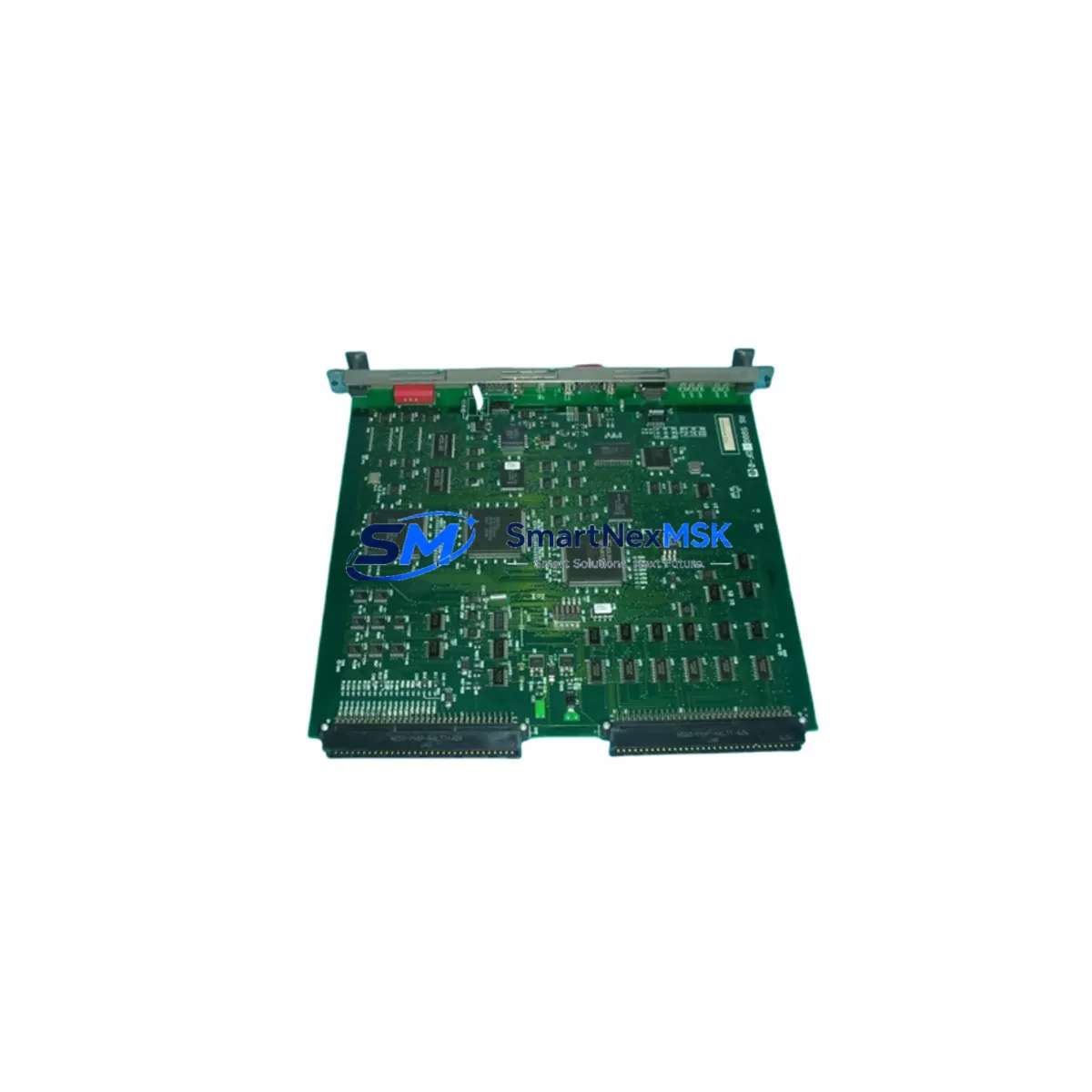
YOKOGAWA SB311-S1 Retrofit-Ready DCS Processor for CENTUM CS Control Systems
The YOKOGAWA SB311-S1 is a field-proven DCS processor module originally designed for the CENTUM CS distributed control system platform. As legacy CENTUM CS installations approach end-of-support milestones, the SB311-S1 has become one of the most sought-after retrofit components for engineers tasked with sustaining aging process control infrastructure without committing to a full platform migration. Whether you are replacing a failed unit, building a critical spare inventory, or executing a phased modernization of an existing control cabinet, the SB311-S1 delivers the compatibility and reliability your operation demands.
Our stock of SB311-S1 modules is sourced from verified supply channels, subjected to functional pre-shipment testing, and backed by a 12-month warranty. Each unit is inspected for firmware revision alignment, backplane connector integrity, and communication link readiness before dispatch. We maintain ready inventory to support urgent replacement scenarios where minimizing process downtime is the primary engineering constraint.
Upgrade Compatibility Table
| Parameter | Detail |
|---|---|
| Compatible Platform | YOKOGAWA CENTUM CS (CS 1000 / CS 3000) |
| Module Type | DCS Processor / Controller Module |
| Backplane Interface | CENTUM CS standard node bus backplane |
| Communication Protocol | Vnet (YOKOGAWA proprietary control network) |
| Installation Requirement | Compatible with existing CENTUM CS field control station (FCS) chassis; no mechanical modification required |
| Firmware Compatibility | Verify revision against existing FCS configuration before installation; consult YOKOGAWA IM documentation |
| Replacement Recommendation | Direct drop-in replacement for failed or end-of-life SB311-S1 units; confirm node address assignment post-swap |
| Commissioning Focus | Node address verification, Vnet link confirmation, I/O module re-scan, HMI tag re-binding |
| Warranty | 12 months from date of shipment |
| Pre-Shipment Test | Functional power-on test, backplane connector inspection, communication port verification |
Retrofit Planning for Existing Automation Systems
A successful SB311-S1 retrofit begins well before the module arrives on site. Engineers should audit the existing field control station chassis to confirm available slot positions, backplane bus revision, and power supply headroom. The CENTUM CS FCS chassis typically houses the SB311-S1 alongside I/O modules such as the AAI141-S and AAI543-S analog input/output cards, as well as digital I/O modules like the ADV151-P and ADV551-P. Confirming that these adjacent modules remain functional and correctly addressed is a prerequisite for a clean processor swap.
Power supply capacity is a critical pre-retrofit checkpoint. The CENTUM CS power supply module — commonly the PW481 or PW482 — must be verified to deliver adequate current margin for the replacement SB311-S1 and all co-resident I/O modules. If the existing power supply is approaching its rated output, this is an opportune moment to evaluate a parallel power supply upgrade to eliminate a secondary failure risk.
Communication architecture must also be mapped before the swap. The SB311-S1 connects to the YOKOGAWA Vnet control network, which links the FCS to the human-machine interface stations running CENTUM CS HIS (Human Interface Station) software. Before removing the failed processor, document all Vnet node addresses, domain assignments, and station numbers. After installing the replacement SB311-S1, the Vnet link must be re-established and confirmed from the engineering workstation running CENTUM CS Builder or the equivalent configuration tool.
For sites that are simultaneously migrating from CENTUM CS toward CENTUM VP, the SB311-S1 replacement can serve as a bridge strategy — maintaining process continuity on the legacy platform while the VP migration is staged across non-critical control loops. In this context, the SB311-S1 often coexists in the same control room with newer VP series FCS units, sharing the same HIS displays through carefully managed domain separation. Communication gateway modules such as the BCV060 may be required to bridge legacy Vnet segments with newer Ethernet-based control networks during the transition period.
Terminal wiring at the marshalling cabinet should be verified against the original loop drawings. The SB311-S1 itself does not terminate field wiring directly — field signals are wired to the I/O modules — but any changes to the FCS node address or slot configuration may require corresponding updates to the I/O module address settings and the associated control database. Confirm that the CENTUM CS engineering database backup is current before beginning the swap, so that a full restore is available if the replacement module triggers an unexpected configuration mismatch.
Programming compatibility is another key consideration. Control logic resident in the SB311-S1 is stored in the FCS database, not in the module itself, so the application program is preserved across a processor swap as long as the replacement module accepts the existing database download without revision conflict. Verify the target firmware version of the replacement SB311-S1 against the database revision level using YOKOGAWA’s compatibility matrix before proceeding.
Downtime Control During System Migration
Minimizing process downtime during an SB311-S1 swap requires a structured hot-swap or controlled-shutdown procedure depending on the redundancy configuration of the target FCS. In redundant FCS configurations — where a primary and secondary SB311-S1 operate in lockstep — the failed module can typically be replaced while the redundant unit maintains process control, provided the Vnet link and I/O scan remain uninterrupted on the healthy processor. Confirm redundancy status from the HIS alarm summary and the FCS diagnostic display before initiating the swap.
For simplex (non-redundant) FCS installations, a planned shutdown window is required. Coordinate with operations to place all control loops in manual mode at the DCS HIS stations before powering down the FCS chassis. Document all setpoints, output values, and interlock states before the shutdown so that the restart sequence can be executed systematically. After installing the replacement SB311-S1 and restoring power, perform a full I/O module re-scan from the engineering workstation, confirm all Vnet node links are green, and verify that HMI faceplates are displaying live process values before returning loops to automatic control.
Maintain a copy of the CENTUM CS database backup on a dedicated engineering laptop throughout the migration window. If the replacement module requires a firmware update to match the database revision, this should be completed and verified before the planned shutdown window to avoid extending the outage. Pre-staging the replacement SB311-S1 in a bench test environment — using a spare FCS chassis or a CENTUM CS simulator — is strongly recommended for critical process units where any extended downtime carries significant production or safety risk.
Retrofit Support FAQ
Q1: Is the SB311-S1 a direct drop-in replacement for the original CENTUM CS processor module?
Yes, the SB311-S1 is designed as a direct mechanical and electrical replacement for the original CENTUM CS FCS processor slot. No backplane modification or wiring change is required. However, you must verify firmware revision compatibility with your existing CENTUM CS database version before installation to avoid a configuration mismatch on first boot.
Q2: What commissioning steps are required after installing the replacement SB311-S1?
After physical installation, the standard commissioning sequence includes: (1) power-on and self-diagnostic confirmation, (2) Vnet node link verification from the engineering workstation, (3) I/O module re-scan and address confirmation, (4) CENTUM CS database download or restore if required, (5) HMI tag binding verification at the HIS station, and (6) loop-by-loop functional check before returning to automatic control.
Q3: Can the SB311-S1 be used in a CENTUM CS to CENTUM VP migration project?
The SB311-S1 is a CENTUM CS platform module and is not directly compatible with CENTUM VP FCS chassis. However, it is commonly used as a bridge component — maintaining legacy CS control loops in service while VP migration is staged on non-critical systems. Communication gateways and careful domain management are required if CS and VP nodes must coexist on the same control network during the transition.
Q4: What does the 12-month warranty cover, and what pre-shipment testing is performed?
Every SB311-S1 unit undergoes functional power-on testing, backplane connector inspection, and communication port verification before shipment. The 12-month warranty covers manufacturing defects and functional failures under normal operating conditions. Units are shipped with appropriate ESD protection and packaging to prevent transit damage. Contact our technical team for warranty claim procedures or to request a test report for your specific unit.
© 2026 SMARTNEXMSK. All rights reserved.
Original Source: https://smartnexmsk.com
Contact: [email protected] | +86 18259474341



