
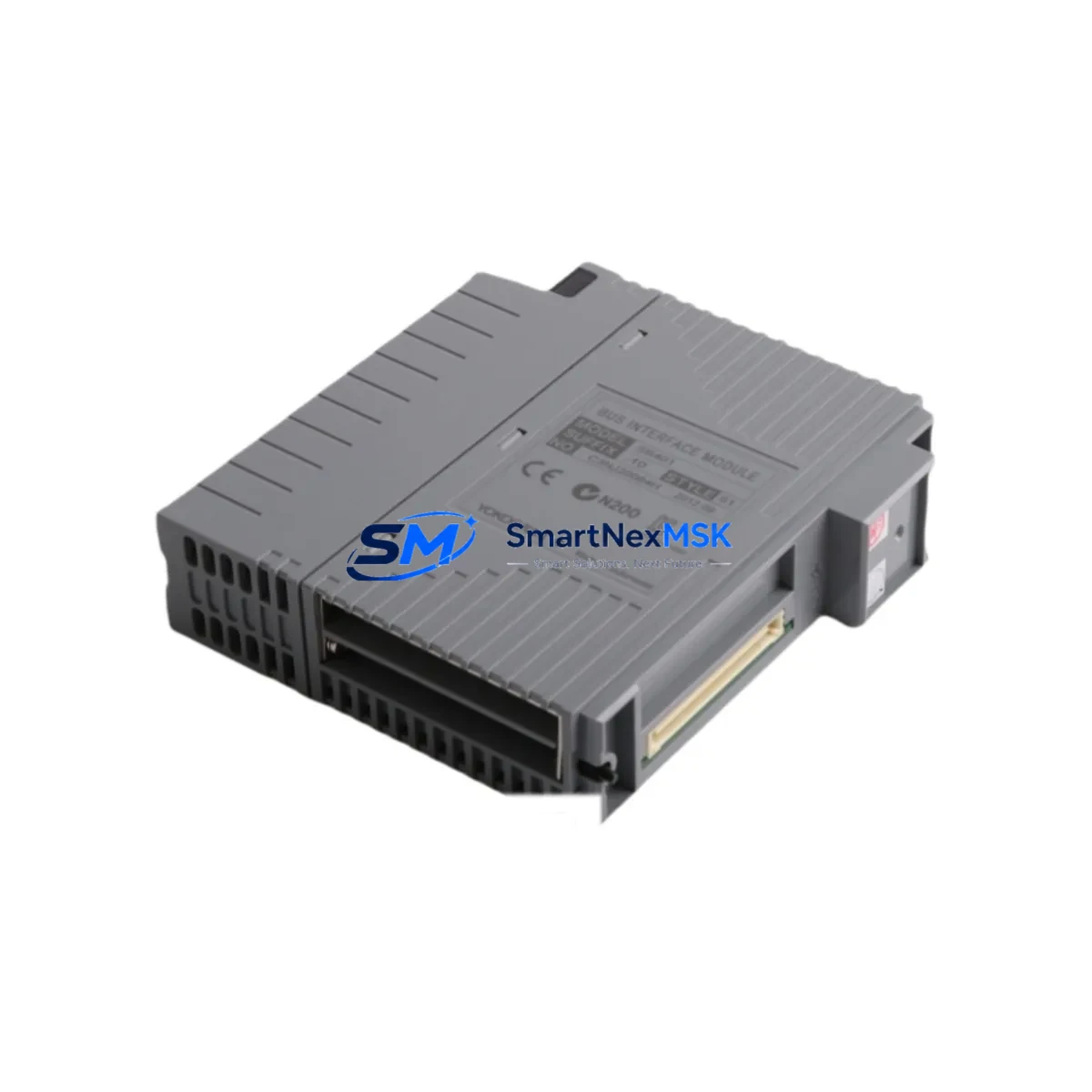
Yokogawa SB401-11 S1 Spare for CENTUM VP Automation: Spare Replacement & Industrial Downtime Risk Control
The Yokogawa SB401-11 S1 is an original ESB (Enhanced Serial Backplane) Bus Slave Interface Module designed for use within the CENTUM VP Distributed Control System (DCS) platform. As a critical communication bridge between field I/O stations and the control network, this module plays a central role in maintaining real-time data exchange across the process control architecture. When this component fails or degrades, the consequences extend beyond a single I/O point — the entire ESB segment may lose communication, triggering process shutdowns, alarm floods, and unplanned downtime that can cost thousands of dollars per hour in industrial environments.
At SMARTNEXMSK, we supply the SB401-11 S1 as a verified original spare, fully tested prior to shipment and backed by a 12-month warranty. Our inventory is maintained to support both emergency replacement and planned maintenance cycles, ensuring that your procurement team can secure stock without lead-time uncertainty. Each unit undergoes functional verification before dispatch, and we provide documentation to support your incoming inspection process.
Spare Maintenance Table
| Parameter | Specification / Detail |
|---|---|
| Part Number / SKU | SB401-11 S1 |
| Brand | Yokogawa Electric Corporation |
| Series / Platform | CENTUM VP DCS |
| Module Function | ESB Bus Slave Interface Module |
| Communication Bus | ESB (Enhanced Serial Backplane) Bus |
| Product Type | DCS Interface Module |
| Origin | Japan |
| Weight | 180 g (approx.) |
| Compatibility | CENTUM VP field control stations; ESB-based I/O expansion units |
| Installation | Backplane slot mount; hot-swap capable in supported configurations |
| Application Environment | Process industries: oil & gas, petrochemical, power generation, pharmaceuticals |
| Maintenance Recommendation | Inspect ESB bus connectors and backplane contacts during scheduled shutdowns; replace if communication errors or CRC faults are logged |
| Warranty | 12 Months — covers manufacturing defects and functional failure under normal operating conditions |
| Pre-Shipment Testing | Functional verification performed on every unit before dispatch |
| Lead Time | In-stock; same-day or next-business-day dispatch available |
Maintenance Planning for Continuous Operation
Replacing the SB401-11 S1 is rarely an isolated task. In a CENTUM VP field control station, the ESB bus slave interface module operates in close coordination with multiple adjacent components, and a thorough maintenance engineer will use any planned replacement as an opportunity to inspect the broader control cabinet ecosystem.
Begin with the ESB Bus Master Module (typically an SB401-01 or equivalent master-side counterpart) — if the slave interface is showing communication faults, the master module’s firmware version and connector integrity should be verified simultaneously. Next, inspect the field control unit power supply modules (such as the PW481 or PW482 series) that feed the backplane; voltage ripple or marginal output can cause intermittent ESB communication errors that mimic module failure.
The I/O modules seated on the same ESB segment — including analog input modules (AAI141, AAI143), analog output modules (AAO141), and digital I/O modules (ADV151, ADV161) — should be visually inspected for corrosion, loose seating, or LED fault indicators. A failing SB401-11 S1 can mask downstream I/O faults, so clearing the bus and re-scanning after replacement is essential.
For cabinets with FOUNDATION Fieldbus or HART communication, check the associated fieldbus interface modules and signal conditioners. If the control station includes a communication module for Vnet/IP or the plant network (such as the CP451 or CP461 series controllers), verify that the network heartbeat and redundancy status are nominal after the ESB module swap.
Terminal blocks and I/O terminal assemblies connected to the field wiring should be inspected for loose screws, oxidized contacts, or moisture ingress — particularly in outdoor or coastal installations. Fuse holders and circuit protection on the 24 VDC field power rails are often overlooked during ESB-focused maintenance but are a common source of intermittent faults. Finally, if the control station is paired with an HMI or operator station running CENTUM VP HIS software, confirm that the tag database and alarm configuration reflect the restored I/O points after the module replacement is complete.
Maintaining a minimum of one spare SB401-11 S1 per ESB segment in your site spare parts inventory is a widely adopted practice in facilities with zero-tolerance downtime requirements. Pairing this with a documented spare parts list that includes the power supply modules, at least one representative I/O module per type, and a communication module spare ensures that your maintenance team can respond to any single-point failure within the control station without waiting on procurement.
Site Replacement Workflow
Step 1 — Fault Confirmation: Use the CENTUM VP system alarm log and the field control station LED indicators to confirm that the SB401-11 S1 is the source of the ESB communication fault. Document the alarm codes and affected I/O tags before proceeding.
Step 2 — Safety Isolation: Follow your site’s Management of Change (MOC) and Permit to Work (PTW) procedures. In redundant configurations, verify that the redundant ESB path has taken over before removing the faulty module. In non-redundant installations, coordinate with the control room to place affected loops in manual mode.
Step 3 — Module Removal: Release the module locking mechanism, disconnect the ESB bus connector carefully, and remove the SB401-11 S1 from the backplane slot. Inspect the backplane connector pins for damage or contamination before inserting the replacement unit.
Step 4 — Replacement Installation: Insert the new SB401-11 S1 into the designated slot, ensuring full seating and connector engagement. The module address and configuration are typically stored in the field control unit — no manual re-addressing is required in standard CENTUM VP configurations, but verify this against your system documentation.
Step 5 — System Verification: Monitor the ESB bus status in the CENTUM VP engineering environment. Confirm that all I/O modules on the segment are communicating, that field values are updating correctly, and that no residual alarms remain. Return affected loops to automatic control and document the replacement in your maintenance management system (CMMS).
This workflow is applicable whether you are replacing an end-of-life SB401-11 S1 in an aging CENTUM CS 3000 migration project or performing an emergency swap in an active CENTUM VP installation. The module’s backward compatibility with earlier ESB bus architectures makes it a reliable choice for extending the operational life of legacy control systems without requiring a full platform upgrade.
Spare Parts Support FAQ
Q1: Is the SB401-11 S1 compatible with both CENTUM CS 3000 and CENTUM VP systems?
The SB401-11 S1 is primarily specified for CENTUM VP field control stations using the ESB bus architecture. Compatibility with CENTUM CS 3000 depends on the specific hardware revision and ESB bus generation in your installation. We recommend providing your field control unit model number when placing an order so our technical team can confirm compatibility before shipment.
Q2: What does the 12-month warranty cover, and how is a warranty claim processed?
The 12-month warranty covers manufacturing defects and functional failure under normal operating conditions from the date of shipment. If a unit fails within the warranty period, contact us at [email protected] with your order reference and a description of the fault. We will arrange a replacement or repair at no additional cost, subject to inspection of the returned unit.
Q3: How do you verify the unit before shipment, and what documentation is provided?
Every SB401-11 S1 unit undergoes functional testing prior to dispatch. We provide a test report confirming the module’s operational status. For customers requiring additional documentation — such as a certificate of conformity or country-of-origin declaration — please request this at the time of order.
Q4: Can you support long-term supply agreements for this module as part of a site spare parts program?
Yes. SMARTNEXMSK supports long-term supply agreements for critical spare parts including the SB401-11 S1. We can reserve stock against a blanket purchase order, provide scheduled delivery to align with your planned maintenance windows, and offer priority dispatch for emergency requirements. Contact our sales team to discuss a spare parts support agreement tailored to your site’s maintenance strategy.
© 2026 SMARTNEXMSK. All rights reserved.
Original Source: https://smartnexmsk.com
Contact: [email protected] | +86 18259474341



