
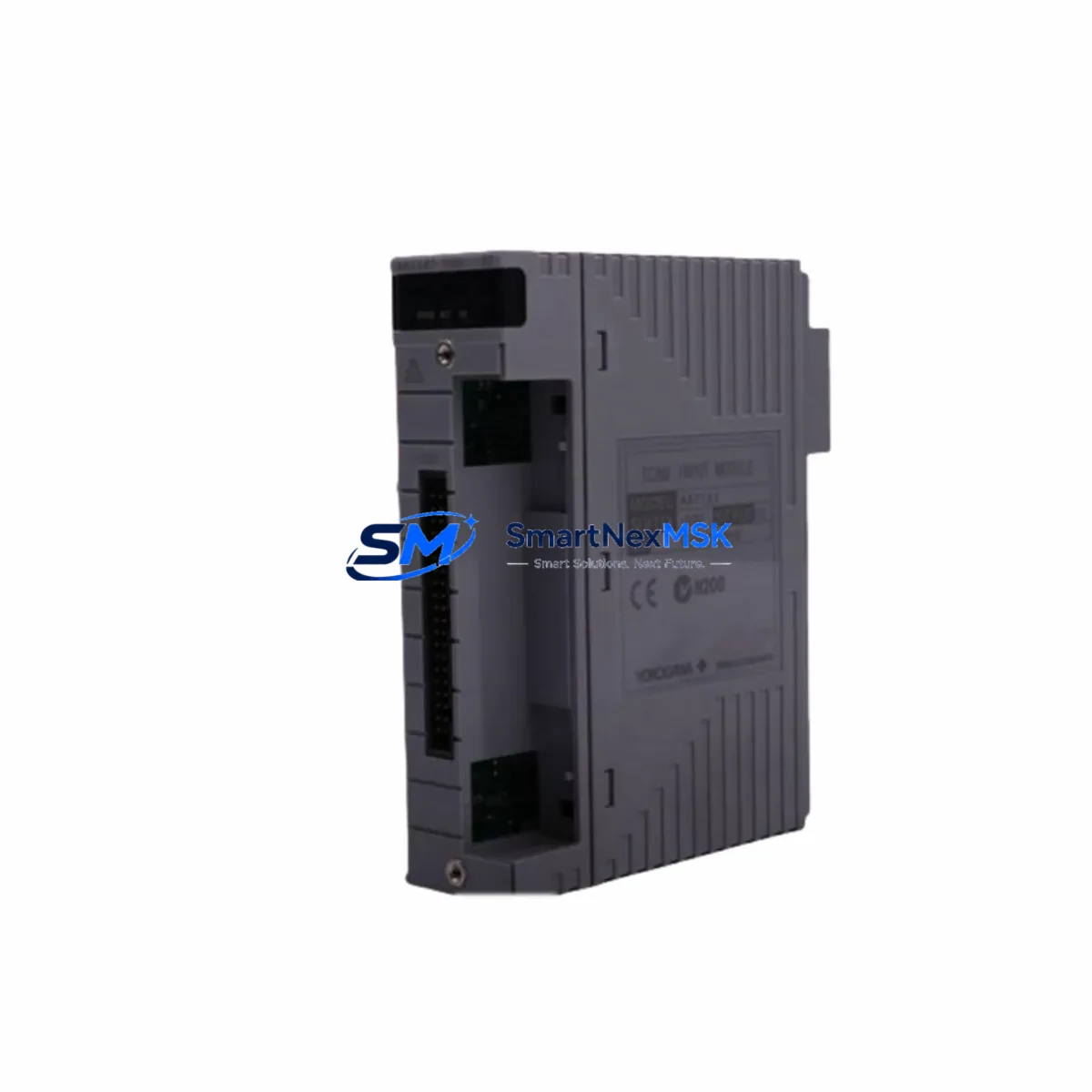
Yokogawa SDV541-S23 Retrofit-Ready Digital Output Module for CENTUM CS3000/VP Control Systems
The Yokogawa SDV541-S23 is a 32-channel digital output (DO) module engineered for seamless integration into Yokogawa CENTUM CS3000 and CENTUM VP distributed control systems. As legacy DCS installations age and OEM support windows close, the SDV541-S23 has become one of the most sought-after retrofit components for engineers tasked with modernizing existing control cabinets without full system replacement. Whether you are managing a planned upgrade cycle or responding to an unplanned module failure, the SDV541-S23 provides a verified drop-in solution that preserves your existing I/O wiring, backplane connections, and control logic.
Sourced from certified industrial surplus channels and subject to full functional testing prior to shipment, every SDV541-S23 unit supplied by SMARTNEXMSK is backed by a 12-month warranty and ships with a pre-shipment test report. Our inventory is maintained to support both single-unit emergency replacements and multi-unit bulk orders for scheduled turnaround projects.
Upgrade Compatibility Table
| Parameter | SDV541-S23 Specification | Retrofit Notes |
|---|---|---|
| Compatible DCS Platform | CENTUM CS3000, CENTUM VP | Direct slot replacement; no hardware adapter required |
| Output Channels | 32-channel digital output (DO) | Channel mapping preserved from legacy SDV541 variants |
| Output Voltage | 24 VDC (field side) | Verify field power supply capacity before hot-swap |
| Backplane Interface | Yokogawa standard I/O bus connector | Compatible with ANB10D, ANB11D node bus units |
| Module Address | Configured via DCS engineering tool (CENTUM Builder) | Re-download tag assignment after physical replacement |
| Terminal Wiring | Screw-terminal field wiring block (FTB) | Existing FTB can be reused; no re-wiring required |
| Communication Protocol | Yokogawa V-net/IP (CENTUM VP) / V-net (CS3000) | Confirm controller firmware version for V-net/IP compatibility |
| Replacement for | SDV541, SDV541-S10, SDV541-S20 | Suffix -S23 indicates enhanced surge protection |
| Commissioning Tool | CENTUM VP Engineering Environment / CS3000 Builder | Online download supported; no process interruption required |
| Warranty | 12 Months | Covers functional failure under normal operating conditions |
Retrofit Planning for Existing Automation Systems
A successful SDV541-S23 retrofit begins well before the module arrives on site. Engineers should start by auditing the existing control cabinet to confirm the node unit type — typically an ANB10D or ANB11D remote I/O node — and verifying that the backplane slot assigned to the failed or aging DO module is physically and logically compatible with the -S23 suffix variant. In most CENTUM CS3000 installations, the field terminal block (FTB) wiring can be disconnected and reconnected to the new module without any modification to the field cable schedule, significantly reducing labor time during the swap window.
Power budget verification is a critical pre-installation step. The SDV541-S23 draws its logic power from the node bus, while field-side output power is supplied externally at 24 VDC. Before installation, confirm that the existing PW481 or PW482 power supply module in the control cabinet has sufficient residual capacity to support the replacement module alongside other active I/O cards. Overloaded power supplies are a common root cause of intermittent DO faults in aging CENTUM systems.
For sites running CENTUM VP with V-net/IP communication, verify that the ACG10S or ACG30S controller firmware is at a revision level that supports the SDV541-S23 module definition. In mixed-generation installations where CS3000 hardware coexists with VP software upgrades, the CENTUM Builder engineering database must be updated with the correct module type before the online download is executed. Failure to update the module definition prior to download can result in a mismatch alarm on the HIS (Human Interface Station), which may trigger a process interlock if the alarm is configured as a safety condition.
Sites that also need to expand I/O capacity during the same maintenance window should consider installing an additional SDV541-S23 in a spare slot alongside an SAI143 or SAI533 analog input module if process variable monitoring is also being extended. For digital input expansion, the SDV141-S23 is the corresponding DI module and shares the same backplane and FTB form factor, allowing mixed I/O expansion within the same node without additional cabling infrastructure.
Communication link integrity should be validated after module replacement. In CENTUM VP systems, the V-net/IP redundant communication path between the AFV10D field control unit and the node bus should be checked using the CENTUM diagnostic tool to confirm that both primary and secondary paths are active before returning the loop to automatic control. For older CS3000 installations still using coaxial V-net, inspect the BNC connectors and termination resistors on the node bus segment to rule out signal degradation as a contributing factor to the original module fault.
Downtime Control During System Migration
Minimizing process downtime during a DO module replacement in a live CENTUM system requires a structured sequence that protects both the control program and the field devices connected to the module outputs. The recommended approach is to place all output tags associated with the SDV541-S23 slot into manual mode at the HIS operator station before initiating the physical swap. This action freezes the output states at their last commanded values, preventing unintended actuator movement during the module removal and insertion sequence.
Once the replacement module is seated and the FTB reconnected, use the CENTUM Builder online download function to push the module configuration to the field control unit without interrupting the scan cycle of adjacent I/O modules. The online download for a single DO module typically completes in under 60 seconds on a healthy V-net/IP network. After the download confirms successful, verify each output channel individually at the HIS faceplate before returning tags to automatic control — this step catches any FTB wiring discrepancies introduced during the physical swap.
For sites where even a brief manual-mode window is unacceptable due to safety or regulatory constraints, SMARTNEXMSK can supply a pre-configured SDV541-S23 with the module address pre-loaded based on your engineering database export, reducing on-site commissioning time to a physical swap and a single online verification step. All units are functionally tested on a CENTUM-compatible test bench prior to shipment, and a test report is included with each delivery to support your site acceptance documentation.
Retrofit Support FAQ
Q1: Is the SDV541-S23 a direct replacement for the SDV541-S10 and SDV541-S20?
Yes. The -S23 suffix denotes an enhanced surge protection specification and is backward compatible with all earlier SDV541 suffix variants. The module occupies the same backplane slot, uses the same FTB wiring block, and requires no changes to the CENTUM engineering database module type definition. The only recommended action is to confirm the surge protection rating of the field wiring is consistent with the -S23 specification before installation.
Q2: Can the SDV541-S23 be installed while the CENTUM system is running?
Yes, with proper preparation. Place all associated output tags in manual mode at the HIS before removing the old module. After seating the replacement, perform an online download via CENTUM Builder. The process does not require a controller restart or a system-wide shutdown. Adjacent I/O modules on the same node bus remain fully operational throughout the procedure.
Q3: What commissioning checks are required after installation?
After the online download completes, verify the following: (1) no module mismatch alarms on the HIS; (2) all 32 output channels report correct status in the CENTUM diagnostic display; (3) field device response is confirmed for each output by forcing individual channels from the engineering tool; (4) communication path status on the V-net/IP or V-net segment shows both primary and secondary links active. Document the commissioning results in your site maintenance log before returning the loop to automatic.
Q4: What does the 12-month warranty cover?
The 12-month warranty covers functional failure of the SDV541-S23 module under normal operating conditions, including output channel failure, backplane communication faults, and power regulation issues internal to the module. The warranty does not cover damage resulting from incorrect installation, overvoltage on the field wiring, or physical impact. A pre-shipment functional test report is included with every unit. In the event of a warranty claim, SMARTNEXMSK will arrange priority replacement shipment to minimize your site downtime.
© 2026 SMARTNEXMSK. All rights reserved.
Original Source: https://smartnexmsk.com
Contact: [email protected] | +86 18259474341



