
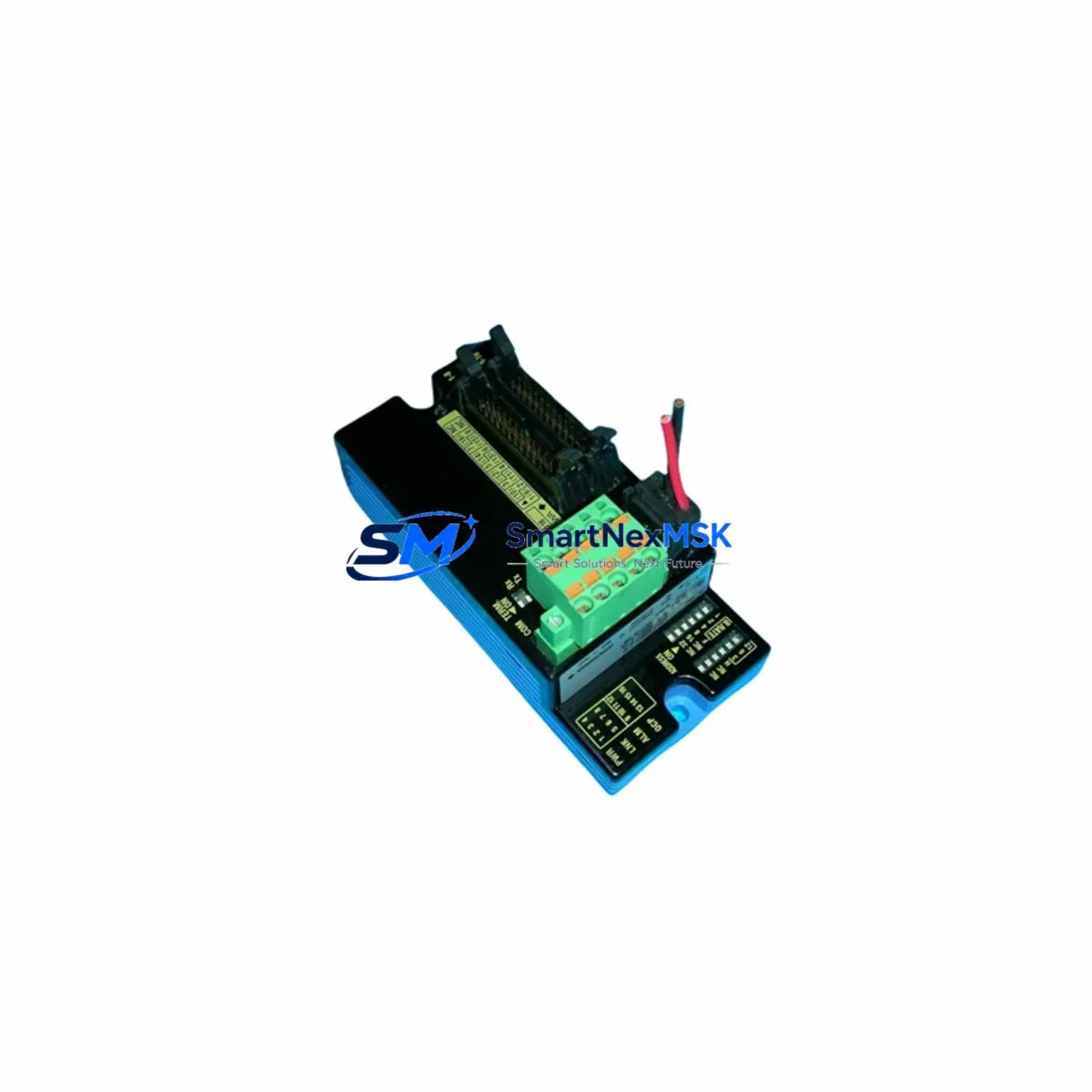
YOKOGAWA TAHXD16-3PEM Retrofit-Ready Digital I/O for CENTUM VP Control Systems
The YOKOGAWA TAHXD16-3PEM is a high-reliability Digital I/O Master Module engineered for seamless integration into CENTUM VP Field Control Stations (FCS). As legacy DCS installations age and original spare parts become increasingly scarce, the TAHXD16-3PEM has emerged as the preferred retrofit solution for engineers tasked with modernizing existing control architectures without triggering full-system replacements. Whether you are managing a planned turnaround, responding to an unplanned module failure, or executing a phased control system upgrade, this module delivers the electrical compatibility, backplane interface integrity, and firmware alignment required for a smooth transition.
Designed to operate within the CENTUM VP hardware ecosystem, the TAHXD16-3PEM interfaces directly with standard YOKOGAWA FCS racks and supports the same terminal block wiring conventions used across the CENTUM VP I/O subsystem. Engineers migrating from earlier CENTUM CS 3000 installations will find that the module’s I/O channel mapping, power consumption profile, and communication link behavior align closely with predecessor hardware, significantly reducing the scope of program modifications required during cutover. The module supports 16-channel digital I/O master operation and is compatible with the YOKOGAWA Vnet/IP communication backbone, ensuring that existing HMI screens, alarm configurations, and control logic built in CENTUM VP Builder require minimal rework.
Upgrade Compatibility Table
| Parameter | Detail |
|---|---|
| Module SKU | TAHXD16-3PEM |
| Brand / Series | YOKOGAWA / CENTUM VP |
| Module Type | Digital I/O Master Module (16-channel) |
| Backplane Interface | Standard CENTUM VP FCS I/O backplane slot |
| Communication Protocol | Vnet/IP (compatible with existing FCS bus) |
| Power Supply Compatibility | Compatible with YOKOGAWA PW481 and PW482 power supply modules |
| Terminal Wiring | Retains existing terminal block layout; no rewiring required in most installations |
| Predecessor Replacement | Direct functional replacement for discontinued CENTUM CS 3000 equivalent I/O modules |
| HMI Compatibility | Compatible with CENTUM VP HIS (Human Interface Station); no screen rebuild required |
| Firmware / Software | Recognized by CENTUM VP R5 and R6 engineering environments |
| Installation Requirement | Hot-swap capable with FCS redundancy enabled; cold-swap for simplex configurations |
| Commissioning | Module address assignment via CENTUM VP Builder; I/O check via FCS diagnostic tools |
| Warranty | 12 months from date of shipment |
Retrofit Planning for Existing Automation Systems
A successful retrofit begins well before the module arrives on-site. When planning a TAHXD16-3PEM installation into an existing CENTUM VP FCS rack, engineers should first audit the current power budget of the I/O rack. The YOKOGAWA PW481 or PW482 power supply modules feeding the rack must have sufficient headroom to support the TAHXD16-3PEM alongside co-installed modules such as the AAI141-S analog input module, the ADV151-P digital output module, and any communication interface cards already occupying the backplane. Overloaded power rails are a leading cause of intermittent module faults during the first weeks after a retrofit.
Terminal block wiring should be documented and photographed before removal of the legacy module. In most CENTUM VP installations, the TAHXD16-3PEM uses the same TB-series terminal block connectors, allowing field wiring to be transferred directly without re-termination. However, engineers should verify signal polarity and shielding continuity, particularly in installations where the original wiring was laid more than ten years ago and insulation degradation may be present.
Backplane slot assignment is critical. The TAHXD16-3PEM must be installed in the same slot position as the module it replaces to preserve the I/O address mapping defined in the CENTUM VP Builder project file. If the slot position changes, the FCS will generate an I/O configuration mismatch alarm and the associated control loops will enter a safe hold state until the address is corrected. For installations using the YOKOGAWA EB401 or EB501 node units as remote I/O carriers, the same slot-address discipline applies across the Vnet/IP segment.
Program compatibility should be validated in a staging environment using a CENTUM VP offline simulation before live cutover. The YOKOGAWA Engineering Workstation running CENTUM VP Builder R5.04 or later can import the existing FCS project and simulate the new module configuration, allowing engineers to verify that all function blocks, sequence tables, and interlock logic referencing the TAHXD16-3PEM I/O channels resolve correctly. HMI faceplates on the CENTUM VP HIS should also be reviewed to confirm that tag bindings and alarm thresholds remain intact after the module swap.
For sites running hybrid architectures that include YOKOGAWA STARDOM FCN/FCJ controllers or ProSafe-RS safety instrumented systems alongside the CENTUM VP FCS, communication link integrity between the DCS and the safety layer must be re-verified after the I/O module replacement. The TAHXD16-3PEM does not alter the Vnet/IP segment configuration, but any changes to I/O scan rates or module polling intervals in the FCS project file can affect the timing of data exchange with connected ProSafe-RS EWS nodes.
Downtime Control During System Migration
Minimizing unplanned downtime is the primary operational constraint in any DCS I/O module retrofit. For CENTUM VP installations with redundant FCS configurations, the TAHXD16-3PEM can be installed on the standby FCS node while the primary node continues to execute control. Once the new module is recognized and its I/O channels are verified online, a controlled switchover transfers control to the upgraded node with zero interruption to field device operation. This approach is strongly recommended for continuous process applications where even a brief loss of control output could trigger a process upset or safety interlock activation.
For simplex FCS configurations where redundancy is not available, the retrofit window should be scheduled during a planned maintenance shutdown. The existing FCS project file should be backed up to the CENTUM VP Engineering Workstation and to an offline archive before any hardware is removed. The YOKOGAWA SCS100 or equivalent programming cable should be on-hand to re-establish the engineering connection if the FCS requires a cold restart after the module swap. Field I/O loop checks using a HART communicator or loop calibrator should be completed for all channels on the TAHXD16-3PEM before the FCS is returned to automatic control mode.
All units supplied by SMARTNEXMSK are pre-tested prior to shipment, with functional verification records available upon request. Each TAHXD16-3PEM is covered by a 12-month warranty from the date of shipment, providing assurance against latent defects and supporting your site’s spare parts governance requirements.
Retrofit Support FAQ
Q1: Is the TAHXD16-3PEM a direct drop-in replacement for the equivalent CENTUM CS 3000 I/O module?
A: In most configurations, yes. The TAHXD16-3PEM is functionally compatible with the CENTUM VP FCS backplane and uses the same Vnet/IP communication protocol. Engineers migrating from CENTUM CS 3000 should verify slot addressing and power supply capacity before installation, as rack configurations may differ between the two platform generations.
Q2: What commissioning steps are required after installing the TAHXD16-3PEM?
A: After physical installation, assign the module address in CENTUM VP Builder and download the updated FCS project. Perform an I/O channel check using the FCS diagnostic utility to confirm all 16 digital channels are reading correctly. Verify HMI tag bindings on the CENTUM VP HIS and confirm that all associated control loops are operating in the expected mode before releasing the FCS to automatic control.
Q3: Can the TAHXD16-3PEM be installed without rewiring existing field terminals?
A: In the majority of CENTUM VP installations, the existing TB-series terminal block connectors are compatible and field wiring can be transferred directly. SMARTNEXMSK recommends documenting all terminal connections before removal and performing a continuity check after reconnection to confirm wiring integrity.
Q4: What does the 12-month warranty cover, and how is it claimed?
A: The 12-month warranty covers manufacturing defects and functional failures under normal operating conditions. If a module fails within the warranty period, contact SMARTNEXMSK at [email protected] with the order reference and a description of the fault. A replacement unit will be dispatched after fault verification, and the defective module should be returned for inspection.
© 2026 SMARTNEXMSK. All rights reserved.
Original Source: https://smartnexmsk.com
Contact: [email protected] | +86 18259474341



