
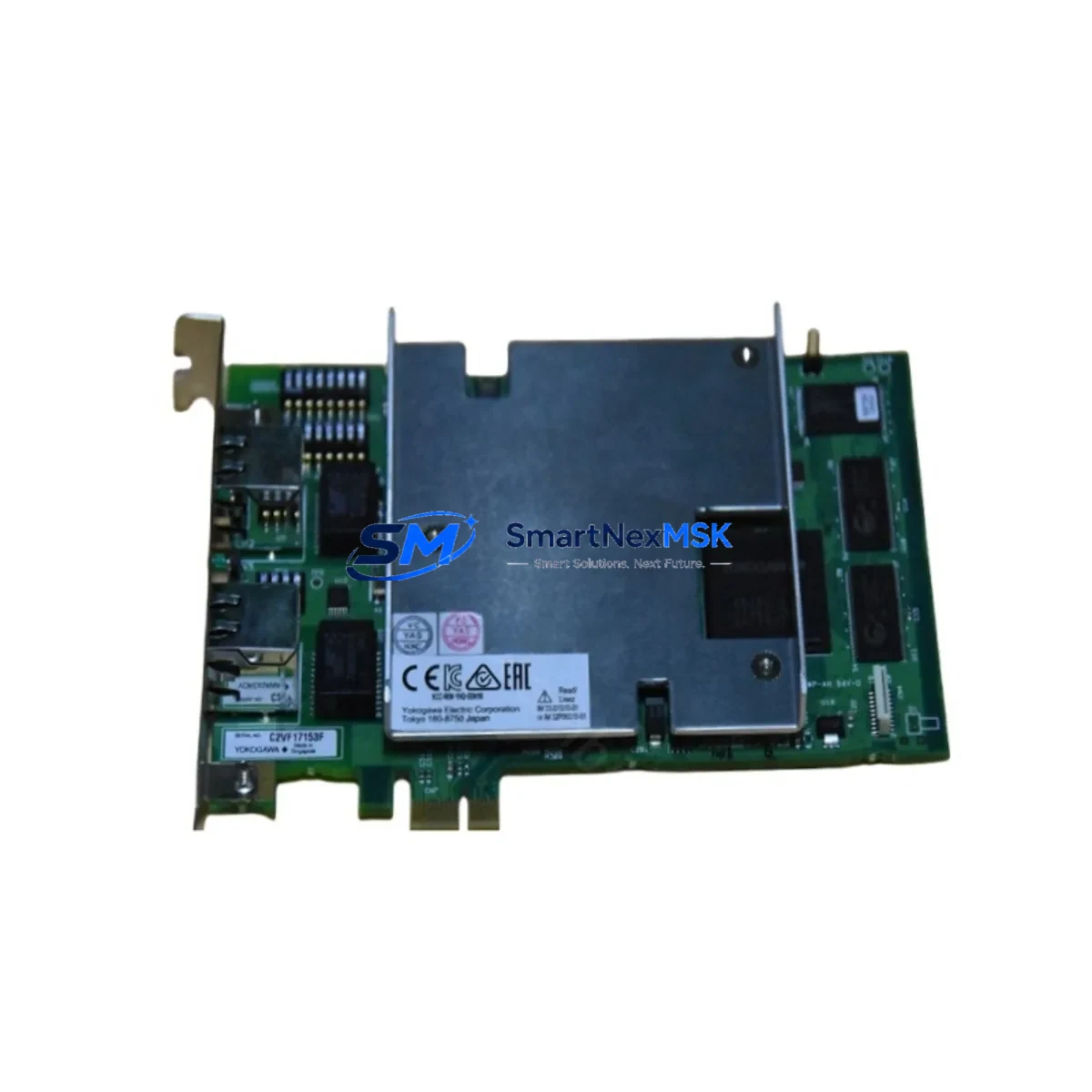
Yokogawa VF311-S1 Maintenance-Ready Spare for CENTUM Automation
The Yokogawa VF311-S1 is an original DCS interface card designed for deployment within CENTUM VP and CENTUM CS 3000 distributed control systems. For maintenance engineers managing aging process control infrastructure, sourcing a verified, tested spare for the VF311-S1 is a critical step in any planned or emergency shutdown recovery strategy. Unplanned downtime caused by a failed interface card can cascade across I/O loops, operator stations, and field device communications — making rapid spare availability a non-negotiable element of any serious maintenance program.
This listing provides a genuine Yokogawa VF311-S1 interface card, inspected and function-tested prior to dispatch. Each unit ships with a 12-month warranty covering manufacturing defects and operational failures under normal industrial conditions. Whether you are replenishing a depleted spare parts cabinet, replacing a failed card during a scheduled turnaround, or building a buffer stock for a multi-unit CENTUM installation, the VF311-S1 offered here is ready for immediate deployment.
Spare Maintenance Table
| Parameter | Specification / Detail |
|---|---|
| Part Number / SKU | VF311-S1 |
| Brand | Yokogawa Electric Corporation |
| Series Compatibility | CENTUM VP, CENTUM CS 3000 |
| Module Type | DCS Interface Card |
| Country of Origin | Japan |
| Mounting | Rack / Backplane slot installation (CENTUM standard) |
| Operating Environment | Industrial control cabinet; standard IEC 61131-2 conditions |
| Communication Interface | Internal CENTUM bus / V-net compatible |
| Power Supply | Supplied via CENTUM backplane (24 VDC nominal) |
| Pre-shipment Testing | Function-tested; power-on verification completed |
| Condition | Original / Genuine Yokogawa |
| Warranty | 12 Months from date of shipment |
| Lead Time | In stock — ships within 1–3 business days |
| Maintenance Recommendation | Inspect backplane connectors and bus termination on installation; verify firmware revision compatibility with host FCS |
Maintenance Planning for Continuous Operation
When a VF311-S1 interface card is flagged during routine control cabinet inspection or fails during operation, the replacement procedure should be treated as an opportunity to audit the surrounding system components. Maintenance engineers working on CENTUM VP or CS 3000 systems should simultaneously verify the condition of the FCS (Field Control Station) power supply modules — particularly the PW481 or equivalent redundant power units — since a degraded power rail is a common root cause of interface card failures that goes undetected until a secondary fault occurs.
The CENTUM backplane and card cage should be inspected for oxidized connector pins, loose seating, and any evidence of moisture ingress or vibration damage. If the VF311-S1 is part of a redundant pair, the partner card’s firmware version and hardware revision must be confirmed to match before the replacement card is inserted. Mismatched revisions in redundant configurations are a known source of switchover failures in CENTUM systems.
Beyond the card itself, a thorough maintenance review should include the I/O modules connected downstream — such as AAI141, AAI143, or AAV141 analog I/O cards — to confirm that signal integrity has not been compromised by the interface fault. Communication modules including the ESB bus coupler and any Vnet/IP interface cards in the same FCS should be checked for error logs and communication timeouts.
For systems with field instruments connected via FOUNDATION Fieldbus or HART, the ALF111 or AFF50S fieldbus interface modules warrant inspection to ensure that the upstream interface fault has not introduced latency or packet loss into the field device communication loop. Terminal boards and marshalling panels — including the TB series terminal assemblies — should be checked for loose wiring, corroded terminals, and correct labeling, as these are frequently overlooked during card-level replacements.
If the control cabinet includes a Yokogawa STARDOM FCN/FCJ remote I/O node or any third-party remote I/O connected via Modbus or PROFIBUS, those communication links should be verified after the VF311-S1 is replaced to confirm that the system has re-established full I/O polling. Finally, the HIS (Human Interface Station) operator console should be monitored for alarm reinstatement and tag status normalization following the card swap, confirming that all previously faulted loops have returned to normal scan.
Site Replacement Workflow
Step 1 — Pre-replacement verification: Confirm the failed card’s slot address, FCS node number, and firmware revision from the CENTUM Engineering Environment (ENG). Document the current alarm state and place affected loops in manual mode at the HIS before proceeding.
Step 2 — Safe removal: De-energize the card slot per Yokogawa hot-swap procedures if supported by the installed FCS version. For non-hot-swap configurations, coordinate a controlled FCS shutdown with the operations team to minimize process impact. Remove the VF311-S1 by releasing the card ejector levers and sliding the module clear of the backplane.
Step 3 — Replacement card inspection: Before inserting the new VF311-S1, visually inspect the backplane connector for bent pins or debris. Confirm the replacement card’s hardware revision and firmware label against the engineering documentation. If a firmware update is required, perform it offline using the Yokogawa FieldMate or CENTUM engineering tools before installation.
Step 4 — Installation and commissioning: Seat the replacement card firmly into the backplane slot, engage the ejector levers, and restore power. Monitor the FCS status display for card recognition and self-test completion. Return affected I/O loops to automatic mode at the HIS and verify that all field device readings are within expected range.
Step 5 — Post-replacement documentation: Record the replacement in the plant maintenance management system (CMMS), update the spare parts inventory, and schedule a follow-up inspection of the replaced card’s neighboring modules within the next planned maintenance window.
Spare Parts Support FAQ
Q: Is the VF311-S1 compatible with both CENTUM VP and CENTUM CS 3000 systems?
A: Yes. The VF311-S1 is designed for use within the CENTUM platform and is compatible with both CENTUM VP and CENTUM CS 3000 field control stations. Always verify the hardware revision and firmware version against your specific FCS configuration using Yokogawa engineering documentation before installation.
Q: What pre-shipment testing is performed on each VF311-S1 unit?
A: Each unit undergoes power-on functional verification and visual inspection prior to dispatch. Cards that do not pass testing are not listed for sale. A 12-month warranty is provided from the date of shipment, covering manufacturing defects and operational failures under normal industrial operating conditions.
Q: How should the VF311-S1 be stored if purchased as a buffer spare?
A: Store in the original anti-static packaging in a dry, temperature-controlled environment (typically 0–55°C, <90% RH non-condensing per IEC standards). Avoid storage near strong electromagnetic fields or in environments with corrosive gases. Inspect the card annually if held in long-term storage and re-verify functionality before deployment.
Q: What is the lead time and shipping process for the VF311-S1?
A: Units in stock ship within 1–3 business days. Each shipment includes anti-static and cushioned packaging appropriate for sensitive electronic components. Export documentation and customs declarations are prepared in compliance with applicable trade regulations. Contact our team for expedited shipping options if the unit is required for an emergency shutdown recovery.
© 2026 SMARTNEXMSK. All rights reserved.
Original Source: https://smartnexmsk.com
Contact: [email protected] | +86 18259474341



