
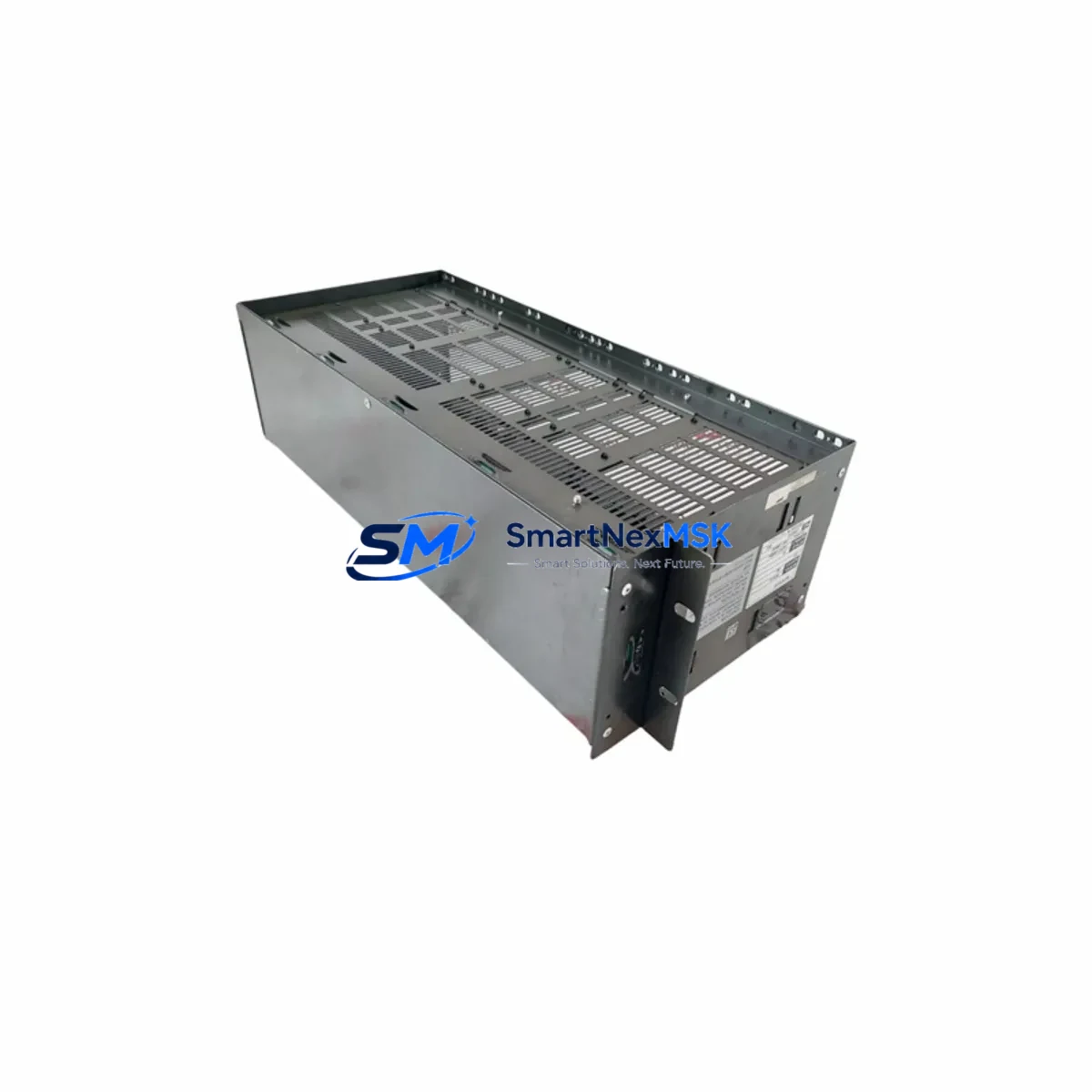
YOKOGAWA YNT511D Retrofit-Ready Ethernet Module for FA-M3 Control Systems
The YOKOGAWA YNT511D is a high-performance Ethernet communication module engineered for the FA-M3 series programmable automation controller platform. Designed to support both greenfield deployments and brownfield retrofit projects, the YNT511D enables seamless integration of legacy FA-M3 control systems into modern Ethernet-based industrial networks — without requiring full controller replacement or extensive re-engineering of existing control logic.
For facilities operating aging FA-M3 racks with discontinued communication modules, the YNT511D represents the most direct and cost-effective upgrade path. It is physically and electrically compatible with the FA-M3 backplane, occupying a standard module slot and drawing power directly from the rack’s internal bus. Engineers replacing end-of-life units such as the YNT511 or earlier Ethernet interface cards will find the YNT511D a functionally equivalent successor with expanded protocol support and improved network diagnostics.
Before beginning a retrofit, site engineers should verify the following: the FA-M3 base unit’s available power budget (the YNT511D draws approximately 0.8 A from the 5 VDC backplane bus), the physical slot position and module address assignment within the rack, and the firmware revision of the F3SP-series CPU module to confirm compatibility with the YNT511D’s communication driver. In multi-rack configurations using the F3BU-series base units, the module address must be set correctly to avoid address conflicts with other installed I/O or communication modules.
Terminal wiring for the Ethernet port follows standard RJ-45 Cat5e/Cat6 conventions. No special adapter or breakout terminal block is required. If the existing installation used a serial communication module such as the YNW21 or a PROFIBUS interface card, the migration to Ethernet will require updating the communication parameters in the FA-M3 CPU’s system configuration registers and revising any ladder logic rungs that reference the old module’s I/O addresses. This is a standard procedure in FA-M3 engineering environments and can be completed using YOKOGAWA’s WideField3 programming software.
Upgrade Compatibility Table
| Parameter | Detail |
|---|---|
| Compatible Platform | YOKOGAWA FA-M3 / FA-M3R Series |
| Compatible Base Units | F3BU04-0N, F3BU06-0N, F3BU13-0N, F3BU16-0N |
| Replaces / Supersedes | YNT511, YNT511B, YNT511C (discontinued) |
| Communication Interface | 10/100BASE-TX Ethernet (RJ-45) |
| Supported Protocols | Modbus TCP, FA-M3 Ethernet, FINS/TCP (via gateway) |
| Backplane Power Draw | ~0.8 A @ 5 VDC |
| Module Slot Type | Standard FA-M3 I/O slot (any position) |
| Programming Tool | WideField3 (ToolBox for FA-M3) |
| Installation Requirement | DIN rail or panel-mount FA-M3 rack; no special adapter needed |
| Commissioning Note | IP address, subnet mask, and gateway configured via WideField3 or front-panel rotary switches |
| Warranty | 12-Month Warranty — covers manufacturing defects and functional failure under normal operating conditions |
Retrofit Planning for Existing Automation Systems
A successful YNT511D retrofit begins with a thorough audit of the existing FA-M3 rack configuration. In a typical control cabinet, the FA-M3 system may include an F3SP-series CPU module, one or more F3AD-series analog input modules, F3DA-series analog output modules, F3XD-series digital input modules, and F3YD-series digital output modules — all mounted on an F3BU-series base unit. The YNT511D slots into any available communication or I/O position on the same backplane, making it straightforward to add Ethernet connectivity without disturbing existing I/O wiring.
In systems where the original network interface was provided by an older YNW21 serial communication module or a dedicated PROFIBUS DP slave card, the migration to the YNT511D involves three key steps: removing the legacy module, inserting the YNT511D into the vacated slot, and updating the system configuration in WideField3 to reflect the new module type and network parameters. If the control system also includes an F3RP-series embedded controller or a dedicated HMI panel running YOKOGAWA’s FAST/TOOLS or a third-party SCADA, the HMI communication driver must be updated to point to the YNT511D’s new IP address and port configuration.
For sites using F3LC-series loop control modules alongside the communication infrastructure, engineers should confirm that the loop control data exchange — typically handled via internal FA-M3 shared memory registers — remains unaffected by the module slot reassignment. In most cases, loop control modules communicate internally via the backplane bus and are not impacted by changes to the Ethernet communication slot. However, any ladder logic that explicitly references the old module’s slot number must be updated in WideField3 before the new configuration is downloaded to the CPU.
Power supply capacity is a critical checkpoint. FA-M3 racks powered by F3PU-series power supply modules have defined current budgets per rack. Adding the YNT511D’s 0.8 A draw must be accounted for in the rack’s total power budget calculation. If the existing rack is already near its power limit due to a dense I/O configuration, a supplementary F3PU-series power supply or rack expansion using an F3BU extension base may be required before the YNT511D can be safely installed.
Downtime Control During System Migration
Minimizing production downtime during a YNT511D retrofit requires careful pre-migration preparation. The recommended approach is to complete all configuration work — IP address assignment, WideField3 system configuration update, and ladder logic revision — offline on a laptop or engineering workstation before the scheduled maintenance window. A full backup of the existing FA-M3 CPU program, including all data registers, system parameters, and I/O configuration, should be saved to a secure location using WideField3’s project backup function prior to any hardware change.
During the physical swap, the FA-M3 CPU should be placed in STOP mode before removing the legacy communication module. The YNT511D can then be inserted into the target slot, and the updated WideField3 project downloaded to the CPU. After download, a controlled RESET and RUN sequence allows the system to initialize the new Ethernet module and establish network connectivity. In most straightforward replacements, the total controller downtime — from STOP to confirmed RUN with active Ethernet communication — is under 30 minutes.
For critical processes where even brief interruptions are unacceptable, a parallel commissioning strategy is recommended: install the YNT511D in a spare slot (if available) while the legacy module remains active, configure and test the new Ethernet link in parallel, then cut over at a planned moment. This approach preserves the original control logic and HMI communication until the new path is fully verified, protecting process continuity and reducing the risk of unplanned downtime.
All YNT511D units supplied by SMARTNEXMSK are pre-tested prior to shipment. Each module undergoes functional verification including power-on self-test, Ethernet link establishment, and basic register read/write via Modbus TCP before dispatch. This pre-shipment testing reduces the risk of DOA (dead-on-arrival) failures and shortens on-site commissioning time.
Retrofit Support FAQ
Q1: Is the YNT511D a direct drop-in replacement for the YNT511 and YNT511B?
Yes. The YNT511D is the current production successor to the discontinued YNT511 and YNT511B modules. It is physically compatible with all FA-M3 F3BU-series base units and uses the same slot form factor. The WideField3 configuration will need to be updated to select the YNT511D module type, but no mechanical modifications to the rack or cabinet are required.
Q2: What wiring changes are needed when replacing a serial module with the YNT511D?
If replacing a serial communication module (e.g., YNW21 RS-232C/RS-485), the existing serial cable and terminal connections are no longer used. The YNT511D connects via a standard RJ-45 Ethernet cable to the plant network switch or directly to an HMI or SCADA server. No special breakout terminal block is required. Ensure the plant network switch port is configured for 10/100BASE-TX auto-negotiation.
Q3: How is the IP address configured on the YNT511D?
The YNT511D’s IP address, subnet mask, and default gateway can be configured either via the front-panel rotary switches (for basic addressing) or through WideField3’s system configuration tool (for full parameter control). It is recommended to use WideField3 for production environments to ensure the configuration is saved within the CPU project and restored automatically after a power cycle or CPU replacement.
Q4: What does the 12-month warranty cover, and what is the return process?
The 12-month warranty covers manufacturing defects and functional failures under normal operating conditions from the date of shipment. If a YNT511D unit fails within the warranty period, contact SMARTNEXMSK at [email protected] with the order reference and a description of the fault. A replacement unit will be dispatched after fault verification. Physical damage caused by incorrect installation, overvoltage, or environmental factors outside the module’s rated specifications is not covered under the standard warranty.
© 2026 SMARTNEXMSK. All rights reserved.
Original Source: https://smartnexmsk.com
Contact: [email protected] | +86 18259474341



