
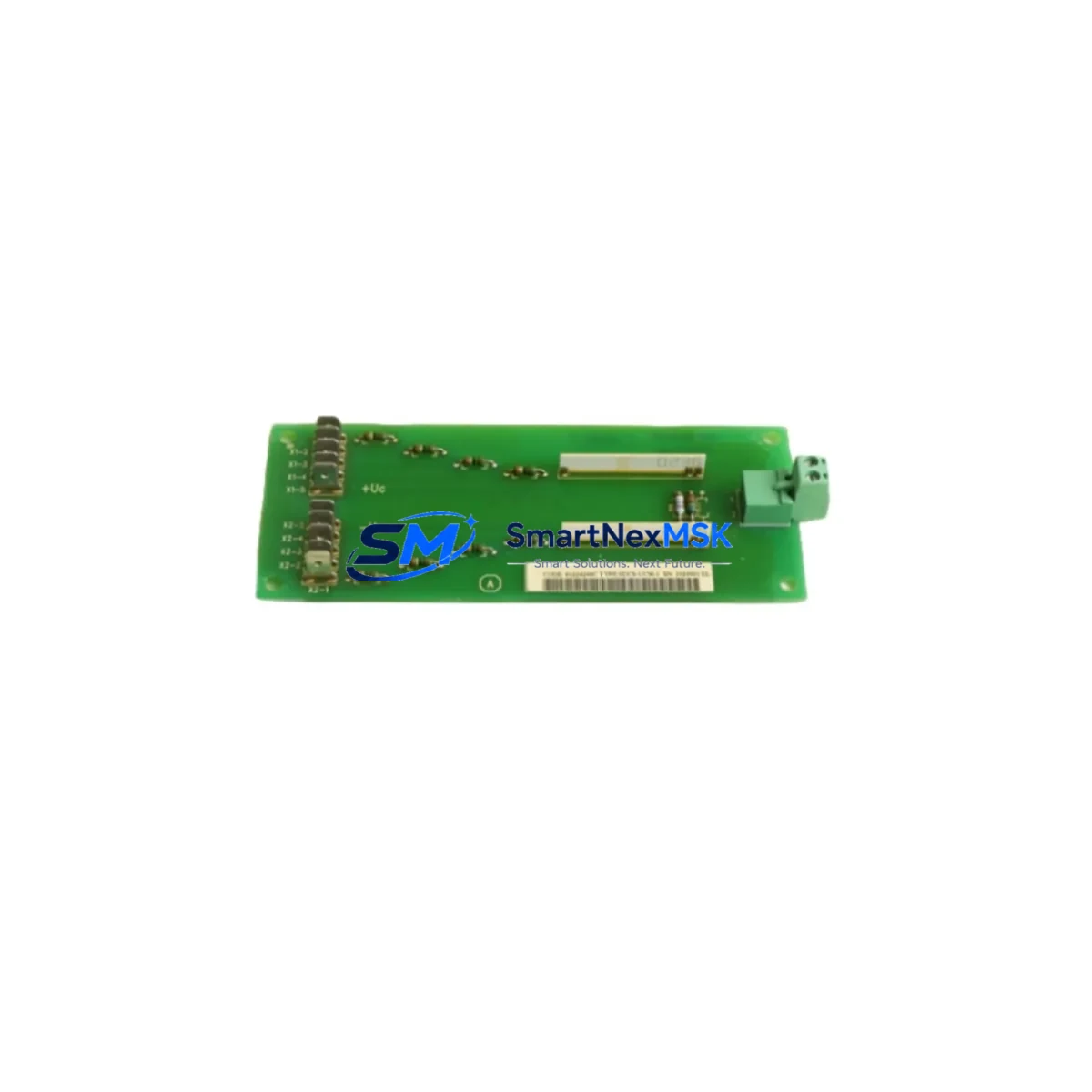
ABB SDCS-UCM-1 3ADT220090R0008 Retrofit-Ready Communication Module for SDCS Control Systems
The ABB SDCS-UCM-1 (part number 3ADT220090R0008) is a universal communication module engineered for the ABB SDCS series DC drive platform. Designed to serve as a direct retrofit replacement for aging or discontinued communication interface cards, this module enables seamless integration between legacy DC drive cabinets and modern fieldbus networks — without requiring a full drive replacement. Whether you are upgrading a production line that has been running on SDCS-CON-2 or SDCS-CON-3 control boards for over a decade, or recovering a system after a critical component failure, the SDCS-UCM-1 provides a validated, drop-in upgrade path that preserves your existing wiring infrastructure and control logic.
Industrial facilities operating ABB DCS 400, DCS 500, or DCS 600 series DC drives frequently encounter the challenge of sourcing compatible communication modules as original components reach end-of-life. The SDCS-UCM-1 3ADT220090R0008 addresses this directly by supporting multiple communication protocols and maintaining backward compatibility with the SDCS backplane architecture. Engineers responsible for retrofit planning can rely on this module to bridge the gap between older SDCS drive firmware and contemporary PROFIBUS-DP, Modbus RTU, or DeviceNet supervisory systems — reducing the scope and cost of a full drive cabinet overhaul.
Before installation, retrofit engineers should verify several critical parameters: confirm that the existing SDCS power supply module (such as the SDCS-POW-1 or SDCS-POW-4) delivers adequate voltage and current capacity to support the UCM-1 alongside active I/O modules; inspect terminal block wiring on the SDCS-IOB-3 or SDCS-IOB-21 I/O boards to ensure signal compatibility; and validate the backplane slot assignment and module address configuration against the existing SDCS-CON board parameter set. Failure to align module addressing before power-up is one of the most common causes of communication faults during retrofit commissioning.
Upgrade Compatibility Table
| Parameter | Details |
|---|---|
| Compatible Drive Series | ABB SDCS (DCS 400 / DCS 500 / DCS 600) |
| Replaces / Upgrades | SDCS-UCM-1 (all prior revisions), legacy SDCS communication adapters |
| Backplane Interface | SDCS standard backplane slot — no mechanical modification required |
| Communication Protocols | PROFIBUS-DP, Modbus RTU, DeviceNet (adapter-dependent) |
| Installation Requirement | Correct slot assignment; module address set via SDCS-CON parameter P-xx |
| Power Supply Compatibility | Compatible with SDCS-POW-1 and SDCS-POW-4 power supply modules |
| Firmware Compatibility | Verify SDCS-CON firmware version before replacement; update if required |
| HMI / SCADA Integration | Panel Builder / DriveWindow / third-party SCADA via fieldbus |
| Commissioning Tool | DriveWindow Light or DriveWindow 2 via SDCS programming cable |
| Warranty | 12 Months — covers manufacturing defects and functional failure |
Retrofit Planning for Existing Automation Systems
A successful SDCS-UCM-1 retrofit begins well before the module arrives on site. Start by auditing the full drive cabinet: document the current SDCS-CON-2 or SDCS-CON-3 control board firmware version, record all active parameter values using DriveWindow Light connected via the SDCS programming cable (NDPA-02 or equivalent), and photograph the existing terminal wiring on the SDCS-IOB-3 I/O board. This documentation becomes your recovery baseline if commissioning encounters unexpected faults.
Next, assess the communication architecture. If the existing system uses a PROFIBUS-DP network, confirm that the SDCS-UCM-1 3ADT220090R0008 is configured with the correct GSD file and that the PLC — whether a Siemens S7-300, S7-400, or an Allen-Bradley ControlLogix — has the corresponding module definition loaded in its hardware configuration. For systems migrating from a proprietary serial link to PROFIBUS-DP, update the HMI screen tag mappings to reflect the new process data object (PDO) layout before going live.
Pay particular attention to the SDCS-POW-4 power supply module’s load capacity. Adding or replacing a communication module changes the backplane current draw, and an undersized power supply is a frequent but overlooked cause of intermittent drive faults after retrofit. Similarly, if the control cabinet includes an SDCS-FEX-2 field excitation module or an SDCS-PIN-51 pulse encoder interface, verify that their parameter sets remain intact after the UCM-1 swap — these modules share the SDCS backplane and can be affected by a reset of the CON board’s communication parameters.
For facilities running multiple SDCS drives in a coordinated line — for example, a winding or unwinding section where speed and torque references are passed between drives — the communication module replacement must be coordinated across all affected nodes simultaneously to avoid reference signal interruption. Plan the retrofit during a scheduled maintenance window, prepare a spare SDCS-CON board as a hot standby, and have the SDCS-UCM-1 3ADT220090R0008 pre-configured and bench-tested before entering the production area.
Downtime Control During System Migration
Minimizing unplanned downtime is the primary concern for any industrial retrofit. With the SDCS-UCM-1 3ADT220090R0008, the replacement procedure is designed to be completed within a single planned maintenance shift when properly prepared. The key steps are: export all SDCS-CON parameters to a laptop running DriveWindow before powering down; remove the existing communication module from the SDCS backplane; seat the new SDCS-UCM-1 in the same slot; restore parameters from the saved file; and verify communication link status on the fieldbus master before releasing the drive to production.
To protect original program logic, never perform a factory reset of the SDCS-CON board during the module swap. The CON board retains its parameter memory independently of the UCM slot, so a clean module replacement does not erase drive tuning, speed ramp settings, or current limit configurations. If the SDCS-CON board must also be replaced as part of a broader upgrade — for instance, moving from a SDCS-CON-2 to a SDCS-CON-3 — restore parameters from the DriveWindow backup file immediately after the new board powers up, before enabling the fieldbus link.
Field continuity is further protected by keeping the SDCS-IOB-3 or SDCS-IOB-21 I/O wiring intact throughout the swap. Because the UCM-1 occupies a dedicated communication slot rather than an I/O slot, analog and digital I/O signals remain live on their respective boards during the module exchange, allowing the upstream PLC to maintain its last-known output states and preventing uncontrolled process changes at the field level.
Retrofit Support FAQ
Q1: Is the SDCS-UCM-1 3ADT220090R0008 a direct drop-in replacement for earlier SDCS communication modules?
Yes. The SDCS-UCM-1 3ADT220090R0008 is designed for direct slot-compatible replacement within the SDCS backplane. No mechanical modification to the drive cabinet is required. After seating the module, re-enter or restore the communication parameters via DriveWindow to complete the replacement.
Q2: What commissioning steps are required after installing the SDCS-UCM-1?
After installation, connect a laptop running DriveWindow Light via the SDCS programming cable, verify that the module address matches the fieldbus master configuration, confirm the GSD or EDS file is correctly loaded in the PLC hardware configuration, and perform a communication link test before enabling the drive. Check the SDCS-CON fault log for any residual communication errors from the previous module.
Q3: How do I verify wiring compatibility before replacing the module?
Compare the terminal assignments on the existing SDCS-IOB-3 or SDCS-IOB-21 I/O board against the SDCS-UCM-1 installation manual. The communication module itself connects via the backplane, so field wiring to I/O terminals is unaffected. Verify that the SDCS-POW-1 or SDCS-POW-4 power supply can support the updated backplane load before powering up.
Q4: What does the 12-month warranty cover?
The 12-month warranty covers manufacturing defects and functional failure under normal operating conditions. Each SDCS-UCM-1 3ADT220090R0008 unit is tested for communication link integrity and backplane interface function prior to shipment. Warranty claims are supported by SMARTNEXMSK’s technical team — contact [email protected] with your order reference and fault description.
© 2026 SMARTNEXMSK. All rights reserved.
Original Source: https://smartnexmsk.com
Contact: [email protected] | +86 18259474341



