
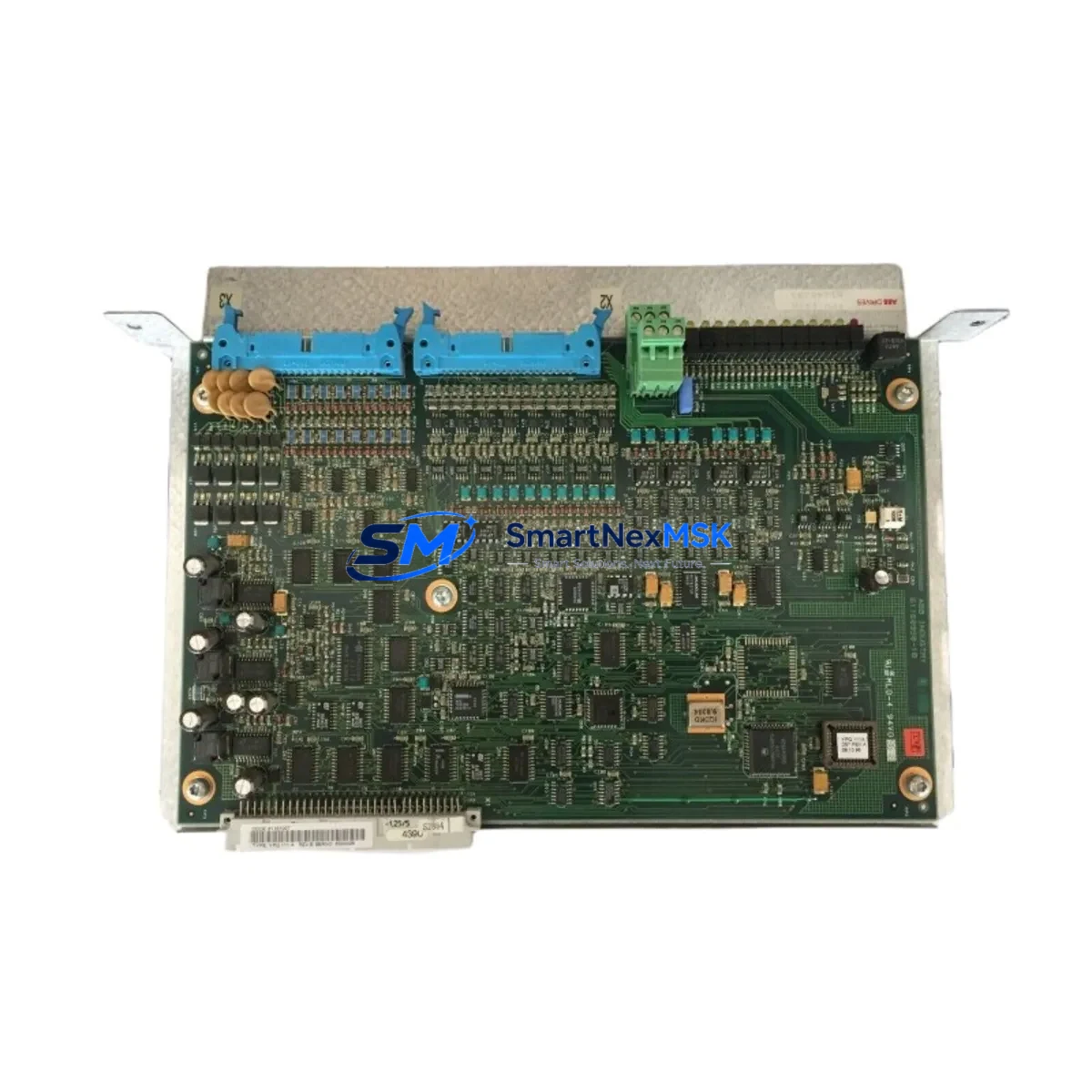
ABB YPQ111A 61161007 Maintenance-Ready Spare AC500 Automation
The ABB YPQ111A (order reference 61161007) is an original extension I/O module designed for the ABB AC500 programmable logic controller platform — one of the most widely deployed modular PLC families in process automation, machine control, and critical infrastructure applications. When this module fails or reaches end-of-service life, unplanned downtime can cascade across the entire control loop. Sourcing a verified, original replacement from a reliable spare parts supplier is the fastest path to restoring normal operation and protecting production continuity.
At SMARTNEXMSK, every YPQ111A 61161007 unit is sourced from authorized supply chains, inspected against ABB factory specifications, and tested prior to dispatch. Each unit ships with a 12-month warranty covering manufacturing defects and functional failures under normal operating conditions. We maintain buffer stock to support both emergency replacement orders and planned maintenance schedules, ensuring your procurement team is never left waiting during a critical outage window.
Spare Maintenance Table
| Parameter | Specification |
|---|---|
| Part Number | YPQ111A |
| Order Reference | 61161007 |
| Brand | ABB |
| Compatible Platform | ABB AC500 PLC Series |
| Module Type | Extension I/O Module |
| Country of Origin | Germany |
| Mounting | DIN Rail / AC500 Backplane |
| Operating Temperature | -25°C to +60°C |
| Protection Class | IP20 |
| Communication Interface | AC500 internal I/O bus |
| Compatibility Verified | AC500 V2 / V3 CPU modules (PM571, PM572, PM581, PM582, PM591, PM592) |
| Maintenance Recommendation | Inspect every 12–24 months; replace on first sign of I/O fault or bus error |
| Warranty | 12 Months — functional defect coverage |
| Condition | Original, New |
| Lead Time | In Stock — ships within 1–3 business days |
Maintenance Planning for Continuous Operation
Replacing the YPQ111A 61161007 in an AC500 control cabinet is rarely an isolated task. Experienced maintenance engineers know that an I/O module fault is often a symptom of broader electrical stress in the control loop. Before returning the system to service, a thorough inspection of adjacent components is strongly recommended.
Start with the AC500 CPU module (such as the PM571 or PM591) — verify firmware version compatibility and check for any stored fault codes that may have preceded the I/O failure. Inspect the TB511 or TB521 terminal base on which the YPQ111A is mounted; worn or corroded contacts on the terminal base can cause intermittent I/O errors that mimic module failure. Check the 24 VDC power supply module (such as the CP502 or a third-party DIN rail PSU) for output voltage stability — undervoltage conditions are a leading cause of premature I/O module failure in AC500 systems.
Review the DC541 or DC532 digital I/O modules in the same rack for any shared field wiring that may have caused a surge or short circuit. If the cabinet includes AI523 or AX522 analog input modules, verify signal integrity on shared field loops, as ground faults on analog channels can propagate across the I/O bus. For systems using PROFIBUS or PROFINET communication modules (such as the CM572-DP or CM589-PNIO), confirm that the communication cycle is stable after the module swap — a replaced I/O module may require re-parameterization in the network configuration.
Do not overlook the fuse and circuit protection on the 24 VDC field supply rail. A blown fuse or tripped miniature circuit breaker (MCB) on the field power circuit is frequently the root cause of I/O module shutdowns. Inspect terminal blocks and field wiring connectors for loose terminations, especially in high-vibration environments. If the system includes a signal isolator or loop-powered transmitter barrier on any of the I/O channels, verify that the isolator is functioning correctly before re-energizing the field devices.
For facilities running legacy AC500 V1 hardware alongside newer V2 or V3 modules, this replacement is also an opportunity to audit the overall cabinet for end-of-life components and build a forward-looking spare parts inventory that covers the next 3–5 years of planned operation.
Site Replacement Workflow
Step 1 — Isolate and de-energize: Follow your site LOTO (Lockout/Tagout) procedure. De-energize the 24 VDC field supply and the AC500 rack power before removing the YPQ111A module. Do not hot-swap unless your system configuration explicitly supports it.
Step 2 — Document the existing configuration: Before removal, use ABB Automation Builder or PS501 Control Builder to export the current hardware configuration and I/O mapping. This ensures the replacement module is configured identically to the original, preventing address conflicts or signal mismatches after restart.
Step 3 — Physical replacement: Slide the YPQ111A out of the terminal base. Inspect the terminal base contacts for damage. Insert the new YPQ111A 61161007 unit and confirm it is fully seated. Reconnect field wiring according to the documented terminal assignment.
Step 4 — Power-up and verification: Re-energize the rack. Confirm the CPU recognizes the new module without hardware fault codes. Perform a full I/O channel test — verify each digital and analog channel against the field device. Check the system event log for any residual errors.
Step 5 — Return to service: Once all channels are verified, release the system to normal operation. Update your maintenance log with the replacement date, module serial number, and any observations from the inspection. Schedule the next planned inspection per your site maintenance interval.
This workflow minimizes downtime, ensures system compatibility, and maintains the integrity of your AC500 control architecture without requiring a full system reconfiguration.
Spare Parts Support FAQ
Q: Is the YPQ111A 61161007 compatible with all AC500 CPU versions?
A: The YPQ111A is designed for the ABB AC500 modular PLC platform and is compatible with AC500 V2 and V3 CPU modules including the PM571, PM572, PM581, PM582, PM591, and PM592. For AC500 V1 legacy systems, compatibility should be verified against your specific hardware revision. Contact our technical team with your CPU part number for confirmation before ordering.
Q: What does the 12-month warranty cover?
A: Our 12-month warranty covers manufacturing defects and functional failures under normal operating conditions. Each unit is tested prior to shipment. The warranty does not cover damage caused by incorrect installation, overvoltage, reverse polarity, or physical mishandling. Warranty claims are processed with return shipping support and priority replacement dispatch.
Q: How quickly can I receive the YPQ111A 61161007 for an emergency replacement?
A: We maintain in-stock inventory of the YPQ111A 61161007 to support emergency downtime recovery. Standard dispatch is within 1–3 business days. For urgent requirements, contact our sales team directly at [email protected] or +86 18259474341 to arrange expedited shipping.
Q: Can I use this module to replace an older or discontinued ABB AC500 I/O module?
A: In many cases, yes — the YPQ111A can serve as a direct replacement for functionally equivalent AC500 extension I/O modules within the same terminal base family. However, we recommend verifying the terminal base type (TB511 vs TB521) and the I/O channel count against your existing hardware configuration before installation. Our technical team can assist with compatibility verification at no charge.
© 2026 SMARTNEXMSK. All rights reserved.
Original Source: https://smartnexmsk.com
Contact: [email protected] | +86 18259474341



