
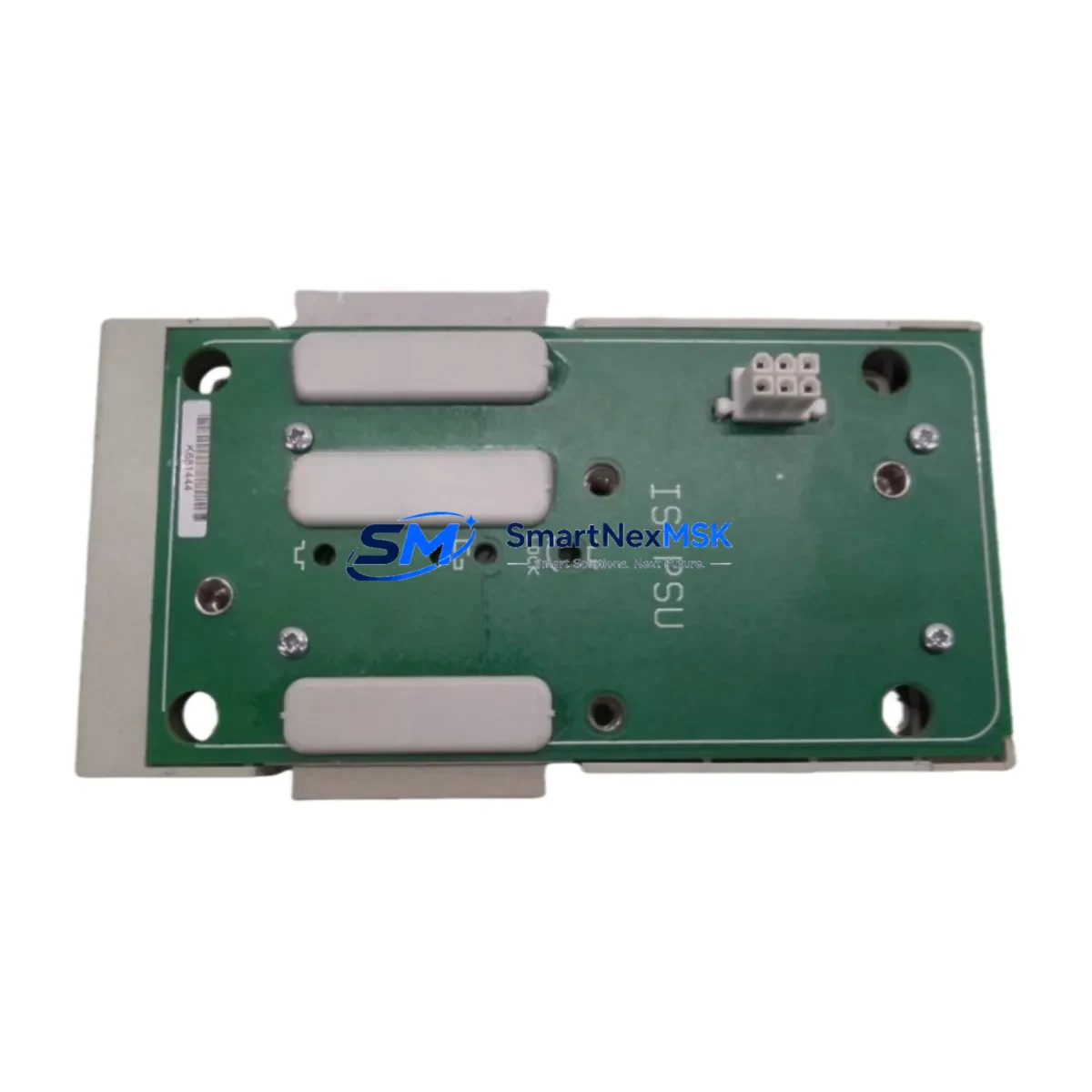
GE 8724-CA-PS Spare for Series 90 Automation: Spare Replacement & Industrial Downtime Risk Control
The GE 8724-CA-PS is a rack-mount DC power supply module designed for GE Series 90 DCS (Distributed Control System) platforms. In industrial automation environments where continuous operation is non-negotiable, maintaining a verified spare of the 8724-CA-PS is a foundational element of any proactive maintenance strategy. Power supply failures are among the leading causes of unplanned control system downtime, and the 8724-CA-PS — responsible for delivering stable, regulated DC power to the Series 90 backplane and connected I/O modules — is a critical single point of failure that maintenance engineers must account for in every annual spare parts review.
This listing provides an original GE 8724-CA-PS power supply module, sourced from authorized channels, fully tested prior to shipment, and backed by a 12-month warranty. Whether you are executing a planned shutdown replacement, responding to an emergency fault, or building out your control room spare parts inventory, this unit ships ready for immediate installation into your Series 90 rack assembly.
Spare Maintenance Table
| Parameter | Specification / Detail |
|---|---|
| Part Number / SKU | 8724-CA-PS |
| Brand | GE (General Electric Automation) |
| Series | Series 90 DCS |
| Module Type | Rack-Mount DC Power Supply Module |
| Output | Regulated DC Power for Series 90 Backplane |
| Compatibility | GE Series 90 DCS Rack Systems; compatible backplane and I/O configurations |
| Installation | Direct rack-mount; no additional wiring adapter required for standard Series 90 chassis |
| Application Environment | Industrial control cabinets, process automation panels, DCS control rooms |
| Condition | Original OEM; tested and verified before shipment |
| Maintenance Recommendation | Replace at first sign of output voltage instability, overtemperature alarm, or module fault LED |
| Warranty | 12 Months from date of shipment |
| Origin | United States |
| Weight | 1,500 g (approx.) |
Maintenance Planning for Continuous Operation
When a maintenance or procurement engineer schedules replacement of the GE 8724-CA-PS, the power supply module should never be treated in isolation. A power supply fault in a Series 90 DCS rack frequently cascades into secondary failures across interconnected components. A thorough site inspection and spare parts audit should accompany any 8724-CA-PS replacement.
Begin by verifying the integrity of the Series 90 backplane itself — backplane connector pins can suffer oxidation or mechanical stress over years of thermal cycling, and a degraded backplane will shorten the service life of any replacement power supply. Inspect the Series 90 CPU module (such as the IC697CPU772 or IC697CPU781) for any fault codes logged during the power event, as transient undervoltage conditions can corrupt CPU memory or trigger watchdog resets.
On the I/O side, check all installed Series 90 analog input modules and digital output modules for residual fault flags. Modules such as the IC697MDL340 (discrete output) or IC697ALG230 (analog input) may latch fault states that require a manual reset after power restoration. If the system includes Series 90 communications modules — for example, Ethernet or Genius Bus Controller cards — verify that network links have re-established cleanly and that no communication timeouts have been logged in the SCADA or HMI layer.
For cabinet-level inspection, examine the 24VDC terminal block distribution feeding field instruments and transmitters. A power supply failure event can induce voltage spikes that stress signal isolators and loop-powered transmitters connected downstream. Check fuse holders and DIN-rail mounted fuse terminals for any blown protection elements — these are inexpensive components that are frequently overlooked but are essential for protecting I/O cards from field-side transients.
If the control cabinet includes a GE Fanuc Series 90 HMI panel or operator interface terminal, confirm that the HMI has reconnected to the PLC/DCS network and that all process displays are reading live data. Communication dropouts during a power event can leave HMI screens in a stale or frozen state that operators may not immediately recognize.
Finally, review the UPS (Uninterruptible Power Supply) feeding the control cabinet. A power supply module failure is sometimes a symptom of upstream power quality issues — voltage sags, harmonic distortion, or UPS battery degradation — rather than a standalone module defect. Replacing the 8724-CA-PS without addressing upstream power quality will result in premature failure of the new unit.
Site Replacement Workflow
Step 1 — Pre-Replacement Verification: Before removing the failed 8724-CA-PS, document the current system state: record all active alarms, capture a screenshot or printout of the HMI process overview, and note any fault codes displayed on the CPU module. This baseline will be essential for post-replacement validation.
Step 2 — Safe Isolation: Follow your site’s Lockout/Tagout (LOTO) procedure. Isolate AC input power to the Series 90 rack. Confirm zero energy state with a calibrated voltage tester before opening the cabinet door or touching any rack components.
Step 3 — Module Removal: The 8724-CA-PS is a rack-mount module. Release the module locking mechanism, disconnect any external wiring connectors, and slide the module out of the rack slot. Inspect the vacated slot and backplane connector for debris, corrosion, or physical damage before installing the replacement unit.
Step 4 — Replacement Installation: Slide the new GE 8724-CA-PS into the rack slot, ensuring full backplane connector engagement. Reconnect all external wiring connectors in the correct orientation. Verify that the module is fully seated and the locking mechanism is engaged.
Step 5 — Power-Up and Validation: Restore AC input power. Observe the module status LEDs during startup — the 8724-CA-PS should indicate normal operation within the expected startup sequence. Monitor the CPU module for any residual fault codes. Confirm that all I/O modules have returned to normal scan status and that the HMI is displaying live process data.
Step 6 — Documentation: Record the replacement in your maintenance management system (CMMS), including the date, technician name, old module serial number, and new module serial number. Update your spare parts inventory to reflect the consumed unit and initiate a reorder to maintain your minimum stock level.
Spare Parts Support FAQ
Q1: What is the expected service life of the GE 8724-CA-PS, and when should I plan a proactive replacement?
The 8724-CA-PS is a mature GE Series 90 component. In well-maintained industrial environments with stable input power, these modules can operate reliably for 10–15 years. However, given that the Series 90 platform is a legacy system, proactive replacement is recommended when the module reaches 10 years of continuous service, when output voltage measurements show drift beyond ±2% of nominal, or when the module generates recurring overtemperature or fault alarms. Maintaining at least one verified spare in your control room inventory eliminates the risk of extended downtime while sourcing a replacement under emergency conditions.
Q2: How do I confirm compatibility before installing the 8724-CA-PS in my Series 90 rack?
Verify the rack model and backplane revision against GE’s Series 90 hardware compatibility documentation. The 8724-CA-PS is designed for specific Series 90 rack configurations — confirm that your rack’s power supply slot accepts this module form factor and that the DC output voltage and current ratings match your system’s load requirements. If you are replacing a different power supply variant, cross-reference the GE Series 90 hardware manual or contact our technical team with your rack model number for confirmation before installation.
Q3: What pre-shipment testing is performed on the 8724-CA-PS?
Every GE 8724-CA-PS unit we ship undergoes functional testing to verify DC output voltage regulation, current capacity, and module communication with the Series 90 backplane. Units are inspected for physical condition, connector integrity, and component-level anomalies before packaging. A test report is available upon request. All units are shipped with ESD-protective packaging to prevent damage during transit.
Q4: What does the 12-month warranty cover, and what is the replacement process?
The 12-month warranty covers manufacturing defects and functional failures under normal operating conditions. It does not cover damage resulting from incorrect installation, overvoltage events, physical impact, or use outside the module’s rated specifications. If a warranty claim is required, contact our sales team at [email protected] with your order number, module serial number, and a description of the fault. We will arrange for a replacement unit to be shipped promptly to minimize your system downtime.
© 2026 SMARTNEXMSK. All rights reserved.
Original Source: https://smartnexmsk.com
Contact: [email protected] | +86 18259474341



