
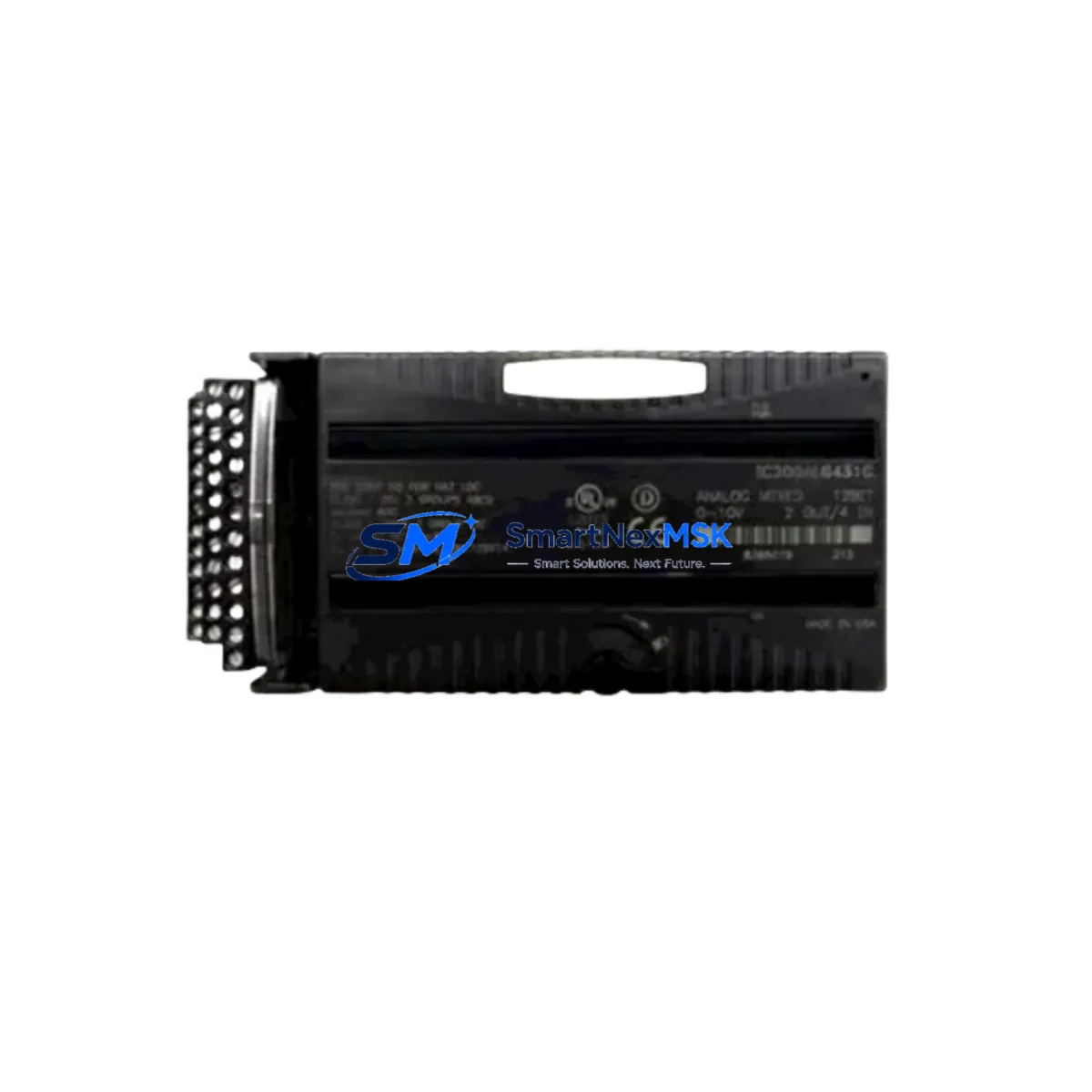
GE IC200ALG264J Maintenance-Ready Spare for Versamax Automation
The GE IC200ALG264J is a high-density analog output module designed for the GE Versamax PLC platform — one of the most widely deployed modular programmable logic controller families in discrete and process manufacturing environments. As a maintenance-ready spare, the IC200ALG264J is stocked, tested, and shipped to support rapid replacement during planned shutdowns, emergency breakdowns, and scheduled preventive maintenance cycles. For maintenance engineers managing aging Versamax control systems, having a verified spare on the shelf is the single most effective strategy to reduce unplanned downtime and protect production continuity.
The IC200ALG264J provides multiple analog output channels with configurable signal ranges, making it a critical interface between the PLC controller and field devices such as control valves, variable frequency drives, positioners, and proportional actuators. When this module fails or degrades — often presenting as signal drift, loss of output, or erratic valve behavior — the downstream impact on process control can be immediate and severe. A pre-tested replacement unit eliminates the diagnostic delay and allows maintenance teams to restore operation within a single shift.
Spare Maintenance Table
| Parameter | Specification |
|---|---|
| Part Number | IC200ALG264J |
| Brand / Manufacturer | GE (General Electric Automation) |
| Series | Versamax PLC |
| Module Type | Analog Output Module |
| Output Channels | 16 Channels (Voltage / Current configurable) |
| Output Signal Range | 0–10 VDC / 4–20 mA (per channel configuration) |
| Resolution | 12-bit |
| Backplane Compatibility | Versamax Micro / Nano / Standard Backplanes |
| Power Supply Requirement | 24 VDC (via backplane) |
| Operating Temperature | 0°C to 60°C |
| Mounting | DIN Rail / Panel Mount via Versamax backplane |
| Country of Origin | United States |
| Condition | Original, New or Refurbished-Tested |
| Compatibility | GE Versamax Series PLC Systems |
| Application Environment | Industrial automation, process control, discrete manufacturing |
| Pre-Shipment Testing | Yes — functional output verification on all channels |
| Warranty | 12 Months from date of shipment |
Maintenance Planning for Continuous Operation
When replacing the IC200ALG264J in a live Versamax control cabinet, a disciplined maintenance workflow requires more than a simple module swap. Experienced maintenance engineers know that analog output failures are rarely isolated — they often indicate stress on adjacent components within the same electrical loop or backplane segment.
Before or during replacement of the IC200ALG264J, the following components should be inspected and verified:
Power Supply Module (e.g., IC200PWR002 or IC200PWR101): Verify that the 24 VDC backplane supply is within tolerance. A degraded power supply module is a common root cause of analog output instability and should be checked with a calibrated multimeter before the new module is installed. Keeping a spare IC200PWR002 alongside the IC200ALG264J is standard practice in high-availability Versamax installations.
CPU / Controller Module (e.g., IC200CPUE05 or IC200UAL006): Confirm that the CPU is not logging I/O faults or communication errors that could indicate a broader backplane issue. A CPU module with corrupted configuration data can cause a newly installed analog output module to behave unexpectedly. Verify firmware version compatibility between the CPU and the replacement IC200ALG264J.
Backplane and Expansion Rack: Inspect the Versamax backplane connector for bent pins, oxidation, or mechanical damage. A faulty backplane connection can cause intermittent analog output errors that are misdiagnosed as module failure. If the backplane is original equipment from a system installed more than 10 years ago, consider stocking a replacement backplane segment as part of your long-term spares strategy.
Terminal Blocks and Field Wiring: Inspect the analog output terminal blocks for loose connections, corrosion, or insulation breakdown. In high-vibration or high-humidity environments, terminal block degradation is a frequent contributor to signal loss. Replace any suspect terminal blocks during the same maintenance window to avoid repeat callouts.
Signal Isolators and Loop Conditioners: If the IC200ALG264J drives field devices through signal isolators or loop-powered conditioners, verify that these devices are functioning correctly. A failed signal isolator can present the same symptoms as a failed analog output module, and replacing the module without checking the isolator will not resolve the fault.
Fuses and Circuit Protection: Check all fuses in the analog output loop, particularly those protecting individual channel outputs. Blown fuses are a common and easily overlooked cause of single-channel output loss. Maintain a stock of the correct fuse ratings for your Versamax panel configuration.
Communication Modules (e.g., IC200BEM003 Ethernet or IC200PBI001 Profibus): If the Versamax system uses a network communication module for remote I/O or SCADA integration, verify that the communication link is stable after the module replacement. Some communication modules require a system restart or re-initialization after an I/O module is swapped.
HMI Interface: After restoring the analog output module, verify that the HMI (whether a GE QuickPanel or third-party panel) correctly reflects the updated output values. Stale HMI data or incorrect tag mapping can create the false impression that the replacement module is not functioning.
Site Replacement Workflow
The IC200ALG264J is a direct plug-in replacement for the same module designation within the Versamax platform. No hardware modification is required. The replacement workflow for a trained maintenance engineer typically follows these steps:
1. Pre-Replacement Preparation: Download and save the current PLC program and I/O configuration from the CPU using GE’s Proficy Machine Edition (PME) software before beginning any hardware work. Confirm that the replacement IC200ALG264J carries the same firmware revision or a compatible later revision. Review the channel configuration (voltage vs. current output, range settings) so the replacement module can be configured identically.
2. Safe Isolation: Place the affected control loop in manual mode at the DCS or SCADA level if possible. De-energize the Versamax rack or the specific I/O segment per your site’s lockout/tagout (LOTO) procedure. Do not hot-swap analog output modules unless your system configuration explicitly supports it.
3. Module Removal and Installation: Remove the faulty IC200ALG264J by releasing the module latch and sliding it out of the backplane slot. Inspect the backplane connector before inserting the replacement. Seat the new module firmly until the latch engages. Reconnect field wiring to the terminal block, verifying wire positions against the as-built wiring diagram.
4. Configuration Restore and Verification: Re-energize the rack and download the saved configuration to the CPU. Verify that the IC200ALG264J is recognized by the CPU with no I/O fault indicators. Test each analog output channel against the expected engineering unit range using a calibrated loop calibrator or multimeter. Confirm that field devices (valves, drives, actuators) respond correctly to the output signals.
5. Return to Service: Return the control loop to automatic mode. Monitor the system for 15–30 minutes to confirm stable operation. Document the replacement in your maintenance management system (CMMS) and update your spare parts inventory accordingly.
This workflow minimizes downtime, ensures system compatibility, and provides a documented audit trail for compliance and reliability reporting.
Spare Parts Support FAQ
Q: Is the IC200ALG264J still available as a new original part, or only as a refurbished unit?
A: We stock both new original and professionally refurbished-tested units of the IC200ALG264J. All refurbished units undergo full functional testing across all analog output channels before shipment. The condition is clearly stated on your order confirmation. Both conditions carry a 12-month warranty from the date of shipment.
Q: How do I verify compatibility between the IC200ALG264J and my existing Versamax system?
A: The IC200ALG264J is compatible with all standard Versamax backplane configurations. Compatibility depends on your CPU firmware version and the I/O configuration defined in your Proficy Machine Edition project. We recommend providing your CPU part number and firmware version when placing your order so our technical team can confirm compatibility before shipment.
Q: What is your lead time and how is the module tested before shipment?
A: In-stock units ship within 1–3 business days. Each IC200ALG264J is powered up and tested for correct analog output on all channels prior to packaging. A test report is available upon request. Express shipping options are available for emergency breakdown situations.
Q: What does the 12-month warranty cover, and what is the claims process?
A: The 12-month warranty covers defects in materials and workmanship under normal operating conditions. If the IC200ALG264J fails within the warranty period due to a manufacturing or refurbishment defect, we will provide a replacement unit or full refund at no additional cost. To initiate a warranty claim, contact our technical support team with your order number, a description of the fault, and any available diagnostic data from your PLC system.
© 2026 SMARTNEXMSK. All rights reserved.
Original Source: https://smartnexmsk.com
Contact: [email protected] | +86 18259474341



