
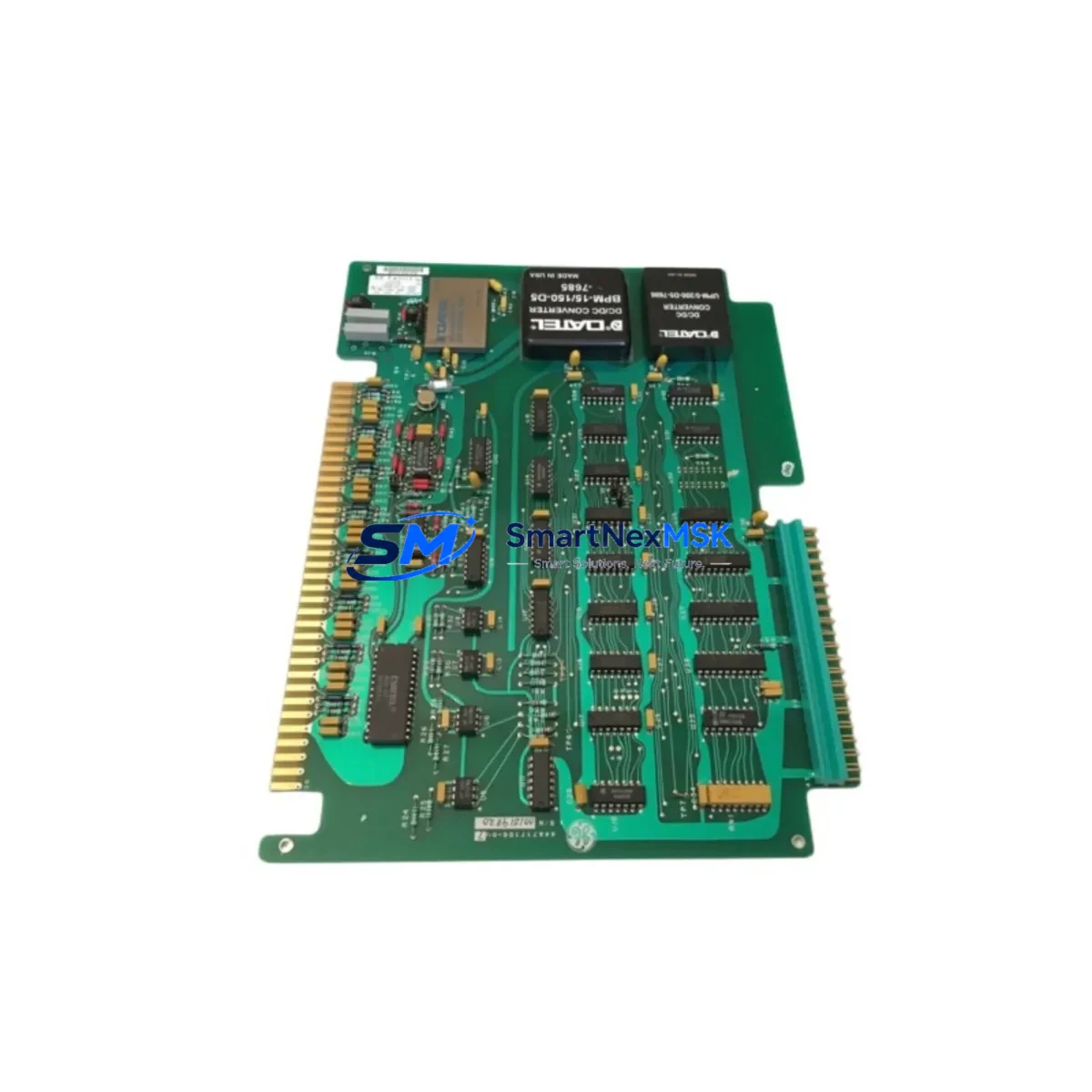
GE IC600BF843 Retrofit-Ready Analog Input Module for Series Six Control Systems
The GE IC600BF843 is a high-reliability analog input module engineered for the GE Series Six programmable logic controller platform — one of the most widely deployed legacy control architectures in process manufacturing, power generation, and heavy industrial automation. As GE Fanuc transitioned its control portfolio toward the Series 90 and PACSystems RX3i platforms, the IC600BF843 became a critical retrofit component for facilities that need to extend the operational life of their Series Six control infrastructure without committing to a full system overhaul.
This module accepts multiple analog signal types and delivers conditioned process values directly to the Series Six CPU backplane, making it directly compatible with existing IC600YB900, IC600CB500, and IC600CB502 CPU modules without requiring firmware changes or logic rewrites. For plants running mixed-generation control cabinets — where a Series Six rack sits alongside newer IC693 or IC695 I/O expansion chassis — the IC600BF843 provides a stable, tested bridge that preserves the original ladder logic while allowing incremental hardware modernization.
Upgrade Compatibility Table
| Parameter | IC600BF843 (This Module) | Retrofit Notes |
|---|---|---|
| Module Type | Analog Input Module | Direct slot replacement in Series Six rack |
| Backplane Interface | Series Six parallel backplane | Compatible with IC600YB900 and IC600CB500 backplanes |
| Signal Input Range | 4–20 mA / 0–10 VDC (configurable) | Verify field wiring termination block pinout before swap |
| Module Address | DIP-switch configurable | Match address to original module; document before removal |
| Power Consumption | Verify against IC600PS524 or IC600PS548 PSU capacity | Audit total rack load before adding replacement modules |
| Communication Protocol | Series Six native backplane bus | No protocol migration required for same-series swap |
| HMI Compatibility | Compatible with CIMPLICITY and legacy GE View screens | Tag addresses unchanged; HMI screen edits not required |
| Programming Tool | Logicmaster 6 / Series Six Programmer | No program recompile needed for direct replacement |
| Installation Format | Single-slot, Series Six rack | Confirm slot width and keying before installation |
| Warranty | 12-Month Warranty — covers functional defects under normal operating conditions | |
Retrofit Planning for Existing Automation Systems
A successful IC600BF843 retrofit begins well before the module arrives on-site. The first step is a full rack audit: document every module currently installed in the Series Six chassis, including the IC600PS524 power supply output capacity, the IC600YB900 backplane revision, and the slot assignments of all analog and digital I/O modules. This baseline prevents the most common retrofit failure — insufficient power budget after adding a replacement module with slightly different current draw characteristics.
Terminal block wiring is the next critical checkpoint. The IC600BF843 uses a field-side terminal strip that must be matched against the original wiring schedule. In many aging installations, as-built drawings no longer reflect field modifications made over years of operation. Before removing the failed or obsolete module, photograph the terminal connections and use a continuity tester to verify signal loop integrity from the field instrument through to the module connector. This is especially important in 4–20 mA current loop circuits where an open connection will drive the input to a fault state and may trigger process alarms or safety interlocks.
For facilities migrating from a fully Series Six environment toward a hybrid architecture — for example, adding an IC693MDL655 discrete input module or an IC695ALG600 analog module in a PACSystems expansion rack — the IC600BF843 serves as the anchor point that keeps the legacy analog signals online while the new I/O infrastructure is commissioned in parallel. This parallel commissioning approach is the most effective way to control downtime: the new rack is wired, addressed, and tested in shadow mode before any cutover occurs.
Communication link integrity must also be verified during planning. If the Series Six CPU communicates upstream via a GE Series Six SNP or CCM port to a SCADA host or DCS gateway, confirm that the analog data tags mapped to the IC600BF843 channel addresses are correctly reflected in the communication configuration. In installations where a GE IC660BBD024 or IC660BBD100 Genius Bus Interface Module bridges the Series Six rack to a Genius fieldbus segment, the module address and data table mapping must be re-verified after any slot change.
Finally, if the control cabinet also houses an IC600CB502 coprocessor or an IC600FP525 programming panel port, ensure that the programming cable connection is accessible during commissioning. Having a Logicmaster 6 programming terminal connected during the first power-up after module swap allows real-time monitoring of the analog input register values and immediate fault diagnosis if the module does not initialize correctly.
Downtime Control During System Migration
Minimizing production downtime during a Series Six analog input module replacement requires a structured, time-boxed approach. The recommended sequence is: (1) pre-stage the IC600BF843 replacement unit and verify it powers up correctly on a bench test rack before the scheduled maintenance window; (2) export and archive the current Logicmaster 6 program from the live CPU using the IC600CB500 or IC600YB900 memory module backup function; (3) document all DIP switch settings on the outgoing module; (4) perform the physical swap during a planned shutdown window, ideally during a scheduled process hold or shift changeover; (5) power up the rack and confirm the new module’s status LED sequence matches the expected initialization pattern; (6) force-read the analog input channels from the programming terminal to verify signal scaling before releasing the process to automatic control.
This sequence typically allows a trained technician to complete a single-module swap in under 60 minutes, keeping the process control gap within a window that most batch and continuous process facilities can absorb without triggering a full production loss event. The original ladder logic program does not require modification for a direct IC600BF843 replacement — the CPU continues to read the same data table addresses, and the HMI operator screens referencing those tags remain valid without any display reconfiguration.
For multi-module replacements or full rack rebuilds, a phased approach is strongly recommended: replace one module per maintenance window, verify process stability, and proceed to the next module only after the previous replacement has been confirmed stable under live process conditions. This approach protects the original program logic, maintains field control continuity, and provides a clear rollback point at each stage.
Retrofit Support FAQ
Q: Is the IC600BF843 a direct drop-in replacement for the original GE Series Six analog input module in the same slot?
A: Yes, for same-series slot replacements the IC600BF843 is a direct functional substitute. The backplane connector, slot form factor, and data table addressing are compatible with the Series Six rack architecture. Verify the DIP switch address settings match the original module before powering up.
Q: Does replacing the IC600BF843 require any changes to the existing Logicmaster 6 program or HMI configuration?
A: No program recompile or HMI tag remapping is required for a direct slot replacement. The CPU reads the same register addresses, and CIMPLICITY or legacy GE View operator screens continue to display the correct analog values without modification.
Q: What pre-shipment testing is performed on the IC600BF843 before delivery?
A: Each unit undergoes functional power-on verification and analog channel response testing prior to shipment. Units are supplied with a 12-month warranty covering functional defects under normal operating conditions. Test reports are available upon request for critical process applications.
Q: What should I verify regarding power supply capacity before installing the IC600BF843?
A: Audit the total current draw of all modules in the Series Six rack against the rated output of the installed IC600PS524 or IC600PS548 power supply. Add the IC600BF843 current specification to the existing rack load and confirm the power supply has sufficient headroom — typically a minimum 20% margin is recommended to ensure stable operation under all process conditions.
© 2026 SMARTNEXMSK. All rights reserved.
Original Source: https://smartnexmsk.com
Contact: [email protected] | +86 18259474341



