
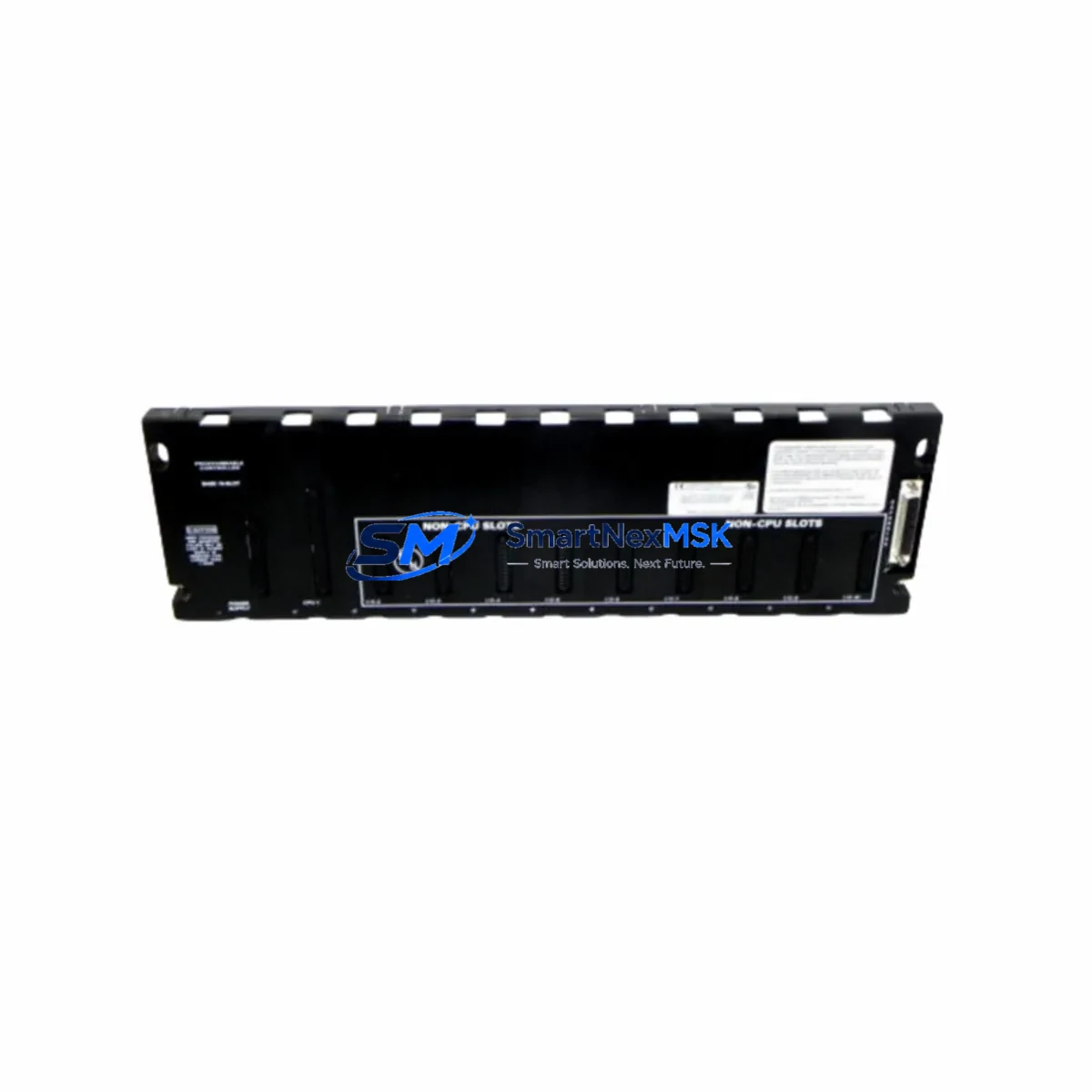
GE IC600FP999K Retrofit-Ready Fault Protection Module for Series Six Control Systems
The GE IC600FP999K is a fault protection module engineered for the GE Series Six PLC platform — one of the most widely deployed programmable logic controller families in heavy industrial, utilities, and process automation environments. As GE progressively discontinued the Series Six product line, facilities running legacy control cabinets face increasing pressure to source reliable replacement modules that maintain electrical compatibility, preserve existing ladder logic, and avoid costly full-system migrations. The IC600FP999K addresses this challenge directly: it is a retrofit-ready, drop-in fault protection solution that integrates seamlessly into existing Series Six backplane configurations without requiring rewiring, reprogramming, or HMI screen redesign.
Whether you are managing a planned upgrade cycle or responding to an unplanned module failure, the IC600FP999K provides the fault isolation and system protection functions your control architecture depends on. It is compatible with the standard Series Six rack and backplane bus, supports the original terminal block wiring layout, and communicates using the native Series Six I/O bus protocol — eliminating the need for protocol converters or gateway devices during the replacement process.
Upgrade Compatibility Table
| Parameter | IC600FP999K Specification | Retrofit Notes |
|---|---|---|
| Compatible Platform | GE Series Six PLC | Direct backplane slot replacement; no adapter required |
| Module Type | Fault Protection Module | Replaces same-function legacy modules in Series Six racks |
| Backplane Interface | Series Six parallel I/O bus | Verify rack slot assignment matches original module address |
| Power Requirement | Supplied via Series Six backplane (5 VDC logic bus) | Confirm power supply module (e.g., IC600PS501) capacity before installation |
| Terminal Wiring | Compatible with original Series Six terminal block layout | No rewiring required; verify torque spec on field terminals |
| Communication Protocol | Native Series Six I/O bus | No protocol migration needed; compatible with existing CPU modules |
| Installation Method | Slide-in rack mount, front-panel connector | Confirm rack model (IC600BF series) slot clearance |
| Program Compatibility | Fully compatible with existing Series Six ladder logic | No PLC program modification required after module swap |
| HMI Screen Impact | None — module address and I/O mapping unchanged | Existing CIMPLICITY or Series Six HMI screens remain valid |
| Commissioning | Power-on self-test; fault LED status indicators | Verify fault relay output continuity after installation |
| Warranty | 12 Months | Covers manufacturing defects; includes pre-shipment functional test |
Retrofit Planning for Existing Automation Systems
Successful integration of the IC600FP999K into a live production environment requires systematic pre-installation planning. Begin by auditing the existing Series Six rack configuration. Identify the rack model — typically an IC600BF831 or IC600BF832 baseplate — and confirm the slot position of the original fault protection module. Record the module address as configured in the Series Six CPU, such as the IC600CP502 or IC600CP503 central processor unit, to ensure the replacement module is recognized at the correct logical address after power-up.
Next, assess the power budget of the installed IC600PS501 or equivalent Series Six power supply module. Fault protection modules draw logic power from the backplane bus; confirm that the existing power supply has sufficient headroom to support the IC600FP999K without triggering an undervoltage condition on adjacent I/O modules such as the IC600BF900 discrete input module or IC600BF901 discrete output module. If the power budget is marginal, consider replacing the power supply module concurrently as part of the retrofit scope.
Terminal block wiring should be documented before removal of the original module. Photograph or sketch the field wiring connections at the front-panel terminal strip. The IC600FP999K uses the same terminal block pinout as the original Series Six fault protection module, so field cables can be transferred directly without modification. However, inspect each conductor for insulation condition and verify terminal torque values per the GE Series Six installation manual — aged wiring in legacy control cabinets is a common source of intermittent faults after module replacement.
For facilities that have integrated Series Six systems with upstream SCADA or DCS platforms via GE Series 90 SNP or Genius Bus communication links, confirm that the fault protection module replacement does not interrupt the communication link. The IC600FP999K does not occupy a communication slot; however, if the original module was adjacent to a IC600CM501 communications module or a IC600LX624 coprocessor module, verify that backplane signal integrity is maintained after the swap. In multi-rack configurations connected via the Series Six I/O bus, ensure that the bus termination resistors remain correctly installed at the end of each rack segment.
If the retrofit scope includes upgrading the programming interface, note that Series Six CPU modules are programmed using the IC600PM501 programming panel or via a PC running Logicmaster 6 software with a serial programming cable. Retain a backup copy of the existing PLC program before beginning any hardware work. The IC600FP999K replacement does not require program changes, but having a verified program backup is essential for rapid recovery if an unexpected fault occurs during commissioning.
Downtime Control During System Migration
Minimizing production downtime during a Series Six fault protection module replacement requires a structured hot-swap protocol and pre-staged spare inventory. Before scheduling the maintenance window, confirm that a tested and pre-inspected IC600FP999K unit is on-site and that all required tools — including a grounded ESD wrist strap, terminal screwdriver, and a Series Six programming cable — are available at the control cabinet.
Where process conditions permit, place the affected control loop in manual mode or transfer control to a redundant PLC channel before removing the original module. This preserves field device states and prevents uncontrolled actuator movement during the module swap. For critical processes where manual mode is not feasible, coordinate with the operations team to identify a safe maintenance window — typically a scheduled production break or shift changeover — to limit exposure.
After installing the IC600FP999K, perform a controlled power cycle of the Series Six rack. Observe the CPU status LEDs and the fault module’s own fault indicator LEDs during the power-on self-test sequence. Confirm that the CPU transitions to RUN mode without generating a hardware fault code. Verify that all I/O modules in the rack — including any IC600BF900 input modules and IC600BF901 output modules — are recognized and reporting correct status. Check the fault relay output continuity using a multimeter before returning the system to automatic control.
For facilities maintaining a documented change management process, record the module serial number, installation date, and post-installation test results in the equipment maintenance log. This documentation supports future troubleshooting and provides evidence of compliance with site maintenance procedures. SMARTNEXMSK provides a pre-shipment functional test report for each IC600FP999K unit, which can be retained as part of the installation record.
Retrofit Support FAQ
Q1: Is the IC600FP999K a direct drop-in replacement for the original GE Series Six fault protection module?
Yes. The IC600FP999K is designed as a direct slot-compatible replacement for the original Series Six fault protection module. It uses the same backplane connector, the same terminal block wiring layout, and the same module address scheme. No modifications to the PLC program, HMI screens, or field wiring are required. After installation, the CPU will recognize the module at the original logical address and resume normal fault monitoring functions.
Q2: What pre-installation checks are required before replacing the fault protection module?
Before installation, verify the following: (1) confirm the rack slot address matches the original module configuration in the CPU; (2) check the power supply module capacity to ensure adequate 5 VDC bus current; (3) document and photograph all field terminal wiring; (4) back up the existing PLC program using Logicmaster 6 or the IC600PM501 programming panel; and (5) confirm that the IC600FP999K has passed pre-shipment functional testing — SMARTNEXMSK includes a test report with each shipment.
Q3: Does the IC600FP999K affect existing communication links to SCADA or DCS systems?
No. The IC600FP999K occupies a standard I/O slot on the Series Six backplane and does not interfere with communication modules such as the IC600CM501 or Genius Bus interface modules installed in adjacent slots. Existing SCADA and DCS communication links remain active during and after the module replacement, provided that backplane bus termination is maintained correctly in multi-rack configurations.
Q4: What warranty and post-shipment support does SMARTNEXMSK provide?
Every IC600FP999K unit supplied by SMARTNEXMSK is covered by a 12-month warranty against manufacturing defects and functional failures under normal operating conditions. Each unit undergoes a pre-shipment functional test, and a test report is included with the shipment documentation. In the event of a warranty claim, SMARTNEXMSK provides replacement or repair support with priority handling to minimize customer downtime. Contact our technical team at [email protected] or +86 18259474341 for warranty registration and support inquiries.
© 2026 SMARTNEXMSK. All rights reserved.
Original Source: https://smartnexmsk.com
Contact: [email protected] | +86 18259474341



