
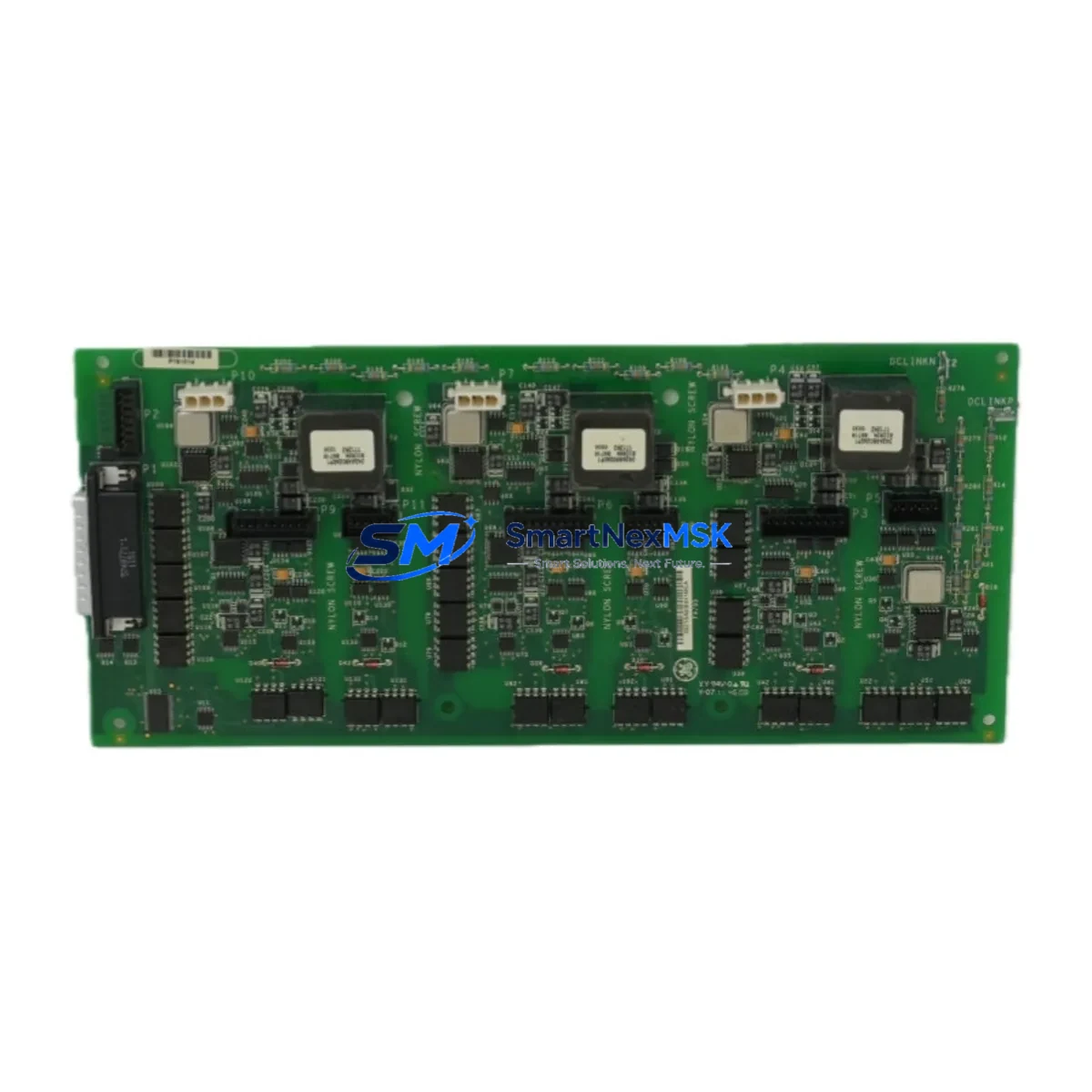
GE IS2100WETBH1B Retrofit-Ready Turbine Control Module for Mark VI Control Systems
The GE IS2100WETBH1B is a high-reliability turbine control module engineered for seamless integration into GE Mark VI distributed control architectures. As legacy Mark V and early Mark VI installations approach end-of-life, plant engineers and automation integrators increasingly rely on verified retrofit-ready replacements like the IS2100WETBH1B to restore system integrity without full platform migration. This module supports direct drop-in replacement in existing Mark VI racks, preserving original I/O mapping, terminal wiring, and communication link configurations — dramatically reducing engineering rework and unplanned downtime.
Upgrade Compatibility Table
| Parameter | Details |
|---|---|
| Compatible Platform | GE Mark VI Turbine Control System |
| Replaces / Upgrades | IS2100WETBH1A, IS2100WETBH1, IS200 series legacy variants |
| Rack / Backplane Interface | Mark VI standard VME-style backplane; direct slot replacement |
| Communication Protocol | IONet (Ethernet-based), ARCNET (legacy link compatible) |
| I/O Compatibility | Compatible with existing VCMI, VTUR, VGEN terminal boards |
| Power Supply Requirement | 28 VDC nominal; verify PSVO or PSVB power module capacity before swap |
| Installation Requirement | No hardware modification required for direct slot replacement |
| Firmware / Software | Toolbox ST or ToolboxST application; verify revision compatibility |
| Commissioning Tool | GE ToolboxST; confirm I/O forcing and signal verification post-swap |
| Warranty | 12-Month Warranty — covers functional defects under normal operating conditions |
Retrofit Planning for Existing Automation Systems
Successful retrofit of the IS2100WETBH1B begins with a thorough pre-outage audit of the existing Mark VI cabinet. Engineers should document all terminal board assignments — particularly those connected to VCMI communication interface boards and VTUR turbine I/O boards — before removing the legacy module. Power supply capacity must be verified: the PSVO or PSVB power module in the rack must deliver stable 28 VDC under full load, as insufficient headroom can cause intermittent faults post-installation.
Backplane slot addressing is critical. The IS2100WETBH1B must be installed in the correct physical slot to match the module address configured in the ToolboxST application. Mismatched slot assignments will prevent the controller from recognizing the module during initialization. After physical installation, engineers should use ToolboxST to perform a full I/O scan, verify signal assignments, and confirm that the VCMI Ethernet link to the HMI workstation — typically running Cimplicity or a third-party SCADA — is re-established without address conflicts.
For plants migrating from ARCNET-based Mark V to IONet-based Mark VI, the IS2100WETBH1B supports the IONet communication stack natively. However, legacy ARCNET terminal boards such as the IS200AEPAH1A may require a protocol bridge or replacement with IONet-compatible equivalents. Communication module IS200VCRCH1B or IS200VCMIH2C should be verified for compatibility in the same rack before commissioning. Additionally, if the plant uses a redundant controller configuration, both the primary and secondary IS2100WETBH1B modules must be updated simultaneously to prevent version mismatch faults during switchover.
I/O expansion requirements should also be assessed during the retrofit window. If the existing system uses IS200BIASH1A bias boards or IS200TRLYH1B relay output boards, confirm that their terminal assignments remain valid under the new module’s I/O map. Programming cable IS200CPCAH1A or equivalent USB-to-serial adapter may be required for local ToolboxST connection during commissioning if the Ethernet path is not yet active. All changes should be validated against the original application logic before returning the turbine to service.
Downtime Control During System Migration
Minimizing downtime during IS2100WETBH1B installation requires a structured hot-swap preparation protocol. Before the maintenance window opens, engineers should export a full ToolboxST project backup, including all I/O configurations, alarm setpoints, and sequence logic. This backup serves as the restore baseline if the new module requires re-initialization or if a firmware mismatch is detected during startup.
Where the plant architecture supports redundant Mark VI controllers, the migration can be staged: the secondary controller is updated first while the primary remains in control, allowing functional verification under live conditions before the primary switchover. This approach limits exposure to a single controller switchover event rather than a full system outage. For simplex (non-redundant) installations, the outage window should be planned to include module swap, ToolboxST re-connection, I/O force testing, and a minimum 30-minute observation period under controlled load before returning to automatic operation.
HMI continuity is equally important. Cimplicity or equivalent SCADA screens should be verified for correct tag mapping after the module swap, as IONet address changes can cause display anomalies even when the underlying control logic is intact. Coordinate with the HMI engineer to confirm all critical turbine parameters — speed, exhaust temperature, vibration, and lube oil pressure — are displaying correctly before releasing the unit to operations.
Retrofit Support FAQ
Q: Is the IS2100WETBH1B a direct replacement for the IS2100WETBH1A?
A: Yes. The IS2100WETBH1B is the current production revision of the IS2100WETBH1A. It installs in the same backplane slot, uses the same terminal board connections, and is recognized by ToolboxST without configuration changes in most Mark VI applications. Verify firmware revision compatibility in ToolboxST before commissioning.
Q: What wiring changes are required during installation?
A: No wiring changes are required for direct slot replacement. All terminal board connections — including those to VCMI, VTUR, and VGEN boards — remain unchanged. If the existing wiring shows signs of insulation degradation or loose terminations, this is an appropriate time to re-terminate affected conductors before reinstalling the module.
Q: How is the module tested before shipment?
A: Each IS2100WETBH1B unit undergoes functional verification prior to shipment, including power-on self-test, communication link initialization, and I/O channel continuity checks. Units are shipped with a test report and are covered by a 12-month warranty against functional defects under normal operating conditions.
Q: What if ToolboxST does not recognize the module after installation?
A: Confirm that the module is seated fully in the backplane slot and that the slot address in ToolboxST matches the physical installation position. Check IONet switch configuration to ensure the module’s IP address is within the expected subnet. If the issue persists, perform a cold restart of the controller rack and re-scan I/O in ToolboxST. Contact our technical support team with your ToolboxST project file and rack configuration for further diagnosis.
© 2026 SMARTNEXMSK. All rights reserved.
Original Source: https://smartnexmsk.com
Contact: [email protected] | +86 18259474341



