
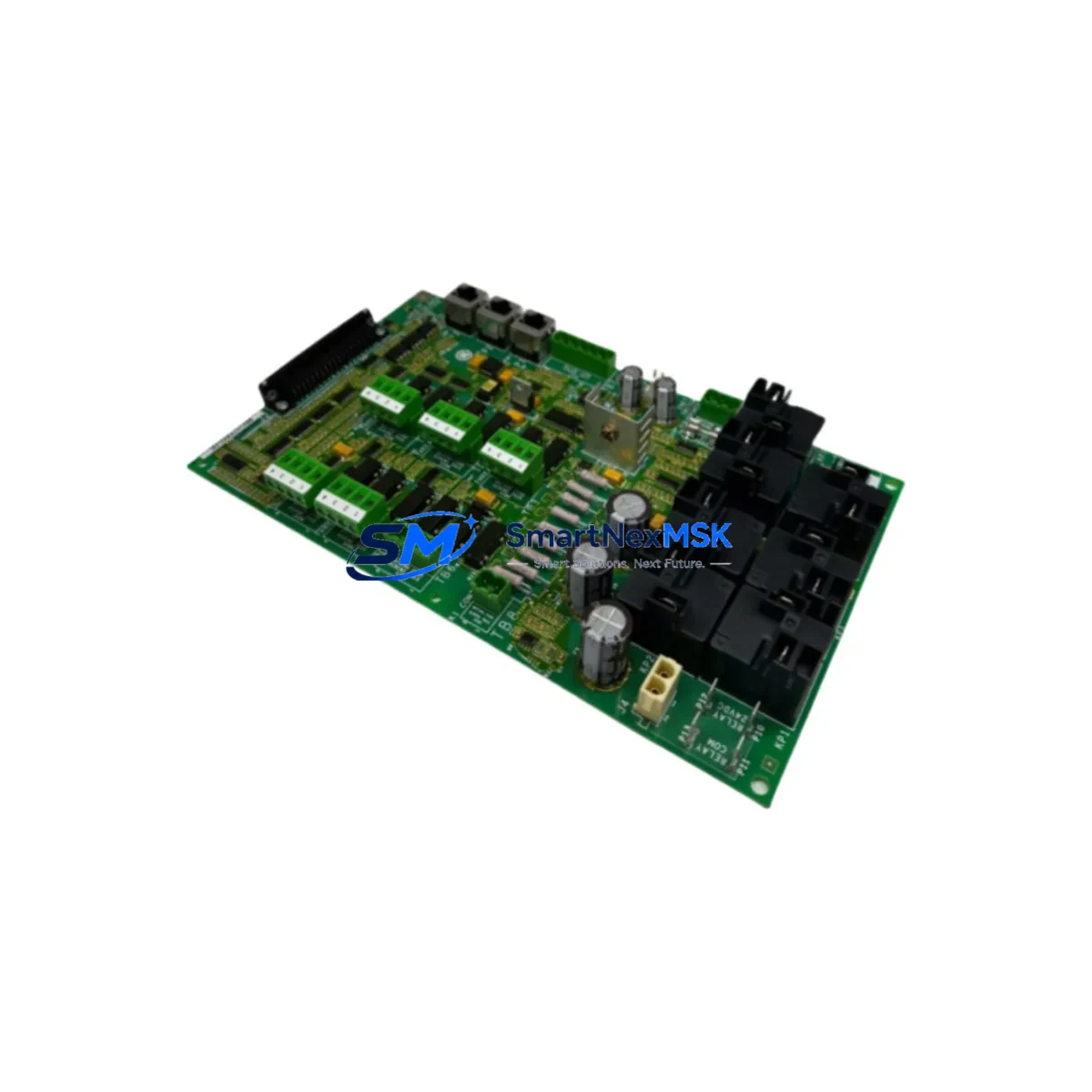
GE IS210AEPSG2BB Maintenance-Ready Spare for Mark VI Automation
The GE IS210AEPSG2BB is an original VME-format power supply module engineered for the GE Mark VI Turbine Control System — one of the most widely deployed DCS platforms in gas turbine, steam turbine, and combined-cycle power generation facilities worldwide. When this module fails or degrades, the consequences extend far beyond a single card: the entire Mark VI control cabinet loses regulated DC bus integrity, triggering protective shutdowns, forcing emergency outages, and placing both personnel and equipment at risk. Stocking a verified replacement of the IS210AEPSG2BB is not optional maintenance — it is a fundamental element of any serious turbine availability strategy.
This listing supplies the IS210AEPSG2BB as a maintenance-ready, original GE spare. Each unit undergoes functional verification and load testing prior to shipment, ensuring that the module you receive is ready for immediate installation without the uncertainty of untested surplus stock. A 12-month warranty is included on every unit, covering defects in materials and workmanship under normal operating conditions.
Spare Maintenance Table
| Parameter | Specification / Detail |
|---|---|
| Part Number / SKU | IS210AEPSG2BB |
| Manufacturer | GE (General Electric) |
| Compatible System | GE Mark VI Turbine Control System |
| Module Type | VME Power Supply Module |
| Form Factor | VMEbus (Versa Module Eurocard) |
| Primary Function | Regulated DC power distribution to Mark VI VME backplane |
| Input Voltage | AC/DC input per Mark VI cabinet specification |
| Output Voltage | +5 VDC, ±12 VDC (standard VME rails) |
| Application Environment | Gas turbine, steam turbine, combined-cycle, compressor control |
| Compatibility | Mark VI VCMI, VTUR, VPRO, VDYN, VGEN controller cards |
| Installation | Direct VME backplane insertion; no firmware configuration required |
| Condition | Original GE, functionally tested before shipment |
| Country of Origin | United States |
| Warranty | 12 Months — covers defects under normal operating conditions |
| Lead Time | In-stock units ship within 1–3 business days |
| Packaging | Anti-static ESD bag, foam-lined carton, weight approx. 5 kg |
Maintenance Planning for Continuous Operation
Replacing the IS210AEPSG2BB power supply module is rarely an isolated task. Experienced maintenance engineers know that a power supply failure in a Mark VI cabinet is often a symptom of broader electrical stress — and that a thorough inspection of the surrounding components is essential to prevent repeat failures and unplanned outages.
When servicing or replacing the IS210AEPSG2BB, your maintenance checklist should include the following adjacent components and subsystems:
- Mark VI VME Backplane (IS200BPPBG1A or equivalent) — Inspect for burnt connector pins, delamination, or corrosion on the VME bus rails. A degraded backplane can cause premature failure of a new power supply module.
- VCMI Communication Interface Module — Verify that the VCMI is receiving stable power after the IS210AEPSG2BB replacement. Communication dropouts post-replacement often indicate residual backplane or connector issues.
- VTUR Turbine Controller Card — Confirm that the turbine controller resumes normal scan cycles and that no latched faults remain after power restoration.
- 24 VDC I/O Power Distribution Fuses and Terminal Blocks — Inspect all fused terminal blocks feeding the I/O marshalling panels. A power supply fault can cause transient overvoltage events that blow field-side fuses silently.
- IS200TRESG1A Relay Output Module — Check relay coil continuity and contact resistance on all trip and alarm relay outputs. Power interruptions can weld or open relay contacts in high-cycle applications.
- IS200DSPXH1A Digital Signal Processor Card — Verify DSP card boot status and confirm that all speed, temperature, and vibration signal channels are reading correctly after power restoration.
- Mark VI HMI Workstation (Cimplicity or ToolboxST) — Reconnect and verify that the HMI is communicating with the Mark VI controller over the UDH (Unit Data Highway) network. A power cycle can disrupt Ethernet link negotiation.
- Signal Isolators on Thermocouple and RTD Inputs — Inspect signal isolators for any indication of thermal stress or insulation breakdown. These components are often overlooked during power supply replacement but are critical for accurate temperature measurement.
- Cabinet Cooling Fans and Air Filters — A failed power supply often runs hot before complete failure. Inspect and clean cooling fans and replace air filters to prevent thermal recurrence.
- IS200AEPSG1A (predecessor variant) — If your site operates a mixed fleet of Mark VI cabinets, verify whether any adjacent cabinets are running the earlier IS200AEPSG1A variant, which may also be approaching end-of-life and should be included in your next planned maintenance window.
Proactive inspection of these components during the IS210AEPSG2BB replacement window significantly reduces the probability of a secondary failure within the same maintenance cycle — and protects the capital investment already made in the replacement module.
Site Replacement Workflow
The IS210AEPSG2BB is designed for straightforward field replacement within the Mark VI VME cabinet. The following workflow is recommended to minimize downtime and ensure system compatibility:
- Pre-Replacement Verification: Confirm the replacement module’s part number and revision suffix (G2BB) matches the installed unit. Revision mismatches between power supply variants can cause incompatibility with specific Mark VI controller firmware versions.
- Controlled Shutdown: Follow GE Mark VI shutdown procedures via ToolboxST. Do not perform a hard power cut — use the controlled shutdown sequence to allow the VPRO protection module to log the final state and prevent false trip records.
- ESD Precautions: Ground yourself and the replacement module before handling. VME power supply modules are sensitive to electrostatic discharge, particularly at the backplane connector interface.
- Module Extraction and Inspection: Remove the failed IS210AEPSG2BB and inspect the VME slot for bent pins, debris, or signs of arcing. Clean the slot with compressed air before inserting the replacement.
- Installation and Power-Up: Insert the IS210AEPSG2BB firmly into the VME slot, secure the front panel retaining screws, and restore cabinet power. Monitor the DC bus voltage indicators on the module faceplate during initial power-up.
- System Verification: Use ToolboxST or Cimplicity HMI to confirm that all Mark VI controller cards have resumed normal operation, all I/O channels are reading correctly, and no new alarms are present.
- Documentation: Record the replacement in your site maintenance log, including the new module’s serial number, installation date, and post-replacement test results. This record supports warranty claims and future maintenance planning.
This workflow applies equally to planned maintenance replacements and emergency outage recovery scenarios. Having a pre-staged IS210AEPSG2BB in your on-site spare parts inventory reduces mean time to repair (MTTR) from days to hours — a critical advantage in power generation and process industries where every hour of unplanned downtime carries significant financial and operational consequences.
Spare Parts Support FAQ
Q1: Is this IS210AEPSG2BB an original GE module or a third-party compatible replacement?
This is an original GE IS210AEPSG2BB module — not a clone, aftermarket reproduction, or third-party compatible. All units are sourced from verified industrial supply channels and undergo functional testing before shipment. Original modules ensure full compatibility with Mark VI firmware, backplane signaling, and GE’s diagnostic toolchain (ToolboxST).
Q2: What does the 12-month warranty cover, and how is a warranty claim processed?
The 12-month warranty covers manufacturing defects and functional failures under normal operating conditions. It does not cover damage caused by incorrect installation, overvoltage events, physical impact, or use outside the module’s rated specifications. To initiate a warranty claim, contact our sales team with your order number, a description of the failure, and any available diagnostic data from ToolboxST. We will arrange return shipping and provide a replacement or refund within the agreed timeframe.
Q3: How do I verify compatibility before installation if my Mark VI cabinet uses an older firmware version?
The IS210AEPSG2BB is compatible with the standard Mark VI VME backplane across the majority of firmware revisions deployed in the field. However, if your site operates a very early Mark VI installation (pre-2005 firmware baseline), we recommend cross-referencing the module’s revision suffix (G2BB) against your cabinet’s Bill of Materials or contacting our technical support team before installation. We can assist with compatibility verification based on your cabinet serial number and firmware version.
Q4: What is your typical lead time, and do you support emergency same-day or next-day shipment?
In-stock IS210AEPSG2BB units ship within 1–3 business days under standard logistics. For emergency outage recovery situations, please contact our sales team directly — we prioritize expedited processing for unplanned downtime scenarios and can coordinate express courier shipment to most global destinations. Emergency shipment availability depends on carrier schedules and destination customs requirements.
© 2026 SMARTNEXMSK. All rights reserved.
Original Source: https://smartnexmsk.com
Contact: [email protected] | +86 18259474341



