
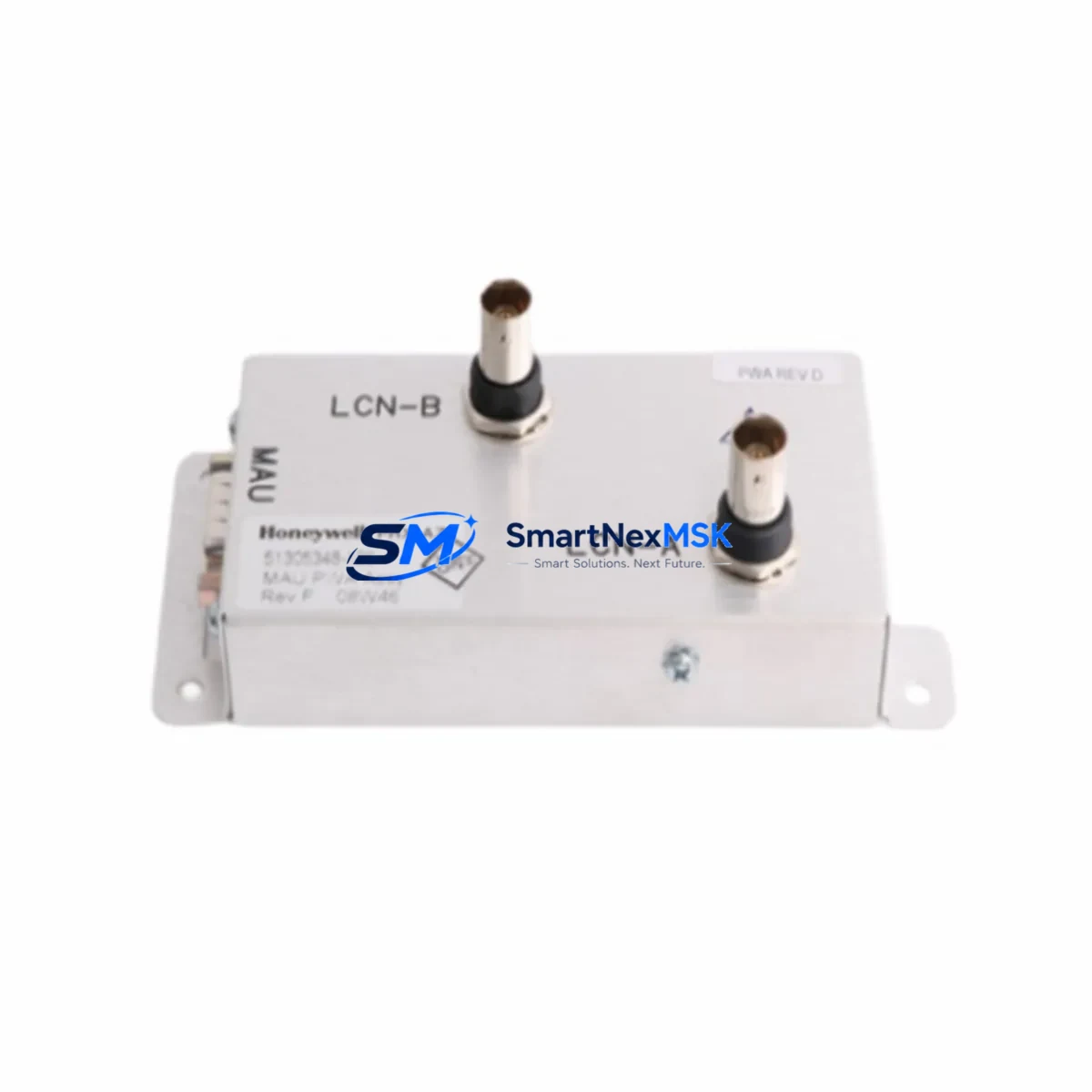
Honeywell 51305348-100 Spare for TDC3000 Automation: Spare Replacement & Industrial Downtime Risk Control
The Honeywell 51305348-100 LCN Media Adapter is a critical communication interface component within the Honeywell TDC3000 and TPS (Total Plant Solution) Distributed Control System architecture. Designed to bridge the Local Control Network (LCN) with field devices and control modules, this adapter ensures reliable data transmission across the plant-wide control backbone. When this component fails or degrades, the consequences extend beyond a single loop — entire process segments can lose supervisory visibility, triggering unplanned shutdowns and costly production interruptions.
For maintenance engineers managing aging TDC3000 or TPS installations, maintaining a verified spare of the 51305348-100 in the site spare parts inventory is not optional — it is a fundamental risk mitigation strategy. Original Honeywell components are manufactured to exact electrical and mechanical tolerances, ensuring drop-in compatibility without firmware reconfiguration or signal recalibration. Each unit dispatched by SMARTNEXMSK is tested prior to shipment and backed by a 12-month warranty, giving procurement and maintenance teams the confidence to plan replacements without emergency sourcing delays.
Spare Maintenance Table
| Part Number | 51305348-100 |
| Brand | Honeywell |
| Series / Platform | TDC3000 / TPS (Total Plant Solution) |
| Component Type | LCN Media Adapter |
| Function | Local Control Network communication interface and signal bridging |
| Compatibility | Honeywell TDC3000, TPS, LCN-based DCS architectures |
| Installation | Backplane-mounted; direct replacement for existing LCN adapter slots |
| Operating Environment | Industrial control cabinet; standard DCS environmental ratings |
| Origin | USA (Original Honeywell manufacture) |
| Condition | Original spare; tested before dispatch |
| Warranty | 12 Months |
| Lead Time | In-stock; ships within 1–3 business days |
| Maintenance Recommendation | Inspect LCN cable terminations, coaxial connectors, and adjacent network modules during replacement; verify LCN traffic restoration post-installation |
Maintenance Planning for Continuous Operation
When a 51305348-100 LCN Media Adapter is flagged for replacement during a scheduled outage or emergency fault isolation, experienced maintenance engineers know that the adapter itself is rarely the only component requiring attention. A thorough inspection of the surrounding control cabinet and LCN segment is essential to prevent repeat failures and ensure full system restoration.
Begin by inspecting the LCN coaxial cable assemblies and termination resistors at both ends of the affected network segment — degraded cable shielding or loose BNC connectors are a common root cause of intermittent LCN communication faults that are often misdiagnosed as adapter failures. Next, verify the condition of the Honeywell 51304485-100 LCN Interface Module installed in the same cabinet, as LCN media adapters and interface modules operate as a paired communication chain; a fault in one frequently stresses the other.
Check the 51401288-100 Power Supply Module supplying the LCN backplane — voltage ripple or marginal output under load can cause intermittent adapter resets that mimic hardware failure. If the cabinet houses a 51304516-100 Universal Control Network (UCN) Interface, inspect its status indicators simultaneously, as UCN and LCN faults often co-occur in aging TDC3000 installations.
For systems running Honeywell’s Application Module (AM) or History Module (HM) on the same LCN segment, confirm that these nodes re-establish communication cleanly after the adapter swap — a node that fails to rejoin the LCN after replacement may indicate a deeper network configuration issue requiring an engineer console review. Additionally, inspect the 51309276-100 LCN Tap connections along the trunk cable; corroded or loose taps are a frequent source of signal degradation in systems that have been in service for more than ten years.
Procurement engineers building a comprehensive spare parts list for TDC3000 or TPS systems should also consider stocking the 51304754-100 Network Interface Module and 51401584-100 redundant power supply as companion spares. These components share the same maintenance cycle and failure mode profile as the 51305348-100, and having them available on-site eliminates the multi-week sourcing delays that typically extend unplanned outages in legacy DCS environments.
Site Replacement Workflow
Step 1 — Pre-Replacement Verification: Before removing the 51305348-100, document the current LCN node map from the engineer console. Confirm which nodes are active and note any pre-existing communication warnings. This baseline is critical for post-replacement validation.
Step 2 — Safe Isolation: Follow site-specific lockout/tagout (LOTO) procedures. The LCN Media Adapter can typically be replaced with the LCN segment powered, but confirm with your site safety plan. Notify the control room operator before disconnecting the adapter to prevent false alarms.
Step 3 — Physical Replacement: Remove the faulty 51305348-100 by releasing the backplane locking mechanism. Inspect the backplane connector pins for corrosion or mechanical damage before inserting the replacement unit. Seat the new adapter firmly and re-engage the locking tab.
Step 4 — Cable and Termination Check: Reconnect LCN coaxial cables and verify termination resistor integrity at both segment ends. A missing or failed terminator will prevent the new adapter from establishing network communication regardless of its condition.
Step 5 — Post-Replacement Validation: From the engineer console, confirm that the replaced node rejoins the LCN and that all downstream nodes restore normal communication status. Run a brief diagnostic cycle and log the restoration time for maintenance records. This documentation supports warranty claims and future maintenance planning.
This workflow applies equally to planned maintenance windows and emergency replacement scenarios. The 51305348-100’s direct form-factor compatibility with all TDC3000 and TPS backplane slots means no firmware flashing or address reconfiguration is required — reducing mean time to repair (MTTR) to under 30 minutes for a trained technician.
Spare Parts Support FAQ
Q1: Is the 51305348-100 compatible with both TDC3000 and TPS systems?
Yes. The 51305348-100 LCN Media Adapter is designed for use across Honeywell’s TDC3000 and TPS DCS platforms. It is a direct replacement for the same part number installed in any LCN-based cabinet configuration. No hardware modification or firmware update is required for installation.
Q2: What testing is performed before shipment?
Every 51305348-100 unit supplied by SMARTNEXMSK undergoes functional verification prior to dispatch. Testing covers communication interface integrity, backplane connector condition, and basic signal path validation. A test report is available upon request for quality-critical procurement processes.
Q3: How should I manage spare inventory for aging TDC3000 systems?
For TDC3000 and TPS systems beyond their original support lifecycle, industry best practice recommends maintaining a minimum of one spare LCN Media Adapter per active LCN segment, plus companion spares for LCN interface modules and power supply units. SMARTNEXMSK offers long-term supply agreements to support multi-year maintenance plans, ensuring consistent availability without repeated spot-market sourcing.
Q4: What does the 12-month warranty cover?
The 12-month warranty covers manufacturing defects and functional failures under normal operating conditions. It does not cover damage resulting from incorrect installation, overvoltage events, or physical mishandling. Warranty claims are processed directly through SMARTNEXMSK with a target response time of 48 hours. Replacement units are dispatched upon fault confirmation to minimize site downtime.
© 2026 SMARTNEXMSK. All rights reserved.
Original Source: https://smartnexmsk.com
Contact: [email protected] | +86 18259474341



