
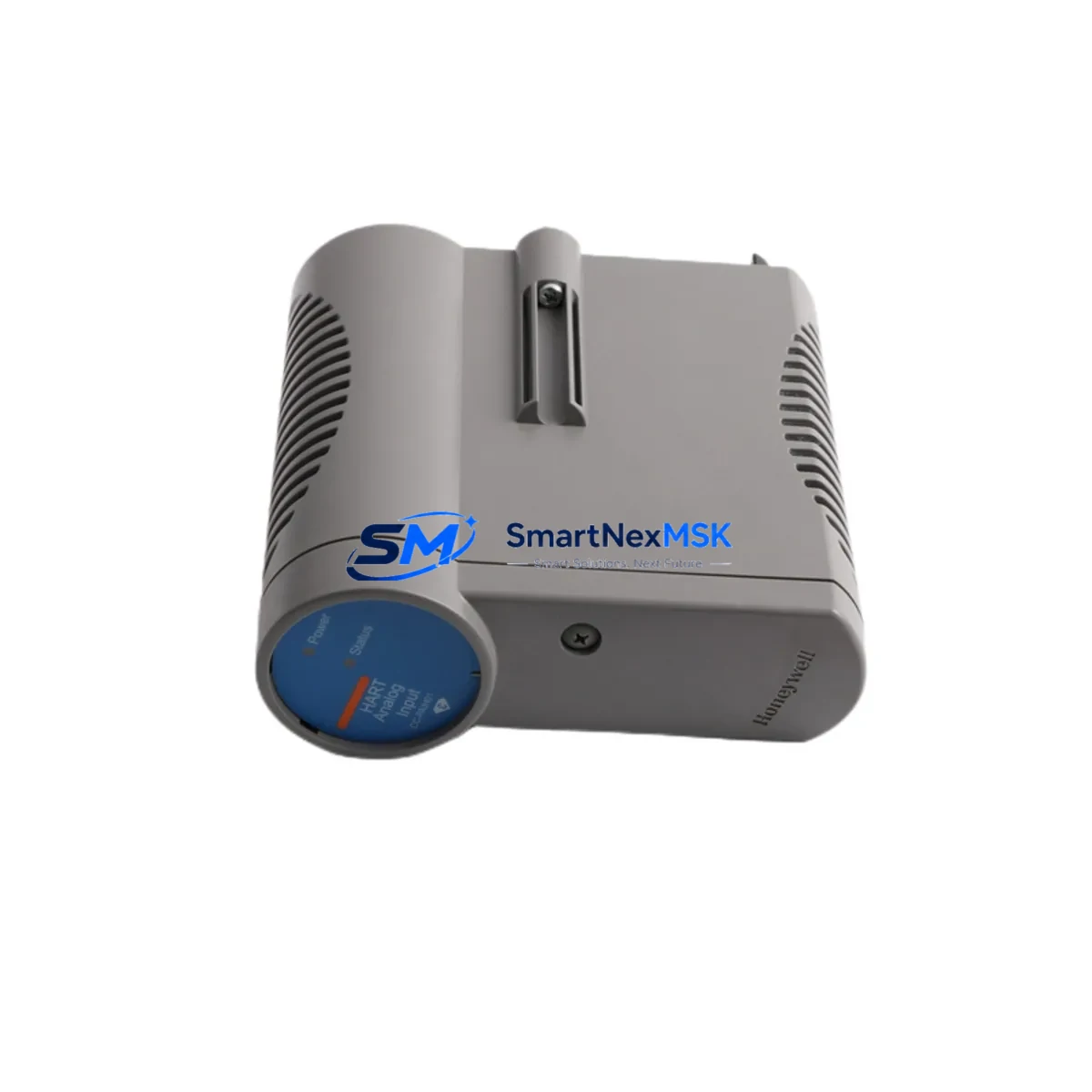
Honeywell 51405038-175 CC-PAIH01 Retrofit-Ready Analog Input Module for Experion PKS Control Systems
The Honeywell 51405038-175 CC-PAIH01 is an 8-channel analog input module engineered for the Experion PKS Series C distributed control system platform. As legacy Honeywell DCS installations age and original spare parts become increasingly scarce, this module serves as a verified drop-in replacement that enables plant engineers to restore full analog signal acquisition capability without redesigning the control architecture. Whether you are recovering from an unplanned failure, executing a planned shutdown upgrade, or building a strategic spare inventory, the CC-PAIH01 delivers the signal fidelity, backplane compatibility, and firmware alignment required for seamless reintegration into your existing control loop.
This module accepts 4–20 mA and 1–5 V analog signals across all eight channels, with each channel independently configurable via the Experion PKS Control Builder environment. The module mounts directly onto the Honeywell Series C I/O Link backplane, sharing the same rack footprint as the original CC-PAIH01 population. No mechanical modification to the control cabinet is required. Terminal block wiring follows the standard Honeywell field termination assembly (FTA) pinout, meaning existing field cables and junction boxes remain fully reusable during the swap.
Upgrade Compatibility Table
| Parameter | Detail |
|---|---|
| Replaced / Superseded Model | Honeywell 51405038-175 CC-PAIH01 (original production) |
| Compatible Platform | Honeywell Experion PKS Series C DCS |
| Backplane Interface | Series C I/O Link — direct plug-in, no adapter required |
| Channel Count | 8 channels, independently configurable |
| Signal Types | 4–20 mA / 1–5 V DC analog input |
| Installation Requirement | Standard Series C rack; no mechanical modification needed |
| Communication Compatibility | Experion PKS I/O Link protocol; compatible with C300 Controller |
| Wiring Compatibility | Existing FTA terminal block wiring fully reusable |
| Retrofit Recommendation | Direct replacement; update module address in Control Builder after swap |
| Commissioning Focus | Verify channel scaling, HART pass-through, and alarm setpoints post-installation |
| Warranty | 12-Month Warranty — covers manufacturing defects and functional failure |
Retrofit Planning for Existing Automation Systems
Successful integration of the CC-PAIH01 into an aging Experion PKS installation requires a structured pre-work checklist that addresses every layer of the control system stack. Begin at the power budget level: confirm that the Series C rack’s power supply — typically a Honeywell CC-PWR01 or equivalent 24 VDC rack power module — has sufficient headroom to support the replacement module alongside all co-resident I/O cards. Overloaded rack power is a common but overlooked cause of intermittent analog signal errors after a module swap.
Next, audit the backplane slot assignment. The Honeywell Series C I/O chassis assigns a fixed slot address to each module position, and the C300 Controller references these addresses in its control strategy. When the failed CC-PAIH01 is removed, the replacement must be inserted into the identical slot to preserve the address mapping. If the slot has been physically damaged, a full chassis replacement using a compatible Honeywell CC-CIMS01 or equivalent Series C I/O module carrier may be necessary before the analog input module can be reinstalled.
Field wiring termination is handled through the associated Honeywell FTA (Field Termination Assembly), which connects to the CC-PAIH01 via a dedicated cable harness. Inspect the FTA connector and cable for corrosion or mechanical damage before reinstalling the module. Each of the eight analog input channels terminates at a dedicated screw terminal pair on the FTA; verify continuity and insulation resistance on all field cables before powering the rack.
On the software side, open Honeywell Control Builder and navigate to the I/O assignment view for the affected controller. Confirm that the module type definition matches the CC-PAIH01 hardware revision. If the replacement module carries a different firmware revision than the original, a Control Builder database update may be required to align the module descriptor. Export and archive the current controller program — including all function block diagrams, cause-and-effect matrices, and alarm configurations — before initiating any hardware change. This backup is your recovery baseline if the commissioning process encounters unexpected behavior.
For plants that have integrated HART-capable field instruments — such as pressure transmitters, flow meters, or level sensors — connected to the CC-PAIH01 channels, verify that HART pass-through is enabled in the channel configuration after the swap. The Experion PKS system uses HART data for device diagnostics and advanced process variables; losing HART communication silently after a module replacement is a common commissioning oversight that can affect predictive maintenance workflows.
If your retrofit scope extends beyond a single analog input module to include communication infrastructure, note that the Experion PKS platform supports Honeywell FTE (Fault Tolerant Ethernet) as its primary supervisory network. Ensure that the FTE switch configuration and node addressing remain unchanged during the I/O replacement activity. Plants migrating from older Honeywell TDC 3000 or PlantScape architectures to Experion PKS will additionally need to map legacy UCN or LCN point names to the new Experion tag database — a process that typically involves the Honeywell Migration Toolkit and careful HMI screen rebinding to preserve operator display continuity.
Downtime Control During System Migration
Minimizing production downtime during an analog input module replacement on a live Experion PKS system requires a disciplined sequence of pre-shutdown, swap, and recommissioning steps. The goal is to reduce the window between removing the failed CC-PAIH01 and restoring verified analog signal acquisition to the shortest possible interval — ideally within a single planned maintenance window.
Before the shutdown, place all control loops associated with the affected CC-PAIH01 channels into manual mode within the Experion PKS operator station. This prevents the C300 Controller from taking automatic corrective action on stale or missing process values during the hardware swap. Document the current output values for each loop so that operators can maintain process stability manually during the transition period.
During the swap itself, follow electrostatic discharge (ESD) precautions when handling the module. The CC-PAIH01 uses a hot-swap-capable backplane interface on Series C racks, meaning the rack does not need to be fully de-energized for the module exchange — however, always confirm this with your site safety procedures and the specific rack revision before proceeding. After seating the replacement module, the Experion PKS system will automatically detect the new hardware and initiate a module initialization sequence. Monitor the module status LED and the Experion Station alarm banner for any fault codes during this period.
Once the module reports healthy status, return to Control Builder and perform a live channel verification: inject a known 4 mA signal at the FTA terminal for each channel and confirm that the Experion PKS process variable reads the corresponding engineering unit value within the configured scaling range. After all eight channels pass verification, return the associated control loops from manual to automatic mode one at a time, observing process response before proceeding to the next loop. This staged recommissioning approach protects against cascading upsets if a channel scaling error was introduced during the replacement.
Maintain a commissioning record that documents the module serial number, slot position, firmware revision, channel verification results, and the name of the technician who performed the swap. This record supports your 12-month warranty claim process and provides traceability for future audits or regulatory inspections.
Retrofit Support FAQ
Q1: Is the 51405038-175 CC-PAIH01 a direct drop-in replacement for the original Honeywell module?
Yes. The replacement CC-PAIH01 uses the same Series C backplane connector, identical FTA wiring pinout, and compatible firmware descriptor as the original production module. No mechanical modification, wiring change, or Control Builder database restructuring is required for a same-slot replacement. After insertion, update the module address confirmation in Control Builder and perform a channel verification before returning loops to automatic mode.
Q2: What commissioning steps are required after installing the replacement module?
After physical installation, verify module status in the Experion PKS Station, confirm HART pass-through is active on all applicable channels, inject a reference signal at the FTA to validate channel scaling, and check alarm setpoints against your process design basis. Return control loops to automatic mode sequentially after each channel passes verification. Archive the commissioning record for warranty and audit purposes.
Q3: Can this module be used in a rack that also contains other Series C I/O types?
Yes. The CC-PAIH01 coexists in the same Series C chassis with other I/O module types, including analog output modules, digital input/output modules, and communication interface modules, provided the rack power budget is not exceeded. Confirm total rack current draw against the installed power supply rating before adding or replacing modules.
Q4: What does the 12-month warranty cover, and how is a claim initiated?
The 12-month warranty covers manufacturing defects and functional failure under normal operating conditions. It does not cover damage caused by incorrect installation, overvoltage, or environmental conditions outside the module’s rated specifications. To initiate a warranty claim, contact our sales team with the module serial number, purchase order reference, and a description of the observed fault. We will arrange return shipping and either repair or replace the module at no additional cost within the warranty period.
© 2026 SMARTNEXMSK. All rights reserved.
Original Source: https://smartnexmsk.com
Contact: [email protected] | +86 18259474341



